Website Suggestion Box: Give Visitors a Clear Place to Share Ideas
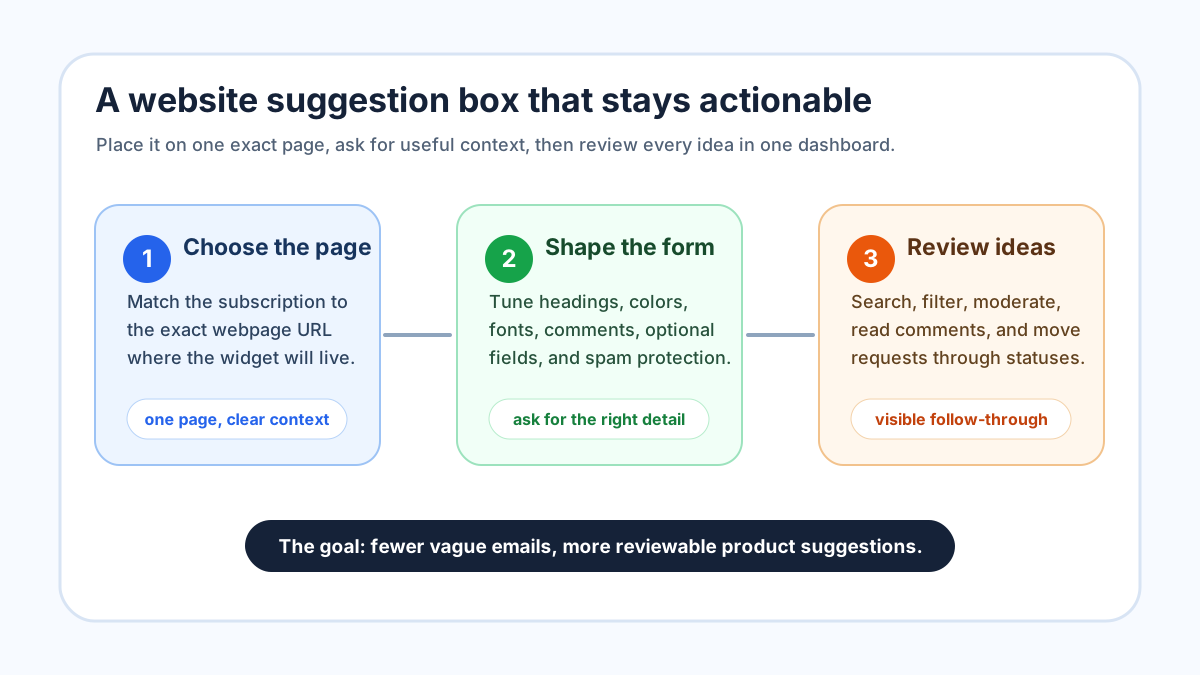
A website suggestion box is a simple promise: if a visitor sees something that could be better, there is an obvious place to tell you. That promise sounds small, but it changes the quality of feedback you receive. Instead of scattering ideas across contact forms, inboxes, chat transcripts, social comments, and support tickets, you give people one clear doorway for product and website improvements.
At FeaturAsk, we built our widget for owners who want that doorway without turning feedback collection into a large software project. You choose the exact webpage where the widget belongs, customize the prompt, paste the generated widget code into the page body, and review suggestions from the dashboard. The exact URL matters because one subscription is tied to one assigned webpage URL, so the page you configure and the page where you paste the code need to match.
If you want to try a focused suggestion channel, FeaturAsk gives you a 30-day no-credit-card trial, with no credit card required, and keeps the paid plan simple at $29.95/year. That makes it practical to test a suggestion box on one important page before you decide whether to roll the habit into the rest of your site.
What a website suggestion box should do
A good website suggestion box should collect ideas that your team can understand, evaluate, and act on. It should not be a decorative tab that sends vague notes into a private void. Visitors need to know what belongs in the box, and owners need enough context to decide what to do next.
The best prompt is specific to the page. On a pricing page, you might ask what information would make the choice easier. On a help page, you might ask what explanation is missing. On a product landing page, you might ask what feature, comparison, or example would make the product clearer. The point is not to ask everyone for every kind of feedback. The point is to invite the kind of suggestion that the current page can produce well.
This is why a suggestion box differs from a general contact form. A contact form often asks, “How can we help?” A suggestion box asks, “What should we improve?” That small shift sets expectations. It encourages ideas, requests, and comments about the experience rather than support issues that need a private reply.
Where to place the suggestion box
Start with one page where visitor intent is strong. Good candidates include a product page, pricing page, documentation page, onboarding page, or feature overview. If the page already creates questions, objections, or ideas, a suggestion box can capture those thoughts while they are fresh.
Do not begin by putting the same generic prompt everywhere. Sitewide collection can sound efficient, but it often creates low-context submissions. “Add more examples” means one thing on a documentation article and another thing on a pricing page. When the widget is tied to a specific page, the idea arrives with a clearer frame.
With FeaturAsk, this page-specific approach is built into the setup. You create a website subscription for the specific URL, and the widget code needs to be pasted into the body of that exact page. The dashboard also keeps website subscriptions and purchase history visible, so you can see which page each subscription belongs to instead of guessing later.
How to write the prompt
The prompt should be short enough to understand in a glance and specific enough to shape useful responses. I like a heading that names the page context, a short description that explains what kind of ideas you want, and a form heading that nudges the visitor toward an actionable suggestion.
For example, a pricing-page prompt might say: “What would make this pricing page clearer?” The description can add: “Share a missing comparison, confusing term, or buying question we should address.” That wording is more useful than “Leave feedback,” because it tells the visitor what kind of feedback helps.
A product-page prompt might ask: “What should this product page explain better?” A docs prompt might ask: “What was hard to understand here?” A feature page might ask: “What related capability would help your workflow?” The exact words should come from the decision you want to make after reading the answer.
If you already have a broader feedback strategy, connect the suggestion box to it. Our guides on the customer feedback widget, product feedback widget, and user feedback widget explain how narrower feedback channels can support different owner goals without becoming one overloaded inbox.
Configure the widget without overbuilding it
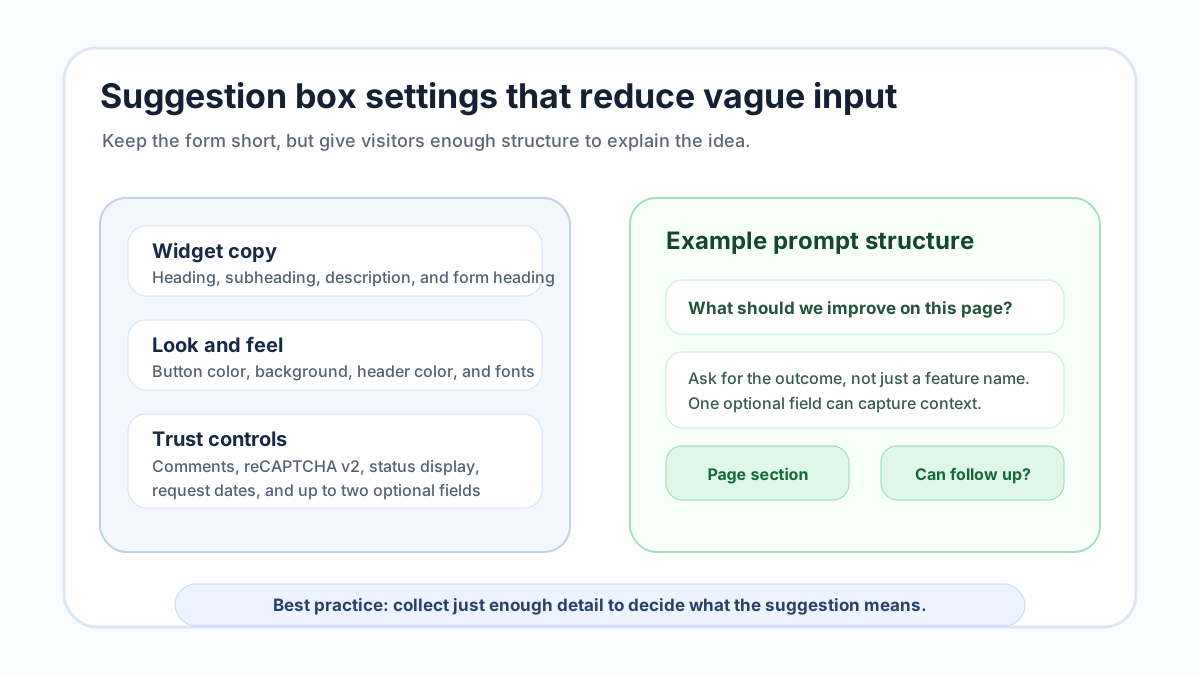
A suggestion box works best when it is easy to open, easy to understand, and easy to submit. At FeaturAsk, we let you adjust the parts that shape that experience: the widget heading, subheading, description, form heading, button color, background color, header background color, heading font, and text font. Those controls are enough to make the widget feel like it belongs on your site without forcing you to design a full feedback portal.
You can also decide whether to enable comments, reCAPTCHA v2, status display, and request date display. Comments are useful when you want visitors to add detail or when you expect public discussion around ideas. Status and date display help visitors see that suggestions are reviewed instead of silently collected. reCAPTCHA v2 can help protect the form from spam.
FeaturAsk also supports up to two optional fields. I recommend using them only when the answer changes how you will review the suggestion. On a website suggestion box, one optional field might ask which section of the page the visitor means. Another might ask whether you may follow up. If you ask for too much, fewer people will submit. If you ask for too little, you may collect ideas you cannot interpret.
The balance is simple: keep the main suggestion field central, then add optional fields only for context you repeatedly need. A page-specific suggestion box usually needs less structure than a broad customer feedback program because the page itself already supplies context.
Test before you send traffic to it
Before you announce the suggestion box, use the quick preview and Test Widget page. Preview the copy, colors, fonts, and controls. Then submit a few realistic examples: a strong idea, a vague comment, a duplicate-style request, and something that does not belong. This test shows whether the prompt encourages the right behavior.
After testing, open the dashboard and inspect what you received. Can you understand the request without emailing the visitor? Did the optional field capture useful detail? Does the title need cleanup? Should comments be enabled? Should status display be visible on this page? Testing with real examples is faster than debating every setting in advance.
Also verify the exact URL setup. The generated widget code belongs in the body of the page assigned to the subscription. If the URL does not match, you are no longer testing the same page-specific experience you configured. A website suggestion box is most useful when the prompt, placement, and assigned URL all point to the same visitor moment.
How to manage suggestions after they arrive
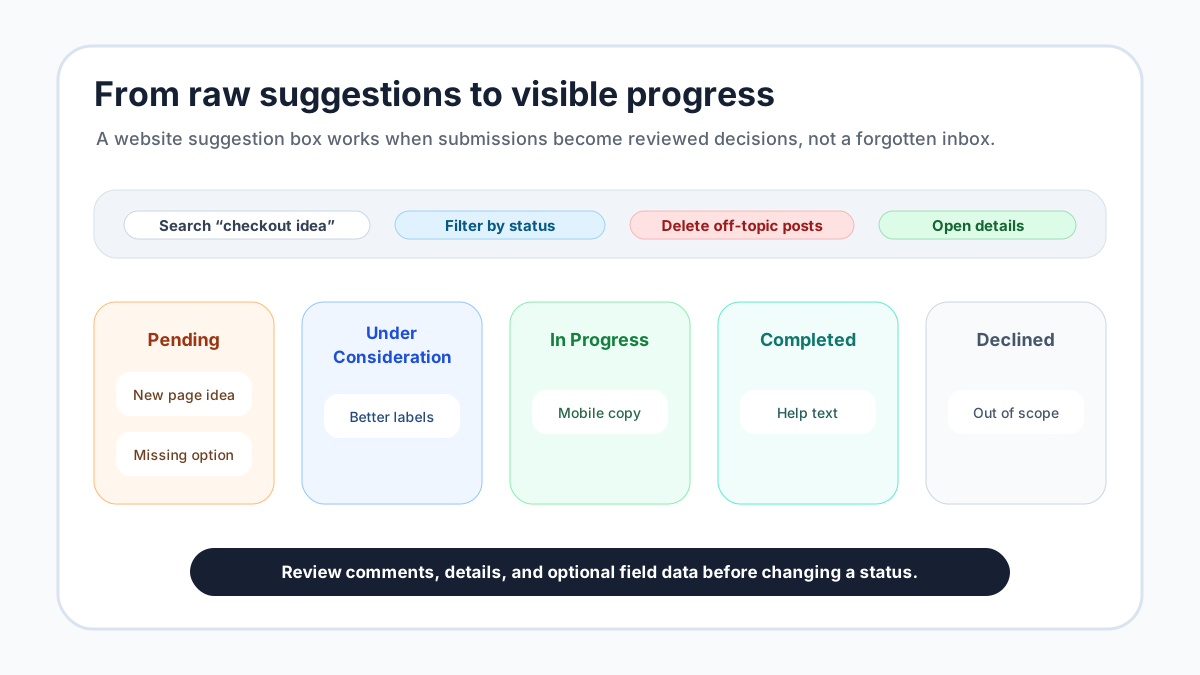
The biggest risk with any website suggestion box is not low volume. It is neglect. If visitors share ideas and nothing changes visibly, the box becomes a trust problem. That is why the review workflow matters as much as the widget itself.
In FeaturAsk, incoming requests can move through practical statuses: Pending, Under Consideration, In Progress, Completed, and Declined. Pending is for new ideas that still need review. Under Consideration means the idea is being evaluated. In Progress tells visitors work has started. Completed closes the loop when the change is done. Declined is important too, because not every suggestion fits your product, page, or timing.
We let you search requests, filter by status, open the request details, view comments, inspect optional field data, moderate submissions, and delete items that do not belong. Those controls keep the suggestion box usable after the first week. A clean board is easier to trust than a long list of unreviewed notes.
Moderation is not about hiding criticism. It is about keeping the public channel focused. Remove spam, private support problems, duplicates that add no new context, and anything that should not be public. Keep real improvement ideas visible enough for visitors to recognize, comment on, and follow as the status changes.
A simple weekly review routine
A suggestion box does not need a large operating process. It needs a small recurring habit. Once a week, review new Pending items, clean up unclear titles, delete or moderate anything off-topic, and move each useful item into the right status. If an idea needs more detail, answer in the comments or adjust the prompt so future visitors give better context.
I would also keep a short “why” note for Declined items. Visitors do not need a long essay, but they deserve a clear reason. Maybe the suggestion is out of scope, maybe it applies to a different product, or maybe it conflicts with the direction of the page. A simple explanation shows that a human reviewed the idea.
For Completed items, write the update in plain language. Say what changed and where the visitor can see it. This makes the website suggestion box feel alive. It also teaches future visitors what kind of suggestions your team acts on.
Common mistakes to avoid
The first mistake is using a prompt that is too broad. “Any feedback?” invites everything from bugs to sales questions to vague complaints. A suggestion box should make the desired contribution obvious. Ask for page improvements, missing information, confusing copy, or feature ideas depending on where the widget sits.
The second mistake is asking for too much information. Optional fields are useful, but they should not turn the suggestion box into a long survey. We built support for up to two optional fields because most pages only need one or two extra details. If you need ten fields, you may be designing a research form rather than a suggestion box.
The third mistake is hiding progress. If you enable status display and request dates, visitors can see that ideas are moving. If you never update statuses, the box looks abandoned. Use Pending, Under Consideration, In Progress, Completed, and Declined honestly, even when the answer is no.
The fourth mistake is placing the widget on a page you cannot maintain. Start where you are willing to read, moderate, and respond. A small suggestion box on one strategic page beats a neglected widget across the whole site.
How a suggestion box fits with other feedback tools
A website suggestion box is one part of a broader feedback system. It catches page-specific ideas at the moment a visitor notices them. A feature request board organizes product requests over time. A voting widget helps measure which ideas attract more visible support. A customer suggestion box can invite broader business improvement ideas.
If your main goal is product prioritization, read our feature request widget guide. If you want visitors to support existing ideas, the feature voting widget guide is the better next step. If you want a wider channel for non-product ideas, compare this setup with a customer suggestion box for website.
The important thing is to avoid mixing every use case into one unclear form. A website suggestion box should have a page-specific job. Other feedback channels can handle broader product discovery, voting, and customer input.
When FeaturAsk is a good fit
FeaturAsk is a good fit when you want a lightweight suggestion box tied to a specific webpage, with enough customization to match your site and enough management controls to keep ideas organized. It is not meant to be a heavy enterprise platform. It is for owners who want to collect suggestions, review them, show statuses, and keep the loop visible.
The setup path is straightforward: create the subscription for the exact page, configure the widget, preview it, test it, paste the generated code into the page body, and then use the dashboard to manage incoming requests. You can view website subscriptions and purchase history from the dashboard, so the operational pieces stay easy to find.
If that is the kind of feedback channel you want, FeaturAsk lets you start with a 30-day no-credit-card trial. If the suggestion box proves useful, the plan is $29.95/year, which keeps the experiment affordable for a small site, founder-led product, or service business.
A practical launch plan
Launch the first version in three passes. In the first pass, choose one page and write the simplest useful prompt. In the second pass, configure the visual settings so the widget feels native to the page, then decide whether comments, reCAPTCHA v2, status display, dates, and optional fields belong in the first version. In the third pass, use quick preview and the Test Widget page to submit examples before real visitors see it.
During the first two weeks, review suggestions more often than you think you need to. Early feedback tells you whether the prompt is working. If visitors submit unclear ideas, revise the heading or description. If they keep mentioning the same page section, add one optional field. If they ask support questions, clarify that the box is for improvement suggestions and point support elsewhere on the page.
At FeaturAsk, we built the product around that practical owner workflow: collect ideas from the page where they happen, keep review simple, and show visitors that their suggestions can move through a visible status path. For teams that want to stop losing website ideas in scattered channels, a focused suggestion box is often the cleanest first step.
When you are ready to test it, FeaturAsk gives you the widget, customization settings, request management, quick preview, and Test Widget page in one place, with a 30-day no-credit-card trial and a $29.95/year plan after that.