Customer Suggestion Box for Website: A Practical Setup Guide
A website suggestion box should look simple to customers and still give the business enough structure to act. The visible box is only the front door; behind it, someone has to clean up ideas, route support questions, invite votes, and answer when a suggestion changes status.
This guide is for local service businesses, restaurants, and website owners that want a friendly way to hear what customers wish existed. The goal is fewer scattered comments and more suggestions your team can review without turning customer feedback into another messy inbox.
FeaturAsk fits this job because it gives a small website a suggestion widget, voting, comments, moderation, and status updates without a custom build. Start with the one-month FeaturAsk trial with no credit card, then keep it for $29.95/year if customers use it.
Where a website suggestion box belongs
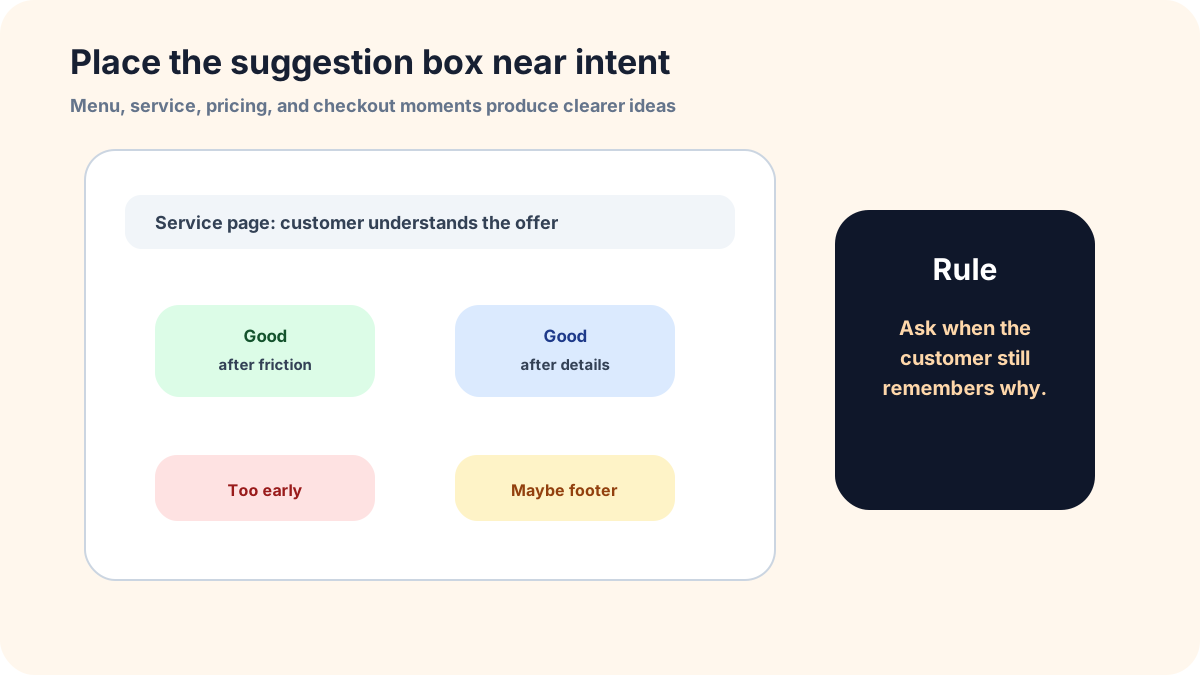
A suggestion box works best after the visitor has context. Put it near the moment where a customer has just looked for something, read a service description, checked a menu, viewed a pricing page, or tried to complete a task. A floating tab can help, but it should not be the only entry point. A small link near the right moment usually produces clearer suggestions than a large invitation shown everywhere.
For a restaurant, the right moment might be the menu page or reservation confirmation. For a local service business, it might be the service detail page. For a small software product, it might be the help menu or feature area where friction appears. The goal is not to maximize clicks. The goal is to catch the suggestion while the customer still remembers the problem.
What to ask before the suggestion is submitted
The form should feel short, but the prompt should still ask for the reason behind the idea. A title field, a short description, and an optional email are enough for many sites. If the business needs more detail, ask one follow-up: “What were you trying to do?” or “How would this help you?” That single question improves the quality of suggestions without making the form feel like paperwork.
Avoid asking customers to classify the idea with internal language. They do not know whether something is a roadmap request, a service improvement, a bug, or a marketing question. Let them explain the outcome. Your team can tag the suggestion later.
How to moderate public suggestions
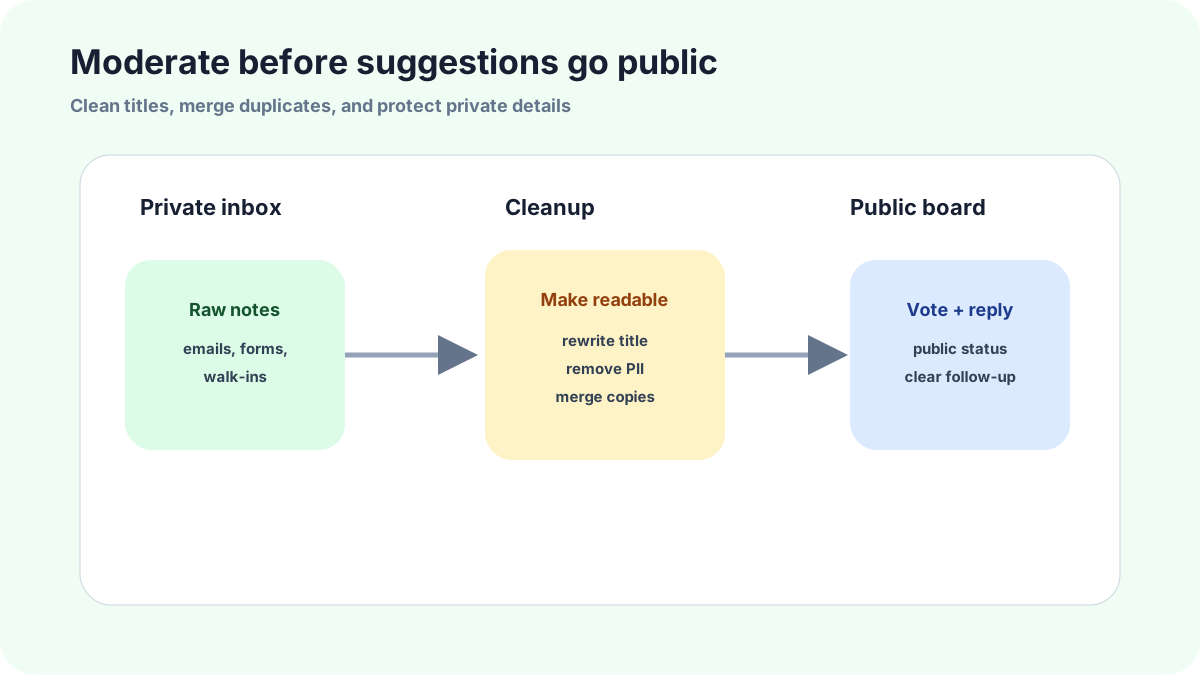
If suggestions will be public, moderation is not optional. Clean up titles, merge duplicates, hide personal details, and move support questions to a private channel before a suggestion appears on the board. Public does not mean raw. It means customers can see the shared ideas after the business has made them readable and safe.
A small moderation rulebook prevents awkward decisions later. Publish ideas that other customers can understand. Keep account-specific complaints private. Remove names, phone numbers, order numbers, and sensitive details. Merge duplicates into the clearest version. Then let customers vote or comment on the cleaned-up idea.
A weekly review routine for small teams
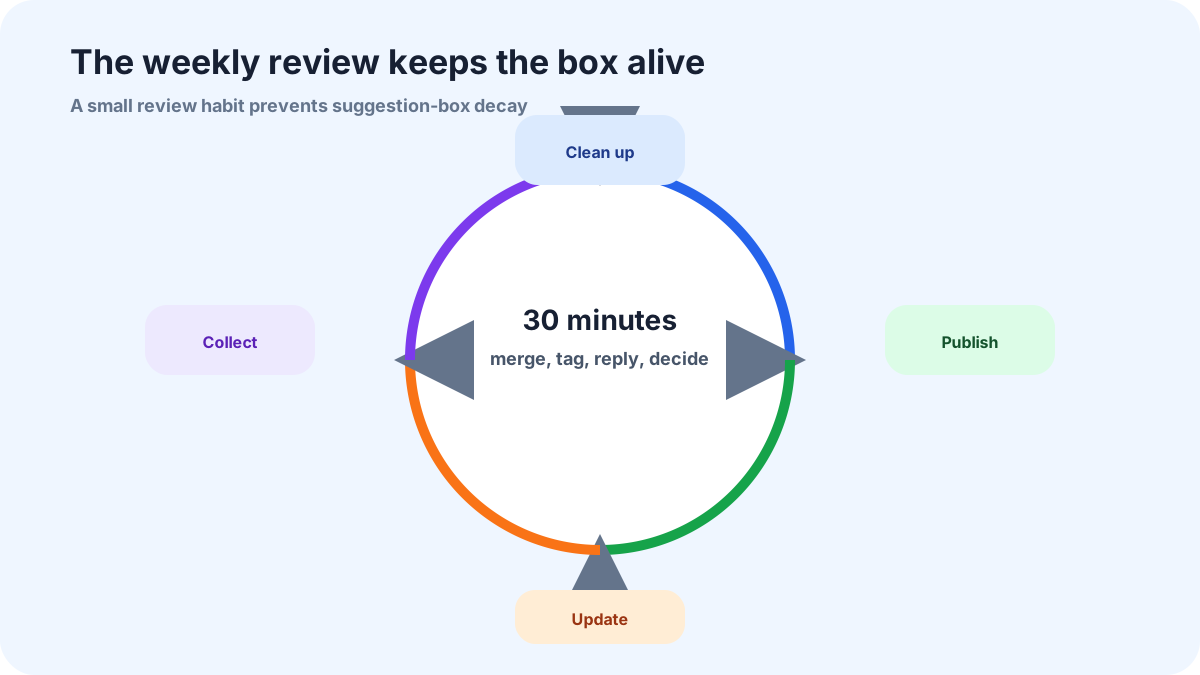
A suggestion box becomes useful when somebody reviews it on a schedule. Once a week, open the board, merge duplicates, tag themes, reply to new ideas, and choose a small set for follow-up. A thirty-minute habit is enough for many small businesses. Waiting until the box feels busy is how it becomes stale.
The review should end with visible movement. Mark one suggestion as under review, close one that does not fit, ask one clarifying question, and publish one cleaned-up idea if it belongs on the public board. Customers do not need every suggestion accepted. They need evidence that the channel is alive.
How FeaturAsk fits a simple suggestion box workflow
FeaturAsk fits this job because it gives a small website a suggestion widget, voting, comments, moderation, and status updates without a custom build. Start with the one-month FeaturAsk trial with no credit card, then keep it for $29.95/year if customers use it.
Because FeaturAsk combines a website widget, public voting, comments, moderation, and a dashboard, it can act like a modern suggestion box without forcing a business to build one from scratch. That is useful when the team wants the customer-friendly feel of a simple box but still needs enough structure to make decisions.
Common mistakes to avoid
Do not hide the suggestion box on a generic contact page and expect rich ideas. Put the invitation near a customer decision: a menu, service page, pricing page, help page, or empty result. Context is what turns a complaint into a usable suggestion.
Do not publish every submission instantly. A local customer might include names, order details, or private frustration. Review first, remove sensitive details, then publish only the version other customers can safely understand and support.
Do not make the box anonymous by default if follow-up matters. Anonymous ideas are fine for some settings, but an optional email gives the business a way to clarify a vague request before it becomes public noise.
Related FeaturAsk guides
If you are choosing between a suggestion box and a broader widget, compare this setup with online suggestion box for customers, website feedback widget definition examples and tools, and customer feedback widget. Those pages cover similar intake patterns from different customer moments.
For a simple pilot, FeaturAsk gives you the website widget, voting board, comments, and moderation tools in one place. The first month does not require a credit card, and the paid plan is $29.95/year if the workflow earns its keep.
Implementation checklist before publishing
Before the suggestion box goes live, test it with three fake customer scenarios: a helpful product idea, a support question, and a vague complaint. Each scenario should land in the right place. If the support question appears on the public board, adjust routing before inviting real customers. If the vague complaint has no prompt for context, rewrite the form copy.
Also decide who owns replies. A suggestion box without ownership feels worse than no suggestion box because it creates the expectation of being heard. The owner should check new submissions, clean titles, merge duplicates, and post short status notes. If you want a simple tool for that workflow, FeaturAsk keeps the website entry point, voting board, comments, and moderation dashboard together.
How FeaturAsk works as a website suggestion box
FeaturAsk is designed to make a website suggestion box feel easy for the site owner and understandable for the visitor. We start with a no-credit-card 30-day trial, then let you assign the exact webpage where the suggestion widget should live. One subscription is tied to one webpage, and additional subscriptions can be used when you want separate suggestion boxes on separate pages. That keeps a menu suggestion, product request, course idea, or service improvement tied to the page where it makes sense.
The setup is copy-and-paste friendly. In the dashboard, you customize the widget text, colors, fonts, commenting controls, request-date visibility, status display, reCAPTCHA v2, and two optional custom fields at most. Then you save the settings, generate the widget code, and paste the container plus script into the body of the page. For common builders, the same idea applies: use a Custom HTML block in WordPress, an HTML iframe element in Wix, a Custom HTML section in Shopify, or the relevant body area on a custom site. The webpage URL in the code needs to match the one you assigned in the dashboard.
Once suggestions start coming in, FeaturAsk gives the owner a simple operating surface. You can look up a request, narrow the list by status, read the discussion, inspect optional-field answers, delete off-topic items, and move suggestions through a compact status set: Pending when an item is new, Under Consideration when you are evaluating it, In Progress once work has started, Completed after the change is live, and Declined when the idea is not a fit. That is enough structure for a small business to avoid a messy public board without needing a custom feedback portal.
Before launching, use the quick preview for the visual check: colors, fonts, text length, and optional-field layout. Then use the Test Widget page for a real submission test. I would test one helpful suggestion, one support question, and one unclear complaint. If all three are easy to understand and manage from the dashboard, the suggestion box is ready for a small public rollout.
How I would keep the suggestion box clean
A website suggestion box should feel open without becoming messy. With FeaturAsk, I would start by writing the widget copy as an invitation, not as a demand for a business case. Ask customers what they would like to see, why it would help, and whether they are willing to be contacted. Then keep the public board tidy enough that future visitors understand what is already being discussed.
The owner should review suggestions on a steady schedule. Search before creating a new public item, because customers often describe the same idea with different words. Use comments when a suggestion needs clarification. Use statuses to show movement, not decoration. A Pending item can wait for review; an Under Consideration item should actually be evaluated; a Completed item should be something the business has shipped or changed. That simple discipline is more important than adding more fields. FeaturAsk is meant to support that discipline with a widget, voting, comments, status updates, and dashboard review controls that a small website owner can understand quickly.