45 Customer Feedback Sources to Gather Valuable Insights
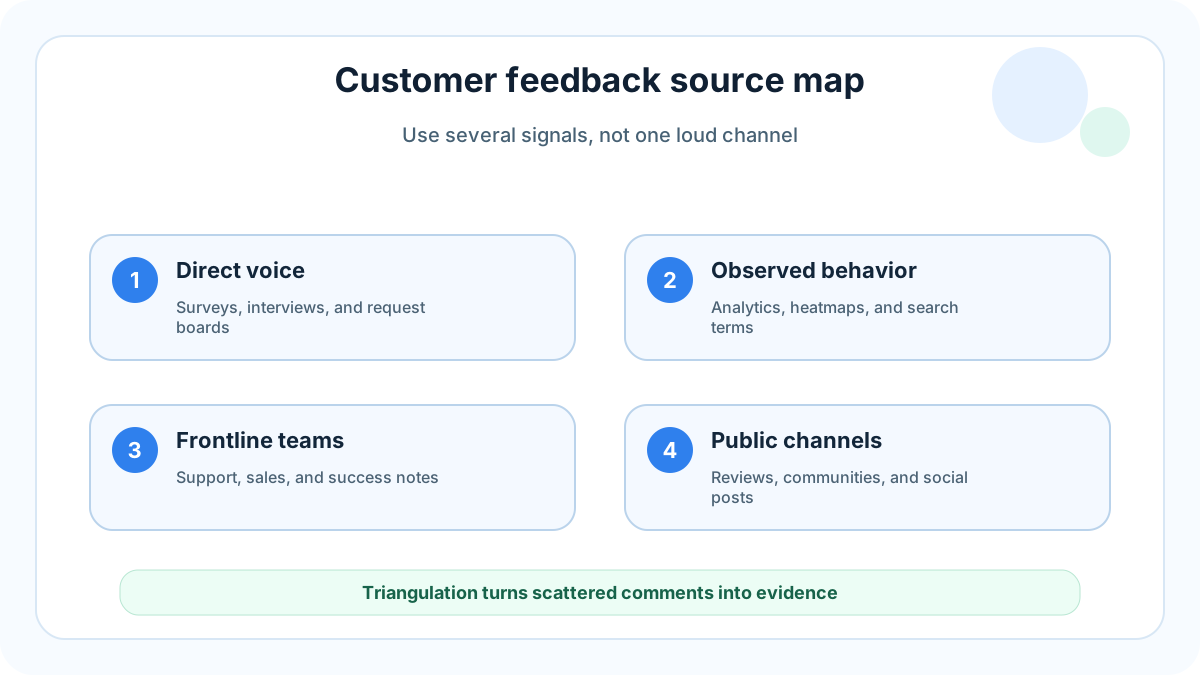
Customer feedback sources are the places where customers, prospects, users, buyers, and churned accounts reveal what they need, dislike, misunderstand, value, or want next. Some sources are direct, like surveys and interviews. Others are indirect, like product analytics, search terms, cancellation patterns, and session recordings.
The most useful teams do not rely on one source. A survey can tell you what people claim. Analytics can show where behavior changes. Support tickets reveal urgent friction. Reviews expose public sentiment. A feature request portal shows which ideas have repeated demand. When these signals are combined, product decisions become less about the loudest voice and more about evidence.
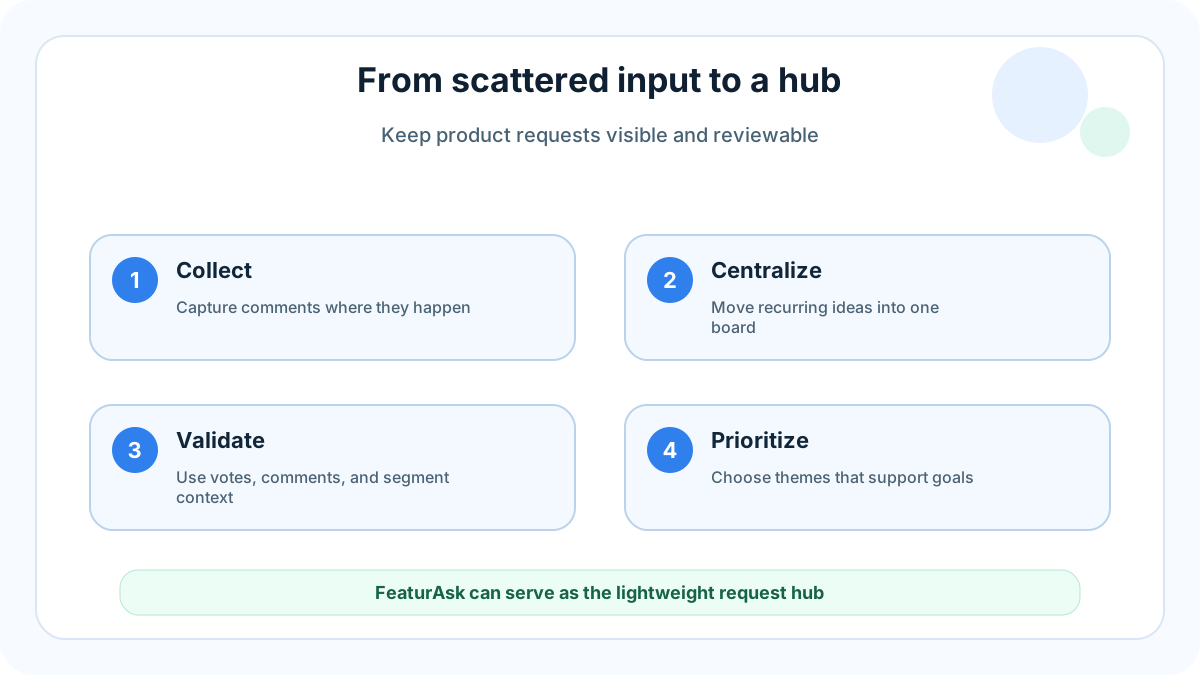
For small teams, the challenge is not finding feedback. It is keeping feedback from scattering across inboxes, Slack threads, spreadsheets, call notes, and review sites. A lightweight hub such as FeaturAsk gives customers one simple place to submit and vote on requests, while the team keeps recurring ideas visible.
A lightweight hub such as FeaturAsk can centralize recurring product requests with one month free, no credit card required, and simple $29.95/year pricing.
What customer feedback sources are
A customer feedback source is any channel, workflow, or data set that helps you understand customer experience. It may be solicited, such as a post-purchase survey, or unsolicited, such as a complaint on social media. It may be qualitative, such as a customer interview, or quantitative, such as a drop-off report in analytics.
Good sources answer different questions. Surveys help you measure opinions at scale. Interviews help you understand motivation. Support tickets show what blocks people today. Sales notes explain buying objections. Product analytics show what users actually do. Public reviews show how customers describe your product when you are not guiding the conversation.
If you are building a feedback system from scratch, read FeaturAsk’s guide to the 3 types of customer feedback and the breakdown of 4 types of feedback from customers and how to address them. They pair well with this source list because sources are only useful when you know how to classify the signal.
Why collect feedback from multiple sources
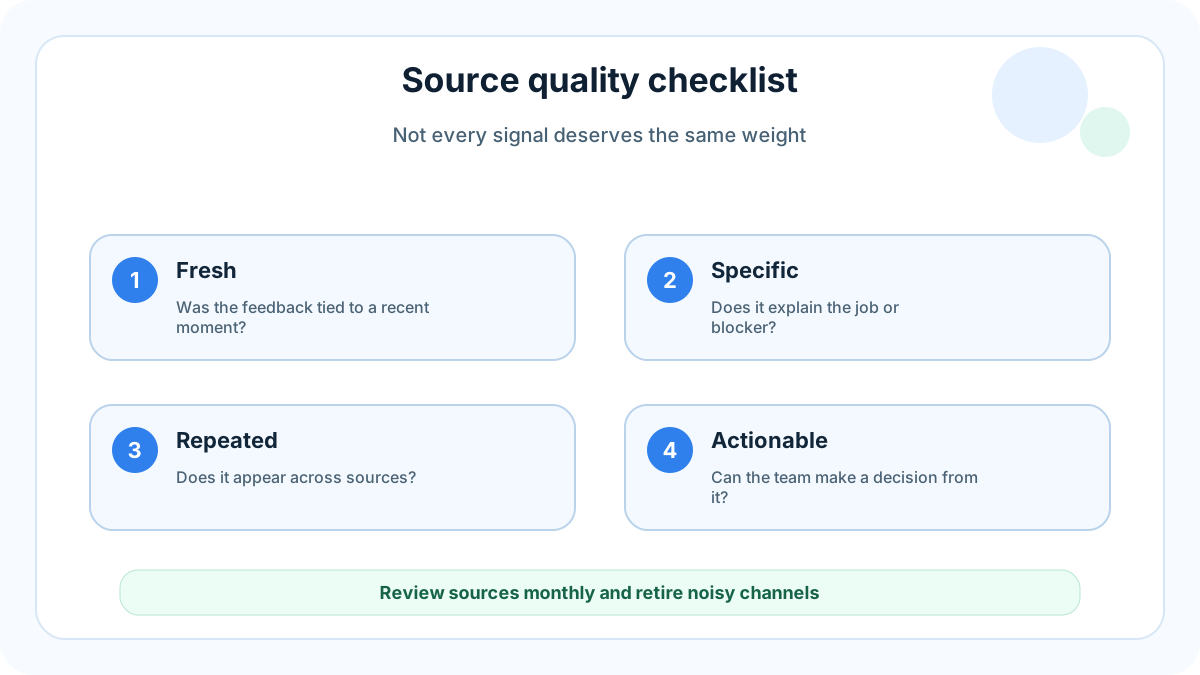
Single-source feedback creates blind spots. A team that only reads support tickets may over-prioritize breakage and miss strategic opportunities. A team that only runs surveys may collect polished opinions but miss in-the-moment frustration. A team that only tracks analytics may know what happened without knowing why.
Multiple sources help you triangulate. If users request the same integration in a portal, mention it during sales calls, search for it in help docs, and abandon onboarding when it is missing, the signal is stronger than any single comment. Triangulation is also a defense against bias: one enterprise account, one viral complaint, or one enthusiastic interview should not automatically set the roadmap.
External research groups have long emphasized mixed methods. Nielsen Norman Group explains that qualitative and quantitative methods answer different usability questions, and the best choice depends on the study goal (NN/g research methods overview). Qualtrics similarly frames customer experience programs around listening across moments, channels, and journeys (Qualtrics customer experience guide).
45 customer feedback sources to use
Surveys
-
Customer satisfaction surveys. CSAT surveys ask customers how satisfied they are after a specific interaction. Use them after support conversations, purchases, onboarding milestones, or service experiences.
-
Net Promoter Score surveys. NPS asks how likely someone is to recommend your product. It is not a complete product strategy, but it is useful for tracking relationship sentiment over time.
-
Customer effort score surveys. CES asks how easy it was to complete a task. Use it after onboarding, checkout, setup, support, or cancellation flows.
-
Product-market fit surveys. These ask how disappointed customers would be if they could no longer use your product. They are especially useful for early-stage SaaS teams looking for strong pull.
-
Exit and cancellation surveys. Ask why someone is leaving while the reason is fresh. Keep the form short and include an open text field.
-
Onboarding surveys. Ask new users about role, goal, team size, use case, and expected outcome. This helps segment later feedback.
-
In-app micro-surveys. A one-question prompt inside the product can capture context at the moment of use. Avoid interrupting critical tasks.
-
Email surveys. Email works well for relationship feedback, beta follow-up, and periodic check-ins, especially when the customer is not active in the app every day.
-
Website pop-up surveys. Use them sparingly to ask visitors what they are looking for, what stopped them, or whether a page answered their question.
-
Post-purchase surveys. For ecommerce and self-serve SaaS, post-purchase surveys reveal buying triggers, trust blockers, and comparison behavior.
Interviews and direct conversations
-
Customer discovery interviews. These conversations explore problems before you pitch solutions. They are essential when building new products or entering new segments.
-
Usability interviews. Ask users to complete a task while narrating what they expect, notice, and misunderstand.
-
Win interviews. Talk to recently won customers about why they chose you, what nearly stopped them, and which alternatives they considered.
-
Loss interviews. Lost deals often explain missing features, confusing positioning, pricing objections, or trust gaps.
-
Churn interviews. A short conversation with a churned customer can reveal product gaps that a cancellation form misses.
-
Advisory calls. Regular calls with power users or target customers can surface roadmap themes before they become urgent.
-
Beta user calls. Beta participants can explain rough edges, missing documentation, and the difference between “interesting” and “ready.”
-
Customer webinars and Q&A sessions. Questions asked during webinars often reveal unclear messaging and repeated education gaps.
Support, success, and service channels
-
Support tickets. Tickets are one of the richest sources because customers describe real problems in their own words. Zendesk notes that support interactions are central to customer experience and loyalty (Zendesk customer experience resources).
-
Live chat transcripts. Chat captures fast, informal frustration. Look for repeated questions, rage clicks described in words, and requests for human help.
-
Help desk tags. Ticket tags can become a trend report if they are consistent. Keep tags simple enough that the team actually uses them.
-
Customer success notes. Success managers hear business outcomes, adoption risks, and expansion blockers that rarely appear in product analytics.
-
Onboarding call notes. New customers often struggle with language, setup assumptions, permissions, imports, and first-value moments.
-
Renewal conversations. Renewal pressure reveals which features are truly valuable and which promises have not translated into usage.
-
Escalation logs. Escalations show issues severe enough to require special attention. Review them for root causes, not just individual fixes.
Public and community feedback
-
Social media comments. LinkedIn, X, Reddit, TikTok, and niche forums show how people talk about your product publicly. Separate genuine themes from one-off noise.
-
App store reviews. Mobile teams should review star ratings, written complaints, device context, and version-specific issues.
-
Software review sites. G2, Capterra, Trustpilot, and similar sites reveal buying criteria, competitive comparisons, and public complaints.
-
Community forums. Owned forums, Discord, Slack communities, and subreddit discussions often show advanced use cases and workaround culture.
-
User groups and meetups. Live group conversations expose shared vocabulary and patterns that may not appear in formal research.
-
Public comments on launch platforms. Product Hunt, Hacker News, marketplace listings, and launch posts can reveal first-impression objections.
Website widgets, portals, and product hubs
-
Feedback widgets. A small website or in-app widget lets users submit thoughts without hunting for an email address.
-
Feature request portals. A portal centralizes ideas, votes, comments, and status updates. This is where FeaturAsk is intentionally focused: one simple hub for product requests instead of a complicated enterprise suite.
-
Feature voting boards. Voting helps quantify repeated demand and gives customers a way to support ideas without writing a new ticket. Learn more in FeaturAsk’s guide to feature voting.
-
Public roadmaps. Roadmaps can invite reactions to planned work. Treat comments as input, not binding contracts.
-
Changelog reactions. Reactions to shipped updates show whether releases solved real needs, created confusion, or generated follow-up requests.
If request threads are scattered across support and sales notes, a FeaturAsk board gives customers one visible place to submit, vote, and add context.
Sales, marketing, and buyer signals
-
Sales call notes. Prospects explain desired outcomes, missing capabilities, budget concerns, and competitor comparisons.
-
CRM lost-reason fields. A clean lost-reason taxonomy can reveal whether deals are lost to price, missing features, timing, trust, or poor fit.
-
Demo questions. Repeated demo questions show unclear positioning and hidden buying requirements.
-
Search queries on your website. Site search terms reveal what visitors expect to find. Empty-result searches are especially useful.
-
Landing page form responses. Forms that ask “What are you trying to solve?” can produce rich voice-of-customer language.
Analytics, recordings, testing, and behavior
-
Product analytics. Tools such as Google Analytics and product event platforms show funnels, retention, engagement, and drop-off. Google’s documentation on events and key events is useful for teams building measurement plans (Google Analytics events docs).
-
Session recordings. Recordings show confusion, dead clicks, backtracking, and hesitation. They are strongest when paired with consent, privacy controls, and a specific research question.
-
Heatmaps and click maps. Heatmaps are not truth by themselves, but they can show whether important elements are noticed or ignored.
-
Usability testing sessions. Moderated or unmoderated tests reveal where users misunderstand flows, labels, hierarchy, and expectations. They are especially powerful before a major launch.
How to centralize feedback sources
Centralization does not mean every raw transcript belongs in one giant database. It means the team has one consistent way to turn scattered input into findable themes, decisions, and follow-up.
Start with a small taxonomy. Classify feedback as bug, feature request, usability issue, pricing objection, content gap, integration need, onboarding friction, or praise. Then tag the source, customer segment, account value, urgency, and evidence type. Keep the taxonomy simple enough that support, sales, success, and product can all use it.
Next, define an intake path. Support tickets may flow through tags. Sales notes may be summarized weekly. Survey responses may be exported monthly. Feature requests should go into a visible hub where duplicate ideas can merge and customers can vote. The goal is not to worship process. The goal is to stop losing valuable insight because it arrived in the wrong channel.
A small team can centralize feedback with three habits: review new requests weekly, connect each request to a product decision, and close the loop when something ships or is declined. For a deeper product operating model, see building better products with user feedback.
Turning feedback into better decisions
Feedback only matters when it changes what you do. After collection and centralization, convert sources into decisions through a repeatable workflow.
First, cluster comments into themes. Ten customers may describe the same need with different words. Merge duplicates and preserve representative quotes. Second, measure evidence strength. A request from one large account may matter, but a request repeated by thirty small accounts may matter more. Third, connect the theme to business goals. Feedback tied to activation, retention, conversion, or expansion is easier to prioritize.
Fourth, separate solution requests from underlying problems. “Add CSV export” may really mean “I need to share this report with my finance team.” The requested feature is a clue, not always the final answer. Fifth, decide the response: build now, research more, improve documentation, decline, or keep watching. Finally, tell customers what happened. Closing the loop builds trust even when the answer is no.
Practical source mix for small teams
If you are a small SaaS team, do not try to run all 45 sources at once. Start with five. Use a feature request portal for continuous ideas, support ticket tagging for urgent friction, short onboarding surveys for segmentation, customer interviews for depth, and product analytics for behavior. That mix gives you both words and actions.
Then add sources as your questions mature. If churn rises, add cancellation surveys and churn interviews. If acquisition stalls, review sales calls, demo questions, and website search terms. If usability complaints grow, add session recordings and usability tests. Let the business question choose the source.
FeaturAsk fits this lean approach because it keeps one high-value source easy: product requests from customers. You can share a public board, collect votes, identify repeated demand, and avoid burying ideas in private messages.
For teams that want the request layer without a heavy research suite, FeaturAsk keeps that source organized and easy to review.
Final checklist
Use this checklist before expanding your feedback program:
- Do we know which decisions feedback should improve?
- Are we collecting both direct comments and behavioral evidence?
- Can support, sales, success, and product send insights to one place?
- Do we merge duplicate requests instead of counting them as separate ideas?
- Do we know which customer segment each signal came from?
- Do we review feedback on a predictable cadence?
- Do customers hear back when their feedback influences a decision?
The best feedback system is not the one with the most channels. It is the one your team can maintain consistently. Start with a few high-signal sources, centralize what matters, and turn repeated customer needs into product decisions customers can feel.