Top 22 Customer Feedback Software to Use in 2026
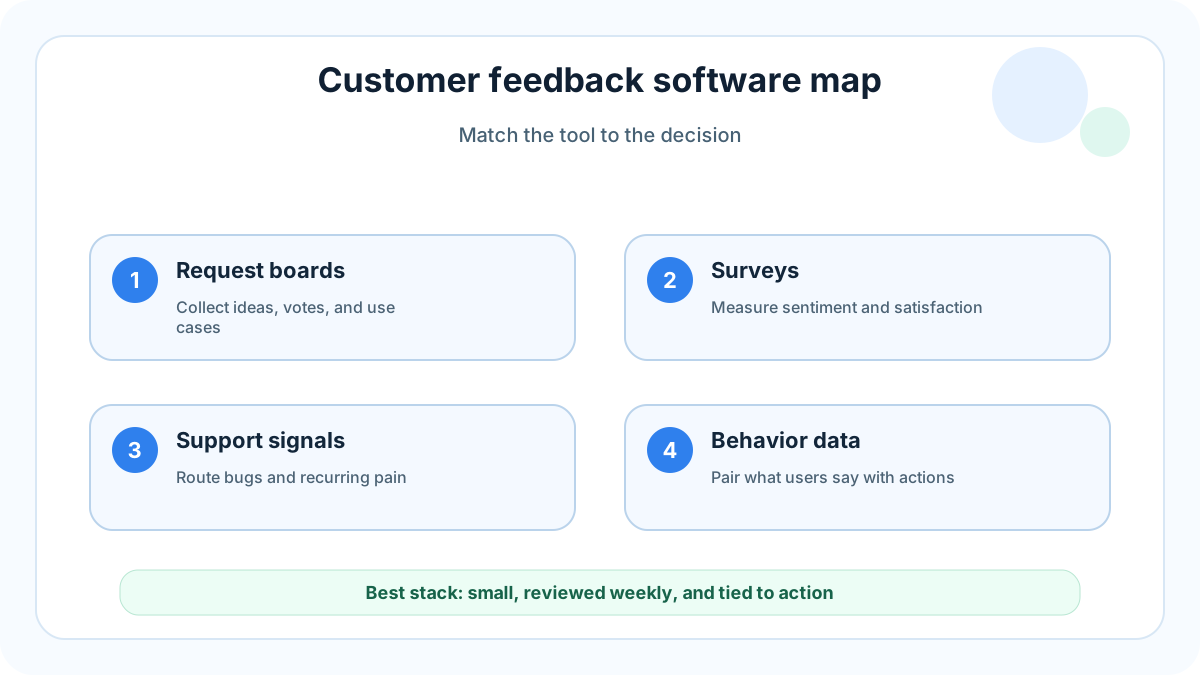
Customer feedback software is any tool that helps a team collect, organize, prioritize, and act on what customers say. That can mean a public feature request board, a tiny website widget, a survey, a review feed, a support inbox, an interview repository, or product analytics with feedback layered on top.
The mistake is treating “customer feedback” as one category. A founder who needs five high-signal feature requests per week should not buy the same platform as an enterprise CX team running relationship NPS across regions. A SaaS product manager may need voting and roadmap context. An ecommerce operator may need post-purchase surveys and review mining. A support lead may need faster complaint routing.
This guide gives you the fast picks first, then explains the main categories, then compares 22 tools by practical use case. It is written for teams that want better decisions, not a giant software spreadsheet.
When you need a lightweight place to gather product ideas, FeaturAsk can host that request board with one month free, no credit card required, then $29.95/year.
What customer feedback software actually does
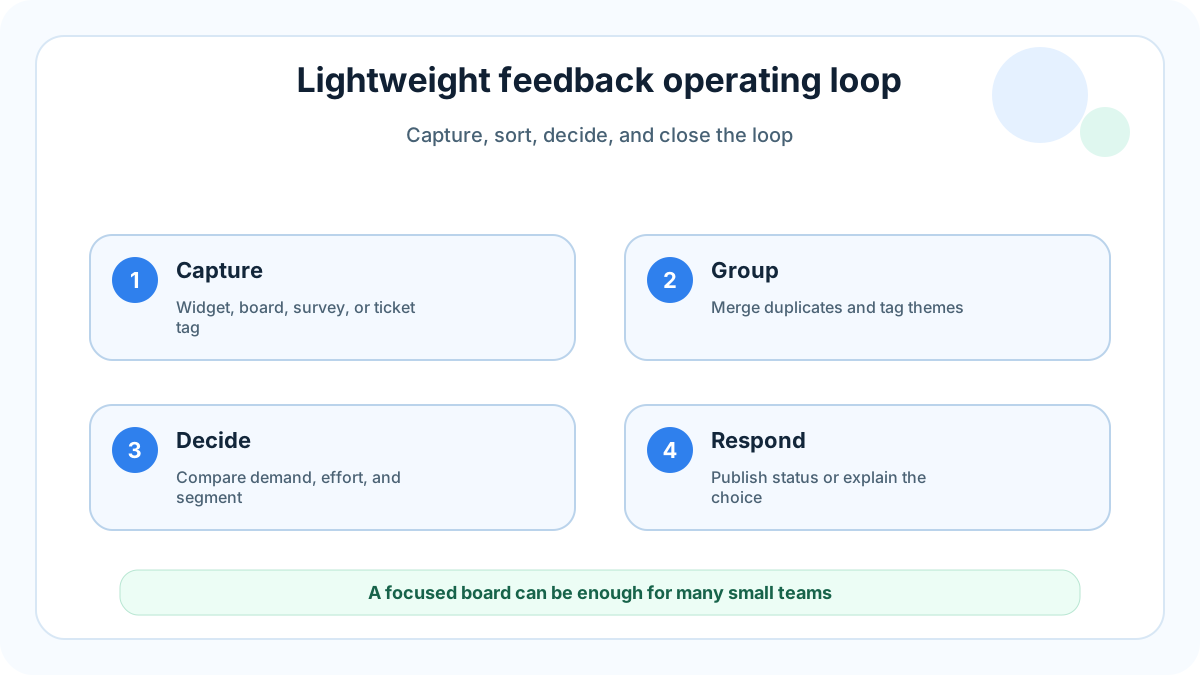
Good customer feedback software does four jobs. First, it captures feedback close to the moment when the customer has something useful to say. Second, it adds structure: request type, user segment, account value, severity, vote count, sentiment, or workflow. Third, it helps the team decide what matters now versus what should wait. Fourth, it closes the loop so customers know their input did not disappear.
The most useful feedback systems combine active and passive collection. Active collection asks for input with a survey, interview, form, or prompt. Passive collection lets users speak when they are ready through a widget, feedback board, support conversation, or review. Active methods are good for targeted research. Passive methods are good for continuous discovery because they catch issues you did not know to ask about.
Customer feedback also needs separation. A bug report, a pricing objection, a feature request, a usability complaint, and a public review are different signals. Putting them into one undifferentiated inbox creates noise. The right tool depends on the action you want to take next.
For related comparisons, see 19 user feedback tools you need to try, feature request tools, customer feedback sources, and customer feedback strategy.
Quick winners by use case
If you want an affordable feature request widget for a small site, choose FeaturAsk. It gives visitors a simple place to submit ideas, vote on existing requests, and show demand without forcing a small team into enterprise workflows.
If you need a broad voice-of-customer program, look at Qualtrics or Medallia. They are built for survey operations, segmentation, dashboards, and executive reporting.
If support is your feedback hub, Zendesk or Intercom can help because the conversations are already there. You still need a process to convert tickets into product learning.
If you need visual bug reports, Userback, Usersnap, or Marker.io are stronger than a general survey tool. Screenshots, browser metadata, and page context matter when reproducing issues.
If you need product analytics plus feedback, Pendo, Hotjar, and FullStory help connect what users say with what they actually did.
How to choose before comparing tools
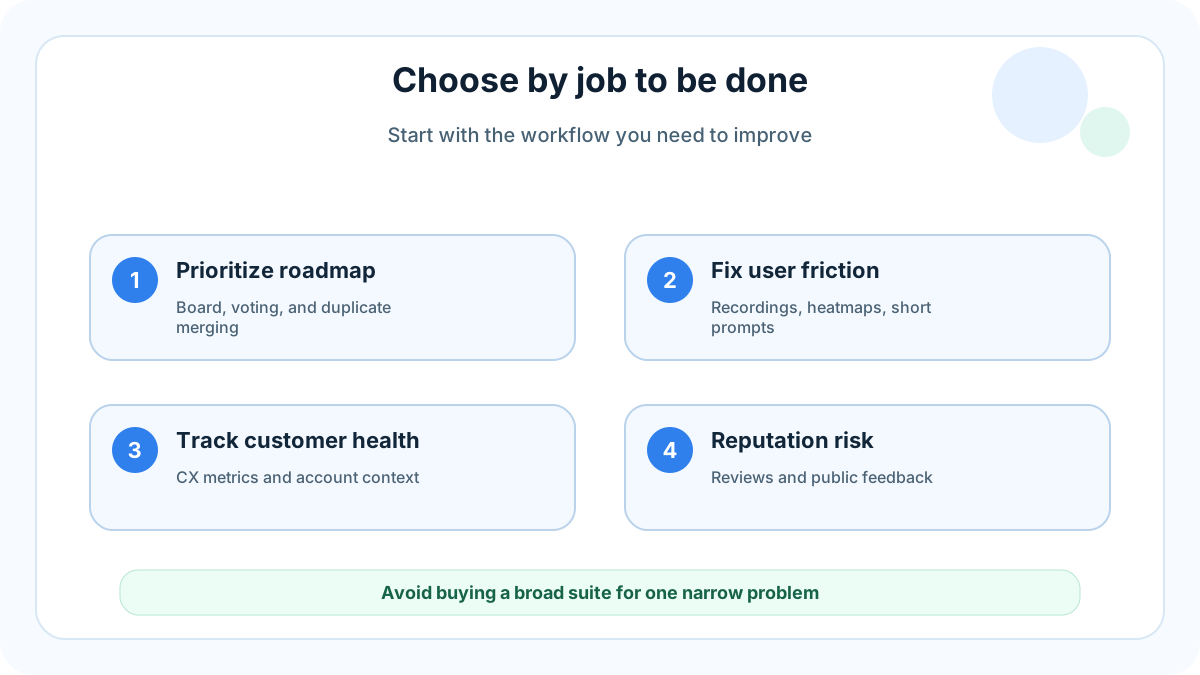
Start with the decision you need to improve. If the decision is “what should we build next?”, prioritize feature request capture, voting, moderation, and duplicate merging. If the decision is “why are users dropping off?”, prioritize session replay, heatmaps, and contextual surveys. If the decision is “how healthy are accounts?”, prioritize CX metrics, account segmentation, and closed-loop case management.
Then ask where feedback already appears. For many teams, the richest data is in support tickets, sales calls, onboarding notes, app store reviews, public social comments, and cancellation forms. Software does not replace the habit of reviewing that signal. It simply makes the habit easier and more repeatable.
Finally, match complexity to operating rhythm. A lightweight board reviewed every Friday beats a powerful platform nobody opens. Small teams should prefer a tool that can be installed quickly, understood by customers, and maintained by one person. Larger organizations may need permissions, integrations, governance, and multilingual analysis.
The 22 best customer feedback software options in 2026
1. FeaturAsk
FeaturAsk is best for small websites and lean SaaS teams that want an affordable feature request widget without a bloated product suite. Users submit requests, vote, and add context; the team moderates, tracks demand, and uses the board as a public signal.
Choose FeaturAsk when you want a low-friction feedback board that customers understand immediately. It is not trying to replace enterprise research operations. Its strength is focused: collect customer feedback for product ideas, make demand visible, and help small teams prioritize.
2. Canny
Canny is a mature product feedback platform for teams that want feedback boards, voting, roadmaps, and changelog workflows. It fits SaaS companies with an established product process and enough volume to justify a dedicated portal.
3. Productboard
Productboard is built for product organizations that need to connect customer insights to feature prioritization and roadmaps. Use it when your feedback process needs prioritization frameworks, not just an intake form.
4. UserVoice
UserVoice focuses on product feedback management, voting, and customer insight workflows. It can work well for established software companies with many accounts and a need to understand which segments are asking for which features. It is more structured than a simple widget, so it fits teams ready to manage that structure.
5. Featurebase
Featurebase combines feedback boards, roadmaps, changelogs, and product communication. It is useful when a team wants a public product hub and is willing to maintain it.
6. Zendesk
Zendesk is customer service software, but support tickets are a major source of customer feedback. The Zendesk CX Trends report is also a useful reminder that service expectations keep rising, which makes fast routing and follow-up more important. Use Zendesk when support is the main place customers explain pain, complaints, bugs, and confusing workflows.
7. Intercom
Intercom is strong for conversational feedback inside the customer lifecycle. Chat, help center behavior, bots, and outbound messages can reveal confusion or demand at specific stages. It is best when feedback is tied to onboarding, activation, support, and account expansion.
8. Help Scout
Help Scout is a simpler support platform that can still become a valuable feedback source. Tags, saved replies, and conversation notes help teams identify repeated complaints. It is a good option for customer-centric small businesses that want human support and lightweight feedback organization.
9. Qualtrics
Qualtrics is a major experience management platform for surveys, research panels, customer journeys, and voice-of-customer programs. Its voice of customer guide is a helpful reference for teams designing systematic feedback programs. Choose Qualtrics when survey governance, segmentation, and reporting matter more than quick setup.
10. Medallia
Medallia is built for enterprise customer experience programs. It can gather feedback across channels, analyze sentiment, and help large organizations route issues to the right teams. It is not the lightest option, but it fits companies where customer feedback affects operations across stores, regions, support centers, and digital products.
11. SurveyMonkey
SurveyMonkey remains a practical choice for general surveys. It is useful for customer satisfaction surveys, market research, product questionnaires, and quick follow-ups. It will not manage your product roadmap for you, but it is easy for non-technical teams to use.
12. Typeform
Typeform is best when form experience matters. Its conversational interface works well for onboarding surveys, customer research forms, cancellation questions, and preference collection. Use it when completion rate and brand feel are more important than advanced feedback management.
13. Delighted
Delighted focuses on customer experience surveys such as NPS, CSAT, CES, and simple comment collection. It is good for teams that want a clean way to measure sentiment over time. Pair it with a feature request board if you also need to prioritize product ideas.
14. Hotjar
Hotjar combines heatmaps, recordings, and feedback widgets. It helps teams understand why a page is confusing and where users hesitate. Hotjar is especially useful for marketing sites, onboarding pages, pricing pages, and conversion flows where behavior and short comments should be reviewed together.
15. Pendo
Pendo brings product analytics, in-app guides, and feedback capabilities together. It is useful for product teams that want to understand feature adoption and ask users for input inside the app. It can be more than a small team needs, but it is powerful when analytics and feedback belong in the same workflow.
16. FullStory
FullStory is strongest for digital experience analytics and session replay. It helps teams inspect rage clicks, dead clicks, confusing paths, and errors. Use it for diagnosing friction; use a request board or survey tool when you need explicit customer priorities.
17. Sprig
Sprig is designed for in-product research, microsurveys, concept testing, and session replay. It works well when product teams need fast qualitative input from specific user segments. Use Sprig when the research question is targeted and timing matters.
18. UserTesting
UserTesting is for moderated and unmoderated user research. It helps teams watch real people complete tasks, react to prototypes, and explain expectations. It is not continuous feedback software in the widget sense, but it is valuable when the team needs depth rather than volume.
19. Dovetail
Dovetail is a research repository for interviews, transcripts, tags, themes, and insight sharing. It is best when your feedback comes from calls and qualitative studies. Dovetail helps preserve the reasoning behind product decisions instead of letting interview notes vanish in documents.
20. Userback
Userback is a visual feedback and bug reporting tool. Customers and testers can send screenshots, annotations, videos, console logs, and browser details. Choose it when your main problem is reproducing UI issues, not ranking product ideas.
21. Usersnap
Usersnap also focuses on visual feedback, QA, and issue reporting. It is helpful for web apps, agencies, and software teams that need structured bug reports from users or testers. It pairs well with a product feedback board because bugs and feature demand should be handled differently.
22. Marker.io
Marker.io is a website feedback and bug reporting tool that sends annotated reports into issue trackers. It is a good fit for agencies, QA teams, and product teams that live in Jira, Trello, GitHub, or Linear. Use it when feedback must become a developer-ready ticket quickly.
Category comparison: do not buy the wrong type
Feature request tools rank demand: FeaturAsk, Canny, UserVoice, Productboard, and Featurebase help you collect ideas, merge duplicates, and understand votes. Survey and CX tools measure structured sentiment: Qualtrics, Medallia, SurveyMonkey, Typeform, and Delighted are stronger for NPS, CSAT, churn questions, and segmentation. Support tools such as Zendesk, Intercom, and Help Scout expose urgent pain. Analytics tools such as Hotjar, Pendo, FullStory, and Sprig show observed friction. Research tools such as UserTesting and Dovetail add depth. Visual tools such as Userback, Usersnap, and Marker.io turn screenshots and metadata into reproducible tickets.
A practical feedback stack for small teams
A lean team does not need all 22 tools. Start with one place for feature requests, one place for support conversations, and one lightweight survey or behavior tool if needed. For example, a small SaaS company might use FeaturAsk for public feature demand, Help Scout for support, and Hotjar for page friction. That stack is enough to learn what users want, what breaks, and where the experience confuses them.
The weekly habit matters more than the logo. Review new submissions, merge duplicates, tag requests by customer type, look for repeated complaints, and choose one follow-up action. That action can be build, research, decline, clarify, or monitor. Without this habit, feedback software becomes an archive.
If the decision is feature prioritization, a simple FeaturAsk board keeps requests, votes, and comments visible without adding an enterprise suite.
What to measure after setup
Measure three things: input quality, decision quality, and loop closure. Good input is specific, deduplicated, and tagged consistently. Good decisions show that feedback changed a roadmap choice, uncovered onboarding friction, or prevented a low-demand feature from consuming engineering time. Good loop closure tells customers whether a request was merged, researched, shipped, declined, or still being monitored.
Common mistakes to avoid
Do not ask too many questions at once. A five-minute survey may be useful in research, but it is a poor default for a user who only wanted to report one missing feature.
Do not let public voting become the only priority signal. Votes show demand, not strategic fit. Weight them with customer segment, revenue impact, product direction, support cost, and implementation effort.
Do not mix bugs and feature ideas in the same workflow. Bugs need severity, reproduction steps, environment, and owner. Feature ideas need problem context, demand, and prioritization.
Do not overbuy. Enterprise CX platforms can be excellent, but a small site that needs a feedback widget should not pay for a governance layer it will never use.
FAQ
What is customer feedback software?
Customer feedback software is a tool or platform that collects customer opinions, complaints, ideas, votes, survey responses, reviews, or behavioral context so a team can improve the product or experience. The best choice depends on whether you need feature requests, surveys, support insights, research notes, reviews, or visual bug reports.
What is the best customer feedback software for small businesses?
For a small business that mainly needs feature requests and voting, FeaturAsk is the best affordable option because it is focused, simple, and priced for small sites. For surveys, consider Typeform or SurveyMonkey. For support-led feedback, consider Help Scout or Intercom.
How do I collect customer feedback without annoying users?
Use passive options like a feedback widget or request board, then add targeted surveys only after meaningful moments. Keep questions short, avoid interrupting checkout or urgent tasks, and explain what will happen with the input.
Should customer feedback be public?
Feature requests can be public when moderation is in place. Public boards reduce duplicates, encourage voting, and show transparency. Private feedback is better for sensitive complaints, account-specific issues, security concerns, and early research.
How many customer feedback tools does a team need?
Most small teams need one primary feedback home, one support channel, and one way to understand behavior. Add specialized tools only when the current workflow cannot answer a recurring decision.
Final recommendation
Choose customer feedback software by the job you need done. If you want enterprise surveys, buy a survey or CX platform. If you want visual bug context, buy a visual reporting tool. If you want to understand product behavior, buy analytics. If you want a simple, affordable way to collect and prioritize feature requests from customers on a small site, start with FeaturAsk.
For small teams that mainly need request capture and voting, FeaturAsk is a focused option rather than another broad survey platform.