Customer Feedback Widget: What to Collect, Where to Place It, and How to Follow Up
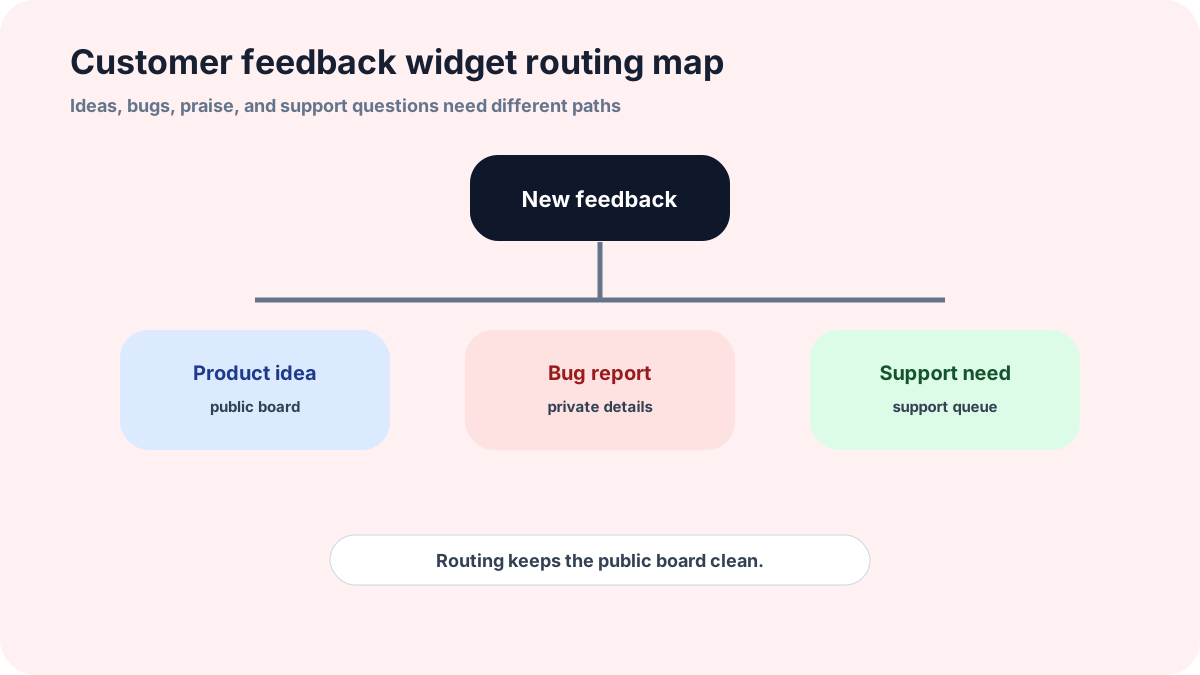
A customer feedback widget has to handle more variety than a feature request form. Customers may send ideas, bugs, praise, complaints, or support questions, so the widget needs routing as much as it needs a form.
This guide is for website owners, marketers, service businesses, and small SaaS teams that want one visible customer input point. The aim is to collect broad feedback while keeping public boards clean and support issues private.
FeaturAsk can act as the simple customer feedback layer: collect ideas from a widget, keep public discussion organized, and update statuses from one board. You can test it for a month with no credit card required, then pay $29.95/year if it becomes useful.
What belongs in a customer feedback widget
A customer feedback widget can collect product ideas, service suggestions, website confusion, praise, complaints, and bug reports. That breadth is useful, but it also creates routing work. The widget should make it easy to choose a broad category, then let the team route the item after submission.
If the widget is mainly for product ideas, label it that way. If it is for general customer feedback, create paths for support and urgent issues. A customer with a billing problem should not have to submit a public feature request. Clear routing protects both the customer and the product board.
How to separate ideas from support
The first screen can ask a simple question: “Is this a product idea, a bug, or a support question?” Keep the choices short. If the customer chooses support, send them to the support path. If they choose an idea, show the request prompt. If they choose a bug, ask for steps to reproduce and keep it private.
This separation matters because public boards should not become support archives. A messy board makes customers less likely to contribute. A routed widget lets customers choose the right door without making them learn your internal process.
Placement patterns that improve response quality
Response quality improves when the widget appears near the experience being discussed. Put a feedback entry near docs when the question is about instructions. Put it near an empty state when customers may want an import, template, or starter workflow. Put it in the app menu when the user has a general product idea.
Do not interrupt critical tasks with a feedback prompt. A widget should be available, not pushy. Users are more likely to write useful feedback when they feel in control of the moment.
How to write status notes customers trust
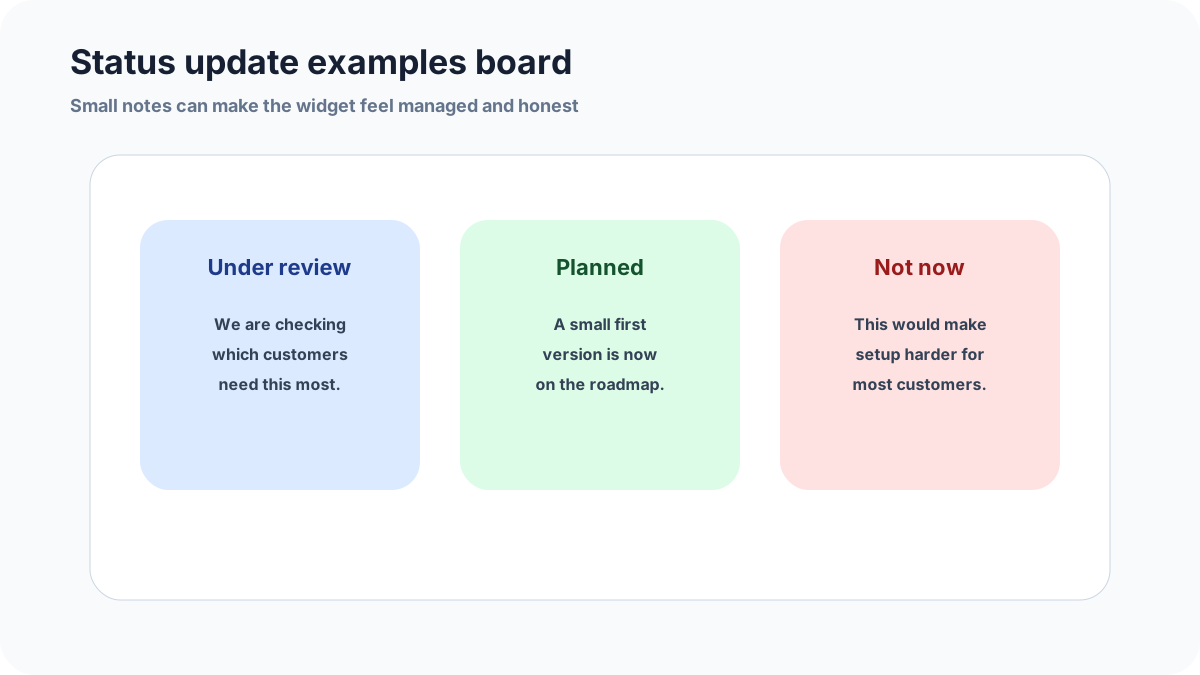
Good status notes explain the next step. “Under review” should say what you are reviewing. “Planned” should say what kind of release you are aiming for, even if the date is not final. “Closed” should explain the tradeoff. Specificity makes a small team look attentive.
Avoid vague celebration. Customers do not need “exciting update coming soon” if the update is uncertain. They need practical information: whether the idea is accepted, what changed, and whether more input would help.
How to measure widget health
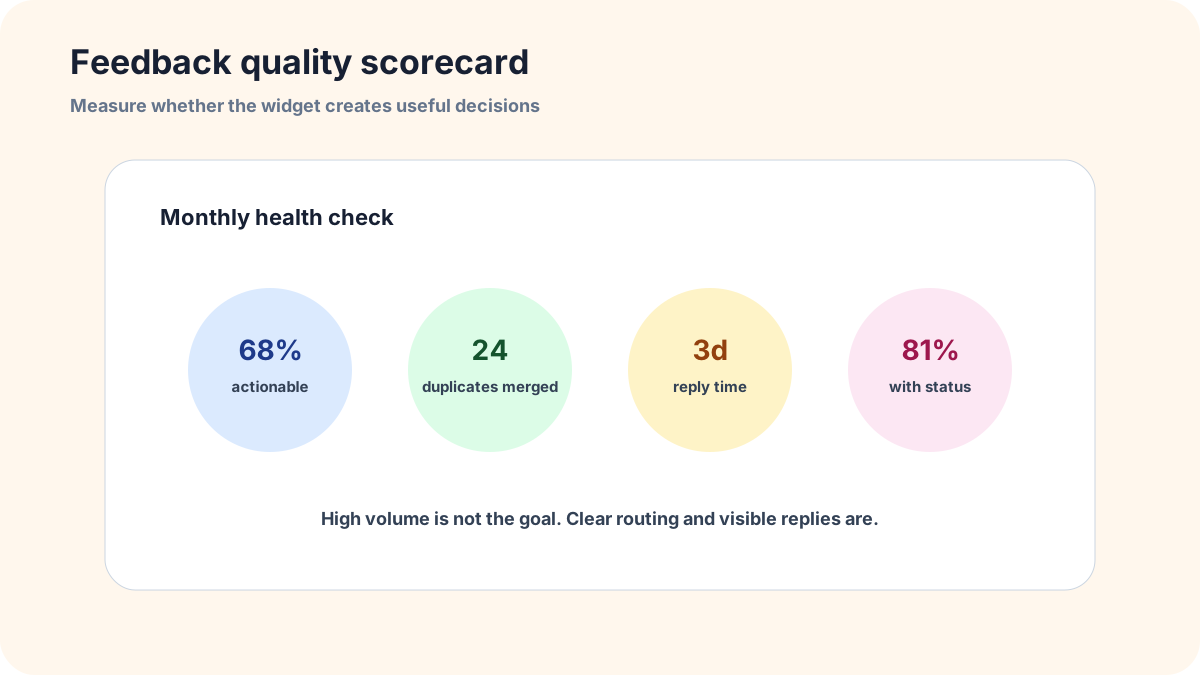
Track actionable submissions, duplicate rate, requests from target customers, response time, and percent of public ideas with a status. These numbers reveal whether the widget is creating decisions. High volume is not automatically good. A widget that creates ten clear requests can be more valuable than one that creates two hundred vague comments.
Also review the bad submissions. If many people send support issues, the label may be too broad. If many people write one-word ideas, the prompt may be too weak. If few people click, the placement may be hidden or the promise may not be credible yet.
Common mistakes to avoid
Do not make one public board handle every kind of customer message. Bugs, billing questions, praise, and product ideas need different handling. A simple first-step category keeps the customer from choosing the wrong path.
Do not use vague status labels without explanations. “Under review” should say what the team is reviewing. “Closed” should say why the request is not a fit. Clear notes make a small company look attentive.
Do not ignore negative feedback. A complaint routed privately can reveal broken copy, confusing setup, or a product gap. The widget should protect privacy without hiding useful learning from the team.
Related FeaturAsk guides
Useful next reads include user feedback widget, website feedback widget definition examples and tools, and feature request form for website. They cover narrower versions of the same customer input problem.
If the goal is a low-maintenance customer feedback channel, FeaturAsk gives you the widget, request review, votes, comments, and statuses. The first month is free without a credit card, and the yearly plan is $29.95.
A simple routing script for teams
Give the team a script for handling each submission. If it is a support issue, move it to support and keep customer details private. If it is a bug, ask for steps and environment details. If it is a product idea, rewrite the title around the customer outcome and decide whether it should be public. If it is praise, save the quote and thank the customer.
That script keeps the widget from turning into an unowned inbox. It also makes the customer experience more consistent because every submission gets a sensible next step. FeaturAsk is useful here because the same lightweight workflow can collect ideas, support voting, and show public status notes without requiring a heavy enterprise feedback platform.
How FeaturAsk works for customer feedback
At FeaturAsk, we built the widget so a small team can open a customer feedback channel without turning it into a second product to maintain. You create an account, begin with a no-credit-card 30-day trial, choose the specific webpage where the widget should appear, and then shape the widget copy around the kind of feedback you want. That exact-page setup matters for customer feedback because a pricing-page complaint, a product-page suggestion, and a help-page idea usually need different context.
Inside the widget settings, we let you adjust the main heading, subheading, description, form heading, button color, background color, header background, heading font, and text font. You can also add up to two optional fields when one extra detail would improve follow-up. For example, a customer feedback widget might ask for an email address or the part of the service the customer is commenting on. Those optional-field entries are visible in your dashboard; they are not displayed publicly on the widget.
After feedback arrives, the request page gives you the practical review controls: change a request to Pending for new feedback, Under Consideration for review, In Progress for active work, Completed for shipped changes, or Declined for ideas you will not pursue. From the same place, you can also remove submissions that do not belong, filter the list, search for a specific idea, open the comment thread, and inspect any optional-field details. If you enable comments, status display, or request dates, customers can see a clearer public loop instead of wondering whether the form goes into a private void.
For a customer feedback channel, I would keep the first setup intentionally narrow. Pick one page, write a friendly heading that explains what belongs there, and test three examples before inviting customers: a useful product idea, a support-style problem, and a vague complaint. If the support issue lands in the wrong place, adjust the copy. If the vague complaint lacks context, add one optional field or rewrite the prompt. The goal is not to collect everything. The goal is to collect feedback that your team can actually review.
How I would run the first two weeks
When I think about FeaturAsk as a customer feedback channel, I do not want the owner to start with a giant public board. I want the first two weeks to prove that the wording, placement, and review habit work. Put the widget on one page where feedback is already likely, keep the headline specific, and ask for only the details that change what you can do next. A good first prompt might ask what the customer expected, what got in the way, and whether you may follow up.
During those first two weeks, check new items often enough that the board never looks abandoned. Clean up unclear titles, remove anything that should not be public, answer comments that need clarification, and use statuses sparingly. If something is only a support issue, do not pretend it is a product idea. If something is a genuine improvement request, leave enough context that another customer can recognize it and vote. That is the loop we built FeaturAsk around: quick collection, light moderation, public signal, and visible follow-through.