User Feedback Widget: The Lightweight Way to Learn What Users Need
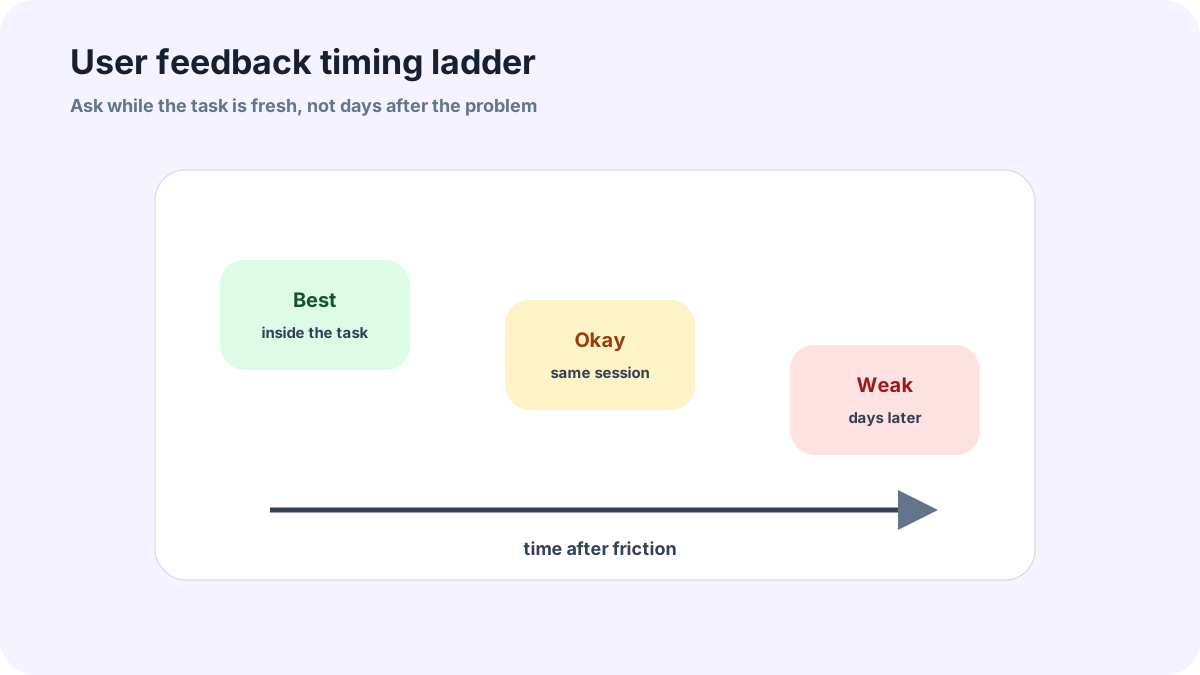
A user feedback widget works because timing matters. A user who is still looking at the confusing page or missing workflow can explain the problem with details that a later survey will not capture.
This guide is for small app builders, no-code product owners, plugin developers, and indie hackers that want lightweight product learning. The setup favors short prompts, in-context capture, and a review rhythm after the first submissions arrive.
A user feedback widget is easier to maintain when intake, voting, comments, moderation, and status notes live together. FeaturAsk offers that loop with a one-month no credit card trial and a $29.95/year plan afterward.
Why user timing matters
User feedback is most useful when it is captured near the task. A user who just hit an empty state can explain what they expected to happen. A user who just tried to export a report can describe the missing format. A user contacted a week later may remember only the frustration, not the workflow.
That is why a lightweight widget often beats a quarterly survey for product details. Surveys have their place, but a widget lets the team collect small moments of product evidence as they happen.
The best prompts for useful user feedback
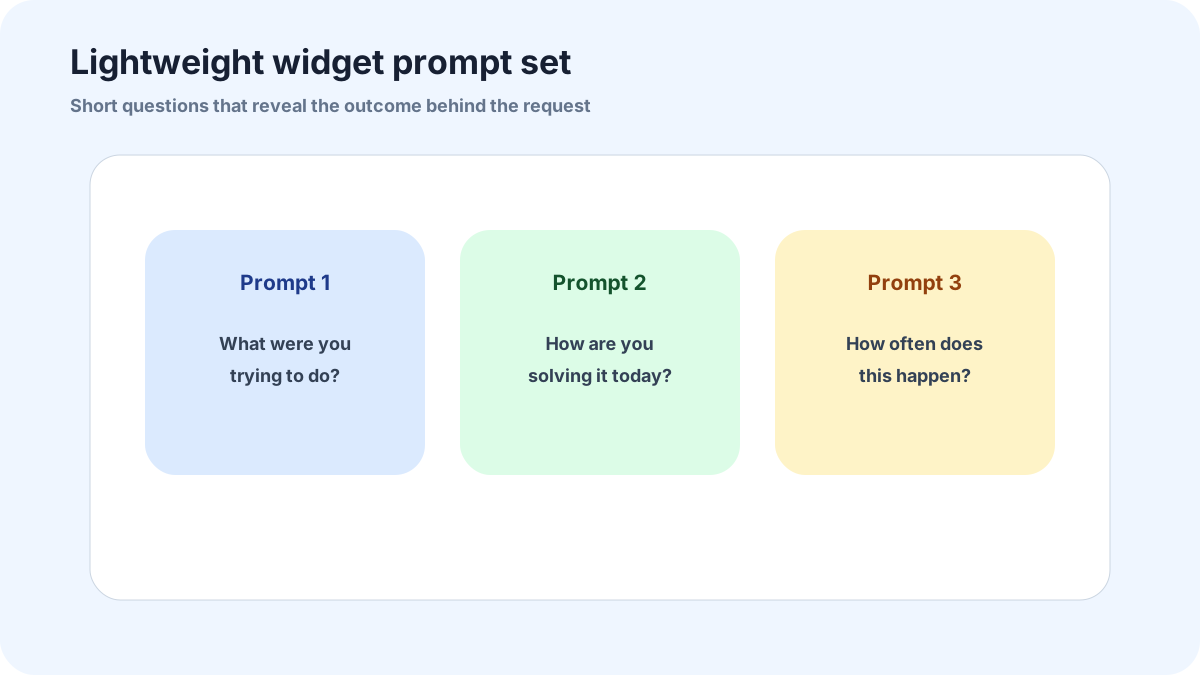
The prompt should ask for the outcome, not only the feature name. Try “What were you trying to do?” “What would make this page more useful?” or “How are you solving this today?” These questions pull out the job behind the request. A feature name without context is hard to prioritize.
Keep one optional follow-up for frequency or importance. “How often does this come up?” helps separate a daily workflow from a one-time curiosity. Do not turn the widget into a survey with ten required fields. The best prompt is the shortest one that still explains the problem.
How to keep the widget lightweight
A lightweight widget should open quickly, fit the page, and avoid blocking the user. It should work on mobile, respect contrast and keyboard navigation, and make closing easy. The visual design matters because feedback is often submitted during a moment of friction. A slow or intrusive widget adds more friction.
The internal process can be more detailed than the form. Users see a simple request box. The team sees votes, comments, request details, optional field data, search/filter tools, and review status. That split keeps the user experience simple while still giving the business a decision system.
A simple prioritization model for small teams
Use four questions: does this come from the right user, how often does it happen, how painful is the current workaround, and how hard would it be to test a first version? That model is simple enough for a founder-led team and strong enough to avoid raw vote-count decisions.
Add votes and comments as evidence, not commands. If many users vote for an idea but the comments are shallow, ask for more context. If a few target users describe a high-friction workflow, consider discovery even if the vote count is modest.
What to do after the first twenty submissions
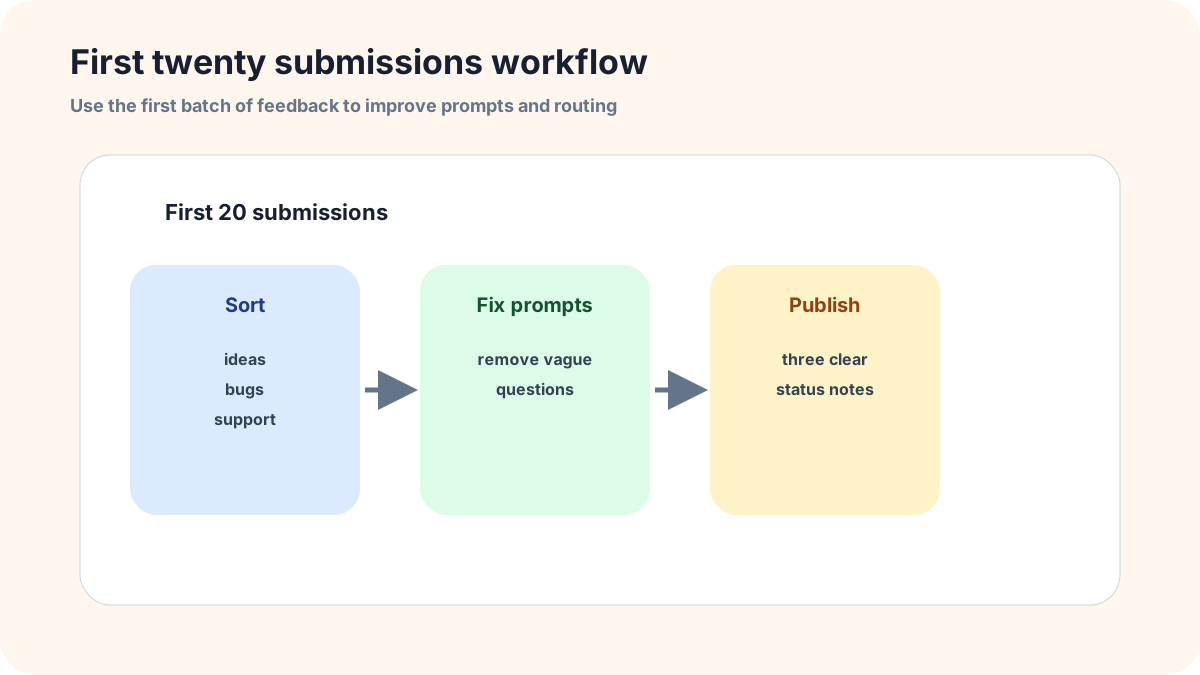
The first twenty submissions are calibration data. Read them together, not one at a time. Which prompts produced useful answers? Which product areas generated repeat requests? Which ideas were actually support issues? Which users cared enough to leave an email or comment? Those patterns tell you how to adjust the widget.
After that review, rewrite unclear public titles, merge duplicates, close bad-fit items, and choose three ideas for follow-up. Then post status notes. The first visible responses teach users whether the widget is worth using again.
Common mistakes to avoid
Do not interrupt users during a critical task just because you want more feedback. The widget should be available at the right moment, not shoved in front of checkout, publishing, saving, or another high-focus action.
Do not ask ten required questions. A lightweight widget earns more responses when it asks one strong question and lets the system capture context. Add optional follow-up only when it improves prioritization.
Do not wait a month to inspect the first responses. The first twenty submissions are calibration data. If users misunderstand the prompt, fix it before the same weak answer repeats fifty more times.
Related FeaturAsk guides
For nearby workflows, compare this with feature request widget, product feedback widget, and collecting in app feedback best practices and top tools. They help separate user feedback from broader customer research and roadmap voting.
When you want a simple tool for the loop, FeaturAsk lets users submit, vote, and comment while your team moderates and updates statuses. The first month requires no credit card, and the ongoing plan is $29.95/year.
The review rhythm after launch
After launch, review the widget twice a week for the first two weeks, then weekly once the prompts are stable. Early review catches confusing copy before it produces a month of weak submissions. Look for repeated empty phrases, support issues submitted as ideas, and requests that name a feature without explaining the user outcome.
When the rhythm settles, make the review visible. Publish cleaned-up items, ask follow-up questions, and write short status notes. Users do not need a long essay; they need signs that the widget leads somewhere. FeaturAsk is built for that lightweight loop: collect the request, let users vote or comment, moderate the board, and keep statuses current.
How FeaturAsk works for a user feedback widget
FeaturAsk is intentionally lightweight. We give you a website widget, voting, comments, status updates, and a dashboard review flow without asking you to build a custom portal. A new account starts with a 30-day trial and no credit card requirement. You assign the exact webpage where the widget belongs, customize the copy and style, generate the code, and install it on that page.
For user feedback, I would treat the widget settings as part of the research design. FeaturAsk lets you edit the main heading, subheading, explanatory text, form title, colors, heading font, body font, comment controls, date/status visibility, reCAPTCHA v2, and no more than two optional fields. A focused widget might ask only for the idea and the task the user was trying to complete. If follow-up is useful, add an optional email field. If the feedback depends on a role or use case, use one optional text field for that context.
The dashboard keeps the review loop manageable. You can search the request list, filter it, read comments, open the full detail view, inspect optional-field answers, remove unwanted submissions, and use five states: Pending for untouched items, Under Consideration for review, In Progress for work underway, Completed for shipped changes, and Declined for no-fit requests. Those status labels should be used honestly. Pending means new, Under Consideration means you are evaluating it, In Progress means work has started, Completed means the change is live, and Declined should come with a clear reason when possible.
Before using the widget with real users, test it like a user would. The quick preview helps you check the visual design, text length, color contrast, font choices, and optional-field layout. The Test Widget page lets you paste the generated code, submit a real test request, verify the form, and test reCAPTCHA if enabled. That dry run often catches the small mistakes that make feedback channels feel unfinished.
How I would make the widget feel useful to users
Users will only leave feedback twice if the first experience feels respected. With FeaturAsk, I would write the widget copy so it explains what happens next: the team reviews ideas, other users can vote or comment, and statuses show progress when decisions are made. That short explanation does more than a clever button label because it tells users the channel is real.
The first review session should happen quickly. Open the dashboard, read every new item, search for duplicates, and decide whether each request needs clarification, public discussion, or a status change. If the request is unclear, ask a concise question in comments. If it is not a fit, decline it in plain language. If it is promising, move it to Under Consideration only when someone will actually evaluate it. This is the behavior we want FeaturAsk to encourage: small, honest updates that make feedback feel like part of the product relationship rather than a black hole.
One more small rule helps: do not launch the widget everywhere on day one. Put it where users already have context, watch the first responses, then expand only after the review habit is working. A narrow widget that gets read and updated is better than a global widget nobody owns.
Use the first week as a quality test. If people mostly submit support issues, move the entry point or rewrite the prompt. If they submit good ideas, keep the workflow simple and keep answering.