Feature Request Widget: Build the Weekly Feedback Loop
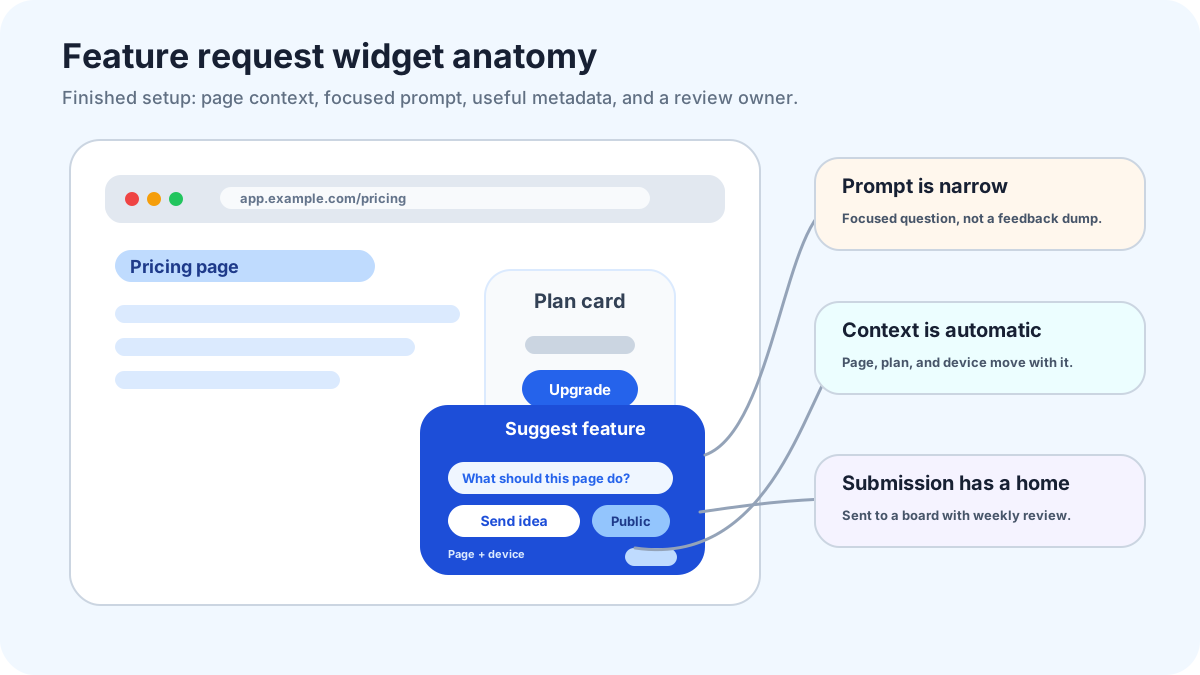
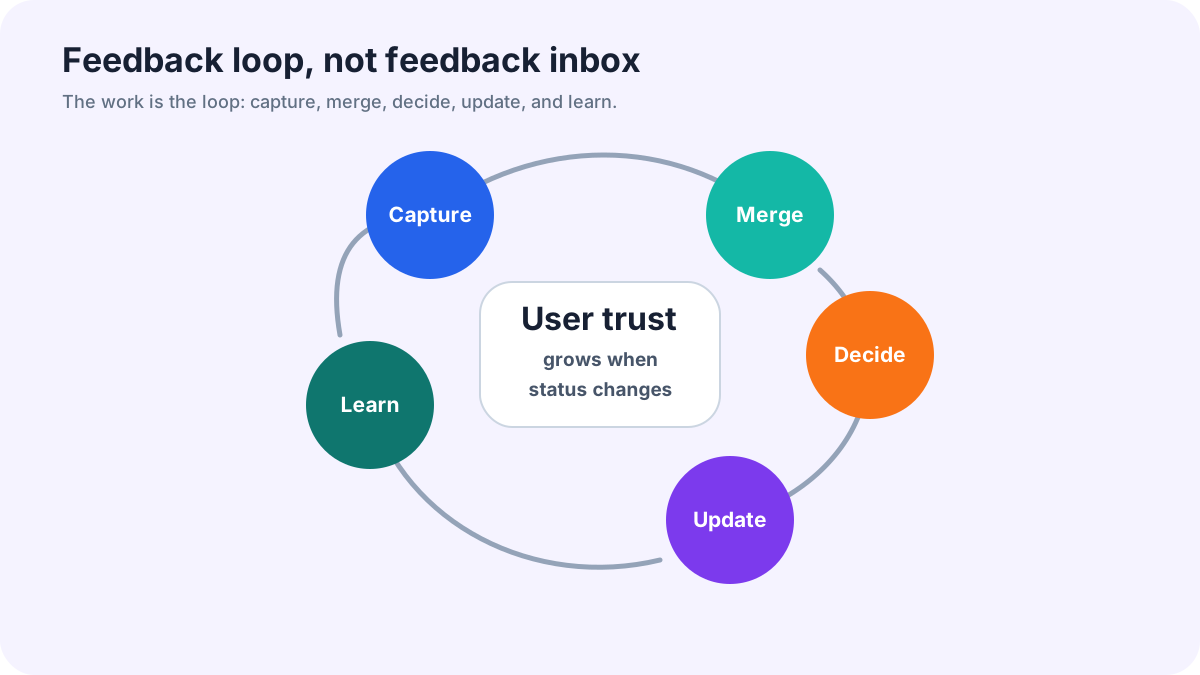
A feature request widget is the doorway, not the system. I wish more teams treated it that way. The widget can make submission easy, but the real product is the weekly feedback loop behind it: who reviews ideas, how duplicates get merged, what earns a public status, and how customers hear back when a decision changes.
Most feedback widgets fail for a boring reason. Nobody owns the loop. A founder installs a tab, requests arrive, the first week feels promising, then the board turns into a dusty corner of the product. Users notice. They stop writing carefully because the channel looks like a suggestion box with a nicer skin.
FeaturAsk is built for teams that want the practical version: a customizable website widget, voting, comments, delete/moderation actions, request statuses, optional fields, and a dashboard without a six-month software rollout. A one-month FeaturAsk trial gives you time to test the loop before paying; no credit card is required, and the plan is $29.95/year after that.
This guide is for small SaaS owners, plugin builders, content businesses, and website operators who want an intake path that stays useful after launch day.
Where the widget belongs
Put the widget where the user has enough context to ask for a product improvement. In an app, that usually means the help menu, account menu, roadmap page, or a small tab near the area where users already look for support. On a marketing site, place the entry point after a visitor has seen the product promise, not before.
A request link on a pricing page can work if pricing friction often reveals missing packaging. A request link inside documentation can work if power users keep looking for advanced workflows. A giant floating tab on every page can also work, but only if your routing separates product ideas from support and sales messages. Otherwise the widget becomes a catch-all inbox.
The best placement test is simple: would the user understand why this invitation appears here? If yes, the request will arrive with usable context. If no, the team will spend review time sorting bugs, billing questions, and half-formed wishes.
What the widget should capture automatically
Ask the user for the outcome, but let the system carry as much context as possible. Page URL, product area, account type, browser, device, and logged-in customer identity can explain a request that would otherwise read like a vague note. A short form is easier to finish when the widget already knows where the user was.
Use required fields sparingly: a short title, the task the user was trying to complete, and a way to follow up. Add optional fields for frequency, current workaround, and role. Do not ask users to estimate engineering effort or business value. That is your work during review.
A good prompt sounds like a human wrote it. “What were you trying to do?” beats “Describe your feature request.” “How are you handling this today?” beats “Explain impact.” The wording matters because it nudges users away from shopping-list requests and toward the problem behind them.
Public ideas, private cleanup
Public boards are powerful after cleanup. Before that, they can make noise look official. I prefer private intake first: receive the request, rewrite the title around the user outcome, merge duplicates, remove account-specific details, then publish the idea if other users can understand and support it.
Make sensitive material private by default. A request that includes customer data, contract terms, or an account problem belongs in support. A request that describes a common workflow pain can move to the public board with clean wording.
This is also where voting starts to matter. A user can add support to an existing item instead of creating another version of the same idea. If you want more detail on that layer, the feature voting widget guide explains how to use votes without letting raw totals run the roadmap.
The weekly review that keeps the channel alive
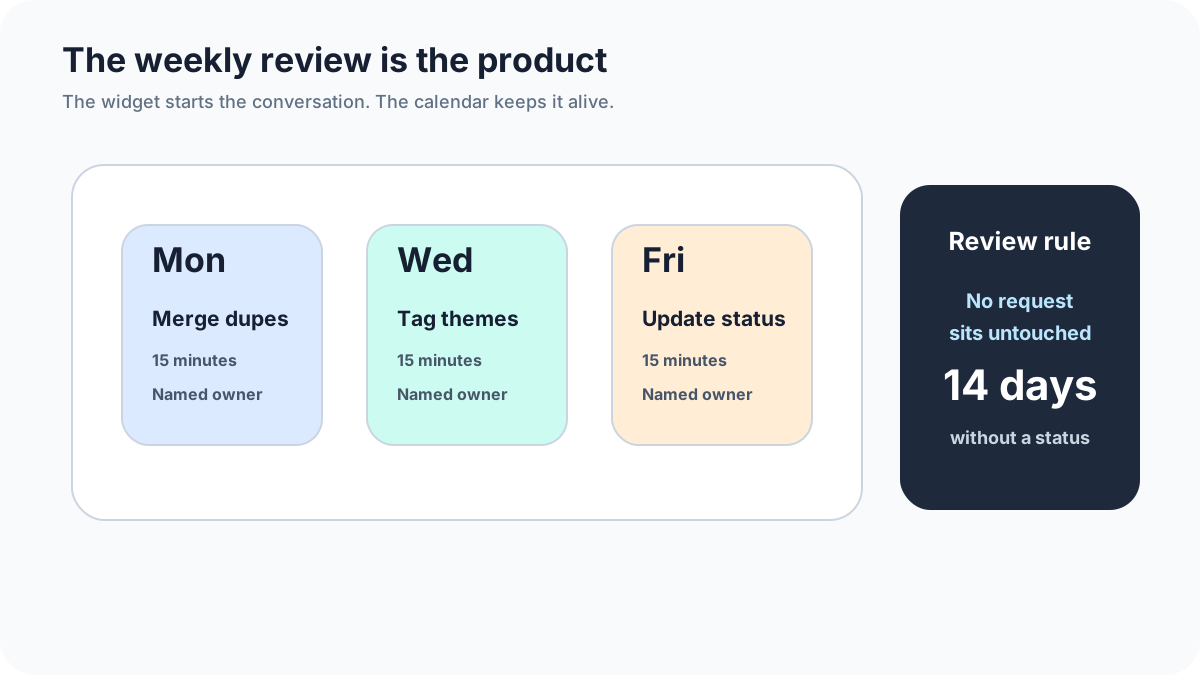
Set a recurring thirty-minute review. Do not wait until the board feels worth reviewing. The habit creates the value. Start by merging duplicates and fixing unclear titles. Then tag requests by product area, mark obvious support issues for support, and choose a small number of items for discovery or public voting.
A useful review ends with decisions, even small ones. Close bad-fit ideas with a short note. Move promising ideas to “under review.” Ask a clarifying question when the evidence is thin. Publish a cleaned-up request when other users could vote on it.
The owner of the review does not need to be the final product authority. They need enough judgment to keep the board readable. Roadmap decisions can happen later with a founder or product lead, but the intake channel must be groomed before that meeting or it will waste everyone’s time.
A 14-day setup plan
Day 1: choose one entry point and write the form prompts. Day 2: add categories such as onboarding, reporting, integrations, billing, and mobile. Day 3: submit five fake requests from your own team to test the path. Day 4: remove any field that nobody wants to answer.
Days 5 through 7: invite a small customer group. Tell them the board is new and you want clear product ideas, not support tickets. During this period, read every submission the same day. You are calibrating the language and placement, not judging demand yet.
Days 8 through 10: publish only the cleaned-up items that could benefit from more voices. Merge duplicates aggressively. If three people ask for the same outcome with different words, create one plain-language request and attach the evidence.
Days 11 through 14: run the first review. Pick one request to investigate, one to decline, one to clarify, and one to leave open for more votes. That mix teaches users that the channel is active and honest.
What to measure after launch
Count actionable requests, duplicate rate, requests from your target users, and the percentage with a status update. These numbers tell you whether the widget is producing decisions or only creating storage. A small volume of clear requests is better than a large pile nobody trusts.
Also read the worst submissions. Bad requests often point to bad prompts. If users keep writing feature names without context, ask for the failed task first. If users keep submitting support issues, change the placement or add a support route before the form opens.
For broader intake design, compare this setup with the feature request button and feature request form template. If you already have a feedback program, the user feedback for SaaS guide can help decide what belongs in the widget versus interviews or support review.
When FeaturAsk is a fit
FeaturAsk makes sense when you need a lightweight website request workflow without hiring someone to maintain a custom portal. Its dashboard flow covers request statuses, search, filtering, comments, request details, and deletion of unwanted requests. The widget can live on a site or app page, users can submit and vote, and the dashboard keeps moderation and popularity tracking in one place.
If your team is still unsure whether a request channel will earn its keep, start with FeaturAsk as a low-risk pilot. One month free is enough to learn whether users submit useful ideas, and the $29.95/year plan keeps the decision tied to the workflow rather than procurement drama.
Final take
A feature request widget is worth adding only if somebody will review it. The winning setup is not the loudest tab or the longest form. It is a modest doorway connected to a visible habit: clean up requests, ask for context, publish the right items, and tell users what happened. If you can protect that loop, the widget becomes a source of product judgment instead of another inbox.
For teams that want the simple path, FeaturAsk gives the widget, voting, and management board in one place, with no credit card required for the first month.
Ownership rules that prevent decay
The widget needs a named owner, a review slot, and a small rulebook. Without those, every unclear item becomes tomorrow's problem. Ownership does not mean one person gets to decide the roadmap alone. It means one person protects the quality of the input before the roadmap conversation starts.
Write down what the owner does every week. They rename unclear requests, merge duplicates, hide sensitive submissions, tag product areas, and ask one follow-up question when the request has promise but not enough detail. They also close ideas that plainly do not fit. Closing is uncomfortable at first, but an honest no is better than leaving a request open for a year.
The rulebook can be tiny. Publish ideas only after private cleanup. Keep account-specific issues private. Merge duplicates into the clearest outcome statement. Use public status notes for decisions that users can understand. Review the board every week even if only three new requests arrived. Those rules make the widget feel managed rather than decorative.
How to connect requests to roadmap meetings
Do not bring a raw request list into planning. Bring clusters. A cluster might be “exporting filtered data,” “team permissions,” or “mobile approval flow.” Each cluster should include vote count, number of distinct accounts, representative quotes, affected segment, current workaround, and a rough effort guess. This turns scattered submissions into a conversation a small team can finish.
I like a one-page review. Left side: the top clusters worth discussing. Middle: evidence from users. Right side: proposed action. The action can be discovery, planned, not now, needs more votes, or close. If a request cannot be reduced to that page, it probably needs clarification before it belongs in planning.
Status notes should come out of the same meeting. If the team chooses discovery, say what question you are trying to answer. If the team declines the idea, explain the reason in customer language. If the team ships a first version, return to the request and ask voters whether the release solved the original problem. That last step is where the loop becomes learning.
A practical first-month scorecard
At the end of the first month, score the widget in plain terms. Did users find it without being nagged? Did submissions include enough context to act? Did duplicate merging make the board clearer? Did any request change a product conversation? Did users receive visible replies?
A failed score is not always bad news. If people clicked but wrote support questions, the placement was too broad or the label was unclear. If people submitted good ideas but nobody reviewed them, the process failed, not the widget. If nobody clicked, the entry point may be hidden or the audience may not yet believe you will listen. Fix the system before blaming users.
The mistake of launching everywhere
Do not put the widget on every page on day one. That feels efficient, but it hides where the useful requests came from. Start in one or two places where the user is close to product friction. For many teams, that means the in-app help menu, a roadmap page, or a docs page tied to an advanced workflow.
After two weeks, compare request quality by location. If the docs page produced clear workflow gaps and the homepage produced sales questions, you know where to expand. If the in-app widget produced only bug reports, your label or routing needs work. Placement is a lever, not a decoration choice.
Private notes your team should keep
Public users do not need to see every internal detail, but your team should keep private notes on why a request matters. Add notes for customer segment, plan, revenue risk if appropriate, support tickets connected to the idea, and any discovery call you should run. Keep these notes separate from the public description.
This split lets you write clean public items while still making strong internal decisions. Users see a readable request. The team sees the evidence behind it. That is the balance a lightweight widget should create.