Feature Request Button: Make the Click Worth Trusting
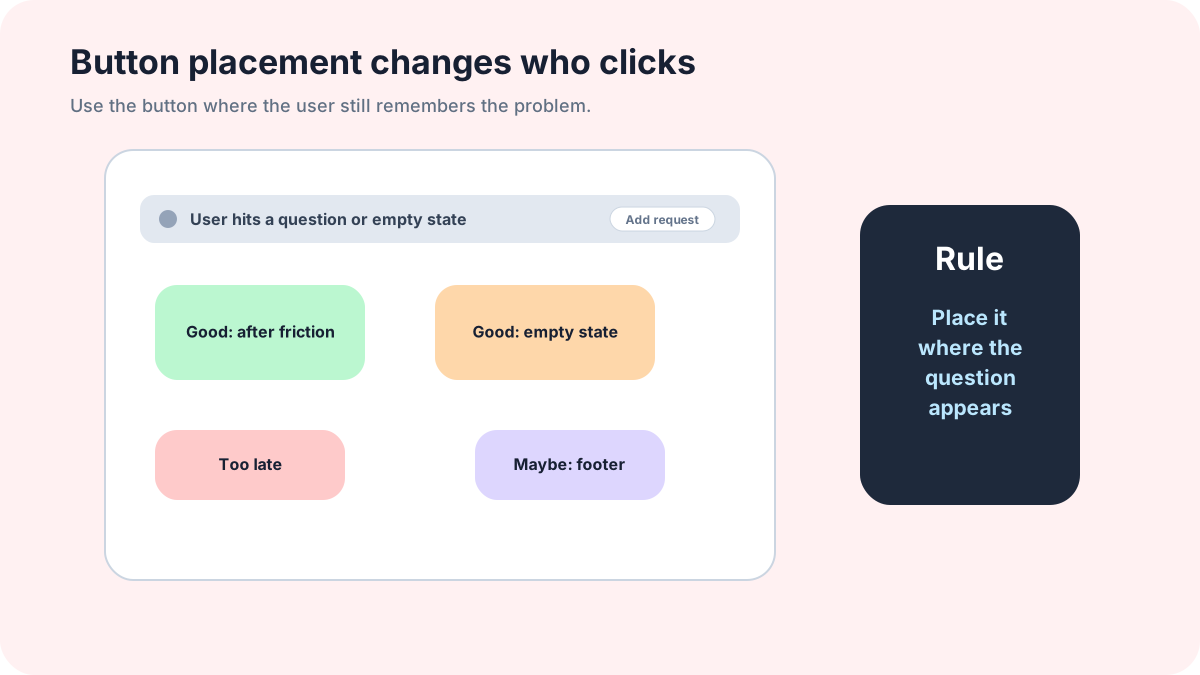
A feature request button is a promise. If the button drops users into a dead form, a generic email inbox, or a board nobody updates, it trains them to stop clicking. That damage is quiet, which is why teams miss it.
The button is small, but the expectation behind it is large: “Tell us what you need, and we will do something responsible with it.” The responsible thing might be merging the idea, asking a follow-up question, declining it, or opening it for votes. Silence is the only truly bad answer.
FeaturAsk gives the click somewhere useful to go: a request workflow with submissions, voting, comments, status values, optional fields, delete/moderation actions, search, filtering, and a dashboard. FeaturAsk lets you test that path for a free month without a credit card; after the trial, keeping the workflow costs $29.95/year.
Button copy that sets the right expectation
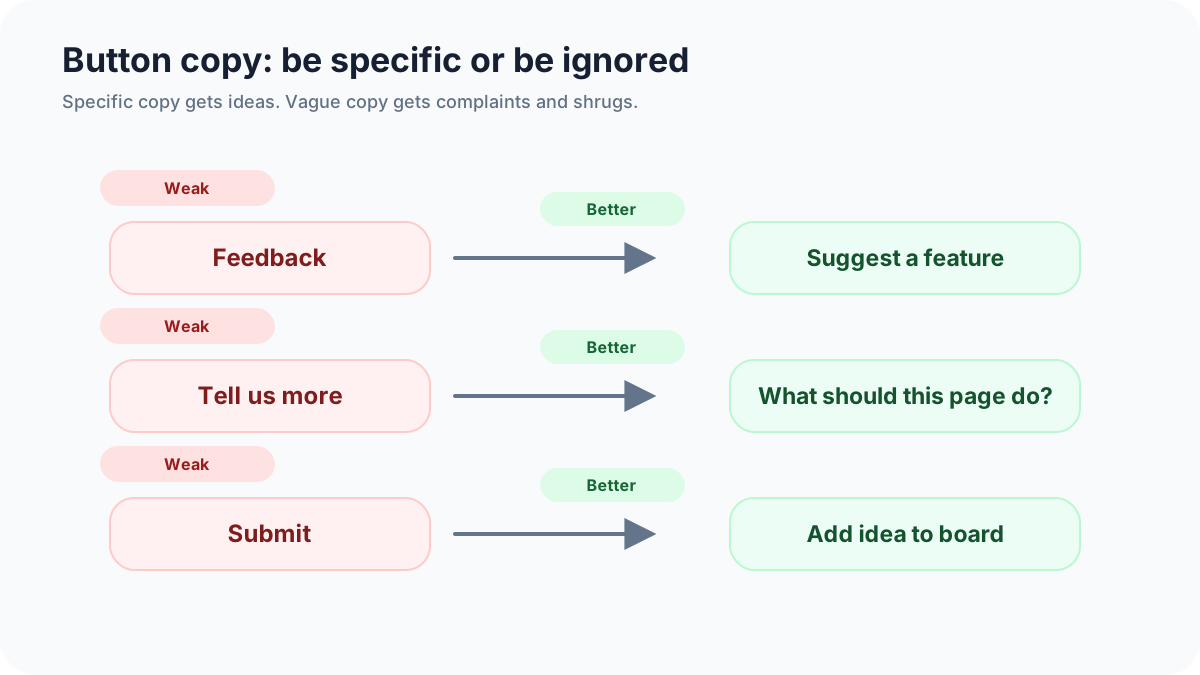
Copy should tell users what happens next. “Request a feature” is clear and familiar. “Suggest an improvement” feels softer and can work on public websites. “Vote on ideas” is better when the destination is a board, not a blank form. “Tell us what to build” sounds fun, but it overpromises control.
Bad copy usually hides the destination. “Feedback” can mean support, praise, bugs, complaints, ideas, or sales questions. “Contact us” is worse if product requests go to a board. Keep the label narrow enough that users self-select correctly.
Good examples: “Request a feature,” “Suggest a product idea,” “Vote on roadmap ideas,” “Share an improvement.” Bad examples: “Submit,” “Innovation portal,” “Product ideation experience,” “Tell us everything.” The best label is boring if boring prevents confusion.
Placement by page type
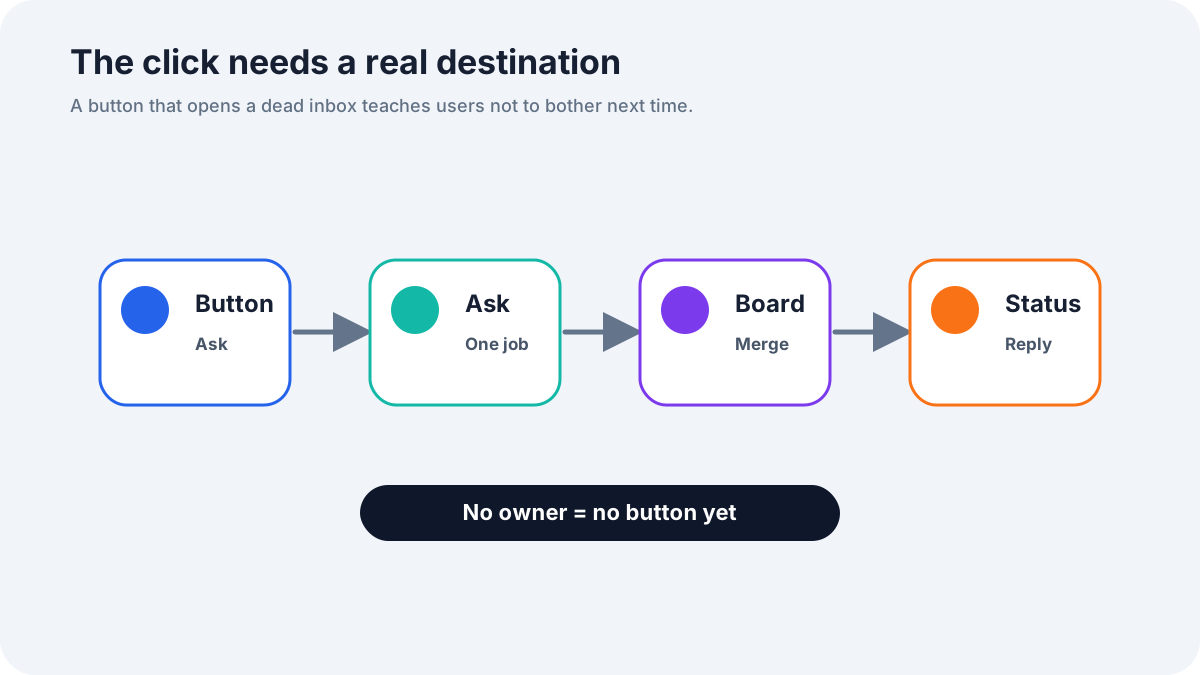
In an app, place the button where users already look for help or account actions. A persistent help menu item is often better than a floating tab that competes with the interface. On a dashboard, a small link near the header can work if it does not steal attention from primary tasks.
On a marketing site, place the button after product context. A homepage hero is usually too early. Product, pricing, docs, changelog, and roadmap pages are better because the visitor has enough information to suggest something specific.
For mobile, avoid tiny floating tabs near browser controls or chat widgets. Use a menu item, footer link, or compact button with enough touch target size. W3C accessibility guidance is clear that interactive controls need to be operable by different users and devices; tiny decorative controls cause avoidable friction.
Destination matters more than the button style
A feature request button can lead to a form, a public board, a modal, or a widget panel. The right choice depends on user intent. If users need to submit a private idea from inside a workflow, a modal or widget panel is fine. If users should search existing ideas and vote first, send them to the board.
Do not send product requests to a plain mailto link unless you are intentionally running a manual experiment. Email is easy to launch and hard to scale. It hides duplicates, separates votes from comments, and makes status updates manual.
For the capture layer, read the feature request widget guide. If the destination is a voting board, the feature voting widget guide explains how to prevent the click from becoming a popularity contest.
Button states users understand
A button should have normal, hover, focus, loading, success, and error states. The focus state matters because keyboard users need to see where they are. The success state matters because users need confirmation that the idea was received. The error state matters because failed submission without a recovery path feels like being ignored.
Use plain confirmation copy. “Thanks, your idea was added for review” is better than “Submission complete.” If the request is public, link to it. If it needs moderation, say so. If the team reviews requests weekly, say that instead of implying an instant answer.
The empty and disabled states need care too. If voting is closed for a shipped idea, explain why the button is unavailable. If a user must sign in before submitting, tell them before they write a long request.
What happens after the click
The post-click workflow should collect context, prevent duplicates, and set expectations. Show suggested existing requests before creating a new one. Ask for the desired outcome and current workaround. Confirm whether the request will be public or private. Then route the item into a board where someone can review it.
This is where many buttons fail. The UI looks polished, but the request lands in a pile that nobody owns. Assign an owner for weekly cleanup before adding the button to more pages. The owner should merge duplicates, tag product areas, ask follow-up questions, and change statuses.
For field wording, use the feature request form template. For public websites with mixed traffic, the feature request form for website guide covers routing product ideas away from support, bugs, pricing questions, and spam.
Accessibility and mobile details
Use an actual button or link element, not a clickable div. Give it readable text, visible focus, sufficient contrast, and a touch-friendly size. If an icon is used, pair it with a text label or accessible name. Do not rely on a plus icon and hope everyone understands the action.
Keep the control reachable without covering content. Floating buttons can collide with chat bubbles, cookie banners, and mobile navigation. Test the page at narrow widths, zoomed text, and keyboard navigation. If the button blocks a checkout action or help link, users will blame the product, not your feedback program.
Examples of good and bad flows
Bad flow: a pricing page has a “Feedback” button. It opens a long general form with required company size, phone number, and budget. The user wanted to suggest a plan feature, gives up, and support never hears about the friction.
Better flow: the pricing page has “Suggest a plan feature.” The form asks what plan option is missing and whether the visitor is evaluating the product now. Pricing questions route to support; feature ideas go to the request board; spam gets filtered before public posting.
Bad flow: an app dashboard shows “Request a feature,” accepts the idea, and gives no confirmation beyond a green toast. Better flow: the success screen links to the public request or says it is awaiting moderation, then invites the user to vote on related ideas.
When FeaturAsk fits the click path
FeaturAsk is useful when you want the button to lead to a maintained request system instead of a raw form. Users can submit ideas, browse existing requests, vote, and comment. The team can moderate and track popularity in the dashboard.
If you are unsure where the button belongs, run a small placement test with FeaturAsk. Put it in one high-context location for two weeks, review every request, and adjust the label before promoting it more widely. The trial is free for one month, no credit card required, and the paid plan is $29.95/year.
Final take
A feature request button should never be decoration. It should tell users what they can do, lead to a destination that respects their time, and trigger a review habit your team can sustain. Good copy gets the click. A good workflow earns the second click.
For a simple button-to-board setup, FeaturAsk keeps the promise connected to an actual request process rather than another forgotten inbox.
Microcopy around the button
The words near the button matter almost as much as the label. A short helper line can prevent bad submissions before they happen. Under a “Request a feature” link, write “For product ideas and improvements. Support issues go through help.” That one sentence can save hours of routing later.
On a public site, the helper line should narrow the invitation. “Tell us what would make this product more useful for your workflow” produces better requests than “Send feedback.” In an app, use context from the page. A reports page can say “Missing a report or export option?” A settings page can say “Need a control that is not here?”
Avoid cleverness. Clever button copy often makes the team feel fun and the user feel unsure. If the destination is a feature request board, say that. If the user can vote after clicking, say that. If requests are moderated, say that after submission.
Testing the button before full rollout
Before adding the button everywhere, test it in one high-context location. Track click rate, completion rate, support misroutes, duplicate rate, and how many submissions become board items. Read the abandoned form sessions if your analytics allow it. The point is not to optimize for maximum clicks. The point is to attract the right clicks.
A low click rate with high-quality requests can be a good result. A high click rate with junk messages is a warning. If users click but do not finish, the form is too long, asks the wrong questions, or appears before they trust the channel. If users finish but the team cannot act, the destination needs work.
After the first week, change one thing at a time: label, placement, helper text, destination, or form length. If you change everything, you will not know what improved the signal.
Button patterns I would avoid
Avoid full-screen popups asking for feature ideas before the user has used the product. Avoid a floating tab that covers mobile navigation. Avoid button labels that imply every idea will be built. Avoid sending users to a blank form when a public board already has related requests they could support.
Also avoid hiding the request button only inside support docs if product ideas mostly appear during active use. Users should not have to leave the workflow, search help, and re-explain what they were doing. The closer the button is to the moment of friction, the better the evidence will be.
Analytics worth tracking
Track more than clicks. A button can get plenty of clicks and still be bad if the destination produces weak requests. Watch click-through rate, form completion rate, percentage of submissions routed to product, percentage merged with existing ideas, and percentage that receive a status update.
Also track the first page where the user clicked. A request from the reports page should be read differently from a request from the homepage footer. The page is part of the evidence. If you use FeaturAsk or another request workflow, keep that source context attached to the board item whenever possible.
How to introduce the button to existing users
Do not silently add the button and hope people notice. Mention it in release notes, an onboarding email, or a small in-app announcement. Set expectations: this is for product ideas, the team reviews requests weekly, and users may see similar ideas they can vote on.
The announcement should be modest. You are opening a channel, not promising a democracy. Say that requests help the team see patterns and make better tradeoffs. That framing keeps trust intact when you later decline an idea.
The smallest useful version
If you are unsure, launch the simplest version: one clear button, one page, one destination, and one weekly owner. Do not start with animations, complex targeting, or five different labels. Those details can come later after you know whether users submit anything worth reading.
The smallest useful version should still be honest. It needs a clear label, a confirmation message, accessible focus behavior, and a request queue someone reviews. That is enough to learn. Fancy styling without that foundation only makes the broken process prettier.