14 Top Feature Request Software Options to Build Better Products
Published: 2026-03-28
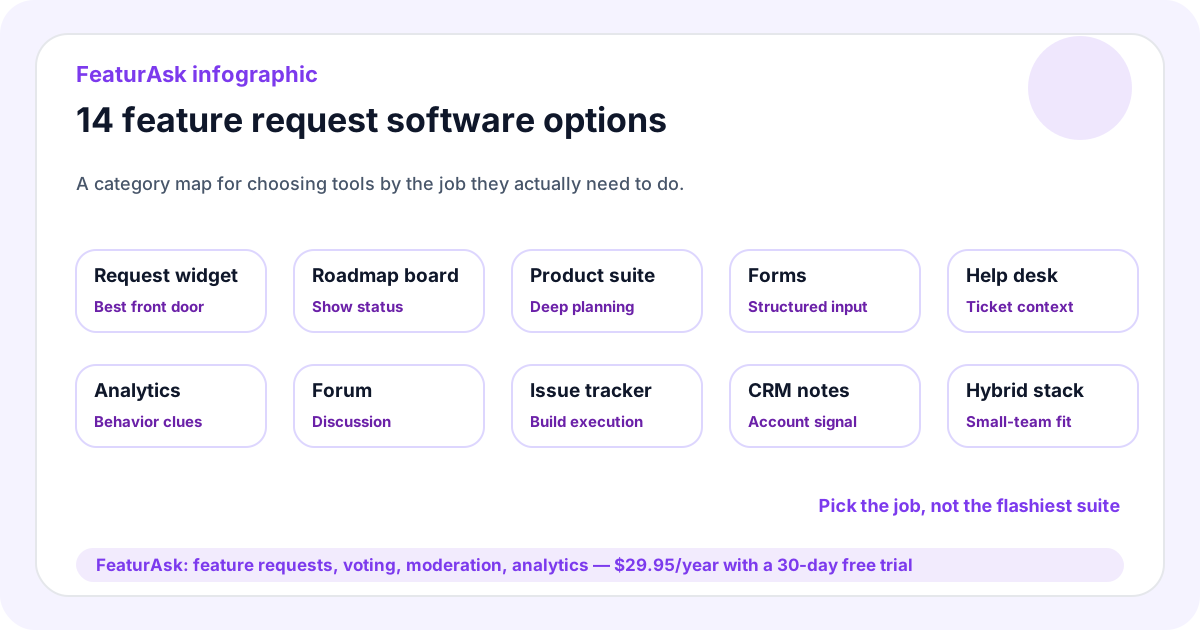
Feature request software gives teams a structured way to collect customer ideas, understand demand, and decide what belongs on the roadmap. The category ranges from simple feedback widgets to enterprise product operations suites. The right choice depends less on feature count and more on whether customers will use it and whether your team can review it consistently.
For many small teams, the biggest problem is not a lack of opinions. It is scattered signal. Requests live in support tickets, emails, chat threads, sales notes, surveys, and meeting documents. Feature request software creates a shared place where users can submit ideas, vote, comment, and follow progress. FeaturAsk is built for that lightweight use case: a simple feature request and voting widget for websites, SaaS products, creators, and small businesses. You can start a free FeaturAsk trial with no credit card required; after 30 days, it costs $29.95/year.
Use this guide with FeaturAsk articles on feature request process, feature prioritization matrix, customer feedback tools, and feature voting. For broader research context, Nielsen Norman Group’s overview of which UX research methods to use is a useful companion.
Quick answer
The best feature request software should make it easy for users to submit ideas, let others vote or add context, help admins moderate duplicates, show clear statuses, and provide enough analytics to support prioritization. Small teams should also value fast installation, custom branding, mobile-friendly pages, and transparent pricing.
You may not need an enterprise roadmap suite. If your main goal is to replace scattered notes with one visible request board, a lightweight tool can produce better results than a complicated platform your team never finishes configuring.
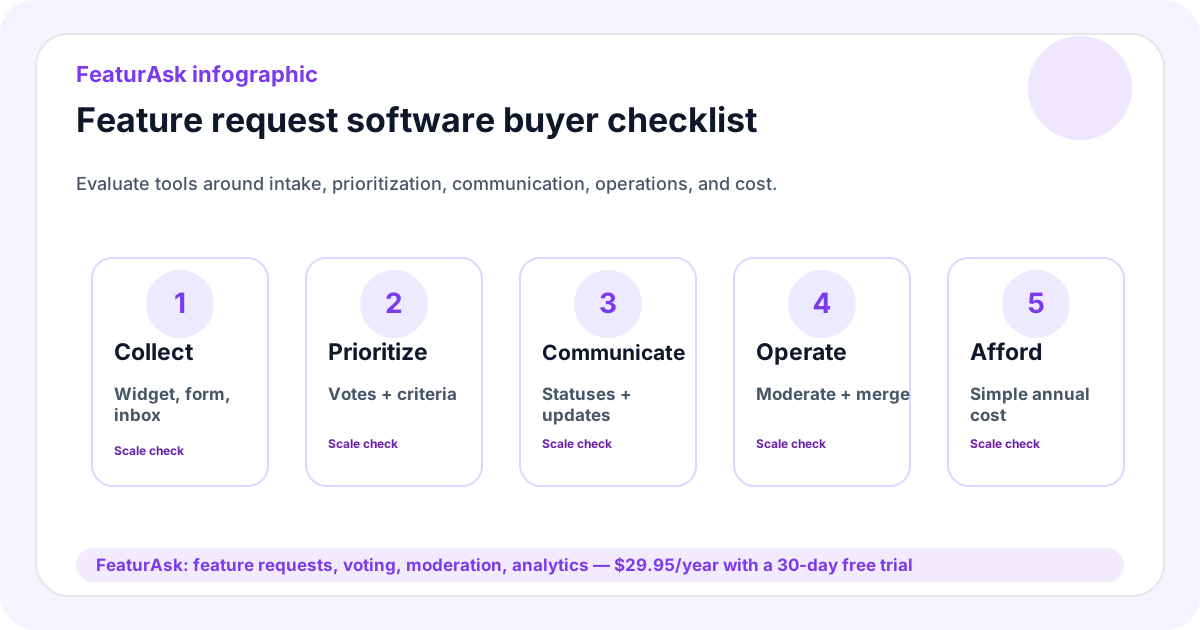
What to look for in feature request software
Start with the user experience. If submission requires a long form or a separate account, many users will not bother. A good tool invites feedback at the moment the idea appears and asks for plain-language context: what are you trying to do, what is missing, and why does it matter?
Next, evaluate organization. Duplicate requests should be easy to merge. Votes should roll up to the main idea. Comments should preserve use cases. Statuses should be visible enough for customers to understand progress but flexible enough that the team does not overpromise.
Admin features matter too. Look for moderation, spam control, custom branding, mobile support, analytics, and simple export or review workflows. Integrations are helpful when they reduce work, but they should not turn customers into users of your internal project management system.
Pricing clarity is part of usability. A tool that looks inexpensive but requires paid add-ons for voting, branding, or basic moderation can become frustrating quickly. Before choosing software, write down the few capabilities you truly need this quarter and compare products against that list. For many teams, the essentials are intake, voting, comments, moderation, statuses, and a dashboard.
1. FeaturAsk
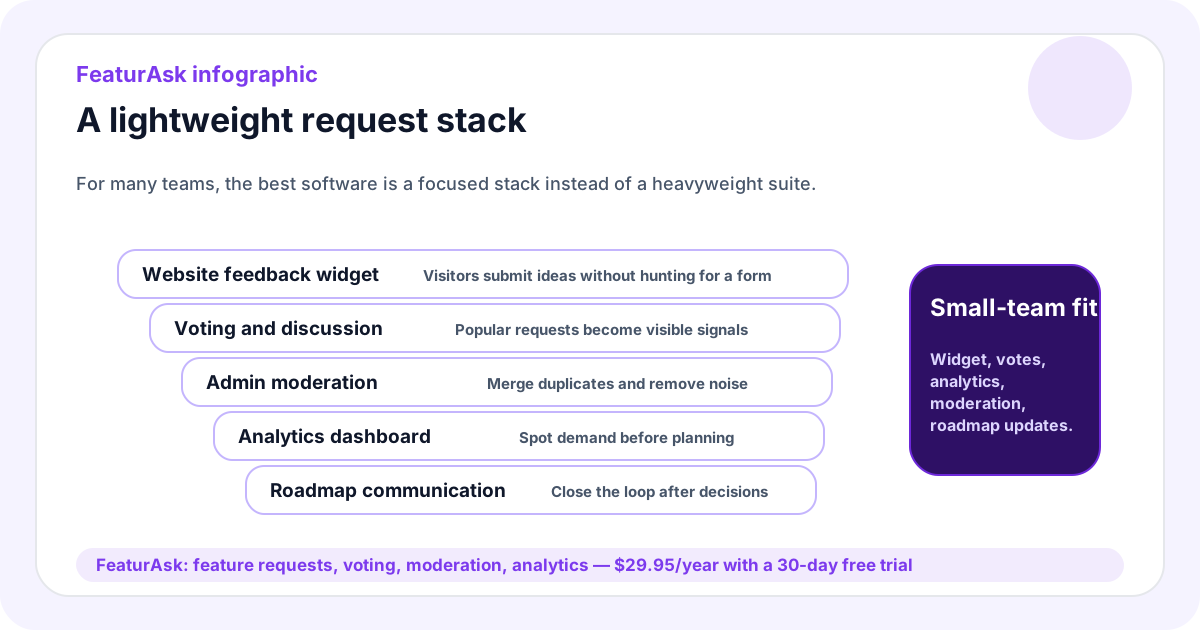
FeaturAsk is a lightweight feature request platform for small teams that want a website widget, voting, comments, moderation, custom branding, mobile-friendly pages, and an admin analytics dashboard without enterprise pricing. It is well suited for SaaS products, content businesses, ecommerce stores, membership sites, communities, and service businesses that want ongoing feedback from users or visitors.
The product is intentionally affordable: $29.95/year after a 30-day free trial, with no credit card required. Choose FeaturAsk when you need a clean front door for ideas and a simple way to review demand. It is not meant to replace a full engineering tracker; it should sit before one, turning customer language into prioritized product evidence.
2. Public roadmap platforms
Public roadmap platforms combine feedback collection with visible status communication. They are useful when customers regularly ask what is planned, what is in progress, and what shipped recently. Their strength is transparency. Their risk is accidental commitment. If every idea appears beside roadmap items, users may assume the team has promised it.
Use public roadmap software when you are ready to maintain statuses and write updates. Keep exploratory requests separate from firm commitments, and reserve “planned” for work the team truly intends to do.
3. Product management suites
Product management suites connect feedback to strategy, releases, scoring frameworks, engineering work, and stakeholder reporting. They can be powerful for mature product organizations with multiple teams and complex roadmaps. For a small website or early SaaS product, they may be more process than you need.
Before choosing a suite, ask whether you have enough request volume, internal roles, and planning maturity to justify setup. If the answer is no, begin with a lighter request board and upgrade when the process demands it.
4. Survey and form tools
Surveys and forms are excellent for structured research. They help you ask the same question to many users, collect ratings, or segment responses. They work well for onboarding feedback, cancellation reasons, post-purchase surveys, and content research.
They are weaker as an ongoing request system because users cannot easily see existing ideas, vote, or follow status updates. A common pattern is to use forms for research bursts and a request board for continuous demand.
5. Help desk feedback workflows
Help desks capture feature ideas inside support conversations. This context is valuable because users often explain the problem while they are feeling it. The downside is visibility. A request can disappear once the ticket closes unless someone tags it and moves it into a shared backlog.
If support is your main intake channel, define a handoff: summarize the requested outcome, attach relevant context, and link it to the central request record. Do not make the support inbox the only source of truth.
6. Spreadsheets and databases
Spreadsheets are a reasonable starting point. They are flexible, familiar, and cheap. A founder can track request title, source, customer segment, votes, comments, effort, and status in one table.
The problem arrives with participation. Customers cannot vote inside your private spreadsheet, and teammates may forget to update it. Use spreadsheets for analysis if you like, but pair them with a better intake method once duplicate requests and status questions become common.
7. Community forums
Forums are useful when discussion is part of the value. Users can compare use cases, suggest workarounds, and help each other understand limitations. They are common in developer tools, games, communities, and complex platforms.
Forums need moderation and structure. Without clear categories and statuses, feature ideas become mixed with support questions and general discussion. Use a forum when conversation matters, but create a dedicated feature request area or board so roadmap signal is not buried.
8. Analytics-assisted feedback tools
Analytics-assisted tools connect user behavior with feedback. They may include session recordings, heatmaps, funnels, or event trails. This helps answer what users did before they complained or requested an improvement.
Analytics explains behavior better than desire. A drop-off shows where people struggle; comments and requests explain what they expected. Use analytics to identify friction and request software to understand demand for solutions.
9. In-app messaging tools
In-app messaging tools prompt users at the right moment: after onboarding, after repeated use, when a feature fails, or before cancellation. They are useful because timing improves response quality.
The best setup sends open-ended ideas into a central request system. Otherwise, feedback remains trapped in message transcripts. Use in-app prompts for capture and a request board for organization.
10. Enterprise voice-of-customer suites
Enterprise voice-of-customer suites support large-scale feedback programs, account hierarchies, surveys, integrations, governance, and reporting. They are useful for large companies that need formal operations across many teams.
For lean teams, they can slow learning. If you do not have a dedicated owner, implementation resources, and enough feedback volume, a VOC suite may create dashboards without decisions. Start smaller unless enterprise governance is truly required.
11. Issue trackers
Issue trackers are excellent for engineering execution. They manage bugs, tasks, sprints, assignments, and releases. They are not ideal as customer-facing request software because customers should not need to understand labels, issue templates, or technical workflows.
Keep public requests in customer language. Once the team accepts work, link the request to internal engineering tickets. This preserves a friendly front door while giving engineers the detail they need.
12. CRM-based request tracking
CRM workflows add account value, pipeline context, and customer ownership. They are useful for B2B teams where one request may affect renewals or expansion. The risk is a roadmap driven only by prospects or large accounts.
Use CRM data as one input. Compare it with active-user votes, support patterns, retention risk, and product strategy. A request can be commercially important without being the right product move.
13. Feedback widgets
Feedback widgets lower friction because they sit on the website or app where the idea occurs. They are ideal for small teams that want ongoing feedback without sending users to a long survey. A good widget is quick, mobile-friendly, branded, and connected to an admin dashboard.
This is where FeaturAsk fits best. It gives visitors a simple way to submit requests and gives the team voting, comments, moderation, and analytics. If your current feedback process is scattered, launch a FeaturAsk board and test whether a visible widget increases useful submissions.
14. Hybrid lightweight stacks
Many teams eventually use a hybrid stack: a request board for demand, a help desk for support context, analytics for behavior, and interviews for depth. This is healthy as long as one place remains the source of truth for feature requests.
The mistake is letting every tool become a separate backlog. Decide where requests live, then let other tools enrich that record. A small team with a clear lightweight stack often outperforms a larger team with five disconnected systems.
How to choose the right option
Choose based on the decision you need to make. If you need to know what users want next, prioritize request boards and voting. If you need to diagnose a confusing page, combine analytics with comments. If you need executive reporting across multiple product lines, consider a suite. If you need to collect feedback from website visitors quickly, use a widget.
Also consider maintenance cost. Every tool creates work: moderation, status updates, tagging, analysis, and follow-up. The right feature request software should reduce hidden work, not add a second job. That is why small teams often benefit from simple pricing and simple workflows before adopting heavier systems.
Run a short pilot before migrating everything. Put the tool on one product area, invite a small group of users, and review the first two weeks of requests. Check whether submissions are understandable, whether duplicates are easy to manage, and whether teammates actually use the dashboard during planning. A pilot exposes workflow problems while the setup is still easy to change.
FeaturAsk’s $29.95/year price, 30-day free trial, and no-credit-card signup make it easy to test the category before committing to a large process. If users do not submit useful ideas, you learn quickly. If they do, you have a foundation for better prioritization.
One-week implementation checklist
- Pick the main place where users should submit feature ideas.
- Add a short prompt that asks for the desired outcome, not only the requested solution.
- Define moderation rules for duplicates, spam, and sensitive details.
- Review new requests weekly and group similar ideas.
- Use votes and comments as demand signals, not automatic roadmap commands.
- Publish status updates when an idea is planned, shipped, researched, or declined.
FAQ
What is the most important feature?
Low-friction submission is the starting point. If users do not submit requests, advanced scoring, integrations, and dashboards do not matter.
Do small teams need enterprise software?
Usually not at first. A simple widget, voting board, moderation workflow, and dashboard are enough for many small teams and websites.
Should feature request software include voting?
Yes. Voting helps reveal repeated demand, especially when it is paired with comments, customer context, and product judgment.
What does FeaturAsk cost?
FeaturAsk costs $29.95/year after a 30-day free trial, and no credit card is required to start. It includes the feedback widget, voting, discussion, moderation, custom branding, mobile-friendly pages, and the admin dashboard. When you are ready to replace scattered notes, try FeaturAsk.