Feature Request Form Template: Make Vague Ideas Sortable
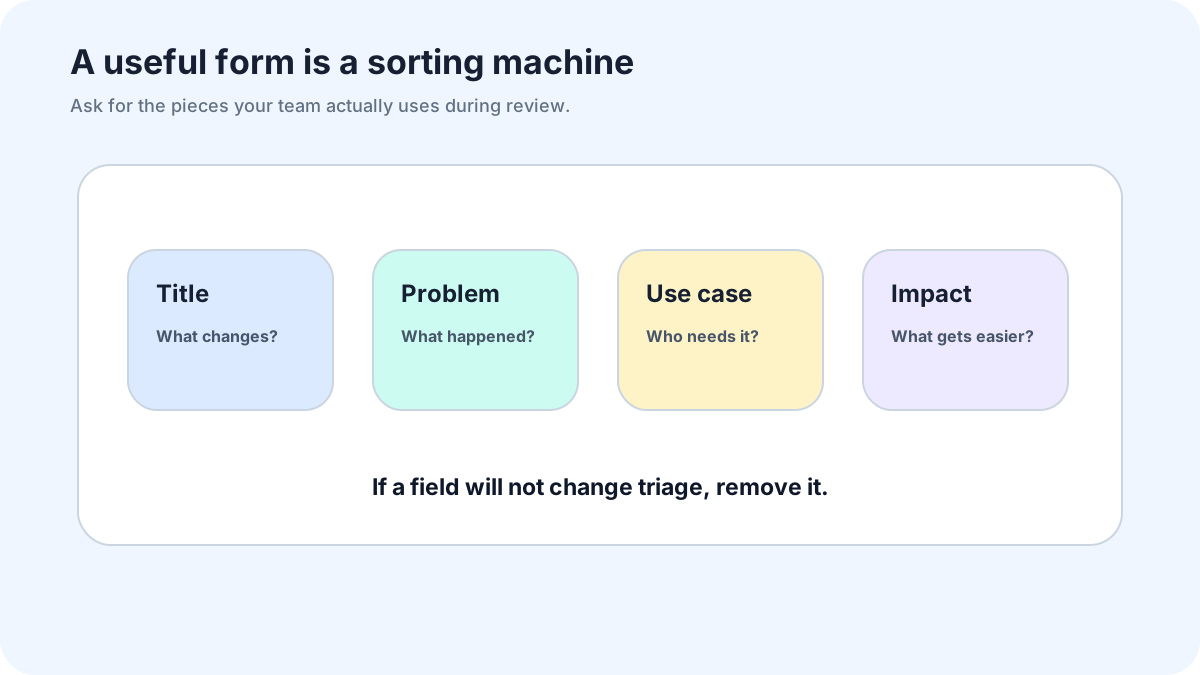
A feature request form template has one job: make vague ideas sortable. It should not force users to write a product brief, and it should not leave the team with a pile of one-line wishes. The middle path is a short form that captures the problem, context, and follow-up path.
The mistake I see often is copying a generic form and calling it a process. A template is only useful if its answers map into review: title, outcome, category, requester, segment, duplicate check, and status. If the fields cannot be sorted, merged, or discussed, they are just text boxes.
FeaturAsk gives you the form-to-board path without duct tape. Users can submit requests, others can vote and comment, and the team can manage the queue from a dashboard. The first month of FeaturAsk is free and does not require a credit card, so a team can test the template-to-board workflow before the $29.95/year plan begins.
Copy this simple template
Use this when you want a short form that still produces triage-ready answers.
Request title: What should we call this idea? Keep it short.
Desired outcome: What were you trying to do?
Current blocker: What stopped you or made the task harder?
Workaround: How do you handle this today, if at all?
Frequency: How often does this come up? Daily, weekly, monthly, rarely.
Contact: Where can we reach you if we need a detail?
Optional context: Your role, plan, product area, browser, device, or example URL.
That is enough for most teams. The form asks about the user’s work before it asks for the imagined feature. That order matters because users often name a solution before they have explained the pain.
Required fields versus optional fields
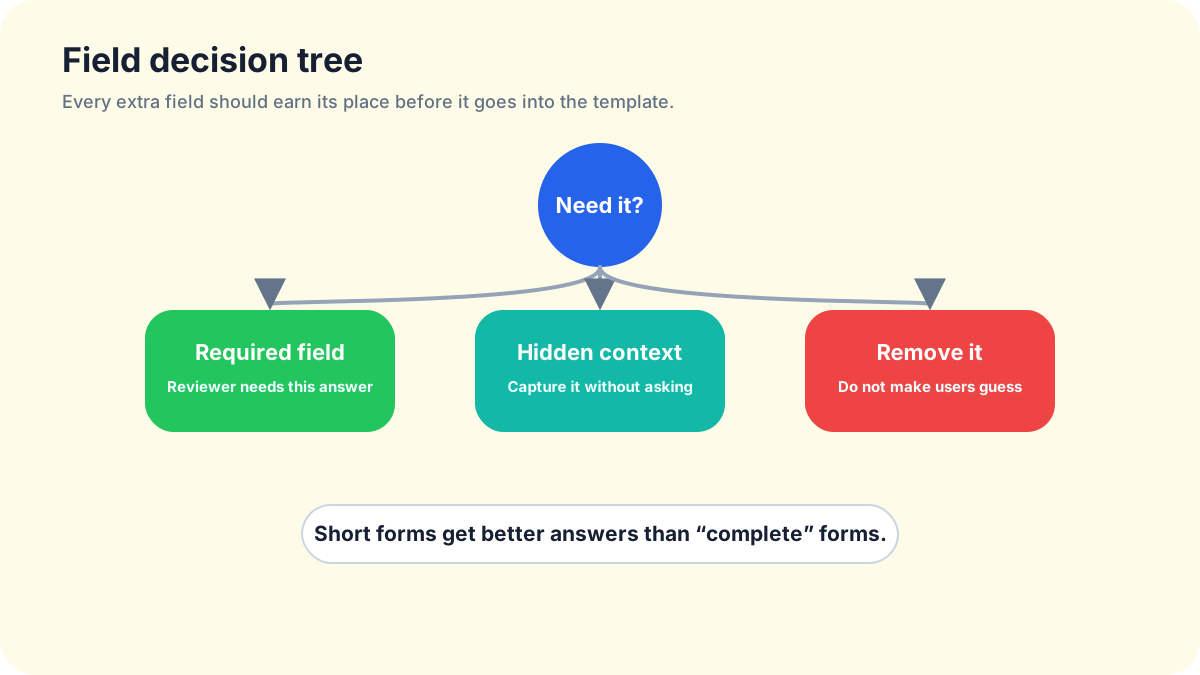
Make a field required only if the request becomes unusable without it. Title, desired outcome, and contact are usually required. Current workaround is almost always worth asking, but it can stay optional if your audience is impatient or mobile-heavy.
Role, company size, plan, device, and browser should be optional unless they change routing. A developer tool may need stack or environment. A Shopify app may need store type. A course platform may need creator role. Do not collect context because a template library suggested it; collect it because someone will use it during review.
Avoid required priority. Users will mark everything high when the form asks them to self-rank. Ask frequency instead. “How often does this slow you down?” produces better signal than “How important is this?”
Weak prompts and stronger replacements
Weak: “Describe your request.” Stronger: “What were you trying to finish when you noticed this?”
Weak: “Business impact.” Stronger: “What gets harder if this stays the same?”
Weak: “Acceptance criteria.” Stronger: “How would you know the improvement worked?”
Weak: “Priority.” Stronger: “How often does this affect your work?”
Weak: “Feature category.” Stronger: “Where did this come up: onboarding, reports, billing, integrations, mobile, or something else?”
Plain language is not dumbing the form down. It is how you get answers from people who are in the middle of their own work, not sitting in your roadmap meeting.
Routing rules after submission
Every answer needs a next step. Bugs go to support or issue tracking. Account questions go to support. Sales or pricing questions go to the sales path. Product ideas go to the request board. Spam gets filtered. Unclear notes get a follow-up question before they become public.
A simple routing table can do the work. If the user mentions broken, error, crash, cannot log in, or billing problem, keep it private and send it to support. If the answer describes a missing workflow, improvement, integration, export, setting, or view, put it in the product request queue. If the request contains sensitive data, redact or keep private.
The feature request form for website guide covers this messy public-site routing in more detail. For in-product intake, the feature request widget guide explains how placement changes request quality.
Turning form answers into board items
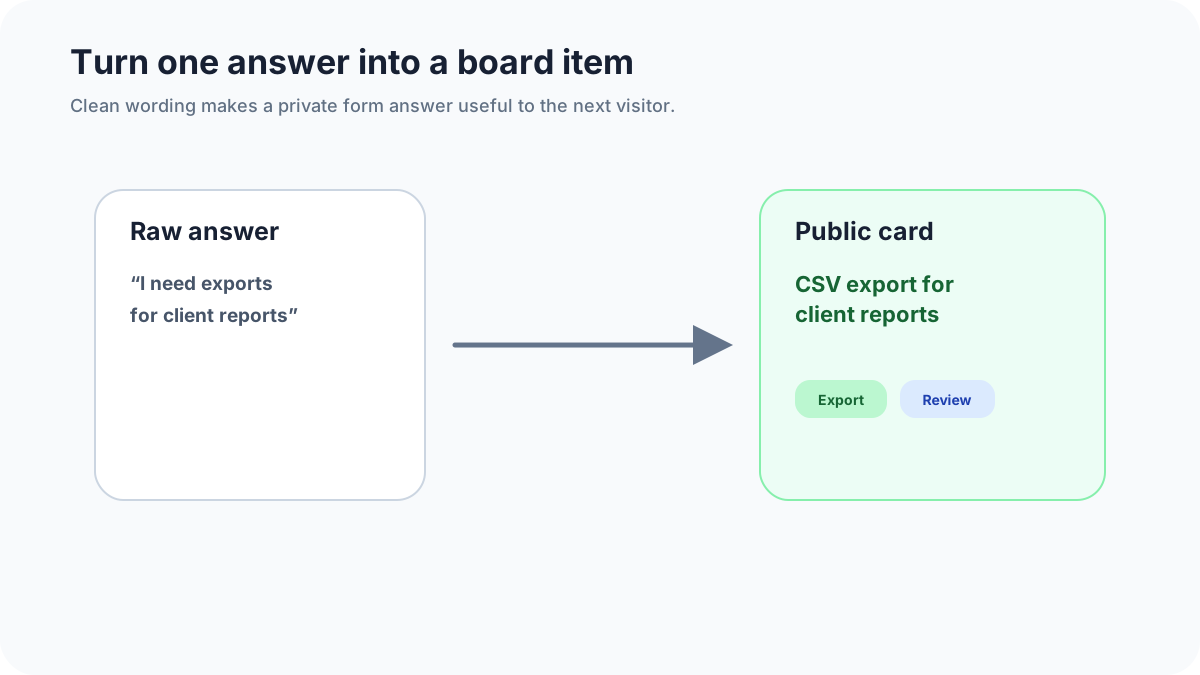
Map each field into a board record. The title becomes the request title, rewritten around the outcome if needed. Desired outcome becomes the description. Category becomes product area. Role and plan become internal tags. Frequency and workaround become evidence. Contact becomes the follow-up path.
Do not publish raw submissions without review. Users write quickly, include private details, and often describe the same idea in different words. A five-minute cleanup step makes the public board easier to vote on and prevents duplicates from splitting demand.
If the request is valid but vague, ask one follow-up question: “Can you tell us what you were trying to finish when this came up?” If the user cannot answer, the idea probably is not ready for public voting.
Categories that stay useful
Start with categories that match how you build, not how template sites organize forms. For many small software products, useful categories are onboarding, reporting, integrations, collaboration, billing, mobile, admin, and performance. For content businesses, categories might be topics, formats, community, payments, and publishing.
Keep the list short. Too many categories create false precision and slow users down. If a category gets crowded, split it later. If a category receives nothing for a month, remove it. Your template should evolve with the requests, not freeze on day one.
For voting after the board has clean items, use the feature voting widget guide. It explains why votes need comments, segments, and decision notes before they can guide planning.
A longer template for serious B2B requests
Use this version when customers are willing to provide detail because the product affects their job.
- What job were you trying to complete? 2. What stopped you? 3. Who on your team feels this problem? 4. How often does it happen? 5. What workaround do you use today? 6. What would change if this improved? 7. May we contact you for a ten-minute follow-up?
This template is longer, so do not show it everywhere. Use it for customer advisory groups, high-value accounts, or post-call follow-up. The public website should usually use the shorter version.
Maintenance for the template itself
Review the form after the first twenty submissions. Which field produced useful answers? Which field users skipped? Which prompt created vague replies? Remove or rewrite anything that did not help triage.
A template is not sacred. If users keep writing “N/A” in workaround, make the field optional or add examples. If category choices confuse people, use product area labels they already see in the app. If requests arrive without enough evidence, add a single clarifying prompt rather than making the whole form longer.
When FeaturAsk is the better template home
A standalone form can work for a one-week experiment. It starts to creak when you need voting, duplicate merging, public status, or a board users can revisit. FeaturAsk gives the form a place to live after submission, which is where the real value appears.
Start with FeaturAsk if you want the form, board, voting, and dashboard together. The first month is free, no credit card required, and the $29.95/year plan makes it easy to keep if the template improves request quality.
Final take
The best feature request form template is short, plain, and sortable. It asks about the user’s work before the proposed feature, routes non-product messages away from the board, and turns good answers into clean public items. That is how a form becomes product evidence instead of another private inbox.
If you want that workflow without building it yourself, FeaturAsk is a practical place to run the template and manage what comes next.
Examples of completed answers
Weak answer: “Add Zapier.” Stronger answer: “When a new request is marked planned, I want to send a message to our customer-success Slack channel so the account owner can follow up.” The second answer gives the team a workflow, trigger, destination, and reason.
Weak answer: “Better dashboard.” Stronger answer: “I need to see requests grouped by customer segment before our Monday planning meeting because the current list mixes free users and paying accounts.” That answer can become a board item immediately: “Group request dashboard by customer segment.”
Weak answer: “More customization.” Stronger answer: “We need to change the widget accent color and request button label so it matches our client portal.” That might be a small branding feature rather than a broad customization project. The template helped narrow the ask.
Template variants by audience
For existing customers, ask about the workflow and workaround. They know the product and can describe friction. For trial users, ask what they expected to find and whether the missing capability affects their decision. For internal teammates, ask which customer conversation triggered the request and whether the idea came up more than once.
For public website visitors, shorten the form and moderate heavily. For customer advisory groups, use the longer version because those users expect to give detail. For support follow-up, prefill what you already know so the customer does not repeat themselves.
A good template changes by context without changing its purpose. It still turns unclear desire into a sortable record.
How to review template performance
Once a month, review a sample of submissions and grade them. Could the team understand the desired outcome? Could the team identify the affected segment? Was there enough evidence to merge, decline, or investigate? Did any field produce answers nobody used?
If a field does not change a decision, remove it. If a missing detail keeps blocking triage, add a prompt or make it easier to answer. The goal is not the perfect form. The goal is a form that gives your team enough clarity to act without exhausting the person giving feedback.
Internal fields the user should not see
Some useful fields belong behind the scenes. Add internal fields for owner, review status, duplicate link, evidence quality, effort estimate, target segment, and decision note. Users do not need to fill these in, and asking them to do so will make the form worse.
The form should collect raw evidence. The team should add judgment. Mixing those jobs creates awkward questions such as “How much revenue will this generate?” A customer cannot answer that. Your team can estimate it later if the request deserves that level of review.
Copy for the submit confirmation
Confirmation copy is part of the template. Use it to set expectations without sounding cold. Try: “Thanks, we received your idea. We group similar requests, may edit titles for clarity, and update status when a decision is made.”
If requests are moderated before they become public, say so. If support issues should go elsewhere, include the support link after submission when the message looks account-specific. A confirmation message can prevent follow-up confusion before it starts.
What to do with anonymous requests
Anonymous requests can be useful, but they need a lower trust level. Keep them private until reviewed, ask for enough context to understand the idea, and do not let anonymous votes dominate public planning. If the idea is strong, publish a cleaned-up version and invite other users to add support.
When follow-up matters, make contact optional but explain why it helps: “Leave an email if you are open to a quick question.” That wording respects the user and gives the team a path to clarify promising ideas.
A final field sanity check
Before publishing the form, read it out loud as if you were a busy customer. If a question sounds like homework, rewrite it. If two fields ask for the same story, remove one. If the form cannot be finished on a phone during a real workday, it is too heavy. The template should help users explain friction, not make them prove they deserve to be heard.