Online Suggestion Box for Customers: Collect Ideas Without Creating Chaos
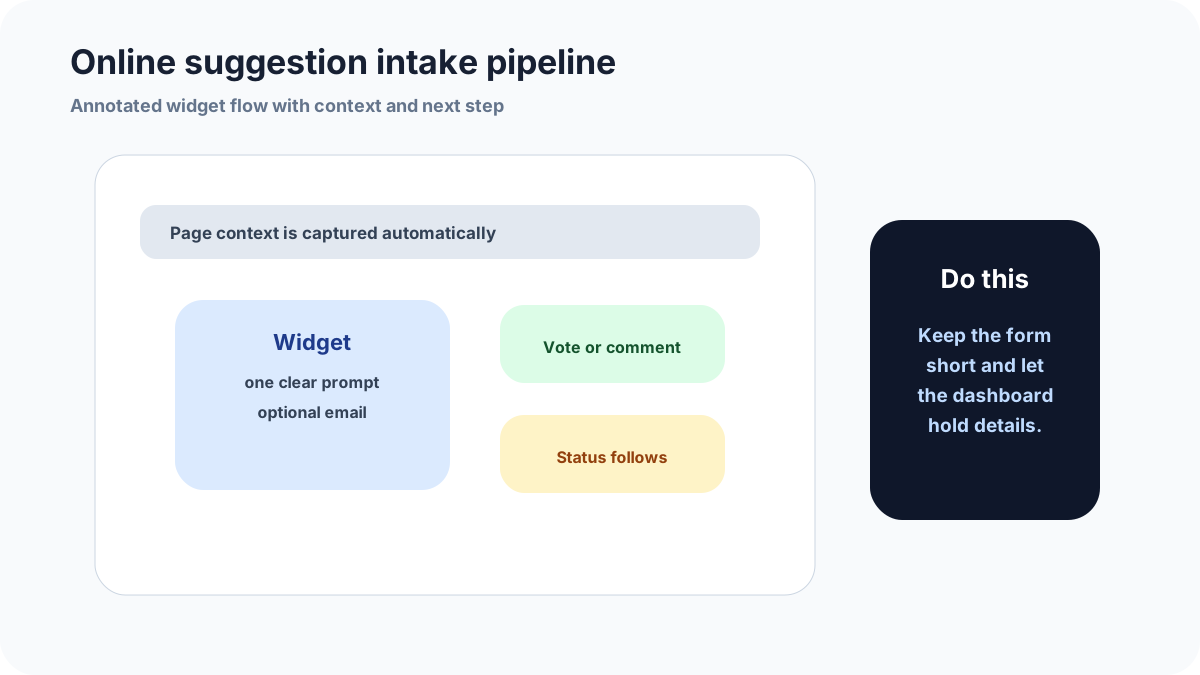
An online suggestion box is useful when customer ideas currently disappear into email, chat, reviews, and social comments. It gives every good idea a destination and gives the team a repeatable way to decide what deserves public discussion.
This guide is for local businesses, creators, SaaS founders, and community operators that want a customer-facing channel without creating a public junk drawer. The setup below focuses on routing, moderation, voting, and timely replies.
With FeaturAsk, the online box is not just a form. Customers can submit ideas, add votes or comments, and see status updates while your team moderates the board. The first month is no credit card; the yearly plan is $29.95 after that.
Why an online box beats scattered messages
Customer ideas often arrive through whatever channel happens to be open: support emails, Instagram comments, live chat, reviews, sales calls, or a direct message to the founder. That feels natural for customers, but it creates a hard problem for the team. The same request gets repeated in different places, context disappears, and nobody knows which ideas have support from more than one customer.
An online suggestion box gives the team one place to collect the idea, clean it up, and ask others to add support. It does not replace every conversation. It gives those conversations a destination. When a customer mentions a good idea in chat, the team can add it to the box or send the customer to the public item where votes and comments collect.
Public, private, or hybrid suggestion intake
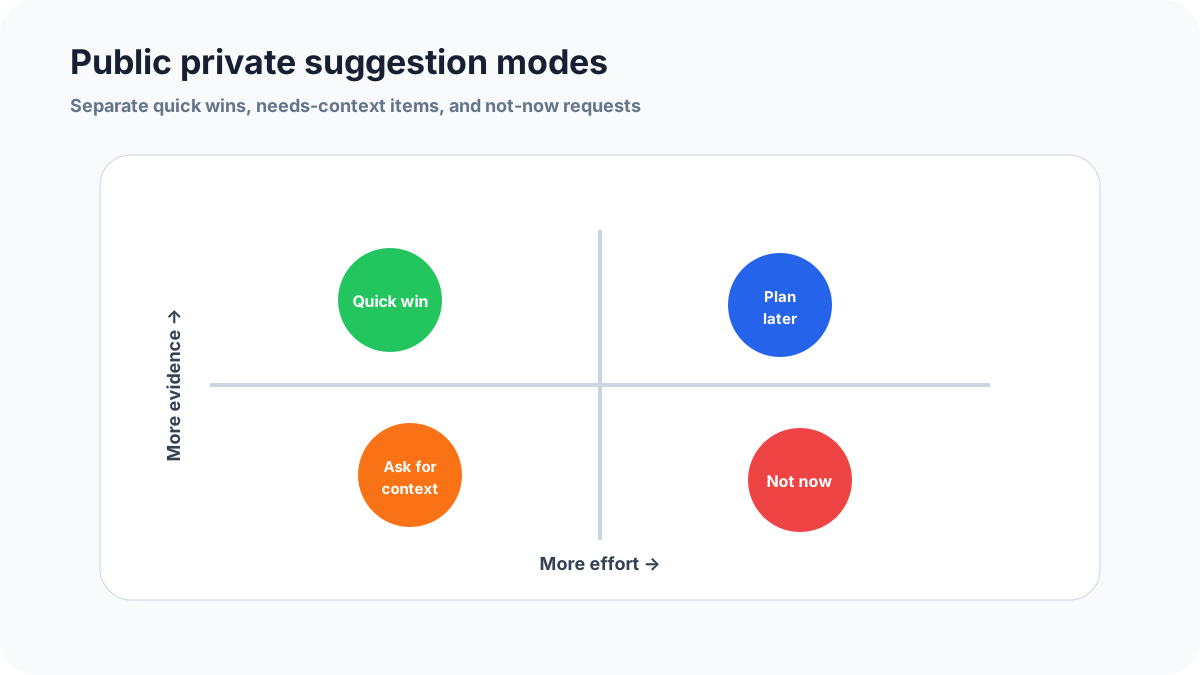
Private intake is safest when suggestions may include personal details, complaints, pricing issues, or account-specific problems. Public intake is useful when customers benefit from seeing that other people want the same improvement. Most businesses should start hybrid: collect privately, moderate, then publish the suggestions that are clear and broadly relevant.
Hybrid intake also protects quality. A raw public board can look messy in a week. A cleaned-up public board becomes a shared product conversation. The team still hears every suggestion, but customers see only the ideas that are ready for voting or discussion.
The fields that keep customer ideas usable
Use fields that explain the situation, not fields that satisfy internal reporting. Ask for the idea, the task the customer was trying to complete, and an optional way to follow up. If the product serves multiple customer types, include a simple role or use case field. If frequency matters, ask how often the customer runs into the issue.
Do not ask for a complete business case. Customers are not product managers. A good suggestion box lets customers describe the problem in their own words, then gives the team enough context to sort, merge, and investigate later.
How voting should influence decisions
Voting is a signal, not a roadmap. A suggestion with many votes deserves attention, but a suggestion from a high-fit customer with a painful workflow may matter more than a popular nice-to-have. The review should consider votes, comments, segment, frequency, revenue risk, strategic fit, and effort.
The best use of voting is duplicate reduction. Instead of collecting twenty versions of the same idea, the box gathers support around one clear request. That makes planning easier and makes customers feel heard without pretending raw vote count is the only decision rule.
A launch checklist for the first month
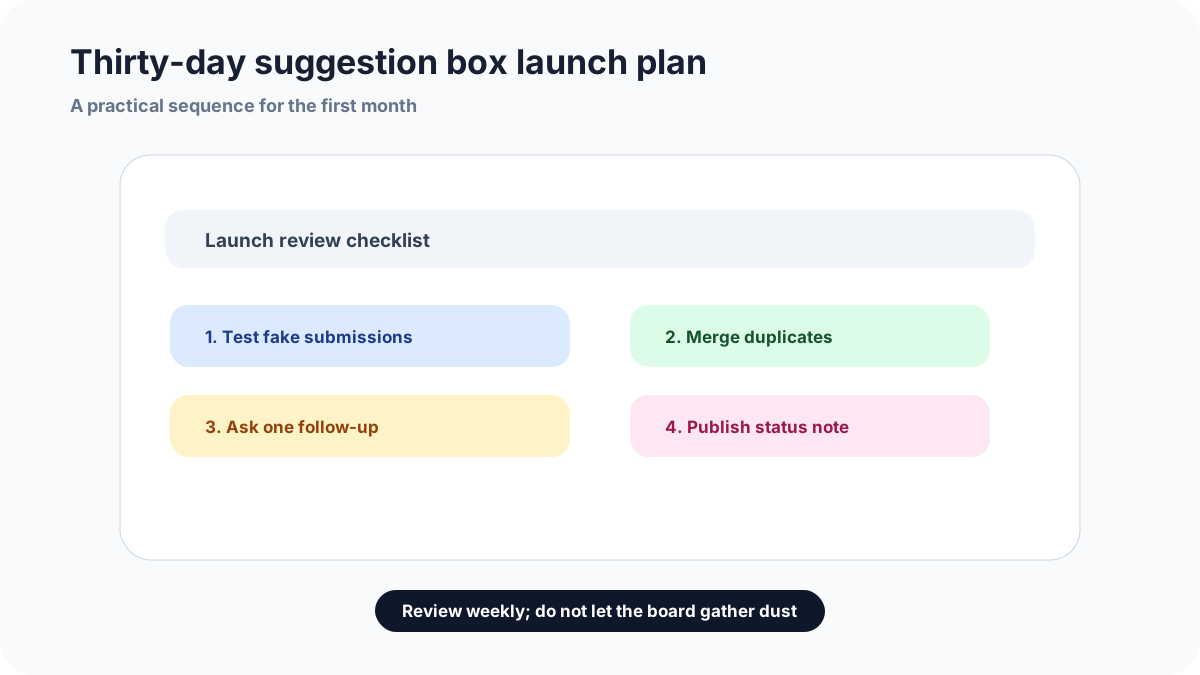
Start small. Pick one or two visible entry points, write plain-language prompts, and seed the box with a few internal examples so the board does not look abandoned. Invite a small customer group before announcing it broadly. During the first week, read every submission quickly and adjust the prompts if the answers are too vague.
At the end of month one, check whether suggestions are actionable, whether duplicate ideas are being merged, whether status notes are being posted, and whether customers are returning to comment or vote. If the box collects noise, change placement or prompts. If it collects useful ideas but nobody reviews them, fix ownership before expanding.
Common mistakes to avoid
Do not launch the box and announce it everywhere before you have tested the routing. Send three internal examples through it first: a product idea, a support issue, and a vague complaint. Each should land in the right workflow.
Do not treat votes as the only score. A popular idea may be easy to like but hard to justify, while a quieter request from a high-fit customer may reveal an urgent workflow gap. Use votes as evidence, not as a command.
Do not let old suggestions sit without a status. If an idea is not a fit, close it with a clear reason. Silence makes the box feel abandoned; an honest no keeps the channel credible.
Related FeaturAsk guides
For adjacent setups, read customer suggestion box for website, product feedback widget, and user feedback widget. Together, they help decide whether your best entry point is a public box, an in-product widget, or a more focused feature request board.
If you want to test the channel without stitching together forms, spreadsheets, and public pages, FeaturAsk includes the intake widget, voting, comments, and statuses. The trial lasts one month with no credit card, and the plan is $29.95/year after that.
How to keep the box trustworthy
Trust comes from small visible actions. Reply to new suggestions quickly when they need clarification. Combine duplicates instead of leaving five versions of the same idea. Mark ideas as under review only when someone will actually review them. Close ideas that do not fit and explain why in normal customer language.
The first few weeks are especially important because customers are learning whether the box is real. If they see replies, clean titles, and honest statuses, they are more likely to add useful context next time. FeaturAsk helps with that habit by keeping the suggestion, vote count, comments, and status in one place instead of scattering them across emails and chats.
How FeaturAsk keeps the customer suggestion flow simple
FeaturAsk gives customer ideas a home without forcing you to stitch together a form, spreadsheet, and public page. We give every new account a 30-day trial, and we do not ask for a credit card, then ask you to assign the exact webpage where the widget should run. That exact URL is important: if the box is meant for product ideas, put it near the product experience; if it is meant for service suggestions, put it where customers are already thinking about the service.
In the dashboard, each website subscription shows the webpage URL, expiration date, subscription type, and management options such as editing the assigned webpage, buying or renewing, or canceling. One subscription covers one webpage. That keeps the setup predictable for a small business or creator who wants a focused suggestion channel instead of one giant catch-all form.
The widget itself can be shaped around the conversation you want to invite. We let you edit the heading, subheading, description, form title, colors, font choices, comments, date/status visibility, reCAPTCHA v2, and a maximum of two optional fields. If you only need an idea and a short explanation, keep it that simple. If you need a way to clarify a suggestion later, add an optional email field. The point is to make suggestions easy to leave and easy to review.
When suggestions arrive, FeaturAsk keeps the review loop in the request page. You can search the board, narrow it by status, read comments, open the full request, review optional-field data, remove noise, and assign a clear state: Pending, Under Consideration, In Progress, Completed, or Declined — the small set of states a suggestion box usually needs. If status display is enabled, customers can see that movement in the widget. That visible follow-through is what turns a suggestion box from a passive form into a channel customers may use again.
How I would invite customers without creating noise
For a customer suggestion box, the invitation matters as much as the software. I would not say “submit anything” unless the team truly wants anything. I would tell customers what kind of ideas belong in the box: product improvements, service suggestions, missing options, or recurring frustrations that other customers may share. That wording helps people self-route before they ever touch the form.
FeaturAsk works best when the owner treats the box as a living channel. Start with a few internal examples so the board does not look empty. Invite a small group of customers first, watch what they submit, and adjust the heading or optional fields if the answers are too vague. When a suggestion is useful, leave it available for votes and comments. When it is private, too specific, or really a support problem, keep it out of the public conversation. The dashboard controls are intentionally simple so that this review habit can happen every week instead of becoming a quarterly cleanup project.