20 User Feedback Tools You Need to Try in 2026
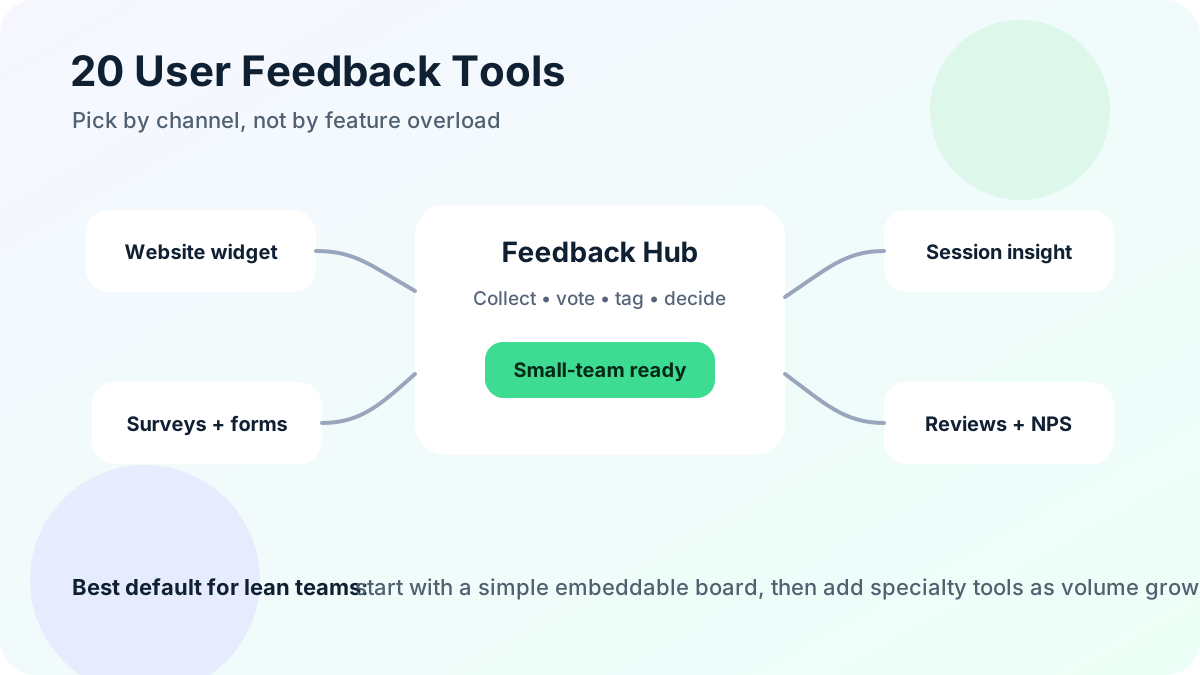
User feedback tools help you hear what customers want before churn, confusing support threads, or quiet abandoned carts tell you too late. The right tool gives people a simple way to share ideas, problems, praise, ratings, screenshots, votes, and context. The wrong tool creates another inbox your team forgets to check.
This guide compares 20 user feedback tools through a practical small-business lens. If you run a solo SaaS, creator business, ecommerce store, agency site, plugin, course, marketplace, or early-stage app, you probably do not need a complex product operations suite on day one. You need a dependable feedback loop: collect input where users already are, organize it quickly, decide what matters, and close the loop.
What is a user feedback tool?
A user feedback tool is software that helps you collect, structure, analyze, and respond to input from customers or website visitors. That input can be a feature request, bug report, satisfaction score, review, interview note, heatmap clue, product idea, cancellation reason, or short comment after a checkout experience.
The best tools reduce friction on both sides. Users can submit feedback in a few seconds. Your team can see patterns without reading every message from scratch. Good systems also preserve context: who asked, what they were trying to do, how many others agree, whether the request affects revenue or retention, and what status the idea has now.
For product teams, user feedback tools improve roadmap decisions. For ecommerce teams, they reveal checkout friction and product-page confusion. For agencies and creators, they show what clients and audiences want next. For SaaS founders, they prevent product planning from being dominated by the latest loud support ticket.
If your main need is product ideas and public voting, a lightweight feature request board may beat a broad research stack. For a deeper breakdown of that category, see FeaturAsk's guide to feature request tools and the practical guide to feature voting.
What types of user feedback tools are there?
User feedback is not one channel. It is a system of signals. Most teams need one primary collection point and a few secondary tools as they grow.
Tools focused on web-based applications
Web app feedback tools usually live inside the product. They capture requests, screenshots, bug reports, satisfaction scores, or comments at the moment of use. These tools are useful because context is fresh. A user who cannot find an export button can describe the problem while they are still trying to export.
Common features include embeddable widgets, feedback boards, vote buttons, in-app surveys, session links, browser metadata, and user identification. This category is ideal for SaaS, marketplaces, dashboards, and membership sites.
Tools focused on mobile applications
Mobile feedback tools collect ratings, in-app messages, crash reports, app store reviews, and mobile survey responses. They need to be unobtrusive because mobile screen space is limited. The best mobile feedback flows ask one clear question, capture device context automatically, and avoid interrupting high-intent actions.
Tools focused on websites
Website feedback tools help small businesses understand visitors who may not have accounts. They include feedback widgets, exit surveys, page polls, heatmaps, session recordings, contact forms, review collection, and post-purchase surveys. Ecommerce teams often combine behavioral tools with direct questions because analytics can show where users drop off, but feedback explains why.
What are the best user feedback tools?
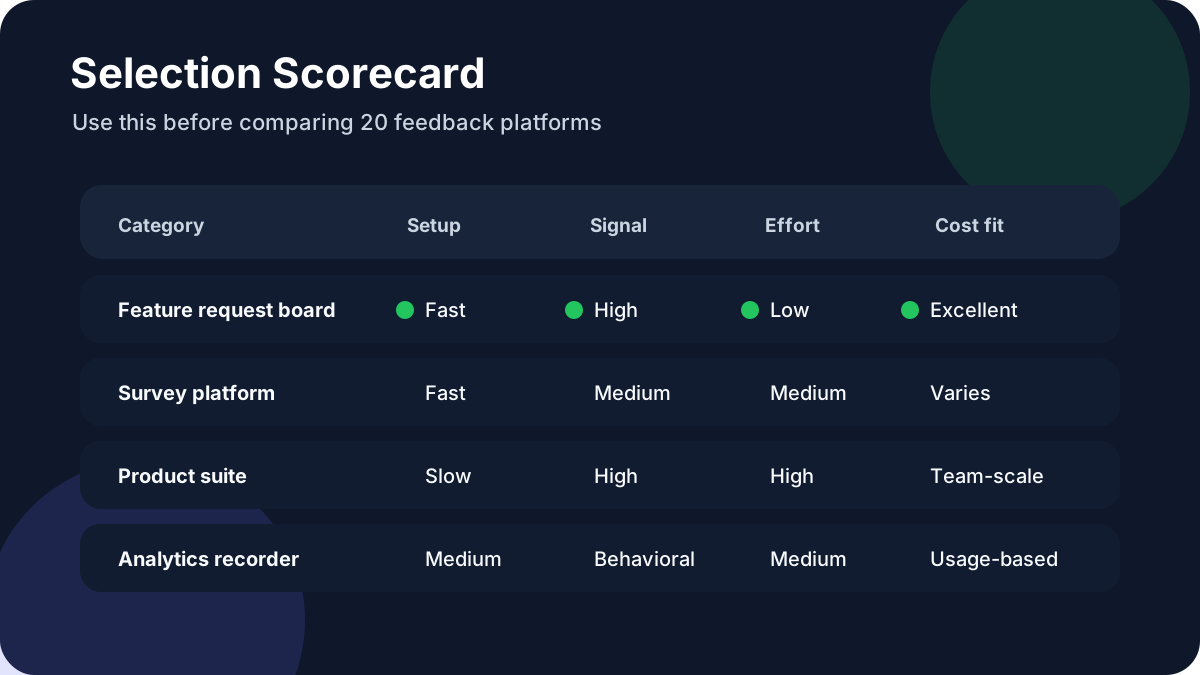
There is no universal winner. The best user feedback tool is the one your users will actually use and your team will actually review. Pricing and packaging change frequently, so confirm plans before buying. For example, <a href="https://canny.io/pricing" rel="nofollow">Canny's pricing page</a> publicly lists free, Core, Pro, and Business tiers, while <a href="https://www.hotjar.com/pricing/" rel="nofollow">Hotjar's pricing page</a> shows behavior analytics and feedback packaging by plan. Those pages are useful reminders that similar-looking feedback tools can have very different cost curves.
1. FeaturAsk
FeaturAsk is built for small websites, solo SaaS founders, creators, agencies, ecommerce shops, and lean teams that want customer ideas without enterprise overhead. You can add a simple feedback widget to a site, collect feature requests, let users vote, moderate submissions, review analytics, and keep the process organized from a clean dashboard. The standout advantage is price clarity: $29.95/year after a 30-day free trial with no credit card required.
If you want to replace scattered emails, DMs, spreadsheets, and vague comments with one visible feedback board, FeaturAsk is the simplest place to start. It is especially strong when you want an always-on request channel but do not want another expensive monthly subscription.
2. Canny
Canny is a popular feedback management platform for SaaS teams that want public boards, voting, roadmaps, and changelog communication. It works well when you already have enough users to create an active board and someone on the team can maintain statuses. Smaller teams should compare limits, branding, integrations, and pricing before assuming they need the larger workflow.
3. UserVoice
UserVoice is designed for mature customer feedback programs. It can connect feedback with accounts, segments, sales input, and product prioritization. This is valuable for B2B companies with many stakeholders and high-value customers. It may be more structure than a simple website or early product needs.
4. Productboard
Productboard is a product management suite that centralizes insights, prioritization, roadmaps, and product strategy. It is strong for product managers who need to connect feedback to company objectives and communicate internally. For tiny teams, its depth can be unnecessary until roadmap complexity justifies the setup.
5. Featurebase
Featurebase combines feedback boards, changelog, roadmap, and community-style product communication. It is a good fit for software teams that want a modern portal and a visible loop between ideas and releases. Evaluate whether you need all communication modules or only the feedback board.
6. Nolt
Nolt focuses on simple idea boards with voting and status updates. It is useful when you want a public place for users to suggest and support ideas. Teams that value a lightweight portal may like it, while teams needing deeper analytics or account context may need additional tooling.
7. Upvoty
Upvoty offers feedback boards, product roadmaps, and changelog features. It fits teams that want to show users what is planned, in progress, and shipped. The important operational question is whether you will keep the board clean, merge duplicates, and update statuses consistently.
8. Sleekplan
Sleekplan provides feedback collection, roadmaps, satisfaction widgets, and changelog tools. It can be a practical all-in-one choice for SaaS products that want to collect ideas and communicate product progress in one branded place.
9. Usersnap
Usersnap is useful for visual feedback, bug reports, screenshots, and QA workflows. It helps users and testers explain exactly what is wrong on a page or in an app. Choose it when visual context is more important than public voting.
10. Pendo
Pendo combines product analytics, in-app guides, feedback, and user sentiment features. It is best for larger SaaS teams that need adoption data and in-product communication alongside feedback. Smaller companies may find the platform broader than their immediate needs.
11. Hotjar
Hotjar helps teams understand website behavior with heatmaps, recordings, surveys, and feedback widgets. It is valuable when you need to see where visitors hesitate, rage click, abandon a page, or answer short on-site questions. It does not replace a dedicated feature request board, but it can explain behavior that written feedback misses.
12. SurveyMonkey
SurveyMonkey is a well-known survey platform for structured questionnaires, market research, customer satisfaction surveys, and internal feedback. Its strength is survey creation and distribution rather than ongoing product voting. <a href="https://www.surveymonkey.com/pricing/individual/" rel="nofollow">SurveyMonkey's public pricing page</a> is worth checking because survey volume, exports, and collaboration needs can affect plan choice.
13. Typeform
Typeform is strong when experience and completion rate matter. Its conversational forms work well for onboarding questions, cancellation surveys, research screeners, creator audience surveys, and post-purchase feedback. It is less suited to public idea voting unless paired with another system.
14. Google Forms
Google Forms is the simplest free option for collecting structured responses. It is good for early validation, small internal surveys, and one-off research. Its limitation is workflow: you still need a way to deduplicate ideas, prioritize requests, and tell users what happened.
15. Qualtrics
Qualtrics is an enterprise experience management platform for customer, employee, brand, and product research programs. It is powerful for organizations with research teams and formal survey operations. It is usually not the fastest fit for small websites that only need feedback collection and voting.
16. AskNicely
AskNicely focuses on customer experience, NPS, frontline coaching, and service feedback. It is useful for businesses that want to measure satisfaction and improve service quality. Product teams may still need a separate idea management tool.
17. GetFeedback
GetFeedback, associated with customer experience survey workflows, is useful for collecting branded customer feedback and satisfaction data. It fits teams that want survey-based CX programs more than open-ended public feature voting.
18. Alchemer
Alchemer supports surveys, forms, customer feedback, and workflow automation. It can help teams run structured research and operationalize responses. Consider it when survey flexibility and integrations matter more than a lightweight idea board.
19. Mouseflow
Mouseflow records sessions, heatmaps, funnels, form analytics, and feedback campaigns. It helps website teams diagnose friction that users may not describe in words. Pair it with direct feedback collection if you need both behavioral evidence and customer explanations.
20. Podium
Podium is best known for local business messaging, reviews, payments, and customer communication. It is not a product roadmap tool, but it can be useful feedback infrastructure for service businesses that depend on reviews, texts, and local customer conversations.
Which is best for you?
Start with the job, not the brand name. A small SaaS that wants feature requests needs a different tool than an ecommerce store diagnosing checkout drop-off or a support-led company measuring NPS after each interaction.
Use this quick decision path:
- Choose a feedback board when users ask for product improvements, integrations, templates, reports, or workflow changes.
- Choose surveys when you need answers to specific questions from a defined audience.
- Choose heatmaps and recordings when behavior is unclear and users are not telling you why they leave.
- Choose NPS or CSAT tools when satisfaction trends matter more than individual feature ideas.
- Choose a product suite when you have enough roadmap complexity to justify process, integrations, and governance.
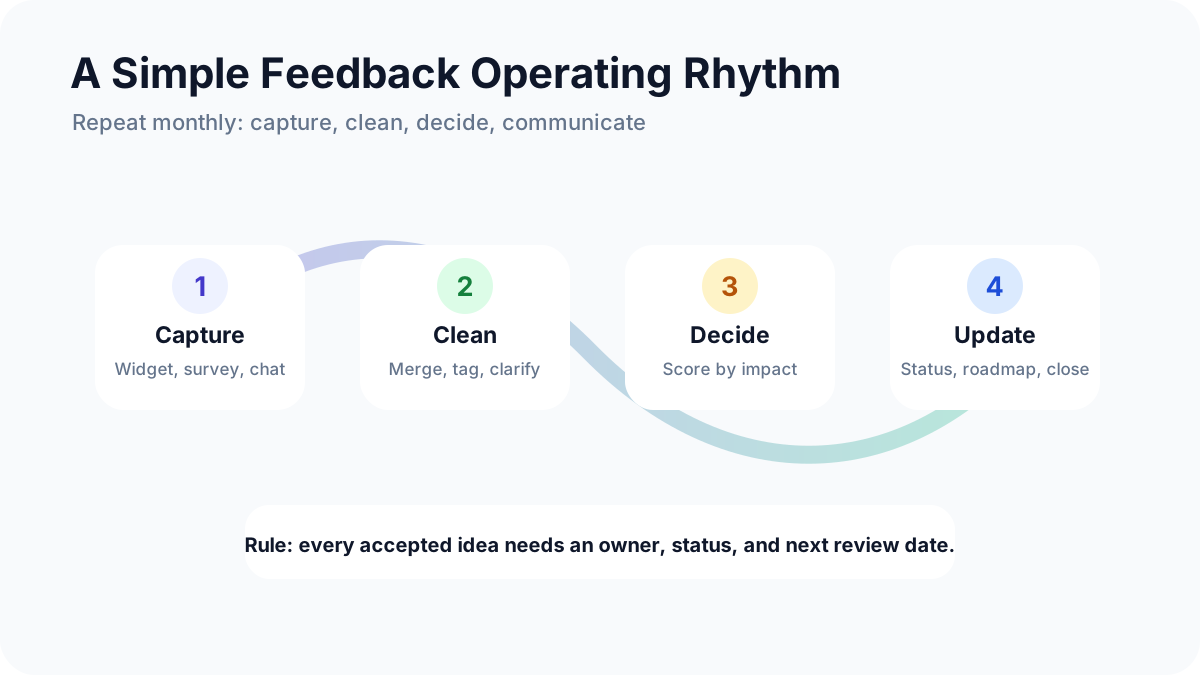
For lean teams, the most common mistake is buying too much system too early. A tool only creates value when it becomes part of a review rhythm. If feedback sits unread, advanced segmentation and integrations do not matter. If your board is full of duplicates, voting loses meaning. If users never hear back, they stop participating.
A practical operating cadence is simple: review new feedback weekly, merge duplicates, tag themes, update statuses, and choose a small number of items for deeper discovery. Once a month, compare top requests against business impact, effort, customer fit, and strategy. The guide to feedback board software explains how to keep this visible without turning it into bureaucracy.
If you want a low-cost default, start with a dedicated request channel. FeaturAsk lets you collect ideas from your site, organize requests, and understand what users want for $29.95/year. The 30-day free trial requires no credit card, so you can test whether a public or embedded board improves your feedback quality before committing.
How to turn feedback into action
Collecting feedback is only the first half. Turning it into better decisions requires a small amount of process.
First, separate bug reports, support requests, product ideas, and general comments. They may arrive through the same widget, but they should not be prioritized the same way. Bugs may need urgent triage. Feature ideas need validation. Support questions may reveal documentation gaps.
Second, merge duplicates aggressively. Ten slightly different titles for the same request make demand look fragmented. One clear request with ten voters is easier to evaluate and easier for users to find.
Third, ask what problem sits behind the request. “Add CSV export” may actually mean “I need to send monthly numbers to my accountant.” Understanding the job helps you build the right solution, not just the literal button requested.
Fourth, close the loop. Mark requests as under review, planned, shipped, or not planned. Public updates build trust because users see that feedback goes somewhere. Even a polite “not planned” is better than silence when the reason is clear.
If your team is validating larger releases, connect feedback with lightweight acceptance criteria and testing. A practical user acceptance testing guide can help you turn top requests into release checks before launch.
FAQs
What is a user feedback tool and why is it important for SaaS?
A user feedback tool gives SaaS users a structured way to share problems, ideas, votes, ratings, and context. It matters because SaaS teams make frequent product decisions, and direct feedback helps identify what improves activation, retention, upgrades, and customer trust.
How can idea collection improve my SaaS product?
Idea collection shows repeated demand. Instead of treating every support message as an isolated opinion, you can see which requests appear across users, plans, and use cases. That helps you prioritize improvements with more confidence.
What are the best feedback tools for SaaS?
For SaaS, the best categories are feature request boards, in-app widgets, surveys, product analytics, and session tools. FeaturAsk is a strong simple option for smaller SaaS teams. Productboard, Canny, Pendo, Usersnap, and Featurebase may fit teams with more complex workflows.
How do I turn user feedback into actionable insights?
Tag feedback by theme, merge duplicates, connect requests to user segments, score ideas by impact and effort, and review them on a recurring schedule. Then communicate status changes so customers know their input was heard.
Do small businesses need a user feedback platform?
Yes, but they usually need a simple one. A small business does not need enterprise governance to ask customers what they want. It needs an easy collection point, a clean dashboard, and a habit of reviewing feedback. FeaturAsk is designed for that use case with a 30-day free trial, no credit card, and simple $29.95/year pricing.