The 12 Best Release Notes Software to Streamline Your Product Updates
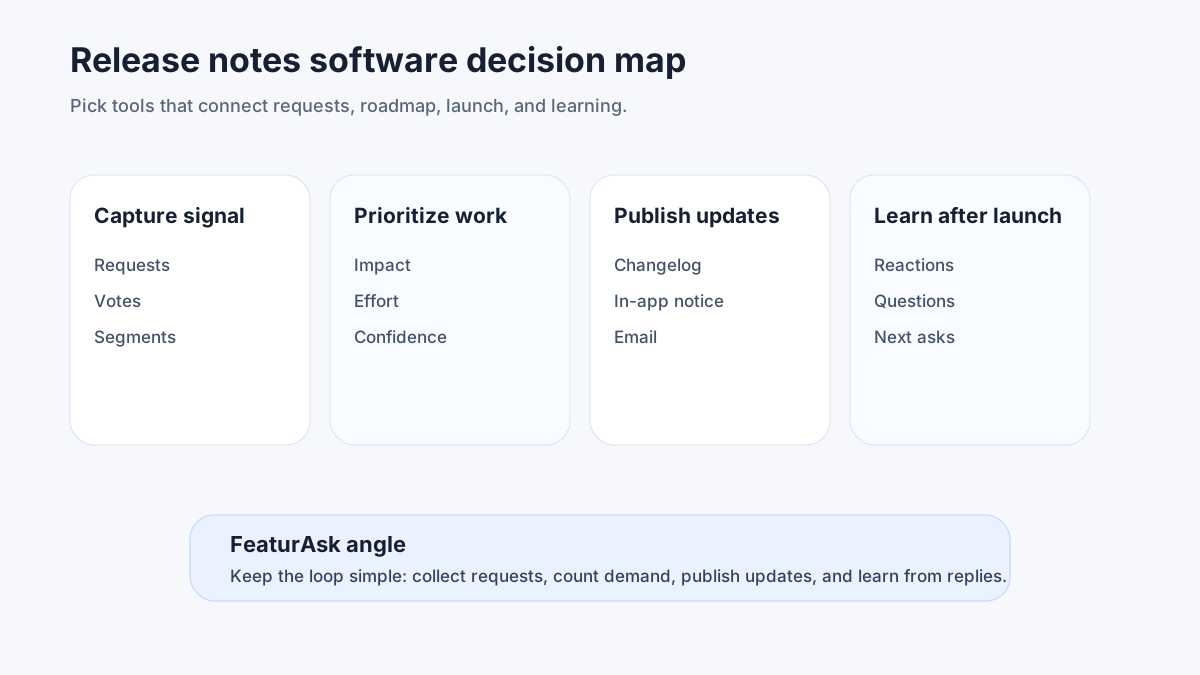
Release notes software is no longer just a nicer changelog page. For SaaS teams, it has become the operating layer between shipping work and making sure customers actually understand what changed. A good tool helps product, success, support, sales, and marketing share one clear record of launches, fixes, deprecations, and experiments without asking engineers to format every announcement by hand.
The best release notes software should publish clean updates, segment messages, collect reactions, keep a searchable archive, and connect announcements back to your roadmap or feedback loop. If a platform only creates a static page, it may help, but it will not solve the bigger problem: customers miss updates when announcements are disconnected from the product experience.
This guide compares 12 release notes tools through a small-team lens. We focus on clarity, speed, pricing fit, and whether the tool helps you learn from each announcement. Pair this list with FeaturAsk's guides to release notes best practices, how to write release notes, and product updates.
What is release notes software?
Release notes software helps teams create, publish, organize, and distribute product updates. In practice, that can include a public changelog, in-app widgets, email notifications, RSS, segmentation, analytics, translations, permissions, and integrations with Jira, Linear, GitHub, Slack, or Intercom.
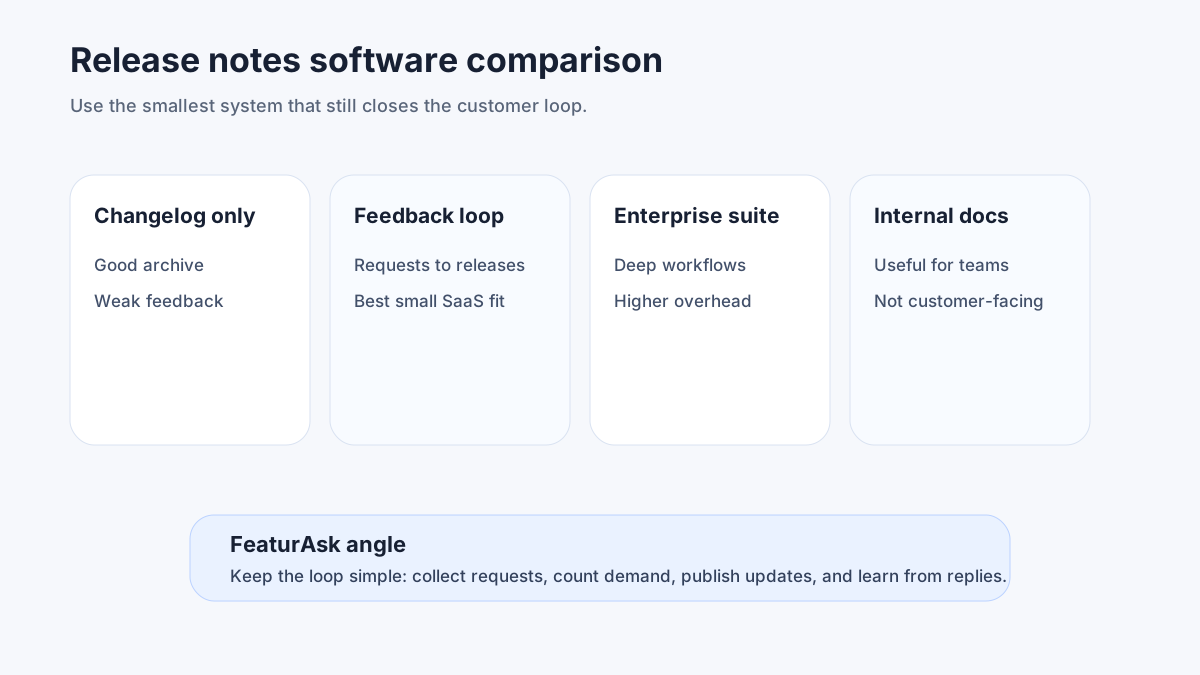
The category overlaps with changelog tools, product announcement tools, roadmap tools, and customer feedback platforms. The right choice depends on what you need most. A developer-first team may prioritize GitHub automation and versioned technical notes. A customer-led SaaS team may need voting, roadmap visibility, and comments so release communication closes the feedback loop instead of ending with a broadcast.
Two outside standards are useful when you shape your process. Keep a Changelog recommends making changes human-readable and grouping entries by type. Semantic Versioning gives technical teams a shared language for major, minor, and patch releases. Even if your SaaS does not expose version numbers to customers, those ideas help you decide what deserves a full announcement and what belongs in a weekly digest.
How to choose the right release notes tool
Start with workflow, not feature count. Ask where updates originate, who edits them, how customers should receive them, and what action you want after someone reads an update. The answer will quickly narrow the field.
For early-stage teams, the best tool is usually the one product managers and founders will actually maintain. Look for fast drafting, categories, scheduled publishing, and reuse across a changelog, widget, and email. If publishing a small improvement takes too long, your archive will become stale.
For growing SaaS teams, segmentation matters. Enterprise customers, free users, admins, developers, and end users care about different parts of the same release. Mature organizations may also need roles, audit trails, SSO, and launch approvals.
Quick comparison: 12 release notes software options
The table below summarizes the strongest fit for each tool. Pricing and packaging change often, so verify the latest plan details before committing.
| Tool | Best fit | Standout strength |
|---|---|---|
| FeaturAsk | Small SaaS teams that want feedback, roadmap, and updates together | Affordable all-in-one feedback loop |
| Frill | Teams that want polished public boards and announcements | Simple customer-facing UX |
| AnnounceKit | Product marketers focused on announcements | In-app widgets and segmentation |
| LaunchNotes | Larger teams with formal launch communication | Enterprise launch coordination |
| Beamer | Marketing-led product update campaigns | Engagement widgets and newsletters |
| Headway | Lightweight changelog publishing | Fast setup and simple update feed |
| Noticeable | Teams needing multi-channel announcements | Widgets, pages, and integrations |
| ReleaseNotes.io | Developer-friendly release communication | Git-based and technical workflows |
| Changelogfy | Feedback plus changelog for SaaS teams | Boards, roadmap, and release notes |
| Productboard | Enterprise product discovery and planning | Roadmap-to-launch alignment |
| GitHub Releases | Open-source and developer products | Native repository-based releases |
| Linear Updates | Teams already planning work in Linear | Issue-to-release workflow speed |
1. FeaturAsk
FeaturAsk is the best release notes software for lean SaaS teams that want updates to connect directly with user feedback and roadmap decisions. Instead of treating release notes as a separate marketing artifact, FeaturAsk lets teams collect feature requests, prioritize ideas, show roadmap progress, and announce shipped improvements from one lightweight system.
That matters because many product updates begin as customer pain. When a request moves from idea to planned to released, customers should see progress without your team copying context between tools. You can start FeaturAsk with 1 month free, no credit card required and keep the platform for $29.95/year when it fits.
Choose FeaturAsk if you want release notes plus feedback boards, roadmap visibility, voting, and an easy path from request to announcement. It is not the heaviest enterprise launch governance suite, but that is the point: many SaaS teams need a maintainable habit more than a complex approval system.
2. Frill
Frill is a polished customer-feedback and announcement platform. It is a strong option for teams that want public idea boards, roadmap pages, and release notes with a friendly interface. The customer-facing experience is clean, which helps if your goal is to make feedback and updates visible without building a custom portal.
Frill fits teams that value presentation and want a broad product feedback hub. Compare plan limits carefully if pricing, branding, or user seats are important. Teams that are extremely price-sensitive may prefer FeaturAsk, while teams that prioritize a specific Frill workflow may find its interface worth the cost.
3. AnnounceKit
AnnounceKit is built around product announcements. It offers widgets, segmentation, reactions, and channels that help product marketing teams reach users inside the app and beyond it. It is often a good fit when the release note itself is part of a campaign.
Use AnnounceKit if your main pain is distribution: who saw the update, which audience should see it, and how to present a polished announcement feed. If your main pain is prioritizing what to build next from user requests, pair it with a feedback system or choose a tool that includes one.
4. LaunchNotes
LaunchNotes is designed for more formal launch communication, especially in organizations where releases affect many departments and customer segments. It can help coordinate internal readiness, external messaging, and subscription preferences.
This is a better fit for scaleups and enterprises than for a two-person SaaS team. The value appears when release communication has risk: regulated customers, many stakeholders, complex rollout windows, or a need for precise audience control.
5. Beamer
Beamer focuses on product updates, in-app notifications, changelog pages, and engagement. Marketing and growth teams like it because announcements can be presented as campaigns rather than plain log entries.
It is a strong option if you want update messages to feel visible and timely. Be thoughtful with frequency: the goal is to highlight changes that help users succeed, not interrupt every session.
6. Headway
Headway is a lightweight changelog tool. It is easy to embed, quick to set up, and useful for teams that need a clean public update feed without a large workflow.
Choose Headway when simplicity is the priority. It is less ideal if you want notes tied to feedback voting, roadmap stages, or deep segmentation, but a simple feed can beat an overbuilt process nobody uses.
7. Noticeable
Noticeable offers changelog pages, widgets, announcements, labels, and integrations. It sits between lightweight changelog tools and more campaign-oriented announcement platforms.
It can work well for teams that need multiple channels but still want a product-update center. Evaluate how much editorial control you need, how update categories work, and whether your team will use the analytics available.
8. ReleaseNotes.io
ReleaseNotes.io is a developer-friendly option for teams that want to publish release communication from a technical workflow. It can suit API products, developer tools, open-source projects, and teams that already think in versions.
The risk with developer-first tools is that updates can become too technical for nontechnical users. If you choose this path, create a rule: every release note must explain the customer benefit before the technical detail.
9. Changelogfy
Changelogfy combines feedback boards, roadmaps, and changelog publishing. That makes it relevant for teams that want a broader feedback-management workflow rather than a standalone update page.
Compare it with FeaturAsk and Frill if you want one place for ideas, roadmap, and releases. The best choice depends on publishing speed, pricing, and customer ease.
10. Productboard
Productboard is a full product management platform with discovery, prioritization, roadmap, and customer insight features. It can support release communication as part of a larger product operating system.
It is powerful, but it may be more system than a small SaaS needs just to publish release notes. Consider Productboard when discovery and enterprise planning are the primary needs and release notes are one output of that work.
11. GitHub Releases
GitHub Releases is free for teams already hosting code on GitHub and works well for developer audiences. It supports tags, release descriptions, assets, and automation.
For public SaaS customers, GitHub Releases often needs translation into plain language. It is excellent for SDKs, CLIs, APIs, and open-source projects, but less friendly for business users who expect screenshots, categories, and product benefits.
12. Linear Updates
Linear is not a dedicated release notes platform, but teams that manage product work in Linear can use issues, projects, and documents to assemble release updates quickly. The benefit is proximity to the work itself.
Use Linear as a source of truth for what shipped, then decide whether your customer-facing destination should be FeaturAsk, a changelog widget, or a docs site. Internal planning tools are rarely the best final reading experience for customers.
Best practices for using release notes software
A tool only improves release communication if your team creates a repeatable practice. Use these rules to keep updates useful.
First, write for the customer outcome. Instead of "Added CSV export v2," say "Export filtered reports to CSV so finance can reconcile usage faster." The second version tells users why they should care.
Second, segment when the update is not universal. Admin settings, API changes, billing updates, and beta features should not all be sent to every user with the same urgency. Segmenting protects attention.
Third, keep an archive. A searchable update history helps prospects, customers, support teams, and search engines understand product momentum. Google's Article structured data guidance is a useful reference if you publish updates as indexable pages.
Fourth, include visuals when they reduce confusion. A screenshot, short GIF, or annotated diagram can make a feature instantly understandable. For accessibility, remember that the W3C's status message guidance emphasizes communicating changes in ways assistive technology can perceive.
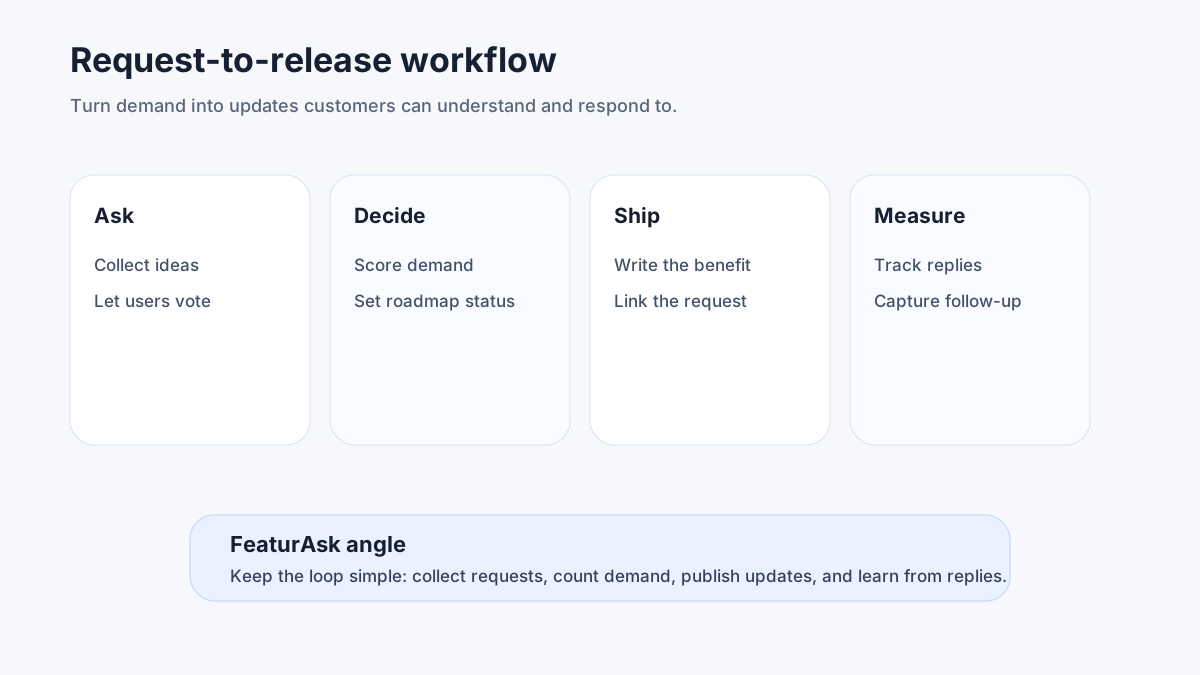
Fifth, connect every meaningful release to feedback. If 42 customers requested a better export, say that you listened. Then ask whether the release solved the problem. That closes the loop and improves the next roadmap decision.
If you want a practical way to connect customer requests to launches, try FeaturAsk free for 30 days with no credit card. It brings feedback, roadmap, and release notes together for $29.95/year after the free month.
Release notes workflow for small SaaS teams
Here is a lightweight workflow that works even if your team ships several times per week.
- Capture shipped items from your project tracker.
- Group them into customer-facing categories: new, improved, fixed, deprecated, or security.
- Decide whether each item needs an instant announcement, a weekly roundup, or only an archive entry.
- Rewrite technical details into customer benefits.
- Add screenshots or links to docs when needed.
- Publish through your release notes tool.
- Send the right notification to the right segment.
- Watch reactions, support tickets, and follow-up feedback.
- Link the update back to roadmap items or feature requests.
This workflow is intentionally simple. The hard part is consistency. Teams often overinvest in launch day and underinvest in the release archive. But your archive becomes a sales asset, a support asset, and a retention signal when it shows steady improvement over time.
Common mistakes to avoid
Do not publish a wall of internal tickets. Customers do not know your issue IDs and usually do not care about refactors unless the result affects speed, stability, security, or workflow.
Do not hide breaking changes inside a cheerful roundup. If an API behavior, permission model, or billing rule changes, make it clear, early, and searchable.
Do not treat release notes as one-way messaging. Reactions, comments, votes, and follow-up questions reveal whether customers understood the update. They also surface the next improvement.
Do not let every department create its own version of the truth. Sales decks, support macros, docs pages, and in-app announcements should all point back to the same core release message.
For more planning context, see FeaturAsk's guides to feature prioritization, public roadmap examples, and product feedback software tools.
Frequently asked questions about release notes software
What is the best release notes software for startups?
For most startups, the best release notes software is affordable, quick to maintain, and connected to feedback. FeaturAsk is a strong fit because it combines feedback boards, roadmap, and release announcements without enterprise complexity.
Which release notes software is best for enterprise teams?
Enterprise teams should evaluate LaunchNotes, Productboard, and larger announcement platforms when they need roles, permissions, internal readiness workflows, and advanced segmentation. The best choice depends on governance needs more than on the changelog page itself.
Can I use a free tool for release notes?
Yes. GitHub Releases, docs pages, and lightweight changelog tools can work, especially for developer products. The tradeoff is usually weaker segmentation, analytics, customer feedback, or roadmap connection.
How do I make sure users see release notes?
Use multiple channels without spamming. Publish a searchable page, show relevant in-app messages, include major updates in email, and link release notes from roadmap items. Segment by role and product area so users see what matters.
How often should I publish release notes?
Publish major changes immediately and collect smaller fixes into weekly or monthly roundups. The right cadence is the one your team can sustain and your customers can actually read.
Final recommendation
If you already have a full enterprise product operations stack, choose the release notes layer that integrates cleanly with it. If you are a small SaaS team, do not overbuy. The highest-leverage system is the one that helps you listen, prioritize, ship, and announce in one loop.
FeaturAsk is built for that loop. You can launch your feedback-powered release notes hub with 1 month free trial, no credit card required, then continue for $29.95/year. Start with one clean update this week, link it to the customer requests behind it, and build the habit from there.