16 Changelog Formatting Best Practices Plus Free Templates
A changelog format is the structure that turns raw release work into updates users can understand. The format matters because most readers do not want an engineering log; they want to know what changed, why it helps, and whether they need to do anything.
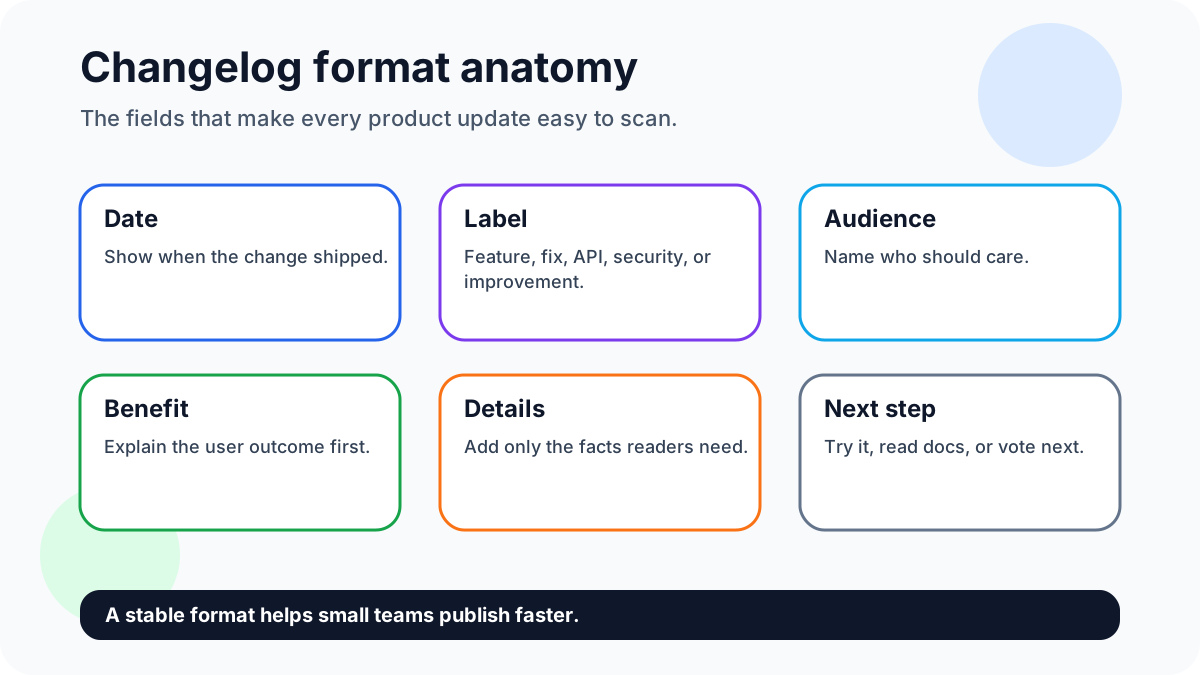
Quick answer: the best changelog format is predictable: date, label, audience, user benefit, what changed, and one next step. Consistency matters more than decoration. Connect the work with feature request templates, feature voting, and building better products with user feedback where useful.
Sign up for FeaturAsk to collect the requests your changelog should reference — one month free, no credit card required, with a $29.95/year plan after the trial.
Why this matters now
Changelog formatting matters because unclear structure makes real progress look messy. Readers should be able to scan the page, find relevant changes, understand impact, and move to docs or feedback without reading an essay.
16 changelog formatting best practices
1. Use reverse chronological order
Put the newest update first because most readers arrive with one question: what changed recently? Older entries can stay searchable, but the top of the page should answer the current-state question immediately.
2. Lead with the user benefit
A title like “Admins can merge duplicate ideas” beats “Duplicate merge feature released.” The benefit-led version tells the reader why the update matters before describing the mechanism.
3. Tag the update type
Use a small set of labels such as New, Improved, Fixed, Beta, API, and Security. Tags help users decide what to read and help your team avoid inventing a new format every week.
4. Name the affected segment
If an update matters only to admins, developers, mobile users, or paid customers, say so early. Segment clarity prevents confusion and reduces support questions from unaffected users.
5. Keep entries short
A changelog entry is not a launch essay. Aim for one concise title, two or three explanatory sentences, and one useful link. Move long instructions into docs or a separate launch post.
6. Use one visual when helpful
Screenshots are useful when the interface changed, but decorative images slow scanning. Use visuals to show location, before-after behavior, or a workflow that words would make clumsy.
7. Connect fixes to reported pain
Instead of “fixed several issues,” say which user-visible pain is gone. If users reported slow exports, broken filters, or duplicate requests, name the relief they will notice.
8. Separate API notes from customer notes
Developers need versions, endpoints, and migration details. Customers need outcomes. Split the sections when one audience would have to skim past irrelevant detail.
9. Group small fixes monthly
If you ship many tiny improvements, a monthly roundup can be clearer than daily fragments. Group by product area and summarize the customer-facing outcome for each cluster.
10. Use plain status labels
Avoid internal statuses like QA-ready or sprint candidate. Public readers understand Shipped, In progress, Planned, and Under review. Keep the vocabulary stable across the feedback board and changelog.
11. Add links to docs or feedback
A release note should help the reader act. Link to documentation for setup details and to the relevant feedback request when the update came from customer demand.
12. Avoid internal ticket jargon
Ticket IDs, team acronyms, and backend names rarely help customers. Translate internal work into the visible behavior users can test or benefit from.
13. Keep a consistent entry order
Use the same order every time: title, tag, date, audience, what changed, why it matters, next step. Consistency makes the page easier to skim and easier to produce.
14. Archive old entries cleanly
Do not delete history casually. Archive by year or version so search engines, support teams, and long-time customers can still find what changed.
15. Review accessibility and mobile layout
A changelog is often read inside a browser tab, phone, or support conversation. Check heading order, contrast, link text, and mobile wrapping before publishing.
16. Close with a feedback prompt
End important updates by asking what should improve next. This turns the changelog from a broadcast into a feedback loop and gives users a reason to return.
FeaturAsk angle for smaller teams
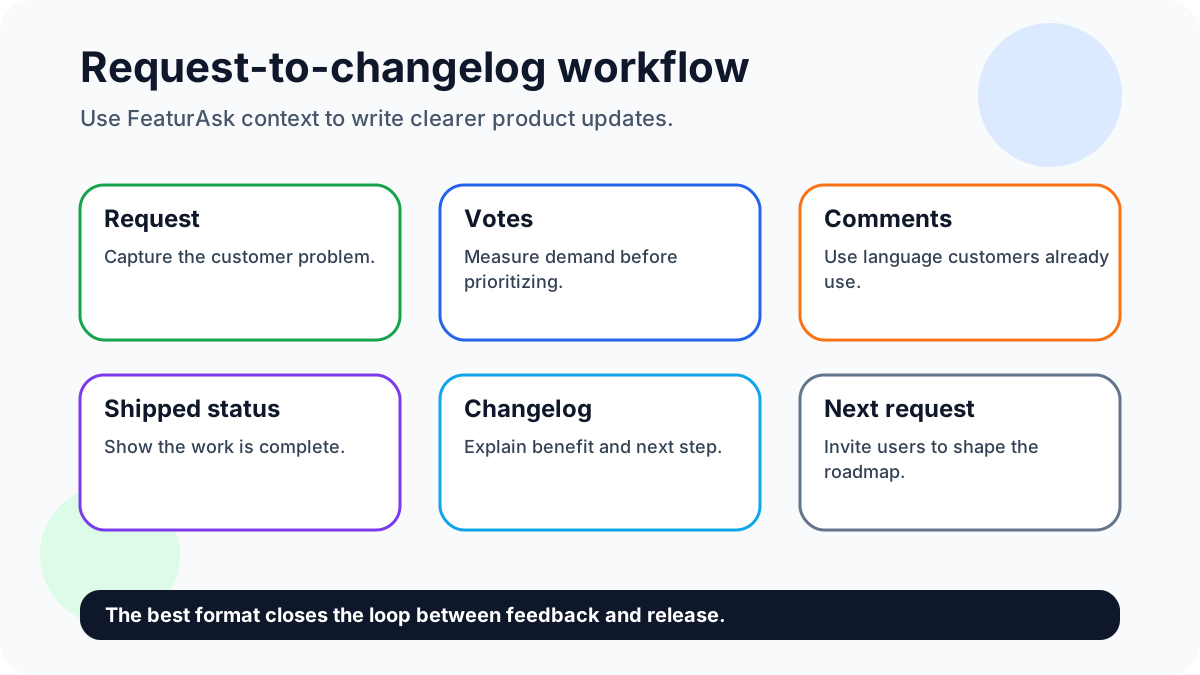
FeaturAsk fits this format workflow as the intake layer before the changelog. The board captures requests and votes; the changelog translates selected work into dated, labeled, customer-facing updates.
Try FeaturAsk free for one month and build changelog entries from actual request data with no credit card; pricing stays small-team friendly at $29.95/year.
Evidence and current references
Use established conventions where they help readers scan changes, then simplify them for the audience that actually reads your product updates.
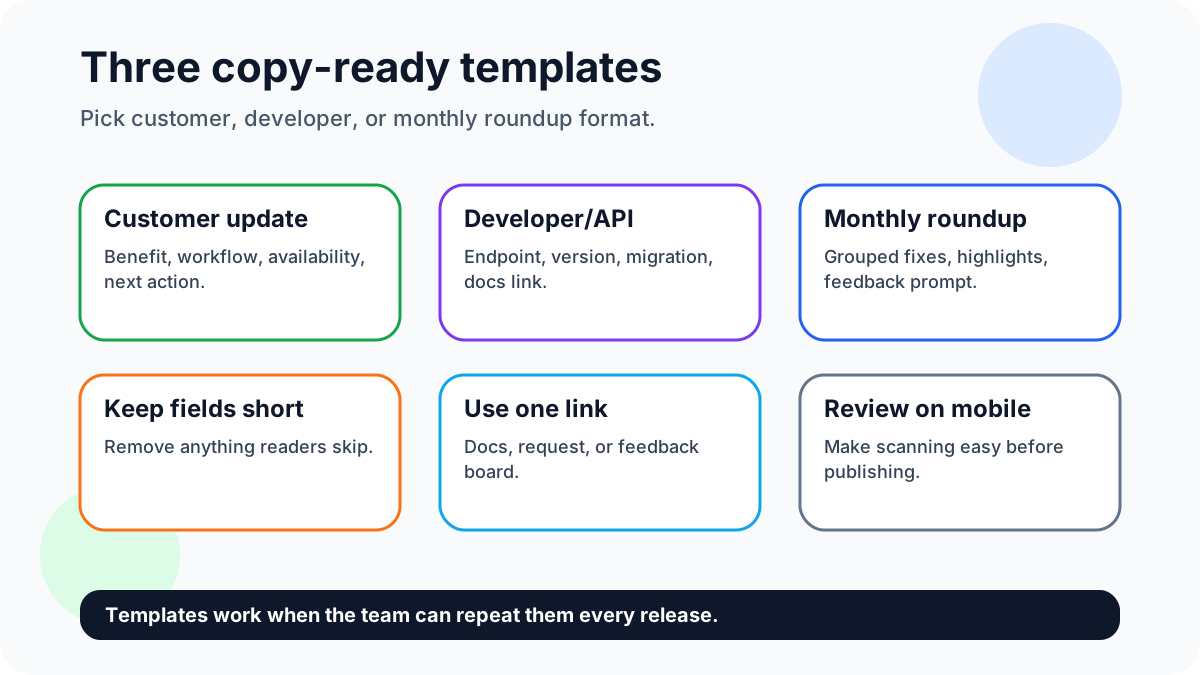
Template one: date, tag, benefit title, two-sentence explanation, next step. Template two: version, technical impact, migration note, docs link. Template three: monthly theme, shipped items, customer benefit, open question.
A simple weekly workflow
Each publishing cycle, use the same format checklist: label the change, name the audience, explain the outcome, add a docs or feedback link, and check mobile readability. If an entry needs more space, move details into a separate launch post.
Mini templates you can copy
Customer-facing template: “New: [benefit-led title]. [Audience] can now [specific action]. This helps [outcome] and came from [request theme or product goal]. Tell us what should improve next.” This template is short enough for a weekly update and clear enough for nontechnical users.
Developer template: “Changed: [API or integration area]. Effective [date/version], [specific behavior] now [new behavior]. Review [docs link] if you rely on [affected workflow].” This avoids marketing language and gives builders the compatibility detail they need.
Monthly roundup template: “This month we improved [theme]. Highlights: [three bullets]. Most requested change: [request]. Next area under review: [topic].” Use this when many small fixes would clutter a daily feed.
A format is successful when the team can publish it repeatedly without debate. If every update requires reinventing the layout, the format is too complicated.
Editorial checklist
Review the format by scanning only headings, labels, and links. If the meaning disappears without reading every paragraph, the structure is doing too little work and the entry needs clearer hierarchy.
Choosing between the templates
Use the customer-facing template for visible product changes. It should answer three questions quickly: what changed, who benefits, and what can the user do now? Keep the title short enough for a sidebar or email subject. Put setup details behind a docs link instead of forcing every reader through instructions they may not need.
Use the developer template for API, integration, and security updates. Developers value precision more than polish. Include dates, versions, affected endpoints, behavior changes, and migration requirements. If nothing breaks, say that too. Compatibility reassurance can prevent unnecessary support tickets.
Use the monthly roundup template when many small improvements share a theme. For example, a month of request-board cleanup might include duplicate merging, better moderation labels, and faster vote sorting. Present the theme first, then list the changes. This keeps the page readable without pretending every small fix deserves a standalone launch.
Formatting examples
Customer update: “New: Cleaner request moderation for busy boards. Admins can now merge duplicate ideas and preserve votes, making weekly roadmap review faster. This shipped after several teams asked for a way to keep public boards tidy.”
Developer update: “Changed: Webhook retry behavior. Starting May 20, failed delivery attempts retry three times over 30 minutes. Existing endpoints continue to work; review the webhook docs if your integration logs duplicate events.”
Monthly roundup: “April theme: faster feedback review. We improved duplicate merging, added clearer moderation labels, and made vote sorting easier on mobile. Next, we are reviewing request export options.”
Format governance
Assign one person to own consistency, but do not turn the format into a bottleneck. A simple checklist is enough: benefit title, audience, change, proof or request context, next step. Review mobile layout because changelog readers often arrive from email, chat, or an in-app link. Keep the page accessible with descriptive links and sufficient contrast.
When the format starts to feel heavy, remove fields. The best changelog structure is the one your team can maintain during busy release weeks.
Common formatting mistakes
The first mistake is burying the result under process language. Readers do not need to know that a team completed a refactor unless that refactor changes performance, reliability, or capability. Translate internal work into user-visible outcomes.
The second mistake is using too many categories. Ten labels make the page harder to scan and harder to maintain. Start with four or five labels and add another only when readers genuinely need it.
The third mistake is mixing long essays with tiny fixes in the same visual style. Important releases can link to deeper launch posts, while small fixes can be grouped. Formatting should signal importance without exaggerating every change.
Publishing checklist
Before publishing, confirm the title names the benefit, the date is visible, the affected audience is clear, and any required action is near the top. Check that links point to live docs or feedback items. Read the entry on mobile. If the title wraps awkwardly or the call to action disappears below too much text, simplify the entry.
Copy-ready template 1: customer-facing update
Use this when the reader wants to know what changed and why it matters. Format: date, label, customer benefit, what changed, who gets it, and next action. Example: "May 7 — Improvement — Store owners can now filter exported orders by status before downloading CSV files. This came from repeated reporting requests. Open Reports, choose Status, and export the filtered file."
Copy-ready template 2: developer or API update
Use this when accuracy matters more than excitement. Format: date, version or endpoint, change type, migration note, deadline if any, and docs link. Example: "May 7 — API — The export endpoint now accepts status and created_after parameters. Existing calls still work. Review the docs before enabling scheduled exports."
Copy-ready template 3: monthly roundup
Use this when several small fixes shipped in one cycle. Format: month, three to five grouped changes, user benefit for each group, and one feedback prompt. Example: "April roundup — faster exports, clearer error states, and better mobile filters. Vote on the next reporting improvement so we prioritize the right workflow."
How FeaturAsk keeps the format honest
A changelog format gets stronger when every entry can point back to real demand. FeaturAsk gives small teams a simple widget for collecting requests, voting, comments, moderation, and analytics. Before writing the update, check which request gathered the clearest signal, which comments explain the pain, and which related ideas should stay open. Then the changelog can close the loop instead of merely announcing work.
That matters for small businesses because trust is built in short, repeatable moments. A reader should be able to see the request, understand the shipped change, and submit the next idea without learning a heavy product-management suite. Keep the fields simple, keep labels stable, and review the board weekly so the changelog never drifts away from customer evidence.
Publishing checklist
Before publishing, confirm that the entry has a clear audience, a user benefit, a plain-language label, one useful link, and a next step. Test the page on mobile, remove internal ticket names, and make sure the update still makes sense to someone who did not attend the sprint review.
FAQ
What is the fastest way to start?
Start with a five-field template: date, label, audience, benefit, and next step. Add complexity only after the simple version is consistent.
How do you keep quality high?
Quality stays high with a repeatable publishing checklist, descriptive links, mobile review, and plain labels customers understand.
Why use FeaturAsk?
FeaturAsk keeps request context close to release communication. Sign up for FeaturAsk and test the widget for one month free with no credit card; the plan is $29.95/year.
Sources
- For technical structure, Keep a Changelog and Semantic Versioning remain useful references. For a large-scale public example, see the GitHub changelog.