Feature Request Templates: 8 Practical Examples for Better User Feedback
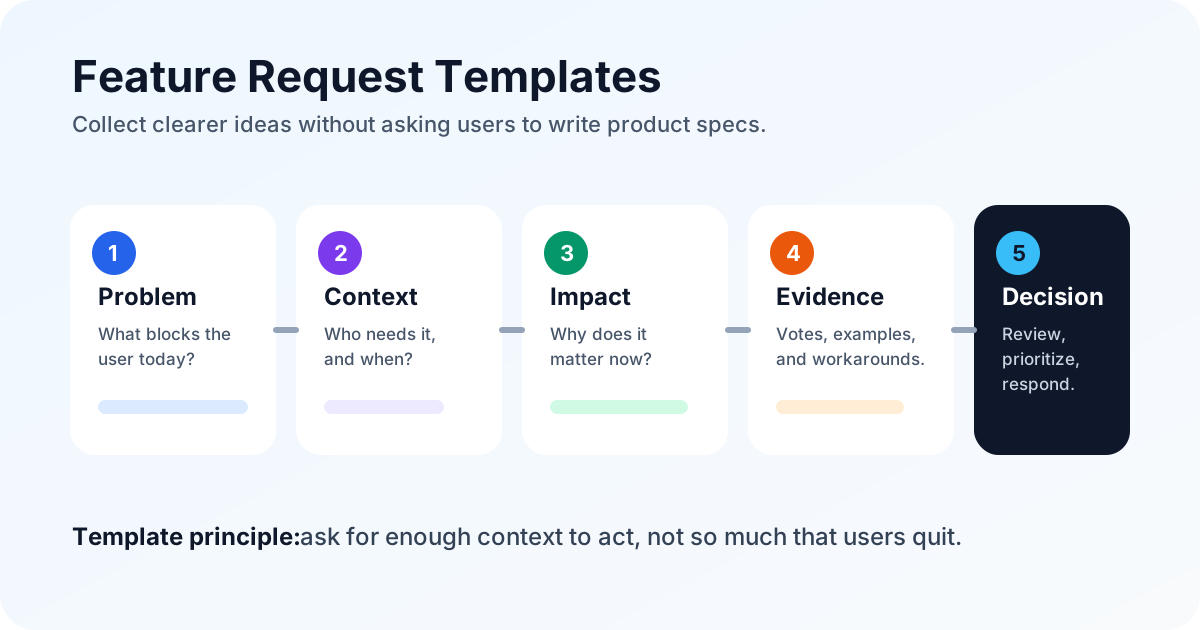
Feature request templates help users share better ideas. A strong template turns “please add exports” into a useful request: what the user is trying to do, where they are blocked, how often it happens, what workaround they use today, and why the improvement matters.
In 2026, this matters more than ever. Customers expect software to improve quickly, AI has raised product experimentation pace, and small teams cannot afford to build every interesting idea. Salesforce’s State of the Connected Customer research found that 88% of customers say a company’s experience matters as much as its products or services (<a href="https://www.salesforce.com/resources/research-reports/state-of-the-connected-customer/" rel="nofollow">Salesforce</a>), while Pendo’s 2024 product benchmarks emphasize measuring adoption and retention by segment, not just shipping volume (<a href="https://www.pendo.io/product-benchmarks/" rel="nofollow">Pendo</a>). The right feature request templates give you structured feedback that is easy to moderate, compare, prioritize, and revisit when planning your roadmap.
This guide gives you eight practical templates you can adapt for SaaS, e-commerce, agencies, internal tools, and small business websites. The goal: collect enough context to make better decisions while keeping submission easy.
What makes a good feature request template?
A good feature request template balances two competing needs. Users want to submit quickly. Product teams need enough detail to understand whether the idea is important, common, urgent, profitable, or strategically aligned. If your form asks too little, you get vague suggestions. If it asks too much, users abandon the form.
The best templates include five ingredients:
- The user’s desired outcome, not just the proposed feature.
- The problem or workflow that creates friction today.
- The context: role, use case, device, plan, or customer segment.
- The impact: time saved, revenue protected, churn risk, conversion lift, or support reduction.
- Optional evidence: screenshots, examples, current workaround, vote, or affected team size.
Templates also help moderation. When ideas arrive in a consistent format, it is easier to merge duplicates, tag requests, compare demand, and route bugs or support questions away from the product backlog. If you also use feature voting, templates make votes more useful because every voter can understand the request before adding support.
Collecting and organizing feature requests doesn't have to be messy. FeaturAsk gives you a clean, embeddable widget and a simple dashboard to manage all feedback in one place. Start with one month free—no credit card required—then keep the workflow running for $29.95/year.
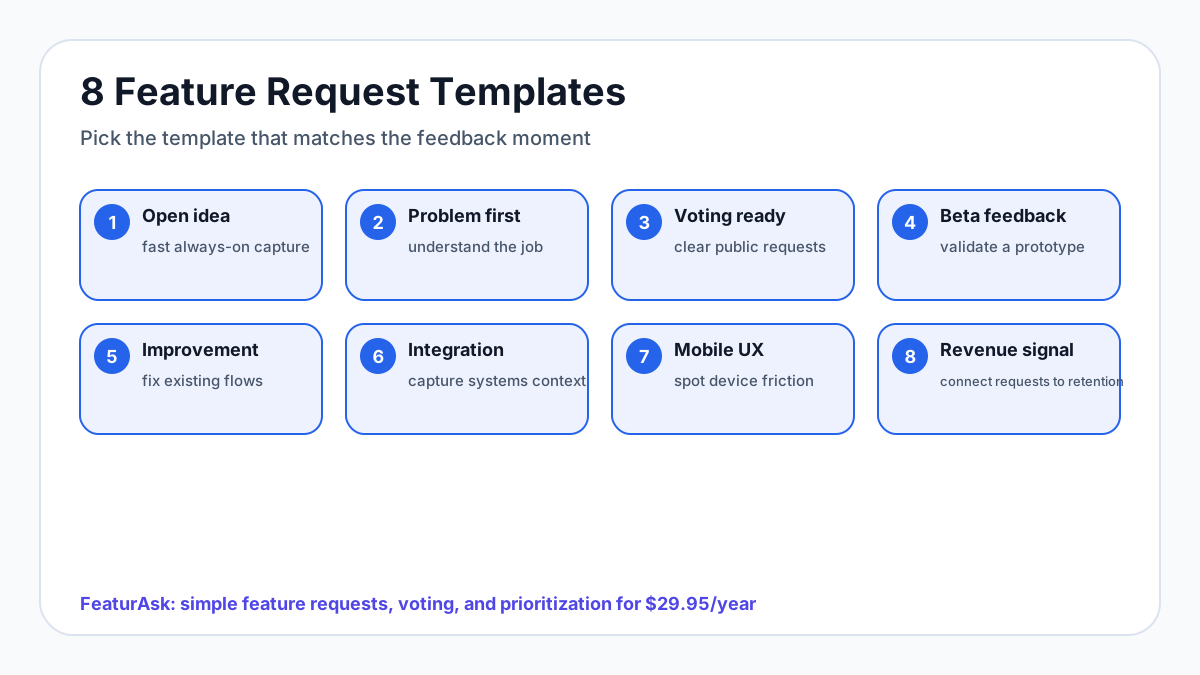
Template 1: The open feature idea template
Use this as your default always-on template. It works well in an embeddable widget, feedback portal, dashboard sidebar, help center, or post-purchase experience. The aim is to keep the form short enough for casual users while collecting the minimum context your team needs.
Suggested fields:
- Feature idea: What would you like us to add?
- Problem: What are you trying to do when you need this?
- Context: Where in the product or workflow does this come up?
- Impact: How would this help you or your team?
- Optional: Add a screenshot, link, or example.
Example prompt:
“Tell us what you want to do, not only the button or setting you want us to build. If you have an example, include it.”
Why it works:
Open templates capture surprises. The risk is that broad forms can attract vague ideas, so include a problem field and a short helper sentence. Avoid asking for priority, revenue impact, and detailed requirements in this default version; those questions belong in follow-up or admin review.
Template 2: The problem-first request template
Users often describe solutions before explaining the problem. “Add bulk edit” may mean five different things: updating prices, changing statuses, assigning owners, editing tags, or fixing imports. The problem-first template slows the conversation down just enough to reveal the real need.
Suggested fields:
- What problem are you running into?
- What are you trying to accomplish?
- How do you handle this today?
- How often does this happen?
- What would a better experience look like?
Example prompt:
“Before describing the feature, tell us what is difficult or time-consuming in your current workflow.”
Why it works:
This template is ideal when requests tend to be prescriptive. It gives product teams room to find simpler solutions. A user may ask for a complex settings panel, but the real fix might be a smarter default, better filter, clearer label, or small automation.
Problem-first feedback is also easier to prioritize. A request that saves five minutes once a quarter is different from a request that blocks daily work for a paying team. The wording helps users describe frequency and severity without product vocabulary.
Template 3: The voting-ready feature request template
If users can vote on requests, the request title and description must be understandable to people who did not submit the original idea. The voting-ready template creates cleaner public or semi-public posts that others can evaluate quickly.
Suggested fields:
- Short title: What should other users see on the board?
- Request summary: What should change?
- Use case: Who would benefit and when?
- Current workaround: What do you do today instead?
- Value: Why would you vote for this?
Example prompt:
“Write this request so another customer can quickly understand whether they share the same need.”
Why it works:
Voting boards can become noisy if each request is written like a private note. A voting-ready template makes public feedback easier to browse, search, merge, and moderate. It also reduces duplicates because users can recognize existing ideas faster.
Do not treat vote count as the entire decision. Votes show demand, but not automatically strategic fit, customer value, effort, or risk. Use votes as a signal alongside customer segment, comments, account value, and product direction.
Template 4: The beta or prototype feedback template
When you are testing a possible feature, you need feedback about the proposed solution, not only the original problem. A beta template helps you learn whether the feature is understandable, valuable, and ready to ship.
Suggested fields:
- What were you trying to do with this beta feature?
- Did it work the way you expected?
- What felt confusing, slow, missing, or unnecessary?
- Would this replace your current workaround?
- What would make it ready for everyday use?
Example prompt:
“Focus on what happened while trying the beta. Tell us where your expectation and the product experience did not match.”
Why it works:
Beta feedback is most valuable when it captures behavior. Generic questions like “Do you like it?” often produce shallow answers. This template asks about expectation gaps, readiness, and replacement value so you can decide whether to ship, iterate, reposition, or stop.
If a beta feature passes review, connect the feedback plan to your product launch communication plan so requesters, voters, and trial users know what changed and why.
Turn scattered customer feedback into clear product direction. FeaturAsk helps you gather ideas, prioritize requests, and communicate updates from a simple dashboard. Try it free for 30 days—no credit card required—and continue for $29.95/year when it fits.
Template 5: The integration request template
Integration requests can be deceptively vague. “Please integrate with Slack” could mean notifications, slash commands, login, syncing, alerts, approvals, reporting, or workflow automation. This template captures enough detail to evaluate the real integration need.
Suggested fields:
- Which tool or platform should this connect with?
- What action should trigger the integration?
- What information should be sent, received, or synced?
- Who on your team would use it?
- What do you use today as a workaround?
- Is this required for purchase, renewal, or expansion?
Example prompt:
“Describe the workflow, not just the app name. What should happen between the two tools?”
Why it works:
Integrations can be expensive to build and maintain. This template helps separate “nice to have” brand-name requests from workflows that affect activation, retention, support load, or revenue. It also helps you discover whether a simple webhook, export, email notification, or native integration would solve the need.
Use this template whenever the requested feature touches another system. The more tools involved, the more important it is to capture triggers, fields, and permissions early.
Template 6: The existing feature improvement template
Not every request is a new feature. Many of the best product improvements come from users who already rely on an existing feature but hit an edge case, missing option, or speed bump. This template keeps improvement feedback anchored to the current experience.
Suggested fields:
- Which existing feature are you using?
- What part is confusing, limited, or slow?
- What did you expect to happen instead?
- How often does this affect your work?
- What small improvement would make the biggest difference?
Example prompt:
“Tell us about the current feature you are using and the smallest change that would make it more useful.”
Why it works:
This template prevents your backlog from over-indexing on net-new features while ignoring product quality. It encourages incremental improvements that may be faster to ship and more valuable to active users.
Improvement requests are also good candidates for lightweight validation. If several users ask for the same refinement, merge the requests, invite votes, and add a clear status when the change is planned or shipped.
Template 7: The declined or out-of-scope follow-up template
A template is useful even when the answer is no. If a request is not aligned with your roadmap, you can still learn from it and preserve trust.
Suggested fields:
- We are not planning this right now. What outcome were you hoping for?
- Is there a smaller version that would solve the core problem?
- Is this blocking your use of the product?
- Would a workaround, guide, export, or integration help?
- Can we contact you if we revisit this later?
Example response:
“Thanks for the request. It is outside our current roadmap, but we want to understand the underlying need. If a smaller improvement or workaround would help, please add details.”
Why it works:
Users can accept “not now” when the response is honest and respectful. A declined request may still reveal a future segment, onboarding problem, or partnership opportunity. Avoid silent rejection: close the loop, explain the decision, and leave a path for additional evidence.
Template 8: The revenue or retention signal template
Some requests are not loud, but they matter because they affect conversion, renewal, expansion, or trust. Use this template when sales, support, or customer success hears a request that may influence whether a user stays, upgrades, or recommends the product.
Suggested fields:
- Customer goal: What business outcome is the user trying to protect or improve?
- Trigger: Did this come from a renewal, churn risk, sales objection, support ticket, or usage drop?
- Impact: What happens if the request is not solved?
- Segment: Which type of customer or website is affected?
- Evidence: Quote, account note, usage pattern, screenshot, or vote count.
Example prompt:
“Tell us why this request matters to the customer’s decision, not only what feature they asked for.”
Why it works:
This template prevents small but high-impact requests from getting buried under broad popularity metrics. It is especially useful for small businesses, agencies, and SaaS teams where one repeated objection can quietly block growth. Pair it with voting data, not instead of voting data, so the team can compare reach, urgency, and strategic fit.
How to customize feature request templates for your product
Start by choosing one default template and one specialized template. Too many forms create confusion and make the experience heavier than needed. A small SaaS product might pair an open idea template with an existing-feature improvement template. An e-commerce business might use an open idea template for shoppers and a problem-first template for staff. A B2B product might combine a voting-ready public board with an integration request template for customer-facing teams and power users.
Keep optional fields truly optional. Users should be able to submit a useful request with three fields: idea, problem, and impact. Add optional prompts for screenshots, workflow examples, affected team size, urgency, or contact permission. This matters because Baymard’s large-scale checkout research estimates average cart abandonment at about 70%, with unnecessary friction one contributor (<a href="https://baymard.com/lists/cart-abandonment-rate" rel="nofollow">Baymard Institute</a>); feedback forms are not checkout forms, but the same user-effort principle applies.
Also write helper text in plain language. Replace internal terms like “business case” with “why this matters,” “priority” with “how often this slows you down,” and “requirements” with “what would a good solution help you do?”
How to turn templates into a repeatable feedback workflow
Templates are only the first layer. To make them useful, connect them to a workflow your team can maintain.
- Collect requests in one visible place.
- Moderate submissions for clarity, duplicates, and support issues.
- Tag requests by product area, customer type, and status.
- Invite votes or comments when public validation is useful.
- Review requests on a schedule, not only when someone complains.
- Decide whether to explore, plan, decline, or keep monitoring.
- Communicate updates when something changes.
If you plan to validate a request before release, connect templates with user acceptance testing. The original request tells you what outcome users wanted; acceptance testing helps confirm whether the shipped experience actually delivers it.
Final checklist for better feature request templates
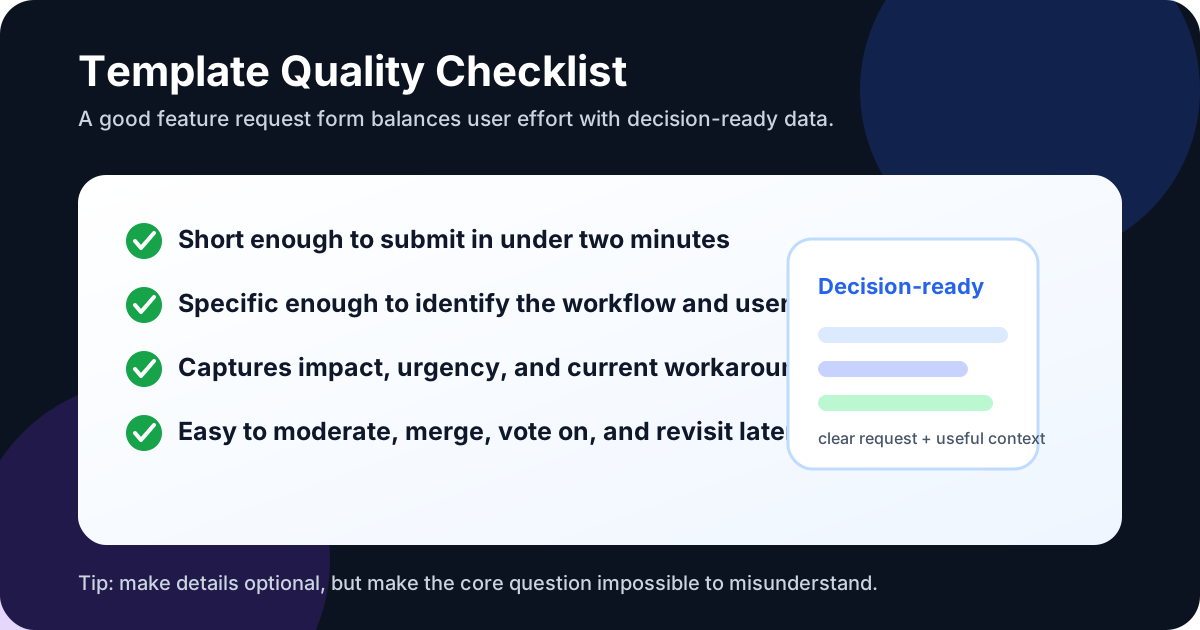
Before publishing a template, test it with this checklist:
- Can a user complete it in under two minutes?
- Does it ask for the problem behind the request?
- Does it capture where and when the issue happens?
- Does it include impact without sounding corporate?
- Can another user understand the request well enough to vote?
- Can your team merge duplicates and tag the request later?
- Does it leave room for screenshots, examples, or follow-up?
- Does your team have a review cadence after requests arrive?
Good feature request templates create a bridge between customer language and product decisions. When the template is clear, users feel heard, teams prioritize with more confidence, and the roadmap becomes easier to explain.
Whether you're a solo developer or a growing team, FeaturAsk helps you stay in sync with your users. Collect suggestions, manage priorities, and close the feedback loop in one place. Start your 30-day free trial—no credit card required—then continue for $29.95/year.