Wix Feedback Widget: Add a Simple Suggestion Loop to Your Site
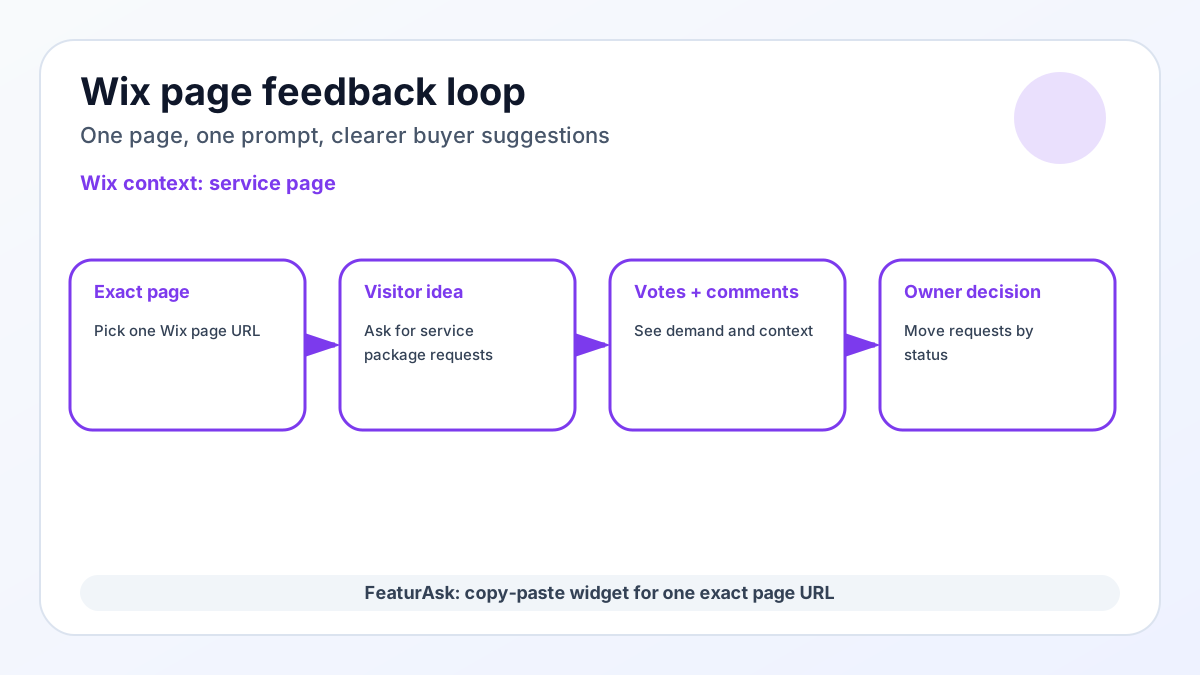
A Wix feedback widget is most useful when it helps a website owner learn what visitors wanted at the moment they were already evaluating the page. On Wix, that moment might be a service page, product page, booking page, FAQ page, or member resource page. The visitor has enough context to make a specific suggestion, and the owner has enough context to decide whether the suggestion is worth acting on.
At FeaturAsk, we built our widget for that kind of focused page-level loop. We let you assign one subscription to one exact webpage URL, customize the widget copy and style, paste the generated code into the page body, test the experience, and then manage requests in a simple dashboard. If you want to try the loop before committing, FeaturAsk starts with a 30-day free trial and no credit card required.
The important nuance is that FeaturAsk is an embeddable widget for a page on Wix. It is not a native Wix app that automatically reads your store, theme, visitors, account plan, or page type. You choose the exact page, configure the prompt, and paste the code where your site setup allows it. That plain boundary is useful: the feedback stays tied to the page where service package requests, booking improvements, FAQ gaps are easiest to understand.
This guide is written for the owner who wants a practical first version, not a sprawling feedback program. You can start with the page that already attracts qualified visitors, ask for the one category of suggestions you can act on soon, and let voting reveal which ideas deserve a second look. After a few weeks, the pattern should be concrete: which requests repeat, which ones earn votes, which comments add useful context, and which items should move from Pending into a real decision. That is enough signal for a small business to choose one improvement, explain the decision publicly, and keep the page moving without buying a complex roadmap suite. It also gives the owner a calm record to revisit when the next redesign, campaign, or product update is planned.
Why a Wix site benefits from a direct idea channel
Wix makes it possible to publish quickly, but speed can hide weak signals. A visitor may leave because a product variant is missing, a service is unclear, a course topic is not covered, or a pricing question is unanswered. If the only feedback path is a generic contact form, those small signals often arrive without enough context or never arrive at all.
A page-level widget changes the prompt from “contact us” to “tell us what would make this page or product better.” That difference matters. People are not forced to write a support ticket, and you are not forced to interpret vague analytics alone. You get named ideas, votes, comments when enabled, and status movement that can show visitors the request is being handled.
For platform businesses, the best feedback is usually not abstract. A Wix visitor can point to service package requests, booking improvements, or FAQ gaps because they are looking at the relevant page. That is why a focused Wix feedback widget can be more useful than a sitewide survey dropped into every corner of the site.
Choose the page where suggestions make sense
Start with one page, not the whole site. FeaturAsk subscriptions are assigned to one exact webpage URL, so the first strategic decision is where a suggestion loop will produce the clearest next action. A high-intent page is usually better than a homepage because visitors know what they are reacting to.
For Wix, good first pages include a service page, product page, booking page, FAQ page, or member resource page. If you sell products, choose a page where demand signals affect inventory, variants, bundles, or merchandising. If you sell services or content, choose a page where suggestions could shape the next package, lesson, article, workshop, or resource.
The exact-URL rule is not a nuisance to work around. It keeps feedback clean. A request from a collection page should not be mixed with a request from a checkout explanation page unless you intentionally want one shared context. Pick the page, write the prompt for that page, and treat the first month as a learning window.
How FeaturAsk fits a Wix page
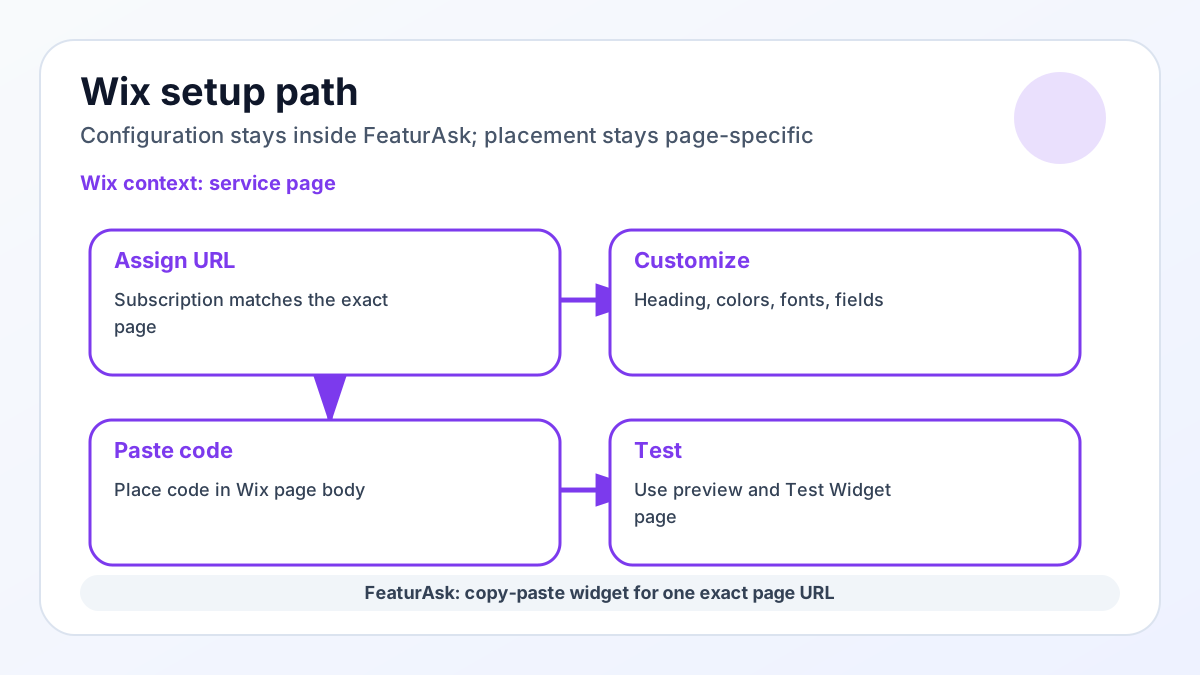
FeaturAsk fits the Wix workflow as a copy-paste widget. You configure the widget in the FeaturAsk dashboard, assign the exact page URL, and place the generated widget code in the embed/custom-code area or page body location where Wix permits pasted code. Official platform documentation can help you identify the right code area; for example, see Wix widget embed guidance and Wix custom code guidance.
Inside FeaturAsk, we let you customize the heading, description, colors, fonts, comments, reCAPTCHA v2, status display, date display, and up to two optional fields. Those controls are enough to make the widget feel intentional without turning the setup into a custom development project.
Testing should happen before you invite real visitors. Use quick preview while adjusting the look and copy, then use the Test Widget page to submit sample requests. When the code is pasted into the page body, confirm that the assigned URL and the live page URL match exactly. If they do not, fix the URL or placement before treating the widget as launched.
Suggestion prompts for service and local sites
The prompt should tell visitors what kind of suggestion belongs there. A broad prompt like “Share feedback” can work, but platform pages usually benefit from sharper wording. On Wix, you might ask for service package requests, invite votes on booking improvements, or ask what would make FAQ gaps easier to evaluate.
A strong prompt has three parts: the kind of idea you want, a boundary around what not to submit, and a short expectation for review. For example, a store or site owner might write: “Suggest one improvement for this page. Please keep support or private account questions out of this public idea board. We review requests and update status as we decide what to do next.”
Use the widget for improvement ideas, not private appointment or billing details. Optional fields can help when they change the decision. A product area, customer type, or use case can be useful. A long list of required questions turns a lightweight widget into a survey, and that can reduce the number of people willing to share the quick idea you actually need.
A Wix launch plan for a focused afternoon
A focused launch can happen in one working session. First, choose the exact Wix page. Second, create the FeaturAsk subscription for that exact URL. Third, write a short heading and description that match the page. Fourth, choose brand colors and readable fonts. Fifth, decide whether comments, status display, date display, and reCAPTCHA v2 should be enabled on day one.
Then submit test ideas. Create one request you would probably accept, one you would decline, and one that needs more context. Open them in the dashboard, inspect comments and request details, check optional-field data if you enabled fields, search for a term, filter by status, and move each request through the states. The available statuses are Pending, Under Consideration, In Progress, Completed, and Declined.
Once the loop feels clear, paste the code into the page body area allowed by Wix and run a final live test. If the page is important to revenue, keep the first prompt narrow. You are not trying to collect every opinion on the site; you are trying to learn which specific page improvements deserve attention.
During the first week, review the board on a schedule instead of reacting to every new item immediately. Look for repeated wording, votes that cluster around the same pain, and comments that explain why a request matters. That rhythm keeps the feedback loop calm while still showing visitors that the page is being watched.
What to do with feedback after it arrives
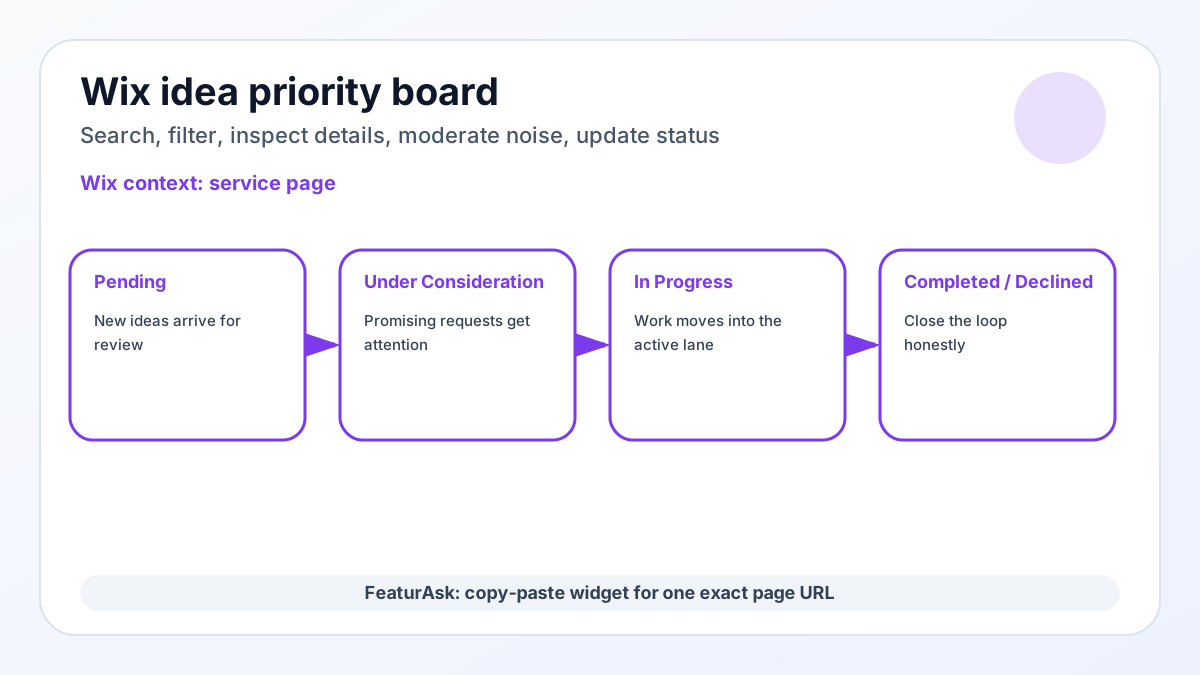
Collection is only half of the job. The dashboard is where a Wix feedback widget becomes a decision system instead of a comment box. New submissions can begin as Pending. Stronger signals can move to Under Consideration. Active work can move to In Progress. Completed changes can be marked Completed, and ideas that do not fit can be Declined.
Search and status filtering matter once the list grows. If multiple visitors mention service package requests or product ideas, you do not want that pattern buried in a chronological feed. Votes give you one demand signal, comments add context, and optional-field data can show whether a request came from a customer type that matters to the decision.
Moderation also keeps the board usable. Unwanted requests can be removed, and unclear items can be reviewed before they distort the backlog. That is especially important on public pages, where visitors may submit support questions, jokes, or private details even when the prompt asks them not to.
How it differs from a contact form
A feedback widget is not the same as a review widget, contact form, live chat, or analytics report. Reviews tell future visitors whether people liked the product or service. Contact forms create private conversations. Chat helps with immediate questions. Analytics shows behavior, but it rarely explains which specific improvement people wanted.
FeaturAsk is useful when the question is “what should we improve or build next?” That is why related guides such as our free website feedback widget, feedback tab for website, and website suggestion box focus on turning visitor input into decisions rather than collecting generic comments.
For a Wix owner, the benefit is practical. You can keep your main site stack intact, add a focused idea channel to one page, and avoid paying enterprise monthly prices before you know whether the page can produce useful requests. FeaturAsk is $29.95/year for one assigned webpage URL after the trial, which keeps the experiment small enough for indie stores, creators, and small teams.
Avoid these Wix feedback traps
The first mistake is treating the widget like a magic sitewide listener. It will not automatically detect which Wix page should own every request. Assign the exact URL and write the prompt for that page. If you later want a different page, treat that as a deliberate change, not an assumption.
The second mistake is asking for too much. A public idea board should not become a long market-research form. Use up to two optional fields only when the answers help you prioritize. The third mistake is hiding the follow-through. If you choose to display statuses or dates, keep them meaningful. A board full of old Pending items can make the feedback loop feel ignored.
The fourth mistake is copying the same widget copy across platforms and pages. A Wix storefront, portfolio, service page, and launch page have different visitor intent. The copy should name the kind of suggestion that belongs there and gently redirect anything private or urgent to the right support channel.
Wix-specific signals worth separating
A Wix site may be run by a service business, local shop, creator, or solo operator who does not want another heavy tool. That makes the first prompt especially important. A booking page might ask which service package is missing. A FAQ page might ask which answer would reduce hesitation. A product page might ask which option, bundle, or local pickup detail would help a visitor decide. Those are different questions, even if they all live on the same site.
FeaturAsk keeps the account side separate from the public board: the dashboard includes website subscriptions and purchase history, while request management focuses on submitted ideas, comments, votes, statuses, search, filtering, and cleanup. That distinction helps a Wix owner stay organized without pretending the widget is reading booking records or visitor identities. The owner chooses the page, writes the boundary, and reviews the signal manually.
A simple next step
If your Wix site needs a better way to hear what visitors want next, start with the page where a suggestion would change a real decision. A service page, booking page, FAQ, or product page can produce clearer requests than a broad sitewide form.
At FeaturAsk, we built the widget for that small first loop: one exact URL, simple customization, test submissions, and a dashboard for review. You can keep the Wix build lightweight while still giving visitors a public place to suggest and vote on improvements.
Try FeaturAsk when your Wix site needs a simple suggestion channel without a heavy feedback stack. For more planning help, compare this guide with our customer feedback widget article, then choose the page where a visitor suggestion would be easiest to act on.