Feedback Tab for Website: When a Small Button Beats a Big Survey
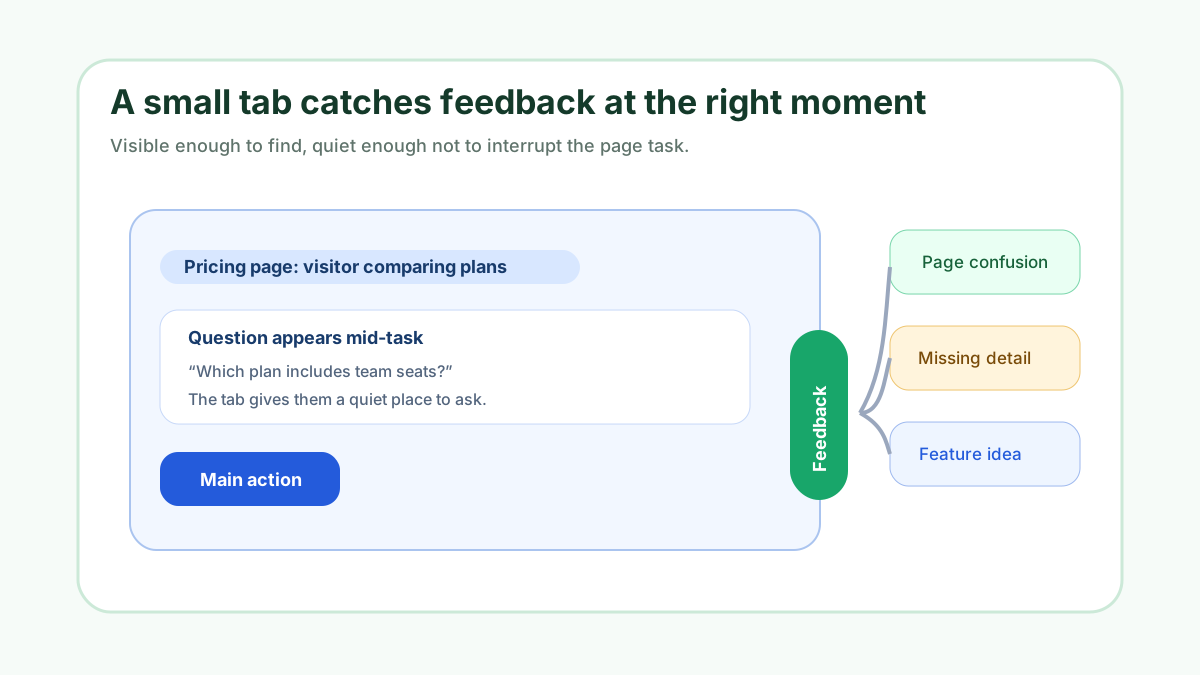
A feedback tab for website visitors works because it is small, visible, and available at the moment someone notices a gap. It does not ask people to stop everything for a long survey. It does not depend on them finding an email address. It gives them a clear place to say, “This is confusing,” “I expected this option,” or “I would use this if it had one more thing.”
At FeaturAsk, we built our widget for owners who want that kind of low-friction feedback loop. A tab or button can sit on the exact page where the idea happens, collect the request, and send it into a dashboard where the owner can review, moderate, search, filter, and update status. The point is not to collect more messages for the sake of volume. The point is to catch useful website feedback before it disappears.
If you want to try a feedback tab without committing to a large system, FeaturAsk includes a 30-day no credit card trial and simple $29.95/year pricing. Start with one assigned webpage URL, paste the generated widget code in that page body, and learn whether the tab creates useful feedback before you expand.
What a feedback tab is best at
A feedback tab is best at capturing short, timely observations. A visitor sees a feature page and wants a comparison. A customer reads documentation and still has one question. A buyer reaches a pricing page and cannot tell which option fits. A user is inside a portal and wishes one workflow had a shortcut. Those moments are easy to lose if the only feedback path is a footer contact link.
The tab succeeds because it reduces the distance between thought and submission. It should be obvious enough to find, but quiet enough not to interrupt. It should ask for the right kind of input, not every possible type of message. If you want product ideas, call that out. If you want page suggestions, make that clear. If you want general website confusion, say so in plain language.
This is why a feedback tab is not the same as a pop-up survey. A pop-up chooses the moment for the visitor. A tab lets the visitor choose the moment. That difference changes the tone of the interaction. People are more willing to share useful context when they feel invited rather than interrupted.
Pick the page before you pick the tab label
The best label depends on the page. “Suggest an improvement” works on a product page. “Was this page helpful?” may fit documentation. “Request a feature” makes sense inside an app or roadmap. “Share website feedback” works when the page itself is the object of review. Before choosing the label, decide where the tab belongs.
FeaturAsk keeps this decision concrete by assigning one subscription to one exact webpage URL. The exact URL must match the page where you paste the generated widget code. That structure pushes the owner to choose a real starting point instead of installing a vague sitewide idea bucket. A focused first page is easier to evaluate and easier to improve.
If you are unsure where to begin, look for pages where visitors already hesitate. Pricing pages, onboarding pages, documentation articles, product details, feature comparison pages, and account dashboards all create feedback naturally. A hidden general contact page may receive fewer specific ideas because the visitor has already left the context.
Write tab copy that earns better submissions
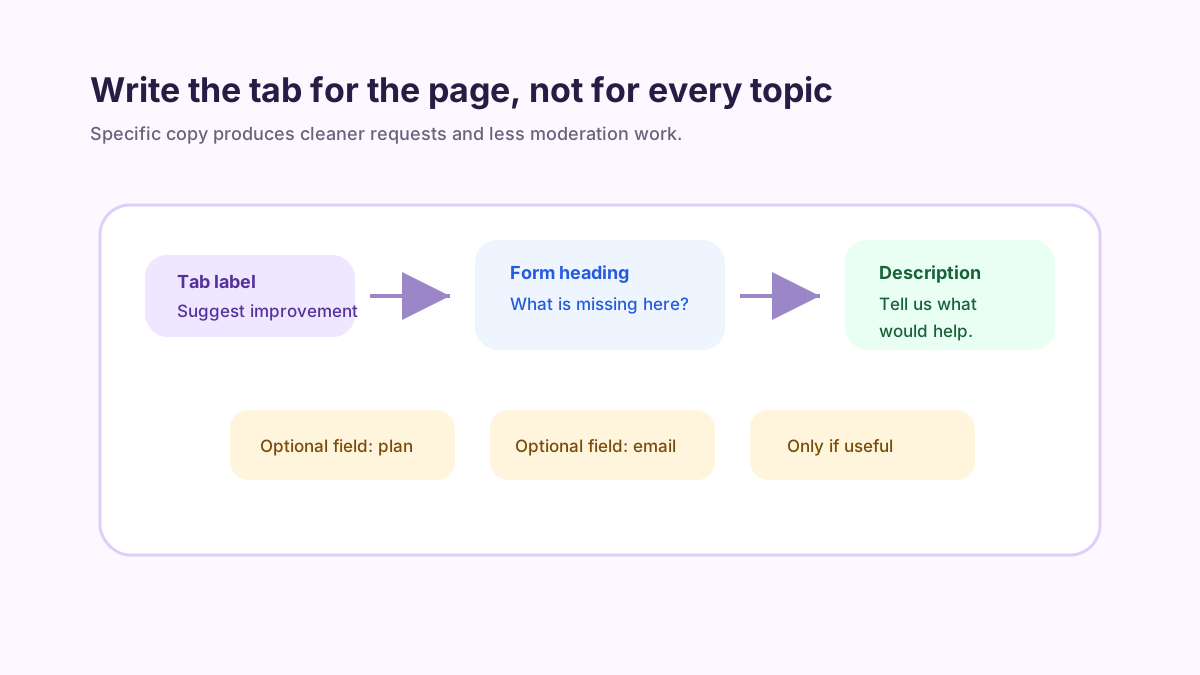
A tab label gets attention, but the form copy creates the quality of the response. “Feedback” is short, but it may be too vague. “Suggest an improvement” tells the visitor what to write. “What is missing here?” asks for gaps. “What would make this easier?” invites practical suggestions. The best wording depends on the page and the decision you want to make with the feedback.
At FeaturAsk, we built the tab settings around the few things that change submission quality: the visible heading, the short description, color and font choices, comment behavior, reCAPTCHA v2, whether status and dates appear, and up to two optional fields. That gives you enough control to make the tab feel like part of your page while keeping the feedback path short. The heading sets the expectation, the description explains what happens next, and optional fields capture one or two details that help you follow up.
Be careful with optional fields. A feedback tab should feel quick. If you ask for every detail up front, the tab becomes a long form. Use optional fields when they change how you review the request: a contact email, customer type, plan, page section, or use case. If the extra field does not change the decision, leave it out.
Make the tab visible without making it annoying
A feedback tab should be easy to notice, but it should not compete with the main task. Put it where it can be found without covering critical controls. Avoid placing it over checkout buttons, support chat, navigation, or form fields. The tab should feel like a helpful escape hatch, not another obstacle on the page.
Color matters because it affects visibility, but contrast and restraint matter more. A tab that blends in completely may never be clicked. A tab that shouts on every page may train visitors to ignore it. FeaturAsk customization lets you choose colors and fonts so the widget feels consistent with your page while still being discoverable.
Before you publish the tab, use quick preview and the Test Widget page. Submit a realistic example. Check the request view. Make sure comments, date display, and status display match the kind of feedback loop you want visitors to see. A few minutes of testing prevents confusing public experiences later.
Turn tab submissions into decisions
The tab is only useful if the owner reviews what comes in. A feedback tab that creates an untouched inbox can damage trust. A feedback tab that feeds a simple review workflow can improve the website and show visitors that their ideas matter.
FeaturAsk request management is intentionally plain. New submissions can stay Pending until reviewed. Ideas that need more thought can move to Under Consideration. Work that is actively moving can be In Progress. Shipped or resolved items can be Completed. Ideas outside the current direction can be Declined. Those five statuses are enough for a small team to show progress without inventing a complicated process.
The dashboard also supports the owner work around those statuses: deletion and moderation, status filtering, search, viewing comments, opening request details, and seeing optional field data. These details matter because not every submission should become a public product promise. Some items need cleanup. Some need context. Some should be removed. Some should be declined clearly.
A simple workflow for the first month
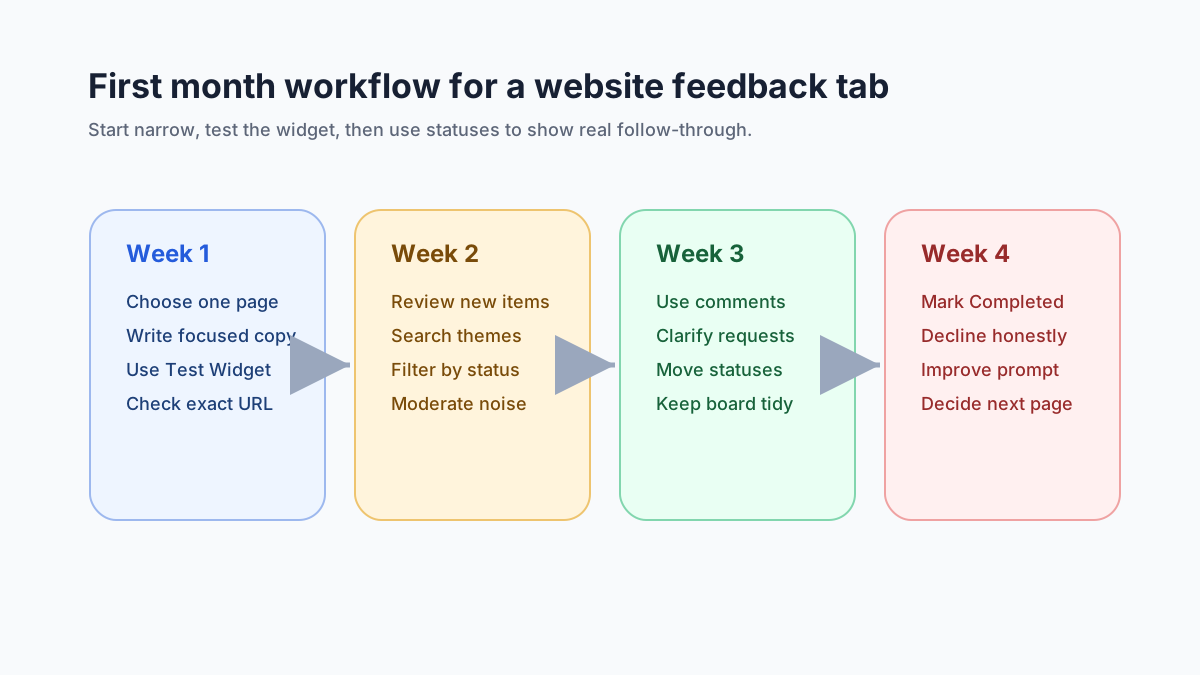
Week one should be about setup and signal quality. Choose one page, write a specific prompt, enable only the fields you need, and submit tests. If the first real submissions are vague, rewrite the description. If people ask support questions when you wanted product ideas, change the label. If no one notices the tab, adjust placement or contrast.
Week two should be about review rhythm. Check new submissions often enough that the board never looks abandoned. Search for repeated terms. Filter by status. Move the clearest new items out of Pending. Use comments when you need clarification. Moderate anything that does not belong.
Weeks three and four should be about visible follow-through. Mark shipped changes Completed when they are actually done. Use Under Consideration for promising ideas that still need judgment. Use Declined when a request is not a fit. A small number of honest statuses teaches visitors more than a large number of unreviewed ideas.
That first month is also when you should decide whether the tab belongs on that page permanently. If submissions are useful, keep improving the prompt and review habit. If the page is not generating useful feedback, move your attention to a page with stronger visitor intent.
Feedback tab versus feedback widget
People often use “feedback tab” and “feedback widget” interchangeably. The tab is the visible entry point. The widget is the full embedded experience: the button or tab, the form, the settings, the generated code, and the request management workflow after submission. When you compare tools, do not only compare the tab design. Compare what happens after a visitor clicks.
A good tab makes feedback accessible. A good widget makes feedback manageable. A good workflow makes feedback trustworthy. You need all three if you want visitors to keep contributing.
If your goal is product requests, the feature request widget guide goes deeper on request-specific language. If your goal is broad customer input, the customer feedback widget guide covers routing and follow-up. If you want an idea box that feels open but still manageable, the customer suggestion box for website guide is a useful companion.
How FeaturAsk fits a website feedback tab
At FeaturAsk, we built the website feedback tab around a focused owner workflow. You create the subscription for the exact webpage URL, customize the widget settings, paste the generated code in the page body, and test it before relying on it. The dashboard shows website subscriptions and purchase history, so the operational side stays visible.
The settings are practical rather than overwhelming. You can adjust headings, description, colors, fonts, comments, reCAPTCHA v2, status display, date display, and up to two optional fields. That is enough to make the tab match the page and collect the right details without turning a quick feedback path into a complicated survey builder.
Once feedback arrives, the request list becomes the daily tool. You can search, filter by status, view request details, read comments, inspect optional field data, delete or moderate requests, and move items through Pending, Under Consideration, In Progress, Completed, and Declined. This is the loop we care about: visible tab, focused form, owner review, and honest status.
For a small team, that loop is often more useful than a large research program. You can learn from real visitors on real pages, then decide what deserves attention. If the tab produces clear repeated requests, you have direction. If it produces confusion, you have copy and placement to improve. If it produces silence, you learn that the page may not be the right starting point.
Common mistakes to avoid
Do not make the tab label too broad. “Feedback” can work if the page context is obvious, but “Suggest an improvement” or “What is missing?” often produces better submissions. The label should tell visitors what kind of message you want.
Do not enable every setting just because it exists. Comments, date display, status display, reCAPTCHA v2, and optional fields are useful when they support the workflow. They are not trophies. Turn on what helps you collect and manage the request. Leave out what makes the tab feel heavier than necessary.
Do not promise action you cannot take. A feedback tab is not a contract to build every request. It is a channel for learning and review. Use statuses honestly. Pending, Under Consideration, In Progress, Completed, and Declined are most useful when visitors can trust that the labels mean something.
Do not skip moderation. Public feedback channels need owner care. Delete what should not be there, clean up unclear items, and keep the request list readable. A tidy board encourages better contributions because visitors can see that someone is paying attention.
When a small tab beats a big survey
A big survey is useful when you need structured answers from a defined audience. A feedback tab is better when you want timely ideas from people who are already experiencing the page. You do not have to choose forever. Use surveys when you need controlled research. Use a tab when you want continuous, page-level learning.
The tab is especially useful for small teams because it creates a low-cost habit. You can start with one page, one prompt, one or two optional fields, and one review rhythm. You can adjust the copy as you learn. You can use statuses to show what happened. You can avoid building a complex system before you know whether visitors will participate.
That is why we keep FeaturAsk simple. FeaturAsk gives you a 30-day no credit card trial, a $29.95/year plan, exact-page widget setup, customization, quick preview, Test Widget page, and request management without adding a heavy platform to your stack.
The bottom line
A feedback tab for website visitors works when it is specific, respectful, and managed. Put it on a page where visitors have real context. Write a label that points to the kind of input you want. Keep optional fields light. Test the widget. Review submissions. Use statuses honestly.
The small button is not powerful because it is small. It is powerful because it appears at the right moment and connects to a real owner workflow. If you want to test that workflow on one meaningful page, FeaturAsk starts with a 30-day no credit card trial and continues at $29.95/year after that.