6 Types of Tools for Collecting Feedback on a Website
Published: 2026-05-12
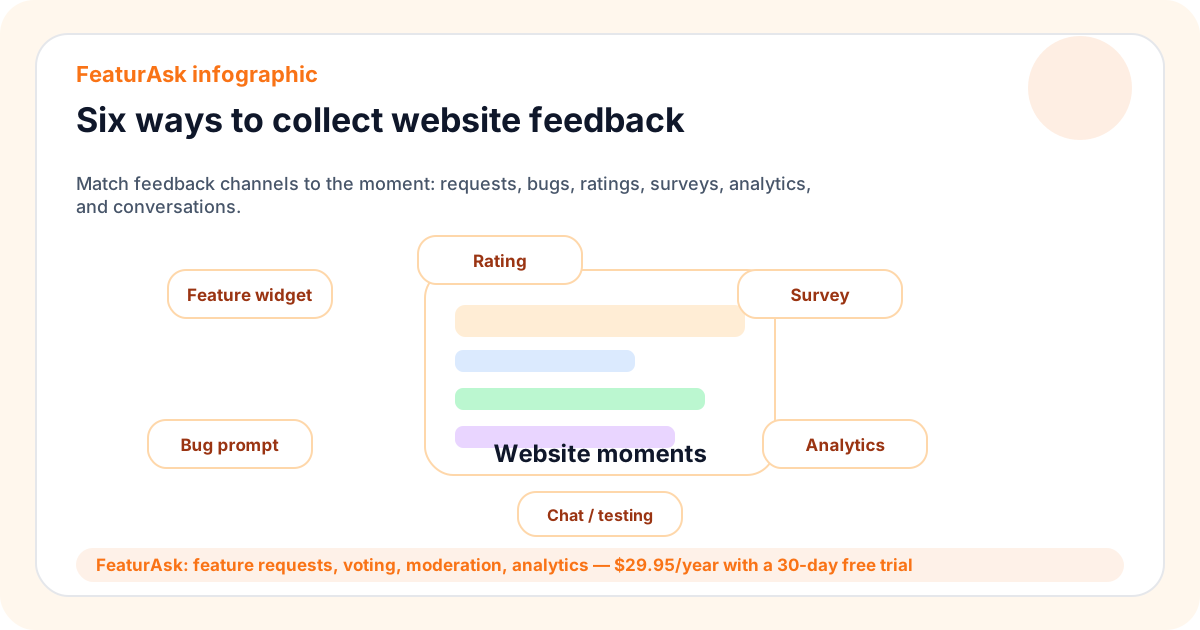
Collecting feedback on a website helps you understand what visitors need, what confused them, what blocked conversion, and what they want you to improve next. The challenge is choosing the right feedback method for the decision in front of you. A rating widget, a feature request board, a survey, analytics, live chat, and a usability test all answer different questions.
For small teams, the best website feedback setup is usually simple: collect clear comments where the user is already engaged, review the signal consistently, and communicate what changed. FeaturAsk helps with one important part of that system: feature feedback. It gives visitors a lightweight widget for submitting ideas, voting, and commenting while admins moderate and review patterns. You can start a free FeaturAsk trial with no credit card required; after the 30-day trial, it costs $29.95/year.
This guide connects with FeaturAsk resources on customer feedback tools, feature requests, feature voting, and customer feedback strategy. For another overview of the category, see Hotjar’s guide to website feedback.
Quick answer
The six most practical tools for collecting feedback on a website are feature request widgets, bug report prompts, rating widgets, forms or surveys, analytics tools, and live conversation or usability testing methods. Choose based on the question you need to answer. If you want to know what to build next, use requests and voting. If you want to diagnose a broken flow, combine comments with analytics. If you want quick sentiment, use ratings.
The right mix should produce decisions, not just more data. Every feedback channel should have an owner, a review cadence, and a clear next step.
What is website feedback?
Website feedback is information visitors provide, directly or indirectly, about their experience on your site. Direct feedback includes comments, feature requests, bug reports, form answers, ratings, chat messages, and interview notes. Indirect feedback includes behavior captured by analytics, such as exits, repeated clicks, search terms, scroll depth, and conversion paths.
The most useful feedback connects a visitor goal to a specific page or moment. “The pricing page is confusing” is helpful. “I could not tell whether the annual plan includes team members” is better. “I need team permissions before I can buy” is even stronger because it points toward a product or messaging decision.
Small teams do not need to collect every possible signal. They need enough signal to improve the website and product without drowning in dashboards. Start with the decisions you expect feedback to influence.
Types of website feedback
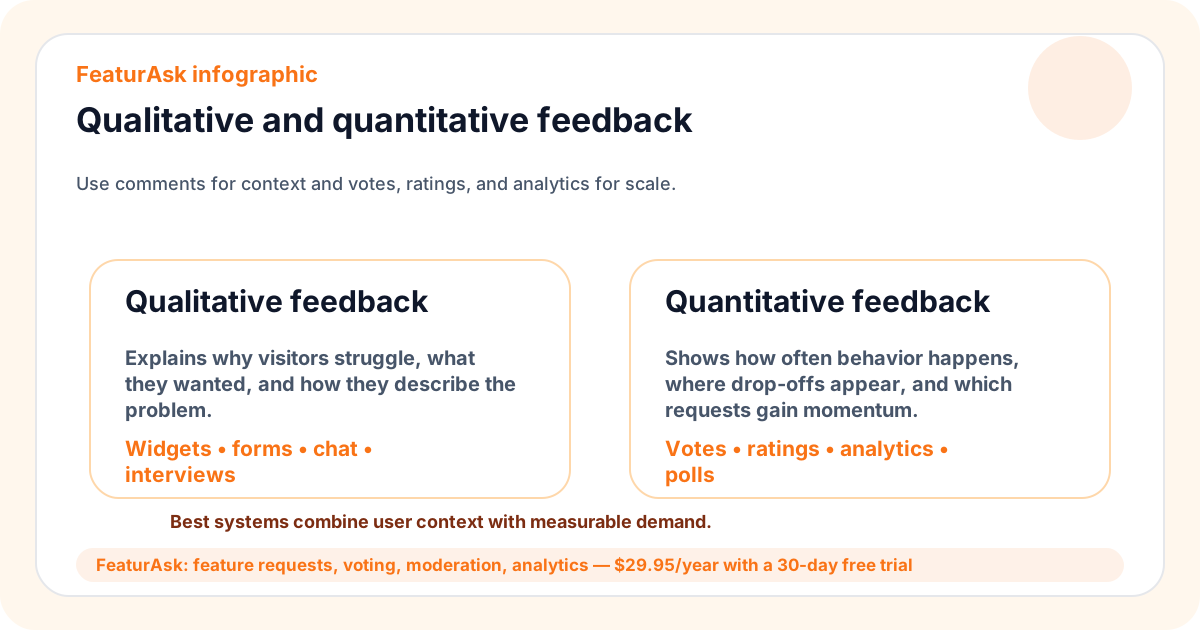
Website feedback can be grouped by purpose. Improvement feedback tells you what visitors want changed or added. Friction feedback tells you what blocked them. Sentiment feedback tells you how they felt about a page or interaction. Behavioral feedback shows what people did. Research feedback explains why they acted that way.
No single tool covers every purpose. A feature request board is strong for improvement demand, but it will not show funnel drop-off by itself. Analytics show drop-off, but they do not explain motivation. A survey can ask targeted questions, but it may miss spontaneous ideas. The best setup combines two or three complementary methods and reviews them together.
The collection point matters as much as the tool. Feedback placed on a pricing page should ask different questions than feedback placed inside documentation or a logged-in product area. Match the prompt to the visitor’s context so answers are specific enough to use.
Six main ways to collect feedback on a website
1. Feature feedback and request tools
Feature feedback tools let visitors suggest improvements, vote on existing ideas, and discuss use cases. They are ideal when your website represents a product, community, membership, marketplace, service, or SaaS app that changes over time.
The advantage is continuity. Instead of running a one-time survey, you give users an always-available place to say what would make the site or product better. Votes help reveal repeated demand, while comments explain the job behind the request. Admins can merge duplicates, moderate unclear ideas, and update statuses.
FeaturAsk fits this category. It is designed for small teams that want a simple, branded, mobile-friendly widget and admin dashboard rather than a heavy product suite. Use it when you want ongoing input about what to improve or build next.
2. Bug and issue feedback prompts
Bug prompts help visitors report something broken: a form error, layout issue, missing link, payment failure, or browser-specific problem. They should ask for different information than feature requests. A bug report needs steps to reproduce, expected behavior, actual behavior, browser or device details, and impact.
Keep bug intake distinct when possible. A broken checkout deserves a different response than an idea for a new dashboard. Mixing bugs and features can make prioritization messy and create confusion about urgency.
Good bug prompts are short but specific. They should make it easy to attach a screenshot or describe the page. The team should route urgent reports into an operational workflow, not wait for a weekly roadmap review.
3. Rating feedback tools
Rating widgets capture quick sentiment. A thumbs-up, smiley face, star score, or “was this helpful?” prompt can tell you whether a page answered the visitor’s question. Ratings work especially well on help articles, onboarding pages, documentation, and content pages.
The limitation is depth. A low rating tells you something is wrong but not always what to fix. Pair ratings with an optional comment field. Then review patterns: which pages get poor scores, which comments repeat, and whether changes improve the rating over time.
Avoid asking for ratings everywhere. Too many prompts can annoy visitors and reduce response quality. Place them where the answer will influence a decision, such as improving a support article or rewriting a confusing pricing section.
4. Feedback form and survey tools
Forms and surveys are useful when you need consistent answers from a defined group. They work well for post-purchase feedback, cancellation reasons, onboarding research, event follow-up, beta programs, and content preferences.
Keep surveys short and purposeful. Each question should connect to a decision. If you do not know what you will do with an answer, remove the question. Long surveys often produce lower completion rates and vague responses from people who are rushing.
Use open-ended questions sparingly but deliberately. A question like “What nearly stopped you from signing up?” can reveal objections that fixed-choice answers miss. Combine survey results with request data when a pattern suggests a product improvement.
5. Website and product analytics
Analytics show what visitors did. They can reveal high-exit pages, low-converting forms, traffic sources, device differences, search terms, click paths, and repeated actions. This makes analytics essential for finding where to investigate.
Analytics rarely explains why behavior happened. A visitor might abandon a page because the price is too high, the copy is unclear, the page loads slowly, the product lacks a needed feature, or they were interrupted. Use analytics to locate suspicious patterns, then collect direct feedback to interpret them.
A practical workflow is to review analytics for friction, place a targeted prompt on the problem page, and compare comments with behavior. For example, if many visitors leave the pricing page, ask what information is missing. If comments mention team permissions, that may become both a website copy improvement and a feature request.
6. Live conversation and usability testing
Live chat, customer interviews, and usability tests provide depth. They let you ask follow-up questions, watch confusion unfold, and understand language users naturally use. These methods are best for important pages, complex workflows, and decisions where guessing would be expensive.
The tradeoff is time. Live methods do not scale like widgets or ratings. Use them when the question is important enough to justify depth: why trials fail to activate, why buyers hesitate, why users misunderstand a feature, or how people complete a critical task.
You can combine live research with a feedback board. Requests and analytics show where to investigate; interviews and tests explain why the problem matters and what solution might work.
How to choose the best website feedback tools
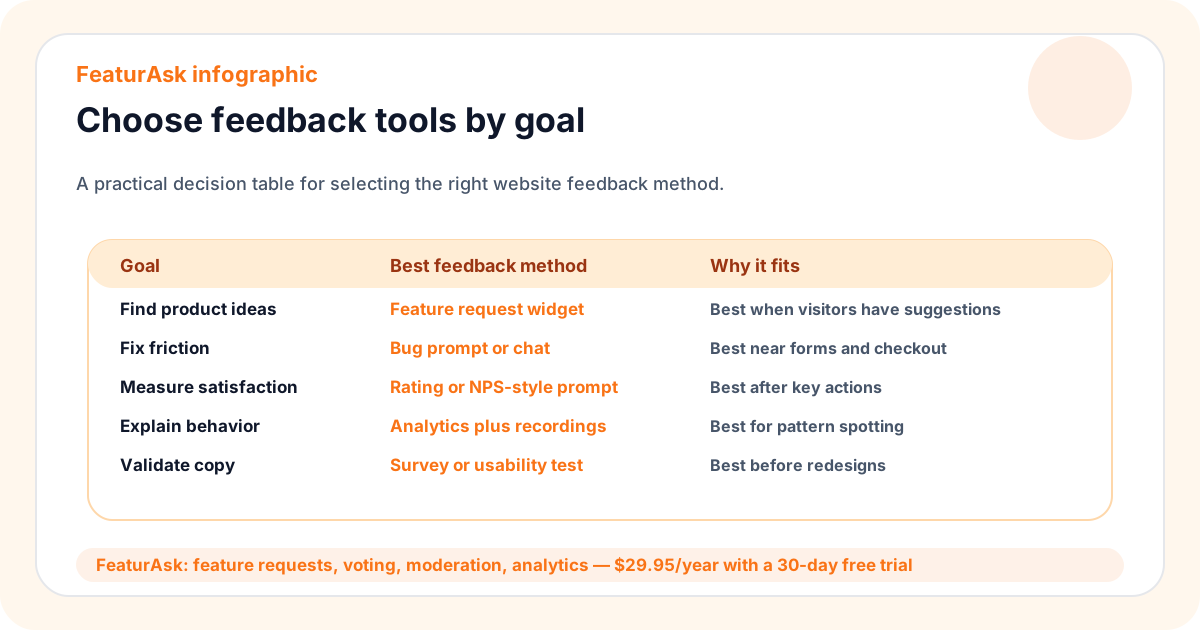
Start with the decision. If you want to improve content, use ratings plus comments. If you want to fix a funnel, start with analytics and targeted open feedback. If you want to decide what to build, use feature requests, voting, and comments. If you want to understand a confusing workflow, run a usability test.
Then decide who owns the review. Feedback without ownership becomes clutter. Assign a person to check new submissions, merge duplicates, route bugs, summarize survey results, and recommend next steps. The cadence can be weekly for product ideas and faster for operational issues.
Finally, close the loop. If visitors report a bug, acknowledge it. If users vote for a feature, update the status when it changes. If survey responses lead to a page rewrite, measure the result. Closing the loop teaches visitors that feedback is worth giving.
Be careful with incentives. Rewards can increase response volume, but they can also attract low-quality answers from people who want the reward more than the improvement. For website feedback, relevance and timing usually matter more than prizes. Ask the right person at the right moment and keep the question easy to answer.
How FeaturAsk fits
FeaturAsk is specifically useful for feature feedback on websites and small products. It gives visitors a simple way to submit ideas, vote, and comment without learning an internal tool. Admins get moderation, custom branding, mobile-friendly pages, and an analytics dashboard for reviewing patterns.
It is intentionally affordable for small teams: $29.95/year after a 30-day free trial, with no credit card required. That makes it practical to test a public or semi-public feedback loop before investing in heavier systems. If your website currently collects ideas through scattered emails and comments, launch a FeaturAsk board and see whether a visible widget improves participation.
FeaturAsk does not replace every website feedback method. You may still use analytics for behavior, forms for structured research, and usability tests for depth. Its role is to make ongoing improvement ideas easier to collect, organize, and prioritize.
That role is especially valuable when feedback should stay visible. A contact form sends one message to one inbox. A request board lets future visitors find the idea, add a vote, and contribute a better example. Over time, the board becomes a living record of what your audience wants improved.
One-week implementation checklist
- Pick the main decision you want website feedback to improve.
- Choose one primary feedback tool and one supporting signal.
- Place prompts where visitors have enough context to answer well.
- Keep forms short and use plain language.
- Route bugs, feature ideas, and content comments to the right owner.
- Review feedback on a predictable cadence and publish status updates when appropriate.
- Remove prompts that create data no one uses.
FAQ
What is the easiest website feedback method?
A lightweight widget is often easiest because it appears where visitors already are. For feature ideas, a request widget with voting and comments is more useful than a generic contact form.
Do analytics count as feedback?
Yes. Analytics are behavioral feedback. They show what happened, but they should be paired with comments, requests, surveys, or research to understand why it happened.
How many website feedback tools should a small team use?
Start with one or two. Add more only when a specific decision requires a different kind of signal. Too many tools can create noise and duplicate work.
What does FeaturAsk cost?
FeaturAsk costs $29.95/year after a 30-day free trial, and no credit card is required to start. It includes the feedback widget, voting, discussion, moderation, custom branding, mobile-friendly pages, and the admin dashboard. When you want a simple way to collect improvement ideas, try FeaturAsk.