16 Changelog Examples Small Teams Can Adapt Without Copying
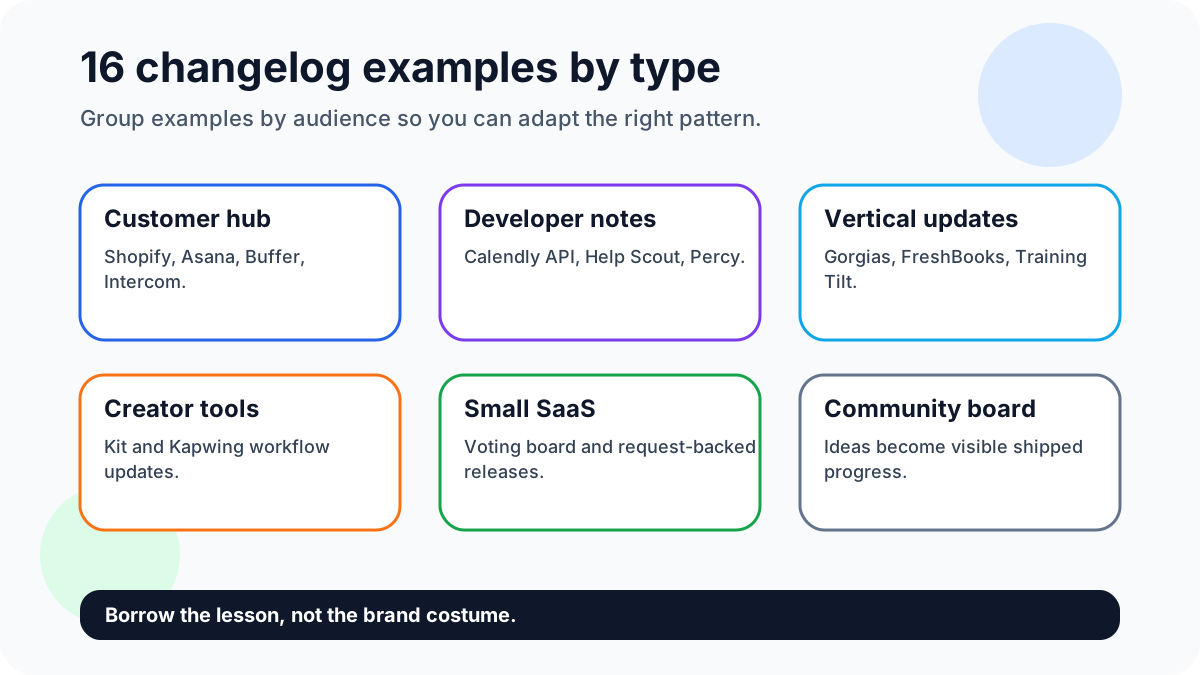
A changelog is not just a list of shipped work. For a small SaaS, ecommerce site, marketplace, creator platform, or service business, it is a public record that says users asked, the team listened, and the product changed. The best examples reduce support questions, help users discover value they missed, and invite the next round of feedback.
Quick answer: the best changelog examples make progress visible with a benefit-led title, a short before-and-after explanation, and a next step for users who want to shape future updates. Connect the work with feature request templates, feature voting, and building better products with user feedback where useful.
Sign up for FeaturAsk to connect your changelog with real customer requests — one month free, no credit card required, and the paid plan is $29.95/year for a simple website feedback widget.
Why this matters now
Changelog examples matter because users judge momentum from the way a product explains change. A lean team can build trust without a large marketing operation by showing specific improvements, connecting them to requests, and making the next action obvious.
16 changelog examples worth borrowing
1. FeaturAsk public feedback loop
Shows the whole path from request to vote to shipped update. Borrow the habit of linking each announcement to the customer problem it solved, so readers see progress rather than a disconnected release feed.
2. Shopify merchant changelog
Works because merchants can scan updates by business impact. Small ecommerce tools should copy the practical language: what changed, where it appears, and why store owners should care today.
3. Asana what is new hub
Uses clear product areas and user-oriented headlines. The lesson is to group many updates without forcing readers to understand internal team names or sprint language.
4. Buffer transparent update feed
Proves that consistency builds trust. Even simple updates feel valuable when the tone is plain, the cadence is reliable, and the company avoids pretending every improvement is revolutionary.
5. Intercom product changes
Often connects releases to customer communication workflows. Borrow the focus on use cases: tell support, sales, or success teams exactly how the change helps a conversation.
6. Help Scout developer changelog
Shows why technical notes need precision. API and integration updates should include compatibility, migration notes, and dates, not just a customer-friendly benefit sentence.
7. Calendly API notes
Useful for teams that serve builders. Copy the separation between developer impact and end-user value so nontechnical users are not buried under endpoint details.
8. FreshBooks customer updates
Good customer updates translate product work into business outcomes. Accounting, billing, and admin changes need extra clarity because users are often trying to avoid mistakes.
9. Gorgias ecommerce releases
Strong ecommerce examples connect updates to revenue, support speed, or operational control. That makes the release feel tied to a merchant’s day, not just a software vendor’s roadmap.
10. Kit creator updates
Creator tools should explain how a change helps publish, sell, or grow an audience. The best notes use friendly language while still being specific about the workflow.
11. Kapwing creator workflow notes
Visual product updates benefit from screenshots and before-after framing. Borrow the habit of showing where the new control lives and what task becomes faster.
12. Percy visual testing updates
Technical products can still be readable. A good example names the testing pain, the reliability improvement, and any action engineering teams need to take.
13. Training Tilt community updates
Community products should connect changes to participation: easier signups, cleaner announcements, better member management, or faster course delivery.
14. A small SaaS voting board
For a lean SaaS, the best changelog may be a simple list of voted requests that were shipped. The advantage is credibility: users see that small teams can still listen.
15. An ecommerce product request wall
Stores can use changelogs to announce new product lines, size options, shipping changes, and checkout improvements that came from visitor demand.
16. A creator community idea board
Creators can announce new lessons, templates, events, or downloads based on audience votes. This keeps the changelog from feeling like corporate software copy.
FeaturAsk angle for smaller teams
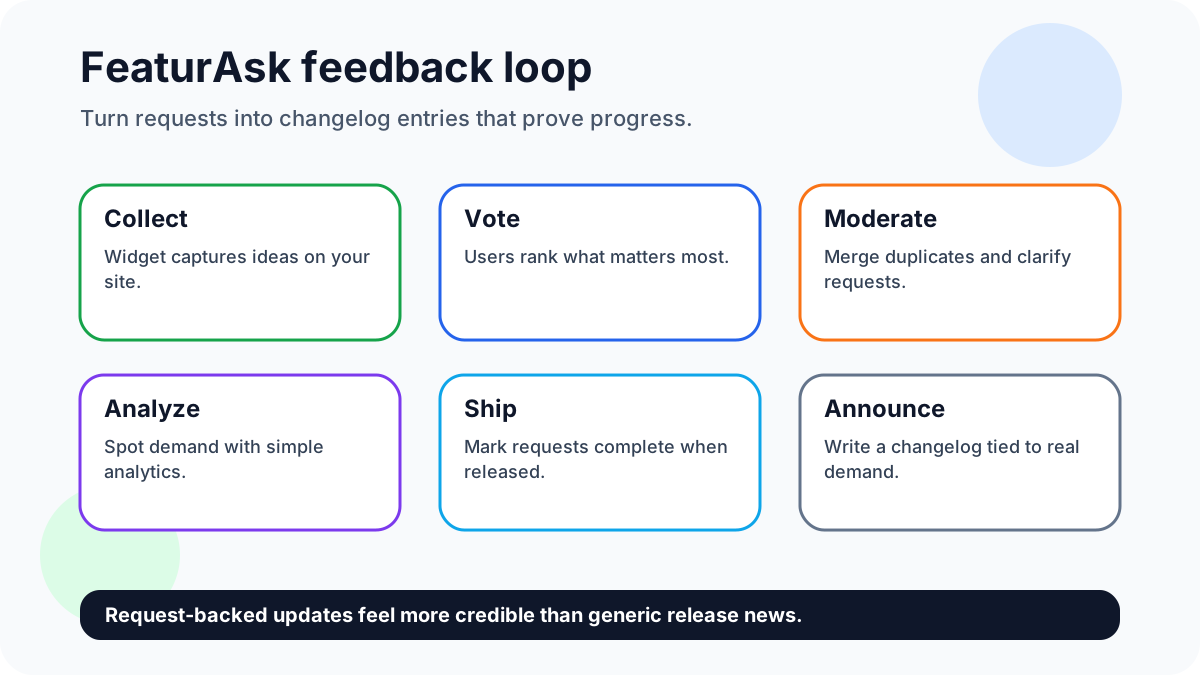
FeaturAsk fits this article because the best changelog examples are powered by real user demand. Its widget collects ideas, votes, and comments, then gives admins moderation and analytics so a shipped update can point back to the request pattern that justified it.
Try FeaturAsk free for one month and turn voted requests into clearer update examples with no credit card. The annual plan is $29.95/year.
Evidence and current references
Public examples from Shopify’s changelog, Asana’s What’s New page, and Buffer’s updates page show how teams organize ongoing product communication without hiding practical details.
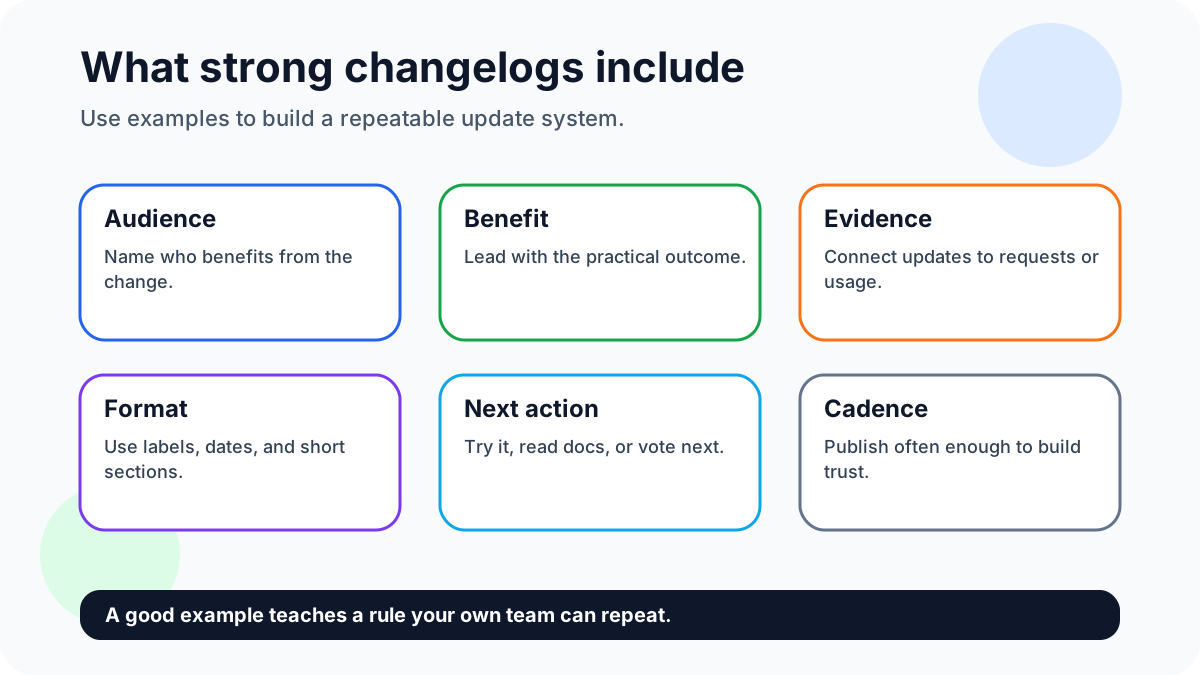
Strong changelog examples avoid vague labels like “improvements.” They say who benefits, why the change matters, and what the user can do now.
A simple weekly workflow
Each week, pick one shipped change and trace it back to the customer signal behind it. Merge duplicate request threads, choose the clearest user benefit, publish the update, and invite readers to vote on the next related improvement.
How to adapt these examples without copying them
Pick the pattern that matches your audience first. Developer-heavy products need precise compatibility notes; ecommerce products need revenue and operations context; creator products need audience and publishing context. Do not copy another company’s categories if your users would not search that way. Create three or four labels your customers understand and keep them stable.
The strongest changelog pages also connect old requests to new behavior. If five users asked for duplicate request merging, the shipped note can say that admins now have a cleaner way to combine ideas and preserve votes. That single sentence proves the release is grounded in feedback. It also teaches readers how to submit better requests next time.
Before publishing, ask whether the entry answers four questions: who benefits, what changed, why it matters, and what should the reader do next? If the answer is unclear, rewrite the title before adding more paragraphs. Clarity beats length.
Editorial checklist
Review each example for one transferable lesson. If the lesson is only “this company has a nice page,” cut it. Keep examples that teach cadence, segmentation, visual clarity, request context, or action-oriented release writing.
Selection guide for the 16 examples
Use the first group of examples when your product changes frequently and readers need a dependable feed. Public update hubs from large software companies demonstrate the value of stable navigation: readers can filter, scan, and return later. A small team can achieve the same clarity with fewer moving parts by using a single page, clear dates, and four familiar labels.
Use the developer-focused examples when compatibility matters. API users do not want a cheerful paragraph that hides breaking behavior. They need version numbers, migration notes, affected endpoints, and a direct link to documentation. Customer-facing users can still get a shorter summary, but technical readers deserve precision.
Use the creator, ecommerce, and community examples when the product experience is visual or audience-driven. These updates should explain what a customer can do now: launch a product variant, publish a lesson, manage a member group, or reduce support effort. The strongest note includes a concrete action and avoids abstract claims like “better experience.”
For FeaturAsk, the most useful pattern is the request-backed announcement. Start with the idea users asked for, mention the vote or recurring request theme, explain what shipped, and ask for the next improvement. That creates a public memory of responsiveness. It also makes the changelog easier to write because the story already exists in the feedback board.
Quality checklist for changelog examples
Before copying any example style, check whether it fits your maintenance capacity. A highly designed update hub looks impressive but may fail if your team cannot keep it current. A plain markdown-style page can outperform a polished but stale changelog. The user does not need a magazine; the user needs confidence that the product is alive and improving.
Look for specificity. Good examples name the feature area, audience, and outcome. Weak examples hide behind broad words such as enhanced, optimized, powerful, or streamlined. Replace those words with the actual result. If exports are faster, say how the user notices. If request moderation is easier, say which admin task takes fewer steps. If a setting moved, show where it moved.
Finally, connect examples to a next action. A changelog can invite users to try the feature, read the docs, vote on the next idea, or submit a follow-up request. That final action is what turns a static update archive into a living product communication loop.
When a changelog example is not worth copying
Do not copy an example just because the brand is well known. Some large companies can publish broad platform updates because their users already understand the product surface. A smaller team usually needs more context. If your users do not know where a feature lives, include a location cue. If they may not understand why the change matters, include a before-and-after sentence.
Avoid example pages that are mostly promotional. A changelog should build trust through specificity. “We launched a powerful new experience” is weaker than “Board owners can now hide duplicate requests while keeping the original vote count.” The second sentence tells the reader what changed and why it matters.
Also avoid copying update volume. A company with weekly launches may need a busy feed; a solo founder may need a monthly roundup. The right cadence is the one that keeps users informed without creating a publishing burden.
Measuring whether the changelog works
Track simple signals: clicks from the changelog to the product, support questions after a release, votes on related requests, and replies from users who asked for the change. If users keep asking whether a shipped feature exists, the changelog is not visible or clear enough. If users vote on the next related idea, the changelog is doing more than broadcasting; it is feeding discovery.
How to choose the right changelog style
Do not copy the most famous changelog on the list just because it looks polished. Choose the format that matches the reader's job. Developer audiences need version detail, breaking-change warnings, and implementation links. Busy customers need the benefit, the affected workflow, and whether they need to take action. Community-led products need visible proof that requests, votes, and comments changed the roadmap.
A practical shortlist is enough. Pick one customer-facing example such as Shopify's changelog, one team-update example such as Asana's What's New page, and one transparent update feed such as Buffer's product updates. Then write down what each example does well: labels, cadence, benefit wording, screenshots, or links back to supporting docs. That exercise is more useful than collecting dozens of screenshots because it turns inspiration into rules your own team can repeat.
FeaturAsk-backed example workflow
The strongest small-team changelog starts before the release note is written. Collect requests in FeaturAsk, let users vote and comment, merge duplicates, and mark the shipped item when the work goes live. The changelog entry can then say what users asked for, what changed, who benefits, and what readers should request next. That gives the update a source of truth instead of making it sound like marketing copy.
For example, a small ecommerce app might receive repeated requests for CSV export filters. The update should not say only "export improvements." A better entry says: "CSV exports now include date and status filters, requested by store owners reconciling monthly orders. Try it from Reports, then vote on the next export field." This is specific, user-centered, and easy to connect back to a feature request board.
Example quality checklist
Keep an example only if it teaches a reusable lesson. Can readers see the audience? Is the change concrete? Does the format reduce support questions? Is there a next action: read docs, try the feature, vote, or ask for the next improvement? Remove famous examples that do not answer those questions.
Also check freshness. A changelog that has not been updated for months may still contain useful design ideas, but it is a weak operating model. The goal is not to imitate a brand; it is to create a repeatable communication habit that makes progress visible.
FAQ
What is the fastest way to start?
Start by publishing one update that came directly from a user request. Explain the request, the shipped change, and what readers should vote on next.
How do you keep quality high?
Quality stays high when every example names the audience, the change, and the lesson. Remove examples that are famous but not instructive.
Why use FeaturAsk?
FeaturAsk supplies the request and voting context that make changelog examples credible. Use it to show which customer needs shaped the update. Sign up for FeaturAsk and test the widget for one month free with no credit card; the annual plan is $29.95/year.
Sources
- Public examples from Shopify’s changelog, Asana’s What’s New page, and Buffer’s updates page show how teams organize ongoing product communication without hiding practical details.