SaaS Customer Service: 6 Key Strategies to Improve Customer Satisfaction
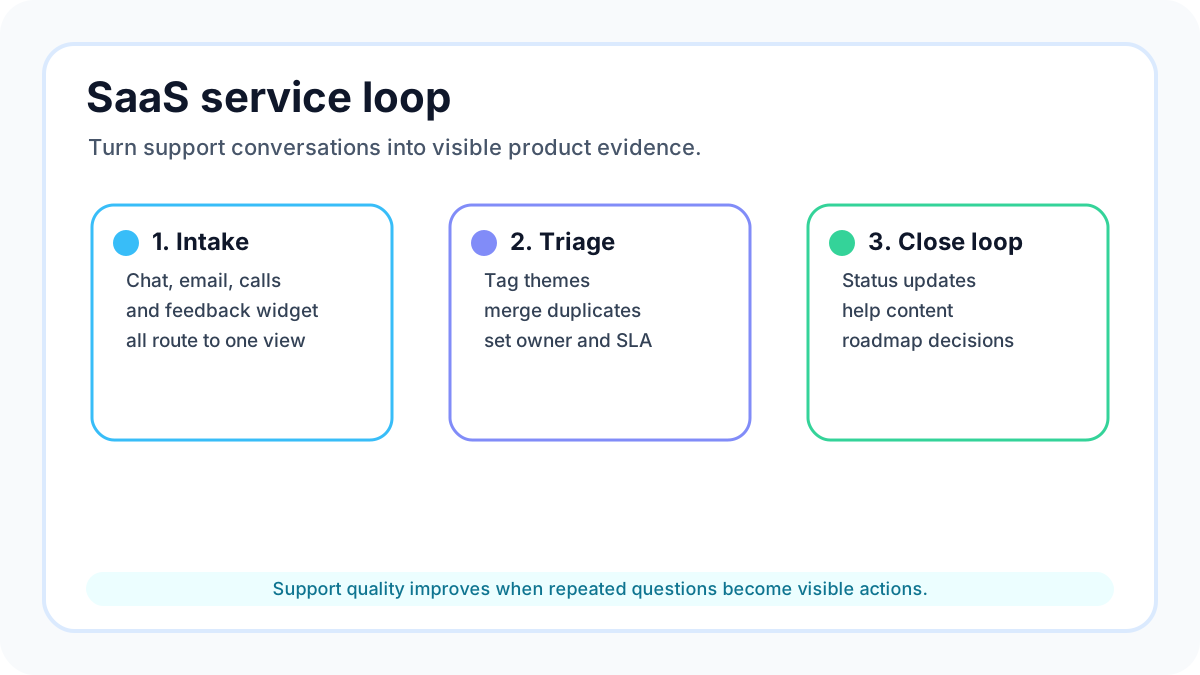
SaaS customer service is usually judged by response time, ticket volume, and satisfaction scores. Those numbers matter, but they do not tell a small team what to improve next. A founder, creator, ecommerce operator, or lean SaaS team also needs to know which complaints are one-off confusion, which requests point to a broken workflow, and which ideas deserve a place on the roadmap.
This guide turns SaaS customer service into a practical operating playbook for lean teams. Instead of recommending a heavy support stack, it shows how to connect service conversations to a simple feedback board, weekly triage, clear support goals, and visible product decisions. If you want to collect requests directly from your site while this process is fresh, start a free FeaturAsk trial and test the loop without a credit card.
For related implementation details, see our guides to feature request software, website feedback widgets, and customer feedback strategy. The common principle is simple: support should not be a private inbox where product signals disappear. It should be a structured source of evidence.
Quick answer
To improve SaaS customer service, give customers one obvious place to ask for help and submit ideas, define what good service looks like, support the channels your customers actually use, review feedback every week, use analytics to find repeated friction, and keep your support system flexible in the cloud. For small teams, the highest-leverage move is to turn recurring support questions into visible requests that customers can vote on and follow.
That approach matches broader customer-experience research. Zendesk's customer experience trends show why customers expect fast, connected support, while Intercom's customer support resources emphasize the value of combining help channels, automation, and human follow-up. FeaturAsk fits the practical middle: a lightweight board that captures recurring demand before it becomes roadmap guesswork.
1. Build one shared intake point
Before adding more tools, make it clear where customer requests go. A small SaaS team often has feedback scattered across chat, email, calls, social comments, sales notes, and founder DMs. That creates two problems: customers repeat themselves, and the team cannot see which issues are actually common.
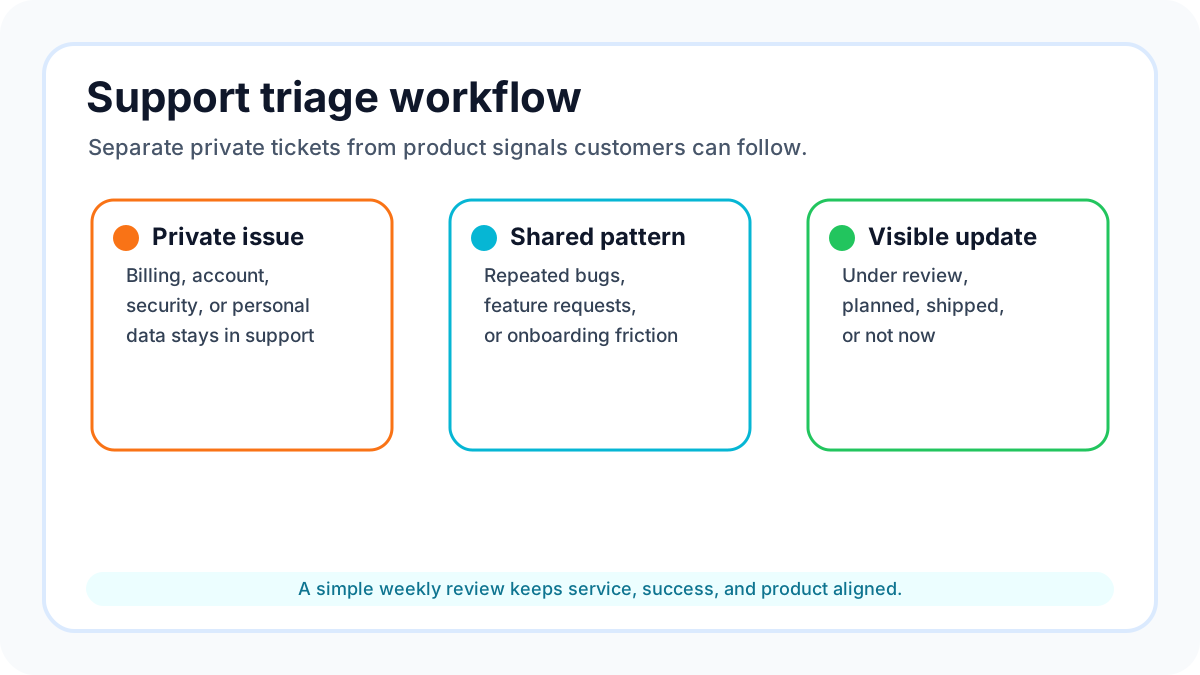
Create one shared intake point for product feedback and improvement requests. This does not mean every support message must be public. Password issues, billing problems, and private account questions still belong in support. But feature ideas, workflow blockers, integration requests, unclear settings, and repeated objections should be captured in a place where they can be grouped and reviewed.
A FeaturAsk board is useful here because it gives visitors a direct place to submit an idea, vote on existing requests, and add context. The team can moderate duplicates, update statuses, and keep the conversation focused. The result is less copying between spreadsheets and more evidence in one place.
2. Have a clear set of goals
The original source recommends setting clear goals, and that advice becomes even more important for lean teams. Without goals, SaaS customer service turns into a race to answer everything quickly, even when the same issue keeps returning. Good service should reduce friction, protect trust, and teach the product team what needs to change.
Define a small set of service goals that connect support quality to product outcomes. For example, you might aim to reduce onboarding confusion, identify the top three missing integrations, shorten time to first value, or make pricing questions easier to answer. Each goal should have an owner, a measurement method, and a weekly decision attached to it.
Do not create goals that only decorate a dashboard. If a metric cannot change a product, help-content, onboarding, or messaging decision, it is not useful yet. Start with goals your team can act on this month.
3. Provide multi-channel support
Customers do not all ask for help in the same place. Some prefer email, some use chat, some comment inside a community, and some only speak up after they churn. Multi-channel support is not about being everywhere. It is about meeting customers in the channels they already trust while keeping the team's internal view organized.
For a small business, the practical version is a simple channel map. List where requests arrive, what type of issue belongs there, how quickly the team responds, and when a support conversation should become a feedback-board item. A billing issue may stay private. A repeated request for a Shopify integration, export option, mobile layout, or clearer notification setting should become a public or moderated request that other users can support.
This is where service and product management overlap. Support channels collect the raw story; a feedback board preserves the pattern. When other customers vote or add details, the team can separate loud anecdotes from repeated demand.
4. Keep an eye on feedback
Customer feedback is not useful because it exists. It becomes useful when the team reviews it on a predictable cadence and closes the loop. Set a weekly triage meeting, even if it is only twenty minutes. Review new requests, merge duplicates, tag themes, and decide which items need a response.
Use plain statuses. "Under review," "planned," "shipped," and "not now" are often enough. Customers do not need a complex internal roadmap; they need to know that their request was seen and that the team has a reason for the next step. When declining a request, explain the tradeoff respectfully. A good no can build more trust than silence.
Feedback review should also include support language. If customers keep asking how something works, the fix may be a help article, onboarding email, tooltip, or pricing-page rewrite rather than a new feature. Treat every repeated question as evidence of friction somewhere in the customer journey.
5. Use call analytics
Call analytics are useful even when your team does not run a large phone operation. Calls, demos, onboarding sessions, and support chats contain high-context signals. They reveal the customer's words, urgency, expectations, and confusion in a way a bare ticket count cannot.
If you record or summarize calls, look for repeated phrases. What do customers say they expected? Which steps make them hesitate? What workaround do they describe? Which feature do they assume already exists? Add those patterns to your feedback board as evidence, not as a transcript dump. The goal is to turn messy conversation into clear product questions.
Be careful with AI summaries. They can help organize notes, but they should not replace judgment. A summary may identify that five users asked for an automation feature, but your team still needs to decide whether the request fits your product promise, price point, and customer segment.
6. Look to the cloud
Cloud-based support and feedback tools help small teams move faster because they do not require internal infrastructure. You can add a widget, collect ideas, review demand, and update statuses without building a custom portal. That matters when your real constraint is attention, not server capacity.
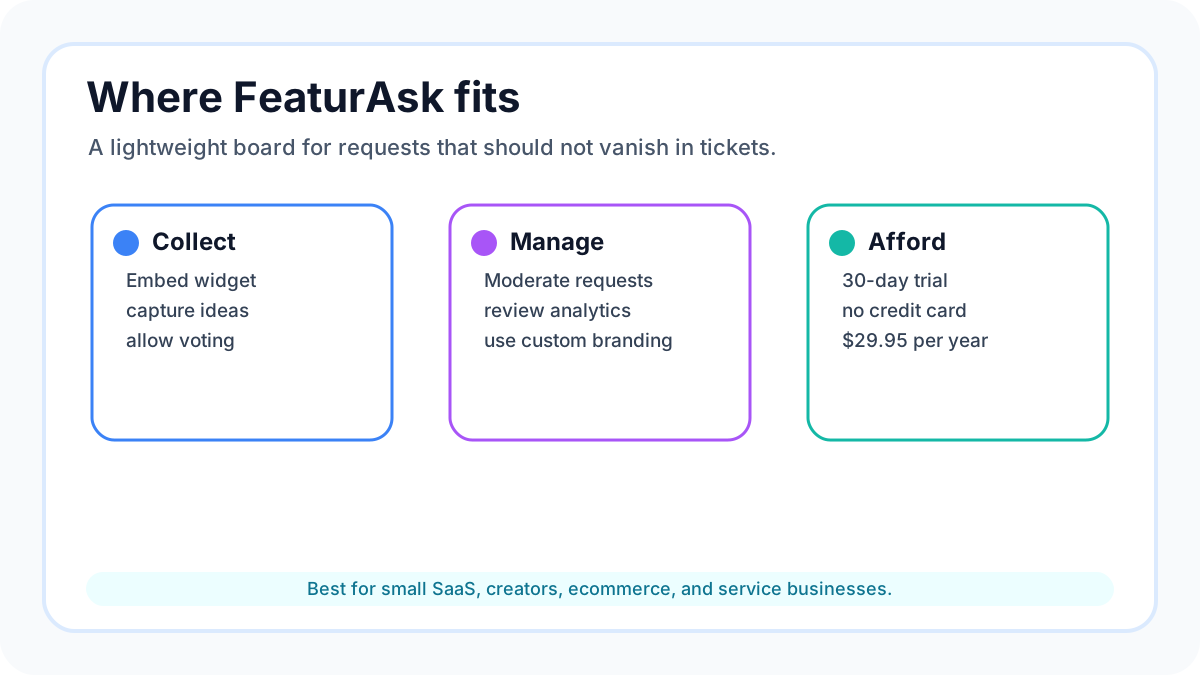
The risk is buying a platform that is more complicated than the process you actually need. If you are still proving which requests matter, start with a lightweight tool. FeaturAsk is built for that stage: a simple feature request widget and feedback board for small SaaS sites, creators, ecommerce businesses, and service teams. It includes voting, moderation, request management, analytics, and custom branding for $29.95/year after a 30-day free trial.
When the process is simple, customers are more likely to use it and the team is more likely to maintain it. Complexity can come later if the evidence justifies it.
A one-week implementation checklist
Use this checklist to make SaaS customer service more actionable without reorganizing your whole company.
- Pick one page, help center section, or logged-in area where customers naturally think about requests.
- Add a feedback prompt that invites users to submit an idea or vote on an existing one.
- Write three moderation rules: merge duplicates, ask for missing context, and close requests with a short explanation.
- Tag requests by customer type, urgency, revenue or retention signal, and effort level.
- Review the board once a week and choose one visible response.
- Turn repeated support questions into help content, onboarding improvements, or roadmap candidates.
- Share the board internally so support, sales, marketing, and product use the same evidence.
How FeaturAsk keeps the loop simple
FeaturAsk is designed for teams that want customer feedback without enterprise overhead. Add the widget to a website, let visitors submit requests, let other users vote, and manage the queue from a clean dashboard. That is enough for many founders and small teams to see what customers want before committing build time.
The pricing reinforces the fit. FeaturAsk costs $29.95/year after a one-month free trial, and no credit card is required. If your current process is scattered across inboxes and notes, launch a FeaturAsk board and use the next month to prove whether visible feedback improves your decisions.
Common mistakes to avoid
The first mistake is treating every support message as a feature request. Some messages are bugs, some are education gaps, and some are account-specific. Classify the issue before adding it to a public queue.
The second mistake is letting votes make decisions alone. Votes show demand, not strategy. Combine votes with customer fit, revenue impact, effort, support burden, and product direction.
The third mistake is forgetting to close the loop. A feedback board that never changes becomes another dead inbox. Update statuses, thank customers for useful context, and post short notes when something ships.
The fourth mistake is hiding decisions because they feel imperfect. Customers usually understand tradeoffs when the explanation is honest. Silence creates more frustration than a clear "not now."
What to measure without overcomplicating the process
A small team does not need a service analytics department to learn from customers. It needs a few measures that create better choices. Track the number of new requests, the number of duplicate or related requests, the customer segment behind each request, and the status changes made each week. Those four signals show whether the board is becoming a useful operating system or just another collection bin.
Also track the type of response each request receives. Some requests lead to a shipped feature, but many lead to a help article, onboarding tweak, pricing clarification, integration workaround, or polite decline. This is important because customer service quality improves when the team solves the underlying confusion, not only when it adds more software.
Use support volume as a discovery signal. If one feature creates repeated tickets, the solution may be better product design. If one integration request keeps collecting votes, the solution may be a roadmap decision. If one pricing question keeps appearing in chat, the solution may be clearer packaging. The feedback board should help the team see these differences quickly.
Finally, keep the process visible to customers. A short status update is often enough: "We are researching this," "This shipped today," or "We are not planning this because it would make the product harder for our core users." Customers do not expect every idea to win. They do expect to know whether anyone is listening, what changed, and how the team thinks about tradeoffs. That visible reasoning turns routine service follow-up into a trust-building habit.
FAQ
How often should we review SaaS customer service signals?
Weekly is enough for most small teams. Review faster during launches, pricing changes, onboarding experiments, or support spikes because those moments produce unusually specific feedback.
Should every request become a roadmap item?
No. Separate demand, evidence, and commitment. A request deserves context before it deserves a roadmap slot.
Do we still need interviews?
Yes. A feedback board shows repeated demand, while interviews explain motivation and workflow details. Use both when the decision is expensive or hard to reverse.
What makes a feedback board different from a survey?
A survey captures one moment. A feedback board keeps collection, voting, discussion, moderation, and status updates open over time.
What is the fastest first step?
Choose one customer-facing page and invite users to submit or vote on requests there. Then review the results every week. If you want a lightweight way to test that process, try FeaturAsk free and keep the workflow simple from day one.