14 Release Notes Templates with Examples for Each
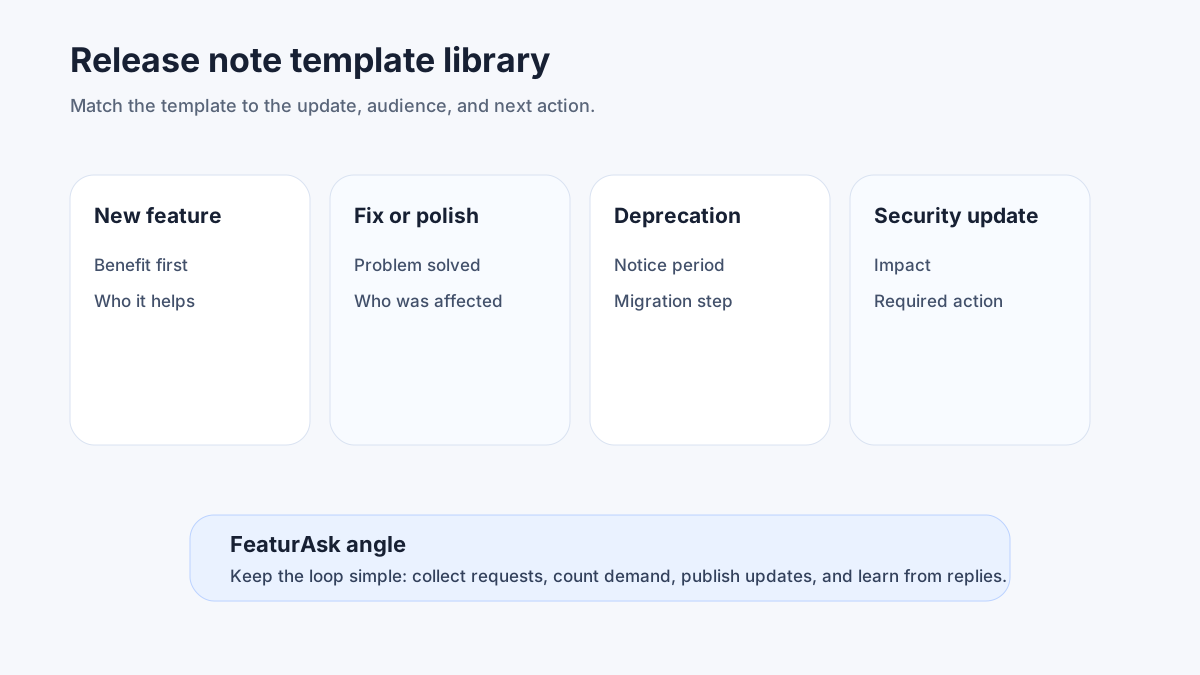
Release notes are easier to write when you do not start from a blank page. The hard part is choosing the right shape for the update: a single feature announcement, a weekly digest, a bug fix notice, a pricing change, a deprecation warning, or a launch page that collects many improvements at once.
This guide gives you 14 release notes templates with practical examples for SaaS teams. Use them as starting points, then adapt voice, detail level, and channel. A developer reading API notes needs more precision than a customer success manager reading a dashboard announcement. A billing change needs more context than a small UI polish note.
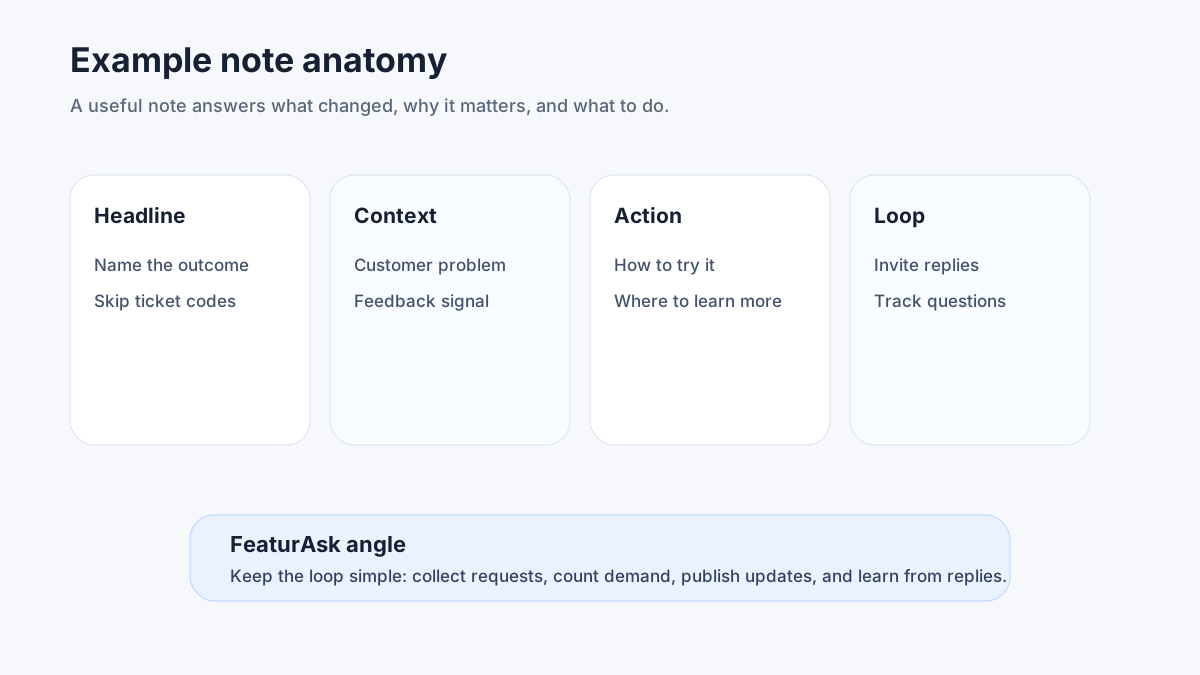
The goal is not to make every update long. The goal is to make every update useful. A good release note tells readers what changed, why it matters, who is affected, what action to take, and where to learn more. If the update came from feedback, show customers that requests influenced the roadmap.
For more context, use FeaturAsk's guides to release notes best practices, how to write release notes, and mastering release notes best practices and examples.
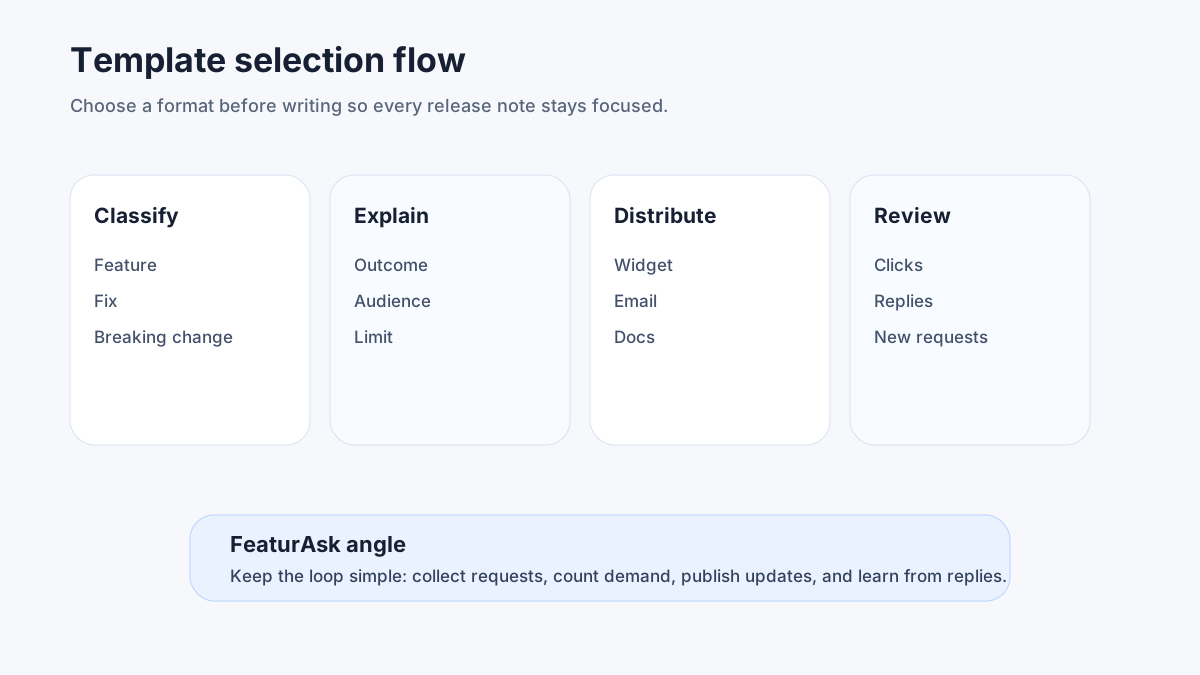
How to choose the right release note format
Choose the format based on the reader's decision. If the reader only needs awareness, use a short changelog entry or digest. If behavior must change, use a dedicated notice with clear timing and next steps. If the reader needs to evaluate a capability, use a feature announcement with screenshots, benefits, and examples.
A helpful rule is to classify each update by impact and urgency. High-impact, high-urgency updates deserve standalone communication. Low-impact, low-urgency updates belong in a roundup. Future deprecations need repeated notices. Small hotfixes need concise status-style messages.
You can also borrow structure from two public standards. Keep a Changelog recommends grouping changes so readers can scan quickly. Semantic Versioning separates major, minor, and patch releases, which helps technical teams decide how much explanation a change needs.
If you want one place to collect feedback, show roadmap progress, and publish release notes, start FeaturAsk with a 1 month free trial and no credit card. It is $29.95/year after that, keeping the release process affordable for small teams.
1. Single-feature release note template
Use this when one shipped feature deserves focused attention.
Template
- Title: New: [feature name]
- Summary: [one sentence about the outcome]
- Who gets it: [plans, roles, beta group, or all users]
- Why it matters: [customer problem solved]
- How to use it: [short steps]
- Feedback prompt: [question or link]
Example
New: Saved views for roadmap filters
You can now save filtered roadmap views for a specific segment, team, or account list. This helps product managers review enterprise requests without rebuilding the same filters every week.
Available to workspace admins and product managers on all paid plans. Open Roadmap, apply filters, select Save view, and name the view. Tell us which shared views would help your team next.
2. Weekly roundup release note template
Use this for several small improvements that are useful but not worth separate announcements.
Template
- Title: This week in [product]
- Intro: [brief theme]
- Added: [new items]
- Improved: [quality-of-life items]
- Fixed: [bugs]
- Coming next: [optional teaser]
Example
This week in FeaturAsk
We made feedback triage faster and cleaned up several admin workflows.
Added: bulk status changes for feature requests. Improved: roadmap cards now load faster on large boards. Fixed: a sorting issue in customer exports. Coming next: saved segments for release announcements.
3. Monthly release notes template
Use this when customers prefer a steady summary rather than frequent messages.
Template
- Title: [Month] product update
- Executive summary: [three bullets]
- Highlights: [two to four major items]
- Smaller improvements: [short list]
- Learn more: [docs, video, or roadmap]
Example
April product update
This month, we focused on clearer prioritization, faster feedback review, and better launch communication.
Highlights: weighted voting is now available for customer segments, release notes can be scheduled, and roadmap items support internal confidence scores. Smaller improvements include faster search, cleaner CSV exports, and better mobile spacing.
4. Quarterly or seasonal highlights template
Use this for executive-friendly communication, customer newsletters, and board-level product momentum.
Template
- Title: [Quarter] product highlights
- Theme: [strategic focus]
- By the numbers: [safe, verifiable metrics if available]
- Major launches: [three to five]
- Customer impact: [outcomes]
- Next focus: [what is coming]
Example
Q2 product highlights
Our theme this quarter was closing the loop between customer requests and shipped improvements. We launched public roadmap subscriptions, release note reactions, and duplicate request detection. Customers can now see progress faster, while product teams spend less time merging repeated ideas.
5. Annual release notes template
Use this to summarize momentum for prospects, investors, and long-term customers.
Template
- Title: [Year] product recap
- Opening: [main product story]
- Biggest launches: [grouped list]
- Reliability and quality: [stability work]
- Customer-requested improvements: [proof of listening]
- What is next: [direction, not promises]
Example
2026 product recap
This year, we focused on making customer feedback easier to act on. The largest launches were release notes scheduling, roadmap follower alerts, and improved request merging. We also shipped dozens of smaller fixes that made triage faster and reporting clearer.
6. Tier 1 major launch template
Use this for a flagship feature, product line, or workflow that changes how customers use the product.
Template
- Title: Introducing [major launch]
- Problem: [what was hard before]
- Solution: [what changed]
- Key capabilities: [three to five]
- Availability: [plans, beta, rollout]
- Enablement: [docs, webinar, support]
- Feedback: [where to respond]
Example
Introducing Release Hubs
Before today, launch communication lived in too many places: support macros, email drafts, roadmap comments, and changelog entries. Release Hubs brings them together. Create one update, connect it to roadmap items, segment the audience, and publish it across your changelog and in-app widget.
7. Tier 2 meaningful improvement template
Use this for improvements that matter to many users but do not require a launch campaign.
Template
- Title: Improved: [workflow]
- What changed: [plain-language description]
- Why we changed it: [customer pain or data]
- How to try it: [steps]
- Notes: [limits, plan details]
Example
Improved: faster request review
We redesigned the request inbox so teams can approve, merge, or archive feedback with fewer clicks. The change came from product teams that review hundreds of ideas per month and needed a calmer triage flow.
8. Tier 3 small update template
Use this for polish, microcopy, small UI changes, and minor fixes that deserve transparency but not fanfare.
Template
- Title: Small improvements: [area]
- Changed: [short bullets]
- Fixed: [short bullets]
- Thanks: [optional customer nod]
Example
Small improvements: roadmap cards
Changed: roadmap cards now show the most recent status note in preview. Fixed: long customer names no longer overflow in the voter panel. Thanks to the teams that reported the spacing issue.
9. Major bug fix release note template
Use this when a bug affected customer trust, data clarity, billing, access, or core workflow reliability.
Template
- Title: Fixed: [issue]
- Impact: [who was affected]
- Resolution: [what was fixed]
- Action needed: [none, refresh, reconnect, review]
- Prevention: [optional, if you can be specific]
- Support: [where to ask questions]
Example
Fixed: duplicate votes in exported reports
Some exported reports counted duplicate votes when the same customer belonged to multiple segments. The in-app totals were correct, but CSV exports created between April 2 and April 5 may need to be regenerated. The export logic now deduplicates by customer ID before totals are calculated.
10. In-progress feature note template
Use this when a feature is not fully released but customers need context, an invitation, or timeline clarity.
Template
- Title: In progress: [feature]
- What we are building: [summary]
- Why: [customer problem]
- Current stage: [research, private beta, public beta]
- How to join or follow: [action]
- What may change: [expectations]
Example
In progress: customer segment subscriptions
We are building a way for account teams to subscribe to updates for specific customer segments. The goal is to notify the right internal team when a roadmap item for their accounts moves forward. The feature is in private beta, and workflow details may change before general release.
11. New pricing release note template
Use this for plan changes, add-ons, limits, packaging updates, or billing policies. Be direct and avoid burying the change.
Template
- Title: Pricing update: [what changes]
- Effective date: [date]
- Who is affected: [new customers, existing customers, plan]
- What changes: [specific details]
- Why: [cost, value, packaging clarity]
- Options: [upgrade, stay, cancel, contact]
- FAQ: [top objections]
Example
Pricing update: new team add-on
Starting June 1, new workspaces can add advanced segmentation as a team add-on. Existing customers keep current access through their renewal period. We are making this change so teams that need deeper segmentation can pay for it without raising the base plan for everyone.
12. Deprecated feature release note template
Use this when removing or replacing functionality. Give customers enough time, explain alternatives, and repeat the message in multiple places.
Template
- Title: Deprecation notice: [feature]
- Retirement date: [date]
- Why it is changing: [plain reason]
- Replacement: [new workflow]
- What customers should do: [steps]
- Help: [docs or support]
Example
Deprecation notice: legacy webhook format
The legacy webhook payload will be retired on August 30. We are replacing it with a versioned format that includes request status, account segment, and release note links. Update your endpoint to accept the v2 payload before the retirement date.
13. Product updates landing page template
Use this when you want a public, searchable destination for all releases.
Template
- Page title: Product updates
- Intro: [what readers will find]
- Filters: [category, product area, date]
- Featured update: [latest major launch]
- Archive: [reverse chronological updates]
- Subscription option: [email, RSS, in-app]
Example
Product updates
Follow the latest FeaturAsk improvements, from feedback collection to roadmap communication. Filter by feature requests, roadmap, release notes, integrations, and account settings. Subscribe to receive only the updates that affect your role.
14. Customer-requested release note template
Use this when an update directly answers a popular request. This format is powerful because it proves that feedback matters.
Template
- Title: Shipped from your feedback: [feature]
- What customers asked for: [problem]
- What changed: [solution]
- Who requested it: [segment or count, if safe]
- How to use it: [steps]
- What to tell us next: [feedback prompt]
Example
Shipped from your feedback: request merge suggestions
Many product teams told us that duplicate feedback slowed prioritization. FeaturAsk now suggests similar requests while you review the inbox, so you can merge related ideas before they split votes. Try it from Feedback Inbox, then tell us whether the suggestions are too broad, too narrow, or just right.
This is where a feedback-aware release system pays off. FeaturAsk lets you collect requests, publish roadmap progress, and announce shipped work with 30 days free, no credit card required. After that, it is $29.95/year.
What every release note should include
Most release notes need six elements: a clear title, a short summary, the user benefit, the affected audience, any action needed, and a path for more information. If a release note cannot answer those questions, it is probably too vague or too technical.
Use categories consistently. The common labels are added, improved, fixed, changed, deprecated, removed, security, and beta. Keep labels customer-friendly. "Refactored" may be true, but "Improved dashboard load time" is more meaningful.
Use dates clearly. Customers need to know whether an update is already live, gradually rolling out, or scheduled for the future. For technical products, version numbers can help; for business users, plain availability language is usually better.
Use visuals when the update changes navigation or workflow. A screenshot with one annotation often beats three paragraphs. For accessibility, the W3C's status message guidance is a reminder that product changes and notifications should be perceivable without relying only on visual cues.
Use structured public pages when updates are indexable. Google's Article structured data documentation explains how pages can provide clear metadata for search systems. You do not need schema for every in-app toast, but public update pages should have clean titles, dates, descriptions, and internal links.
Release notes examples by tone
Tone changes the way customers interpret the same update. A plain version says, "Admins can now require two-factor login." A customer-led version says, "You asked for stronger workspace security controls." A technical version adds audit-log details for admin readers. Use the tone that matches the audience and risk.
Common release notes mistakes
The first mistake is writing for your internal team instead of the customer. "FE-2418 shipped" may be satisfying to the team, but customers need outcomes.
The second mistake is mixing unrelated announcements into one giant post. A small digest is fine; a cluttered page that combines billing changes, beta launches, and bug fixes without structure is not.
The third mistake is hiding bad news. Deprecations, pricing changes, data-impacting bugs, and breaking API changes need clarity, not spin.
The fourth mistake is forgetting the next step. Every meaningful note should answer: should the reader try something, update a workflow, read docs, send feedback, or simply be aware?
The fifth mistake is publishing and walking away. Release notes should feed product learning. Watch reactions, support volume, search queries, and follow-up requests.
Frequently asked questions about release notes
How long should release notes be?
Most release notes should be short: one to five paragraphs for a single change, plus bullets when needed. Major launches, pricing changes, and deprecations can be longer because customers need more context and next steps.
Where should I publish release notes?
Publish them on a searchable product updates page, then distribute the relevant ones through in-app messages, email, docs, support macros, or your roadmap. A single source of truth prevents conflicting explanations.
How often should release notes be sent?
Send major changes when they launch. Bundle smaller improvements into weekly or monthly roundups. If customers ignore your updates, reduce frequency or improve segmentation.
What is the difference between release notes and a changelog?
A changelog is usually a chronological record of changes. Release notes are more explanatory and customer-facing. In practice, many SaaS teams use a changelog page that contains release-note-style entries.
Do release notes help with SEO?
They can, especially when your public updates answer real product questions and show momentum. Keep pages indexable, link them from relevant blog and docs pages, and avoid thin duplicate entries.
Final recommendation
Templates reduce friction, but the bigger win is a repeatable release communication loop. Capture customer requests, prioritize them, ship improvements, publish clear notes, and ask whether the change solved the problem. That loop turns release notes from a chore into a retention and trust asset.
If you want that workflow without a large tool budget, use FeaturAsk free for 1 month with no credit card, then keep feedback, roadmap, and release notes together for $29.95/year.