14 Product Feedback Form Templates and Examples
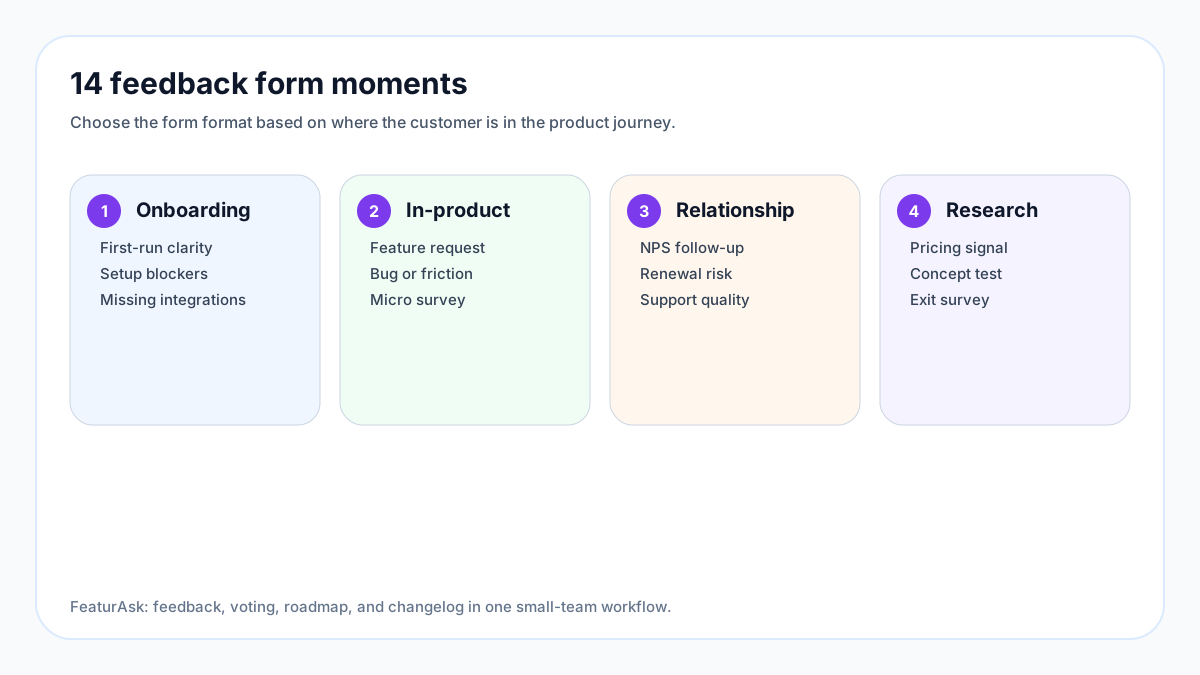
A product feedback form is only useful when it helps a team make a better decision. The form should capture the right customer context, ask questions the respondent can answer quickly, and send the result into a workflow where someone can tag, prioritize, and respond. Otherwise it becomes another inbox: full of opinions, light on action, and easy to ignore.
This guide gives you 14 product feedback form templates and examples you can adapt for SaaS, apps, services, courses, and internal product teams. It also explains when forms are the wrong tool and how to connect form answers to a public roadmap or idea board.
If you want a simpler way to collect feedback, votes, roadmap comments, and changelog responses in one place, FeaturAsk costs $29.95/year and includes one month free with no credit card required.
What a product feedback form should do
A product feedback form collects structured input about a product experience. It can ask about onboarding, feature requests, bugs, pricing, usability, satisfaction, churn risk, or a specific release. The best forms are short and contextual. They appear near the moment of experience or use wording that helps customers remember a specific situation.
Forms are not a substitute for interviews, analytics, or support conversations. They are a capture mechanism. A good product team combines form responses with usage data, customer segment, account value, and qualitative follow-up. The User Interviews 2025 State of User Research report continues to show that research is most valuable when it is connected to decisions and stakeholders, not stored as isolated notes. Source: User Interviews State of User Research.
Product feedback forms also need consent-aware handling. If you collect personal data, explain why, keep optional fields optional where possible, and avoid asking for sensitive information you do not need. The UK Information Commissioner’s Office guidance on data minimisation is a useful plain-language reference: collect only what is adequate, relevant, and necessary. Source: ICO guidance on data minimisation.
Pros and cons of using product feedback forms
The biggest advantage of forms is consistency. When every respondent answers the same few questions, the team can compare patterns across segments. Forms are also easy to trigger after an event, such as onboarding completion, support resolution, cancellation, or use of a new feature.
Forms can scale better than interviews. A founder may be able to interview ten customers in a week, but a well-placed form can collect a hundred lightweight signals. Forms also create a paper trail. If the same feature request appears month after month, the team can see demand accumulating.
The downside is thin context. Customers may write one sentence when the real issue requires a conversation. Forms can also bias answers if questions are leading or too broad. “How can we improve?” is easy to ask but hard to act on. “What were you trying to do when this page slowed you down?” produces better evidence.
Another risk is survey fatigue. The Qualtrics XM Institute has long warned that feedback programs should focus on action, not just collection; asking too often without visible follow-up trains customers to ignore requests. Source: Qualtrics on customer experience programs.
How to design feedback questions that get useful answers
Start with the decision. Are you deciding what to build next, why users churn, whether onboarding works, or how a release landed? One form should usually support one decision. If the form tries to solve every research question at once, completion quality drops.
Use a mix of closed and open questions. Closed questions help you segment and compare responses. Open questions reveal language, examples, and surprises. Keep rating scales consistent. If you use 1 to 5, define the endpoints. If you ask for priority, explain whether “high” means urgent, valuable, or emotionally frustrating.
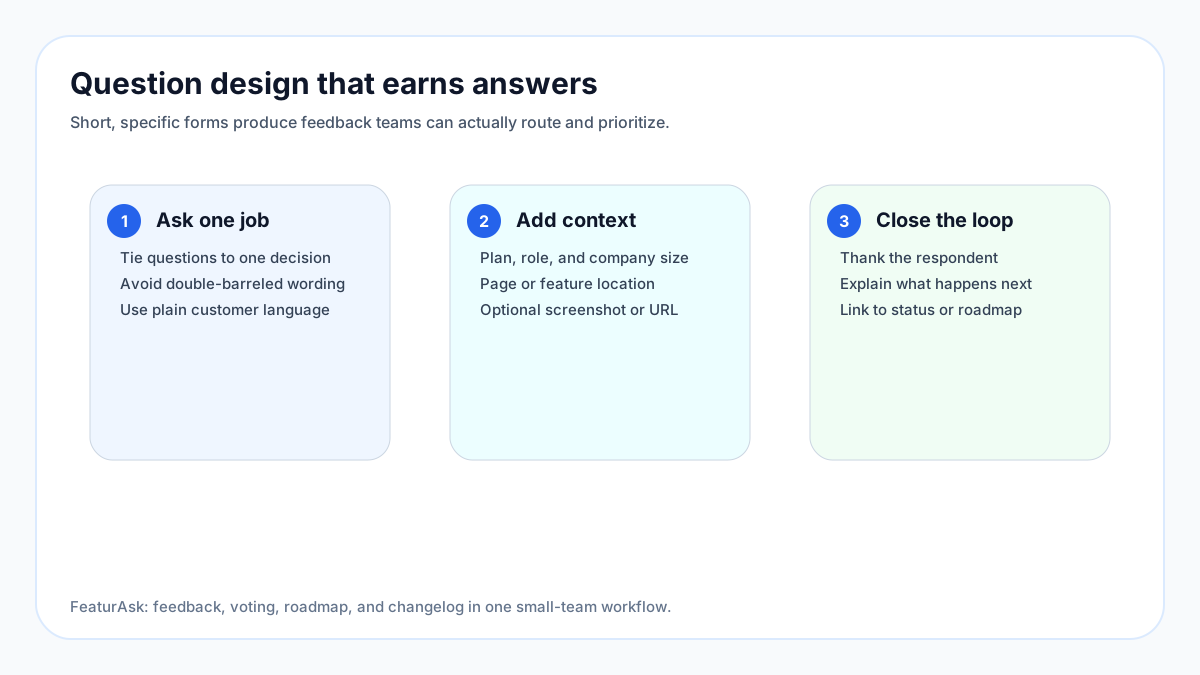
Add context fields that reduce follow-up work: role, plan, company size, feature used, browser or device when relevant, and permission to contact the respondent. Do not ask for everything every time. An in-app micro form may need only two fields. A cancellation form can justify more detail.
Finally, say what happens next. A thank-you screen that links to a roadmap or explains review cadence builds trust. If respondents never see outcomes, they assume the form disappears into a spreadsheet.
For more on organizing the intake after it arrives, read FeaturAsk’s guide to idea management software.
Template 1: SaaS feature request form
Use this when customers ask for new capabilities or improvements. Keep it focused on the job, not only the proposed solution.
Recommended fields: feature or workflow affected, what the customer is trying to accomplish, current workaround, impact if solved, account or team size, and permission to follow up. Include an optional screenshot or link.
Best question: “What are you trying to do that the product does not support today?” This question leaves room for better solutions than the one the customer imagines.
Template 2: Onboarding feedback form
Trigger this after a user completes setup or abandons a key step. The goal is to identify confusion, missing guidance, or value gaps.
Recommended fields: setup goal, easiest part, hardest part, missing help, time expected versus time spent, and whether the user reached their first meaningful outcome.
Best question: “What nearly stopped you from finishing setup?” This wording invites specific friction without implying failure.
Template 3: In-app micro feedback form
Use this for page-level or feature-level comments. It should be extremely short.
Recommended fields: quick rating, optional comment, page or feature captured automatically, and contact permission. Avoid long demographic questions. Context should come from product metadata, not the respondent’s patience.
Best question: “Was this page helpful for what you were doing?” followed by “What was missing or confusing?”
Template 4: Bug and friction report form
Bug forms should separate technical symptoms from user impact. Many users cannot diagnose bugs, but they can describe what they expected.
Recommended fields: what happened, what the user expected, steps to reproduce, device/browser, screenshot, severity, and whether the issue blocks work.
Best question: “Can you still complete your task, or is this blocking you?” This helps triage faster.
Template 5: NPS follow-up form
Net Promoter Score is most useful when the score is followed by a reason and a routing workflow. Bain & Company describes NPS as a system for understanding loyalty, but the follow-up is where product teams learn what to fix. Source: Net Promoter System overview.
Recommended fields: 0-10 score, main reason, what would improve the score, customer segment, and permission to contact. Route promoters, passives, and detractors differently.
Best question: “What is the main reason for your score?” Keep it open and required only if completion remains healthy.
Template 6: Post-support product feedback form
Support interactions reveal product gaps. Ask about the product experience, not only the support agent.
Recommended fields: issue category, whether the product caused the support need, clarity of in-product guidance, resolution confidence, and suggested improvement.
Best question: “What could the product have made clearer before you contacted support?”
Template 7: Cancellation or churn feedback form
Cancellation feedback should be respectful and short. The goal is to understand patterns, not make departure painful.
Recommended fields: primary reason, missing capability, price/value perception, competitor chosen if any, whether the user would consider returning, and optional contact permission.
Best question: “What changed that made the product no longer fit?” This often produces more useful detail than a generic reason list.
Template 8: Pricing and packaging feedback form
Use this when testing plan fit, upgrade blockers, or perceived value. Avoid asking “Would you pay more?” in isolation; people answer strategically.
Recommended fields: current plan, jobs completed, capabilities needed, budget owner, alternatives considered, and the point where value would justify upgrading.
Best question: “Which capability would make the next plan feel worth it?”
Template 9: Beta feature feedback form
Beta feedback should test whether the feature is ready for broader release. Ask about success, confusion, missing pieces, and confidence.
Recommended fields: beta use case, task completed, blockers, confidence using it without help, must-have improvements, and willingness to keep using it.
Best question: “What would need to change before you would rely on this in your normal workflow?”
Template 10: Mobile app feedback form
Mobile forms should account for context: device, operating system, connectivity, and task urgency. Keep typing minimal.
Recommended fields: screen or flow, quick rating, what went wrong or worked well, device model, OS version, and screenshot. Use tap-friendly controls.
Best question: “What were you trying to finish on your phone today?”
Template 11: Ecommerce product experience form
This template helps teams understand buying friction, product detail clarity, and post-purchase confidence.
Recommended fields: product viewed or purchased, information missing, size or compatibility confidence, checkout friction, delivery expectations, and return concerns.
Best question: “What information would have made the purchase decision easier?”
Template 12: Course or education product feedback form
Education products need feedback on outcomes, pacing, clarity, and application. Satisfaction alone is not enough.
Recommended fields: lesson or module, objective clarity, difficulty, most useful part, confusing part, whether the learner applied the material, and requested resources.
Best question: “What could you do after this lesson that you could not do before?”
Template 13: Professional services productized-offer form
For agencies, consultants, and service businesses, feedback should connect deliverables to business outcomes.
Recommended fields: service purchased, clarity of scope, communication quality, deliverable usefulness, next decision, and suggested improvement.
Best question: “Which part of the deliverable changed what you will do next?”
Template 14: Public roadmap feedback form
A public roadmap form lets customers comment on planned, in-progress, or shipped work. It works best when it is tied to statuses rather than a blank suggestion box.
Recommended fields: roadmap item, vote or priority, use case, urgency, segment, and whether the user wants updates. Let users subscribe to status changes.
Best question: “How would this change your workflow if we shipped it?” This turns a vote into product evidence.
Examples of strong product feedback forms
A strong SaaS feedback form is embedded near the product moment and automatically includes page context. A good public idea form lets users search existing requests before submitting, which reduces duplicates and reveals demand. A useful cancellation form asks for one primary reason plus an optional explanation. A strong beta form asks whether the user would keep using the feature, not merely whether it looked good.
Consumer brands often use short website feedback forms for page clarity, product information, and checkout issues. Course businesses use module feedback to improve pacing and examples. Professional services teams use post-project forms to understand whether the deliverable changed a business decision. The common thread is specificity: each form is attached to a moment and a decision.
Turning form answers into roadmap decisions
Collection is the easy part. The hard part is turning answers into product action. Every useful workflow needs four steps: capture, normalize, prioritize, and respond.
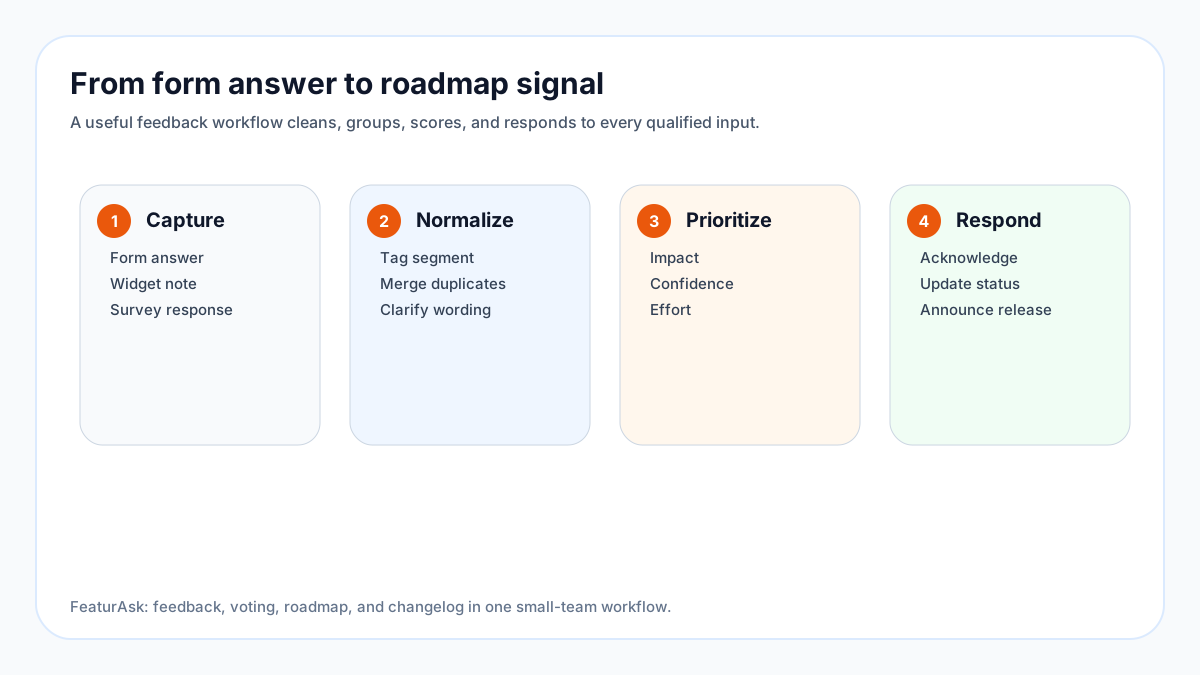
Capture means the response lands somewhere the product team will see it. Normalize means duplicate requests are merged, vague wording is clarified, and metadata is added. Prioritize means the team weighs impact, confidence, effort, and strategy. Respond means customers hear whether the idea was accepted, declined, planned, shipped, or needs more research.
A public board can help here because customers can add votes and comments to existing ideas instead of sending isolated form submissions. If you need a prioritization method for the next step, FeaturAsk has a practical article on how to prioritize feature requests.
Product feedback form mistakes to avoid
Do not ask leading questions such as “How much do you love our new dashboard?” Do not ask three questions in one text box. Do not make every field required. Do not collect sensitive data unless it is necessary. Do not let sales, support, and product maintain separate feedback spreadsheets with no shared taxonomy.
Most importantly, do not ask if you will not act. Customers notice when feedback requests are performative. If a form supports a real decision, say so. If the team is only monitoring sentiment, say that too.
How FeaturAsk fits alongside forms
Forms are useful for structured capture. FeaturAsk is useful for the ongoing customer feedback loop: public ideas, votes, comments, roadmap statuses, and changelog updates. Many teams use forms for contextual moments and FeaturAsk for the shared destination where qualified ideas become visible.
For example, a cancellation form may reveal that five accounts left because reporting was too limited. Those responses can become a grouped roadmap idea. Existing users can vote, add context, and subscribe for updates. When the improvement ships, the changelog closes the loop.
If your current feedback forms lead to scattered spreadsheets, try FeaturAsk for $29.95/year with one month free and no credit card required. You can start with one board and route your highest-value form responses into it.
Final thoughts
Product feedback forms work when they are short, contextual, and connected to a decision. The 14 templates above cover the most common moments: feature requests, onboarding, micro feedback, bugs, NPS, support, churn, pricing, beta testing, mobile, ecommerce, education, services, and roadmap input.
The next improvement is operational. Decide where responses go, who reviews them, how duplicates are merged, and how customers hear back. That is what turns a form into a product feedback system. FeaturAsk gives small teams that system for $29.95/year, including one month free and no credit card required.
For more ideas on capturing feedback outside traditional surveys, see the FeaturAsk guide to using a website feedback tool.