Top 19 Website Feedback Tools [With Formats & Use Cases]
Published: 2026-04-19
A website feedback tool helps you learn what visitors want, what confused them, what broke, and what would make them more likely to convert or stay. The best tool is not always the one with the most features. It is the one that collects the right signal at the right moment and helps your team act on it.
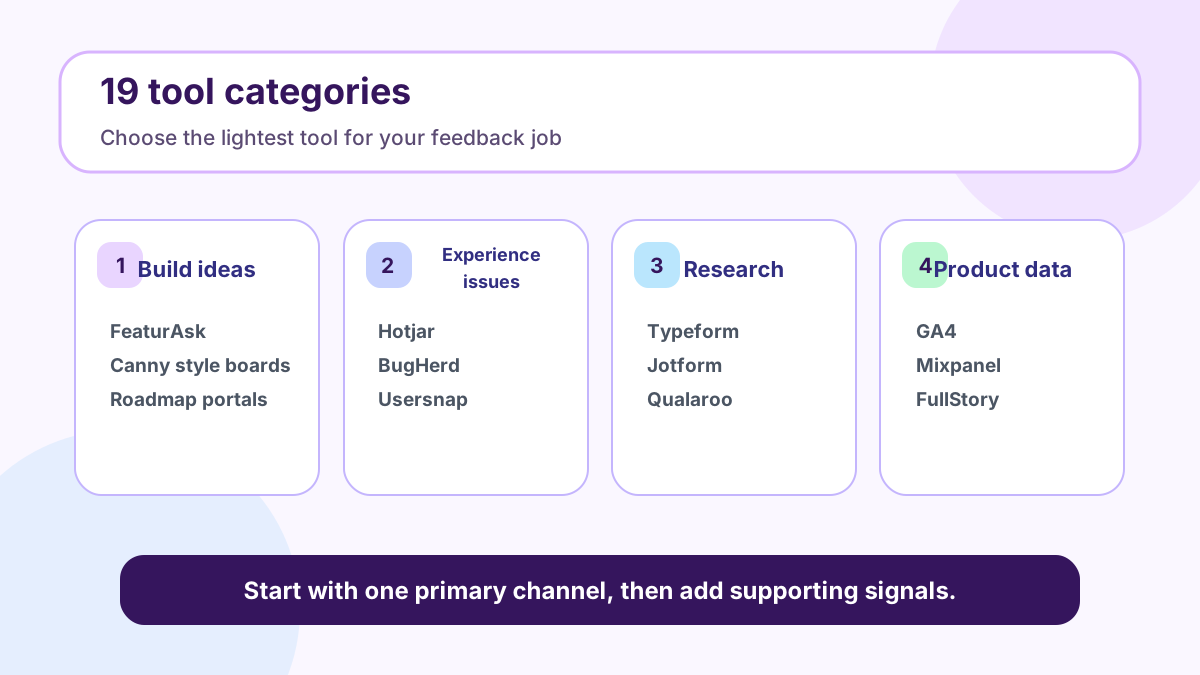
This guide compares website feedback formats, tool examples, installation choices, and ways to act on what visitors tell you. Instead of treating tools as a shopping list, it organizes the topic around decisions: when to use an idea board, when to use a widget, when to use surveys, when behavior analytics are better, and how to build a simple operating loop. The list includes 19 practical options so you can match the format to the job instead of overbuying software.
For small teams, FeaturAsk is the easiest place to start when the main question is “what should we improve or build next?” You can try FeaturAsk free for one month with no credit card and keep it for $29.95/year after the trial. For related reading, see our guides to feedback on a website, customer feedback tools, and feature voting.
Quick answer
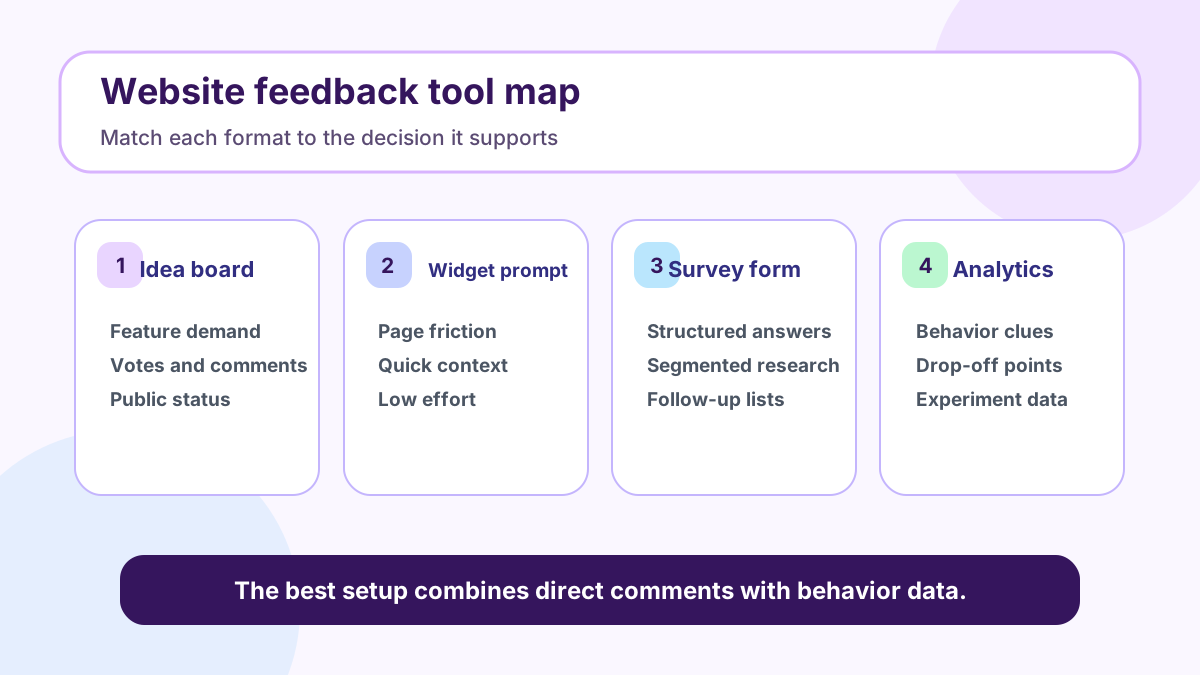
The most useful website feedback tools fall into five groups: idea boards for product improvements, on-page widgets for quick comments, forms and surveys for structured research, behavior analytics for what visitors do, and bug or session tools for diagnosing friction. Use an idea board when you want ongoing feature demand. Use a widget when you need page-level context. Use a survey when you need comparable answers. Use analytics when you need patterns. Use session replay or bug capture when you need to see what went wrong.
A practical stack for a small SaaS site might be FeaturAsk for feature ideas, GA4 for behavior, a short form for research, and one session or bug tool for friction. That is enough to make decisions without creating a dashboard swamp.
What is a website feedback tool?
A website feedback tool collects direct or indirect input from visitors and users. Direct feedback includes comments, feature requests, votes, survey answers, bug reports, ratings, and support messages. Indirect feedback includes analytics events, heatmaps, recordings, search queries, and funnel drop-off.
The distinction matters because direct and indirect signals answer different questions. A comment can explain why someone is frustrated. Analytics can show that many visitors abandon the same step. A vote can show repeated demand. A recording can reveal confusion that the user never describes. Strong teams combine signals instead of expecting one tool to explain everything.
Nielsen Norman Group has long emphasized that usability evidence is strongest when teams observe real behavior and ask focused questions, while Google’s GA4 documentation shows how event-based analytics can map behavior across web and app journeys. Those are complementary ideas: watch what people do, then ask why it happened.
Main formats for collecting website feedback
Idea boards
Idea boards let visitors submit suggestions, vote on existing ideas, comment with use cases, and follow status updates. They work best for products, communities, marketplaces, SaaS apps, and websites that evolve over time. The public nature of a board reduces duplicate requests and gives your team a visible way to explain decisions.
Use an idea board when you want to prioritize improvements, not when you need private support tickets. Good board prompts ask for the desired outcome, not just the feature name. “I need to export filtered customer lists for my accountant” is more useful than “CSV export.”
Widgets
Feedback widgets sit on a page or inside an app and make it easy to leave a comment without opening a separate form. They are useful for pricing pages, docs, onboarding screens, dashboards, and help centers. The advantage is context: the visitor can react while the experience is fresh.
Keep widget prompts short. Ask one question, such as “What is missing on this page?” or “What stopped you from continuing?” Too many fields reduce completion and create vague responses.
Forms and surveys
Forms and surveys are best when you need structured answers from a known group. They work for cancellation research, post-purchase questions, beta applications, onboarding research, and content preferences. The output is easier to compare than open comments, but it can miss unexpected ideas.
Surveys should be short and tied to a decision. If an answer will not change copy, product, pricing, or support, remove the question. Long surveys often collect more data and less clarity.
Ratings and sentiment prompts
Ratings are fast. A thumbs-up prompt, star score, smiley face, or “was this helpful?” question can show whether a page satisfied the visitor. Ratings are especially useful on help articles and documentation.
The weakness is explanation. Pair ratings with an optional comment field so low scores become actionable. Review both the score and the text trend before changing a page.
Behavior analytics and session tools
Analytics tools show what visitors do: where they arrive, what they click, when they leave, and which conversions happen. Session replay and heatmap tools add visual context by showing scroll depth, rage clicks, repeated taps, and hesitation. These tools are useful when behavior suggests friction but comments are sparse.
Be thoughtful about privacy. Mask sensitive fields, avoid collecting unnecessary personal data, and follow regional rules. Trust is part of feedback quality; people will not share useful input if the collection method feels invasive.
Top 19 website feedback tools and use cases
1. FeaturAsk
FeaturAsk is a lightweight feature feedback tool for small teams. Use it to collect ideas, votes, comments, and roadmap signals from customers or website visitors. It is strongest when you want an affordable, branded feedback board rather than a large product management suite.
Because FeaturAsk is simple, it is easy to launch as a first feedback channel. Invite users to submit improvement ideas, merge duplicates, and update statuses as decisions change. The one-month free trial requires no credit card, and the annual price is $29.95/year.
2. Frill
Frill is a customer feedback and roadmap platform with idea collection, announcements, and voting. It can fit teams that want feedback, roadmap, and changelog features in one product. Compare it when you need a broader suite and have the budget for that category.
3. Canny
Canny is a popular product feedback and roadmap tool for teams that want boards, voting, status updates, and customer context. It can be useful for product-led companies with enough volume to justify a more robust workflow.
4. Hotjar
Hotjar is widely used for heatmaps, recordings, surveys, and feedback widgets. It is strong when you need to understand page friction and behavior rather than manage a feature roadmap. Hotjar’s own website feedback resources are a useful overview of the category.
5. Mouseflow
Mouseflow focuses on session replay, heatmaps, funnels, form analytics, and feedback campaigns. Use it when you need to diagnose why visitors abandon a form, hesitate on a page, or struggle with navigation.
6. Usersnap
Usersnap helps teams collect visual feedback and bug reports, often with screenshots and browser context. It is useful for QA, design review, and customer-facing issue reporting.
7. BugHerd
BugHerd is a visual feedback and bug tracking tool that lets reviewers pin comments to website elements. Agencies and web teams use it to collect client feedback during site builds and QA cycles.
8. Marker.io
Marker.io captures website feedback with screenshots, technical metadata, and integrations with project management tools. Use it when bug context needs to flow into Jira, Trello, Asana, GitHub, or similar systems.
9. Qualaroo
Qualaroo provides targeted survey prompts and user research questions on websites and products. It is helpful when you want to ask a specific visitor segment a focused question.
10. Typeform
Typeform is a polished form and survey builder. It works well for research forms, beta applications, post-event surveys, and longer qualitative questions where presentation matters.
11. Jotform
Jotform is a flexible form builder with templates, payments, approvals, and integrations. Use it when website feedback needs to become structured intake or operations data.
12. Google Forms
Google Forms is simple, familiar, and often enough for early research. It is not a dedicated feedback platform, but it can work for quick surveys, recruiting interviews, or collecting beta requests.
13. Google Analytics 4
GA4 is not a direct feedback tool, but it is essential context. It shows traffic sources, events, conversions, paths, and audience behavior. Use it to find where to ask for feedback and whether changes improved outcomes.
14. Mixpanel
Mixpanel is a product analytics platform for event tracking, funnels, cohorts, and retention. It is useful when your website is part of a logged-in product journey and you need to understand feature adoption.
15. FullStory
FullStory combines session replay, product analytics, and experience insights. It can help teams find frustration patterns such as rage clicks, dead clicks, and broken flows.
16. Microsoft Clarity
Microsoft Clarity offers heatmaps and session recordings with a generous free plan. It is a practical starting point for teams that want behavior insight before buying a larger analytics suite.
17. Pendo
Pendo combines product analytics, in-app guides, and feedback capabilities. It is more relevant for SaaS companies managing adoption inside an application than for a simple marketing website.
18. Appzi
Appzi provides website feedback widgets and targeted prompts. Use it when you need quick sentiment or page-level comments without building a custom form.
19. Webvizio
Webvizio supports visual collaboration and feedback on websites, web apps, and digital assets. It can help agencies and distributed teams review pages with comments tied to visual context.
How to choose the right website feedback tool
Start with the decision you need to make. If the decision is what feature to build next, use FeaturAsk or another idea board. If the decision is why a landing page underperforms, combine analytics with a targeted widget. If the decision is why users struggle in a workflow, use session replay plus interviews. If the decision is how to segment demand, use a structured survey.
Then consider volume, privacy, integrations, and ownership. A public board needs moderation. A session tool needs privacy settings. A survey needs analysis. Analytics need event design. Every tool creates work after collection, so choose only what your team can review consistently.
Budget matters too. Many teams buy a large platform before they have a feedback habit. If your main need is product ideas and voting, launch FeaturAsk for a free month before adding heavier tools. No credit card is required, and $29.95/year keeps the experiment affordable.
How to add a feedback tool to your website
First, decide the placement. A product idea board can be linked from a header, footer, account menu, help center, or in-app widget. A page feedback widget should appear where visitors have enough context to answer. A survey can be sent after a purchase, cancellation, trial milestone, or support interaction.
Second, write a prompt that matches the page. On a pricing page, ask what information is missing. In documentation, ask whether the article solved the task. In an app, ask what would make the workflow easier. In a feedback board, ask users to describe the outcome they want and why it matters.
Third, test the experience yourself. Submit feedback on desktop and mobile. Confirm the thank-you message, notification, tags, routing, and ownership. If feedback disappears into an inbox nobody checks, the tool will fail even if installation was correct.
How to act on website feedback
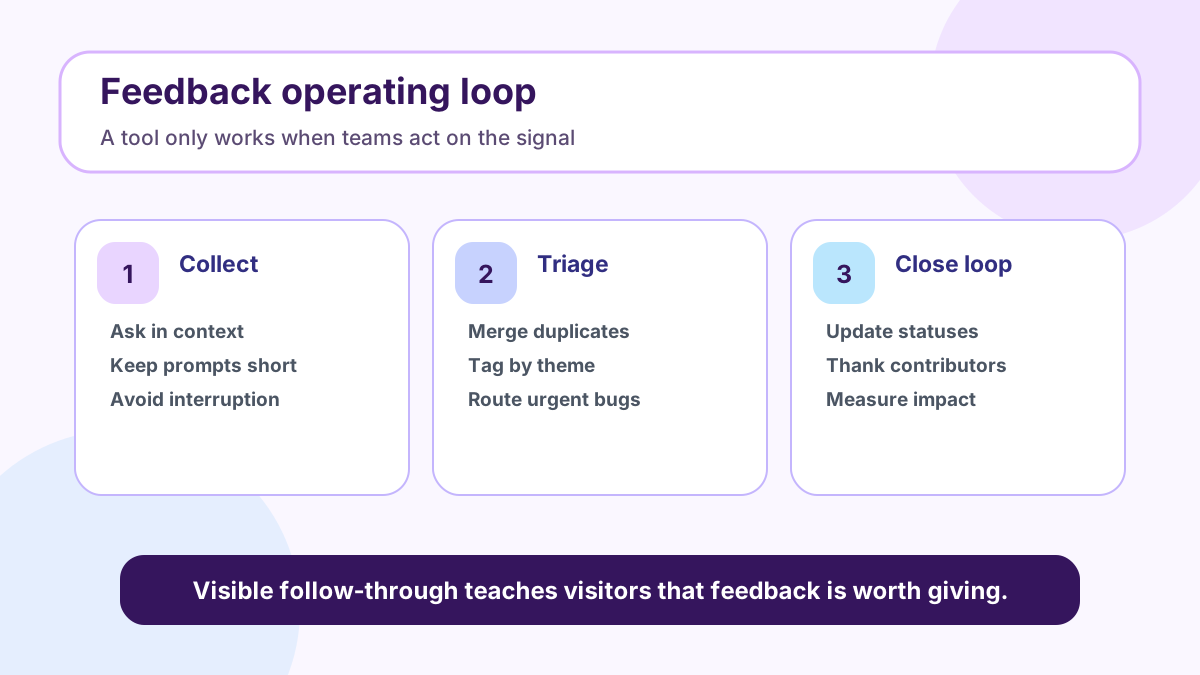
Create a weekly triage rhythm. Merge duplicate ideas, tag themes, route urgent bugs, summarize survey responses, and compare comments with analytics. When you change a page or ship a feature, record the reason and measure the result.
Prioritization should reflect both demand and strategy. Ten votes from casual visitors may matter less than three detailed requests from paying customers in your target segment. A bug blocking checkout should outrank a nice-to-have feature. A recurring objection on the pricing page may require copy changes before product changes.
Close the loop whenever possible. Update statuses, reply to strong comments, and show visitors that their input influenced the product. This is where an idea board has an advantage over a private form: future visitors can see the conversation and add context instead of sending the same request again.
Common mistakes
The most common mistake is collecting feedback without an owner. The second is asking broad questions like “Any feedback?” instead of prompting for a specific decision. The third is overloading the site with popups. The fourth is treating votes as the entire roadmap. Votes show demand, but product teams still need context, strategy, effort estimates, and revenue impact.
Another mistake is ignoring silent behavior. If analytics show a major drop-off, ask targeted questions there. If comments complain about confusion, watch a few sessions or run usability tests. Direct feedback and behavior data become much stronger together.
Final take
Website feedback tools are valuable when they make decisions easier. Start with the smallest stack that covers your main question: an idea board for improvements, analytics for behavior, a form or survey for structured research, and a visual tool for bugs or page friction. Review the signal consistently and close the loop so visitors learn that feedback matters.
If product ideas are the missing piece, start FeaturAsk free for one month. It requires no credit card and costs $29.95/year after the trial.
Further reading: Hotjar on website feedback, Nielsen Norman Group usability testing articles, Google Analytics 4 event documentation, and Microsoft Clarity documentation.