Top 11 Hellonext Alternatives for Collecting and Managing User Feedback
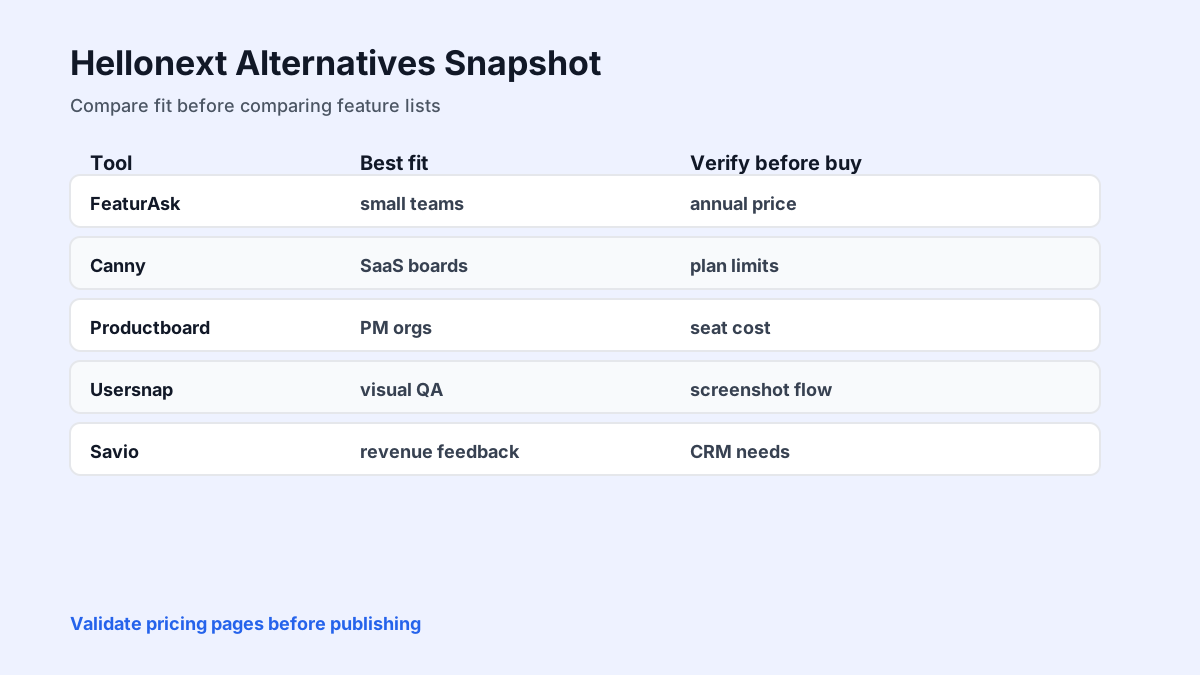
Hellonext alternatives vary from lightweight feedback boards to full product management suites. This guide focuses on what smaller teams actually need: simple intake, voting, moderation, status updates, fair pricing, and a workflow that users will understand without training.
Quick answer: the best Hellonext alternative for small teams
The best Hellonext alternative depends on what you need most: simple feedback intake, public voting, roadmaps, changelogs, support triage, or enterprise product planning. If you are a small SaaS team, creator, or website owner that mainly needs a lightweight way to collect ideas and show users what is happening, choose the tool that is easiest to install and maintain.
Hellonext can be useful for product feedback workflows, but many teams compare alternatives because they want lower cost, a simpler widget, different branding options, or a tool that fits a smaller operation. Your shortlist should match your actual feedback volume, not an imagined enterprise process.
This comparison connects with FeaturAsk guides to building a feedback portal, publishing updates with free changelog tools, and choosing feature request software.
If you want a lighter way to turn scattered ideas into a useful feedback loop, try FeaturAsk for 1 month free — no credit card required. After the trial, it is only $29.95/year, which makes it practical for small SaaS teams, indie products, content sites, and creators who need a simple feedback widget without enterprise pricing.
What to look for in a Hellonext competitor
Start with intake. Can users submit ideas from your site or app without creating friction? A widget, embeddable portal, or simple board matters more than a long list of admin features if users never submit feedback.
Look for voting and comments. Upvotes help identify repeated demand, while comments explain why the request matters. The best tools preserve both without turning the roadmap into a popularity contest.
Check moderation, duplicate merging, status updates, and notifications. A feedback board becomes noisy if spam, repeated ideas, and stale statuses pile up. Good moderation keeps the board useful for users and the team.
Finally, consider price. Enterprise planning platforms may be powerful, but a small creator or indie SaaS does not need to pay hundreds per month to learn what users want.
Which Hellonext alternatives are free or affordable?
Free plans can help you test whether users will participate, but read the limits. Some tools restrict boards, admins, branding, vote volume, or roadmap features. A free tool that hides important features may cost more in manual work.
Affordable paid plans are often better for small teams because they remove guesswork. A low annual price with the core workflow included is easier to budget than a feature-limited free plan followed by a steep upgrade.
When comparing pricing, calculate total workflow cost: setup time, moderation time, duplicate cleanup, changelog publishing, and customer communication. The cheapest subscription is not always the cheapest process.
FeaturAsk is built for teams that want feedback collection to stay simple: add a widget, let users submit ideas, collect votes and comments, and review requests from one dashboard. You can start with 1 month free on FeaturAsk, no credit card needed, then keep it for $29.95/year if it fits your workflow.
Top 11 Hellonext alternatives
-
FeaturAsk is the lean option for small SaaS products, creators, and websites that need idea submission, voting, comments, moderation, and status updates without a large product-management suite. The pricing promise is simple: one month free, no credit card, then $29.95/year.
-
Canny is a mature feedback platform with boards, voting, roadmap, and changelog features. Its public pricing page was reachable on May 22, 2026, so use it as a direct validation point when comparing plan limits and admin seats.
-
Upvoty offers feedback boards, roadmaps, and changelogs. Its pricing page was live and published through Framer on May 22, 2026. Check board, team, and branding limits before assuming it is cheaper for your use case.
-
Nolt is a clean board-first product for votes and comments. It can fit teams that want a simple public idea space, but confirm current pricing and private-board needs because access and packaging can change.
-
Sleekplan combines feedback, roadmap, changelog, and widget-style customer communication. Its pricing page was live on May 22, 2026, making it worth checking if you want an all-in-one customer update surface.
-
FeatureOS is broader than a basic board and suits teams that want feedback, release communication, and more structured product operations in one place.
-
Savio is useful when feedback comes through sales, success, and support teams and needs to be tied to accounts, segments, or revenue impact rather than only public votes.
-
Productboard is a full product-management platform. Its pricing page was live on May 22, 2026, but it is usually best evaluated by teams that need discovery, prioritization, and internal roadmap planning beyond a public portal.
-
Usersnap is strongest when feedback includes screenshots, visual bug reports, QA notes, and page-level issues. Its pricing page was live on May 22, 2026, and should be checked for project, seat, and response limits.
-
Rapidr offers feedback boards, roadmaps, and changelogs for SaaS teams that want a dedicated public feedback loop.
-
Trello or Notion can work as a temporary manual alternative before you know whether users will engage. They are flexible and familiar, but they require manual duplicate cleanup, voting workarounds, and more discipline around status updates.
How to choose the right tool
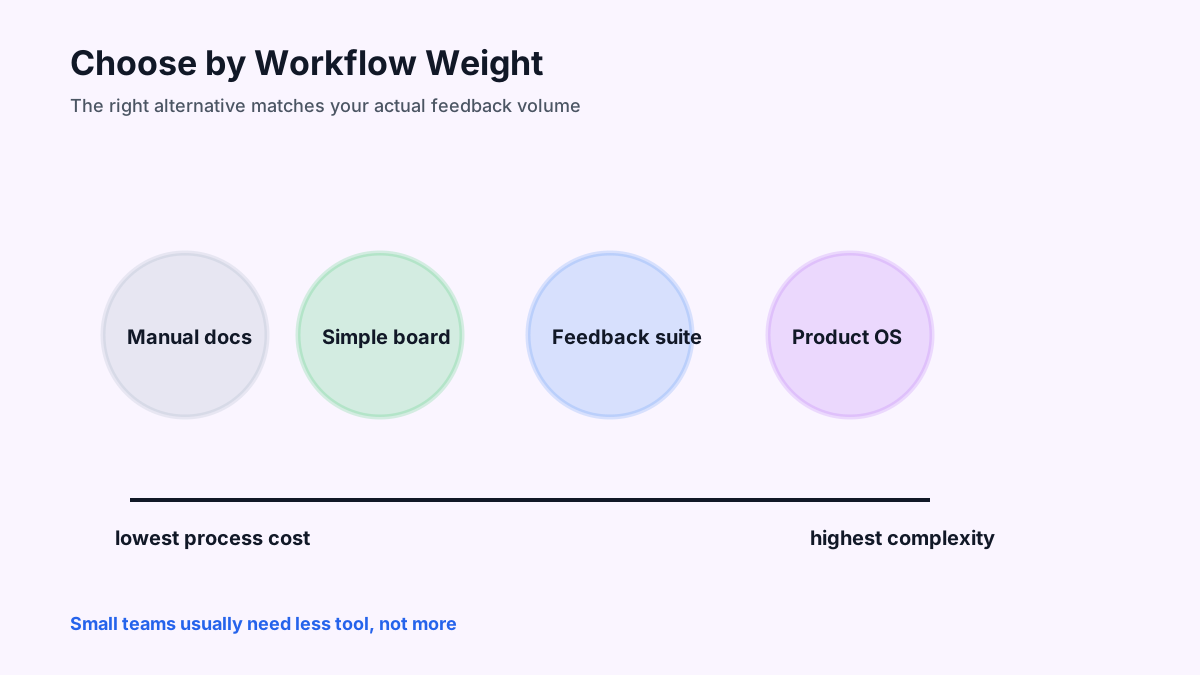
Choose FeaturAsk-style simplicity if you need to get started quickly, keep costs low, and invite users into a straightforward feedback loop. Choose a more advanced product management platform when you need internal prioritization layers, large-team workflows, and detailed account mapping.
Choose a visual feedback tool if your requests are mostly bugs, page issues, screenshots, or design comments. Choose a changelog-heavy tool if release announcements are the center of your workflow.
Pilot with one product area before migrating everything. Add the widget, seed the board with a few common requests, invite active users, and review participation after two to four weeks. The right tool should create clarity, not another backlog to maintain.
Comparison cautions and external references
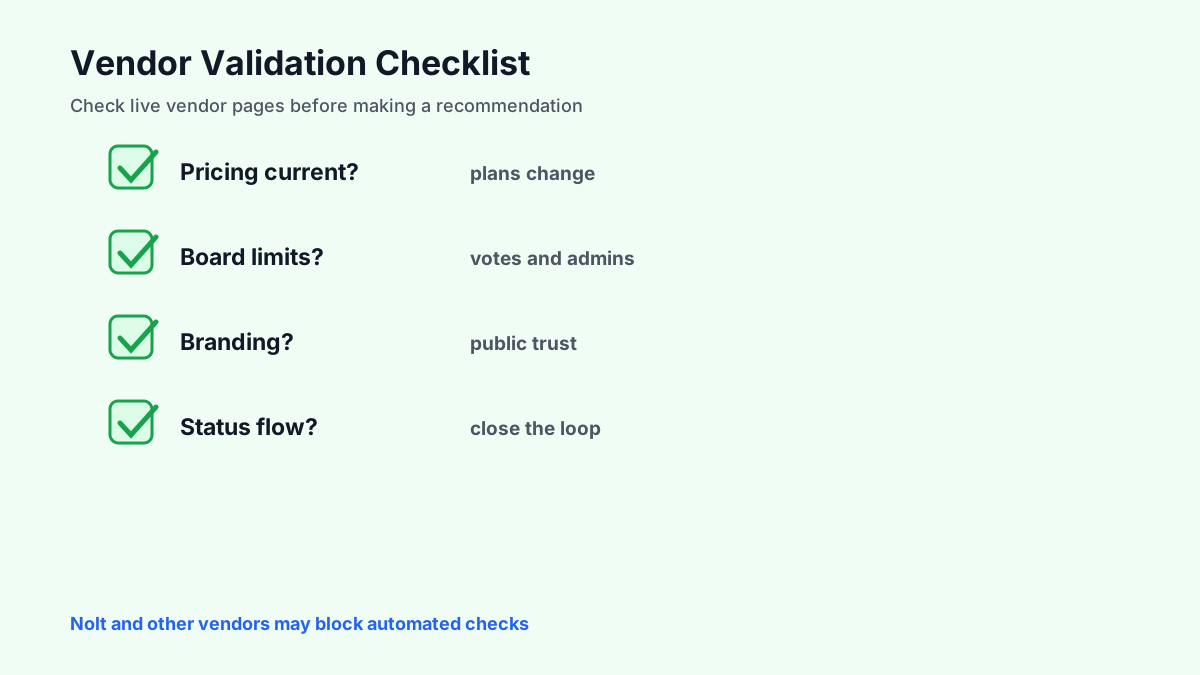
Vendor pages change often, so confirm current pricing, limits, and features before committing. For this repair, <a href="https://canny.io/pricing" rel="nofollow">Canny pricing</a>, <a href="https://upvoty.com/pricing" rel="nofollow">Upvoty pricing</a>, <a href="https://sleekplan.com/pricing/" rel="nofollow">Sleekplan pricing</a>, <a href="https://www.productboard.com/pricing/" rel="nofollow">Productboard pricing</a>, and <a href="https://usersnap.com/pricing" rel="nofollow">Usersnap pricing</a> were fetched successfully on May 22, 2026; Nolt blocked automated access, so it should be manually verified before final publication. Also review public user feedback on <a href="https://www.g2.com/categories/feedback-management" rel="nofollow">G2 feedback management</a> or <a href="https://www.capterra.com/feedback-management-software/" rel="nofollow">Capterra feedback management software</a>.
Also consider customer experience stakes. PwC has reported that many customers will leave brands after repeated bad experiences, a reminder that feedback systems are not vanity tools. They are early warning systems for trust. See <a href="https://www.pwc.com/us/en/services/consulting/library/consumer-intelligence-series/future-of-customer-experience.html" rel="nofollow">PwC on customer experience</a>.
The best choice is the one your team will actually use every week. A simple board with reliable status updates beats a complex platform no one maintains.
Migration tips if you switch tools
Export your most important existing requests before changing systems. Preserve titles, descriptions, vote counts, status, and useful comments where possible. You do not need to migrate every stale idea, but you should keep the history that explains current roadmap decisions.
Announce the change to users. Tell them where to submit ideas, what will happen to older requests, and how they can follow updates. A tool migration is a chance to reset expectations around moderation, statuses, and roadmap commitments.
Seed the new board with a small set of clean, high-value requests. Empty boards feel inactive; cluttered boards feel overwhelming. A curated starting point helps users understand the kind of feedback you want.
Questions to ask during a trial
Can a non-technical teammate moderate the board confidently? Can users submit feedback from the right page in the product? Are duplicate ideas easy to merge? Do status updates notify the right people? Can the team explain pricing without reading a long contract?
Also test the admin experience. A beautiful user-facing board is not enough if the team cannot review requests quickly. The best tool makes the weekly habit easier than your current workaround.
Finally, ask whether the tool fits the size of your team. A platform designed for a large product organization may add unnecessary process. A lightweight tool may be exactly right if your main goal is to collect ideas, votes, and comments affordably.
30-day trial plan for evaluating alternatives
In week one, choose three tools and define the workflow you need to test: submit an idea, vote, comment, merge a duplicate, change status, and notify users. Do not compare every feature on a pricing page before you test the core loop.
In week two, install the strongest candidate on a low-risk page or internal test product. Invite teammates to submit realistic requests and evaluate how much cleanup the admin experience requires. A tool that looks polished but slows triage will not last.
In weeks three and four, invite real users, watch participation, and measure team behavior. If people submit ideas and admins actually review them, the tool is working. If the board stays empty or moderation feels heavy, keep looking.
A decision framework for your shortlist
Score each Hellonext alternative against the workflow you actually need this quarter. Give one point each for easy user submission, voting, comments, duplicate merging, moderation, status updates, notifications, branding control, pricing fit, and admin simplicity. A tool with fewer total features can still win if it scores higher on the daily workflow.
Then separate must-haves from nice-to-haves. A small SaaS product may require a website widget, public board, and affordable annual plan. It may not need enterprise permissions, complex integrations, or advanced product hierarchy yet. Buying for a future operating model can create unnecessary setup work before the team has proven that users will participate.
Run a realistic test instead of relying on screenshots. Add three real requests, ask teammates to merge a duplicate, change a status, and write a user-facing update. If the steps feel obvious, the tool is likely to survive regular use. If everyone needs a tutorial for basic actions, adoption will be fragile.
Finally, consider the user impression. Your feedback portal is part of the customer experience. It should feel current, clear, and trustworthy. Stale statuses, confusing labels, or a board filled with spam can make users less confident in the product. Choose the alternative that helps you maintain a clean public loop with the least internal effort.
When the trial ends, make a yes/no decision from evidence instead of preference. Count how many real users submitted ideas, how many duplicates the team merged, how many status updates were published, and whether anyone on the team avoided the tool because it felt heavy. That tells you more than a feature grid.
For a small team, the best Hellonext alternative is usually the one that keeps the feedback loop visible with the least maintenance. If the product turns every vote into useful context, every status into a clear promise level, and every shipped feature into a customer notification, it deserves to stay on the shortlist.
For small teams, the deciding factor is usually maintenance. A tool that looks powerful in a demo can become expensive if every duplicate, status change, or release note requires manual cleanup. Give extra weight to products that make the everyday loop simple: capture the idea, clarify the context, decide what happens next, and show users the status without creating another inbox.
When you are ready to collect clearer customer signals, launch a FeaturAsk board and test it for a full month free with no credit card. It gives small teams an affordable path to idea capture, voting, moderation, and status updates for $29.95/year after the trial.