What is a Feedback Portal? Top Features & 11 Best Tools
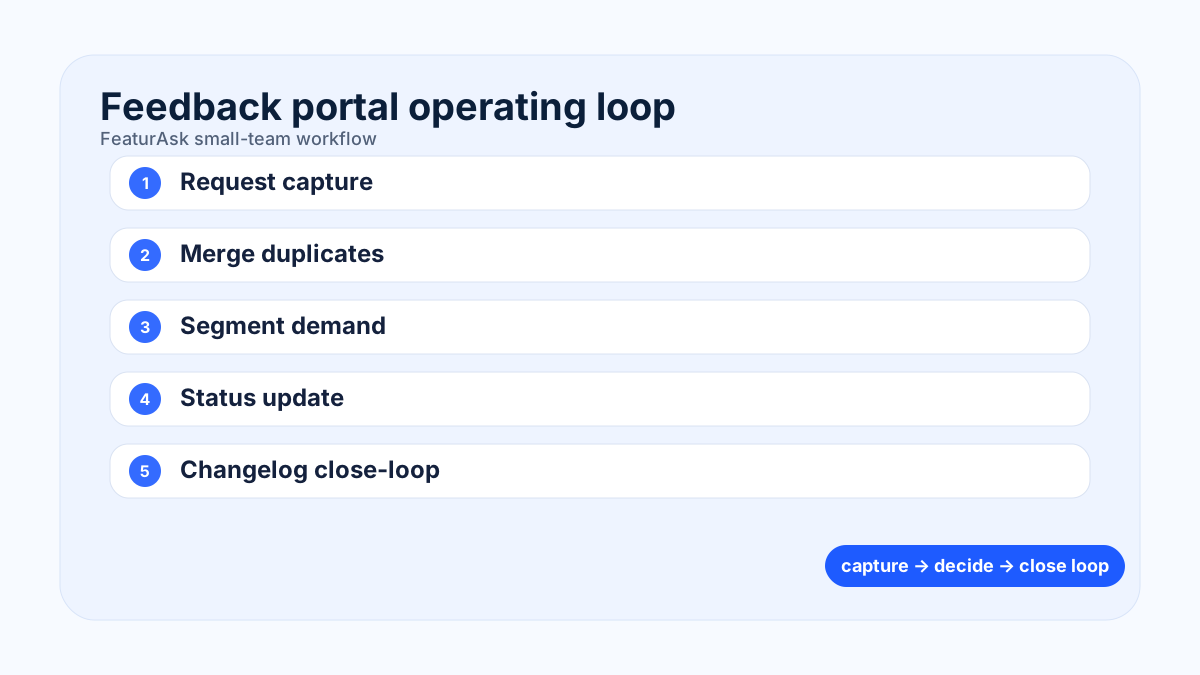
A customer feedback portal is a shared place where users submit ideas, vote on requests, follow roadmap progress, and see what changed. For software teams, the best portal is not just an inbox with prettier labels. It is a repeatable system for turning customer feedback into better product decisions while showing customers that their input was heard.
This guide treats the portal as an operating habit, not a feature checklist: capture the request, qualify the customer context, make the status visible, and connect shipped work back to the people who asked.
What a feedback portal does
A feedback portal collects product ideas in a visible, searchable space. Users do not need to guess whether an idea already exists, and product managers do not need to reconcile the same request from email, chat, sales calls, and support tickets. A strong portal lets people submit ideas, add context, vote, comment, and subscribe to updates.
The practical value is alignment. Product, support, customer success, sales, and leadership can look at one source of truth instead of building competing spreadsheets. That matters because qualitative comments and vote counts answer different questions. Comments explain the job to be done. Votes show how many people feel the pain. Segments show whether the request comes from trial users, paying customers, enterprise accounts, or churn risks.
For small teams, simplicity matters more than heavy workflow. Start with a public board, clear statuses, and a lightweight review cadence. A portal should reduce noise, not create a second product management tool that nobody maintains.
If you want this loop without a heavy rollout, FeaturAsk gives you a clean feedback widget, organized request dashboard, and public updates in one place. Start with one month free, no credit card required, then keep it for just $29.95/year when it fits your workflow.
Core customer feedback portal features to require
The essentials are easy to name but hard to execute consistently: frictionless idea capture, voting, comments, tags, duplicate merging, statuses, roadmap views, and release updates. If a portal lacks status changes, users see a suggestion box. If it lacks moderation, teams drown in duplicates. If it lacks segmentation, the loudest user can outweigh the most important customer pattern.
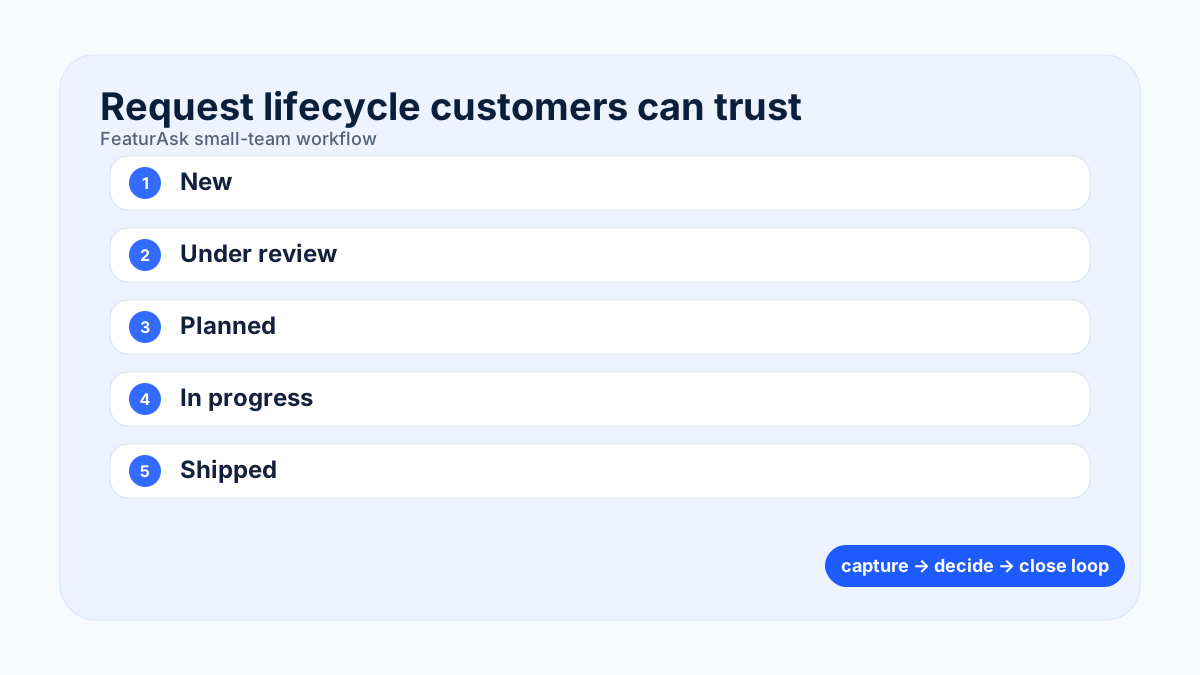
Look for an embeddable widget so users can share ideas inside the product, not only on a separate website. Add custom categories for areas such as billing, reporting, integrations, mobile, onboarding, and administration. Use statuses such as Under review, Planned, In progress, Shipped, and Not planned. The wording should be plain enough for customers and precise enough for internal planning.
Good portals also support changelogs. Closing the loop is where trust compounds: users submit an idea, see the status move, and receive an update when the improvement ships.
The 11 best feedback portal tools to compare
The best option depends on budget, team size, and workflow depth. FeaturAsk is a strong fit for founders and lean SaaS teams that want a clean feedback widget, request dashboard, roadmap communication, and simple pricing. Canny is popular for more mature SaaS feedback operations. Userback adds visual feedback capture. FeedBear, Upvoty, Sleekplan, Featurebase, Supahub, FeatureOS, ProdPad, and Frill each serve variations of the same need with different tradeoffs.
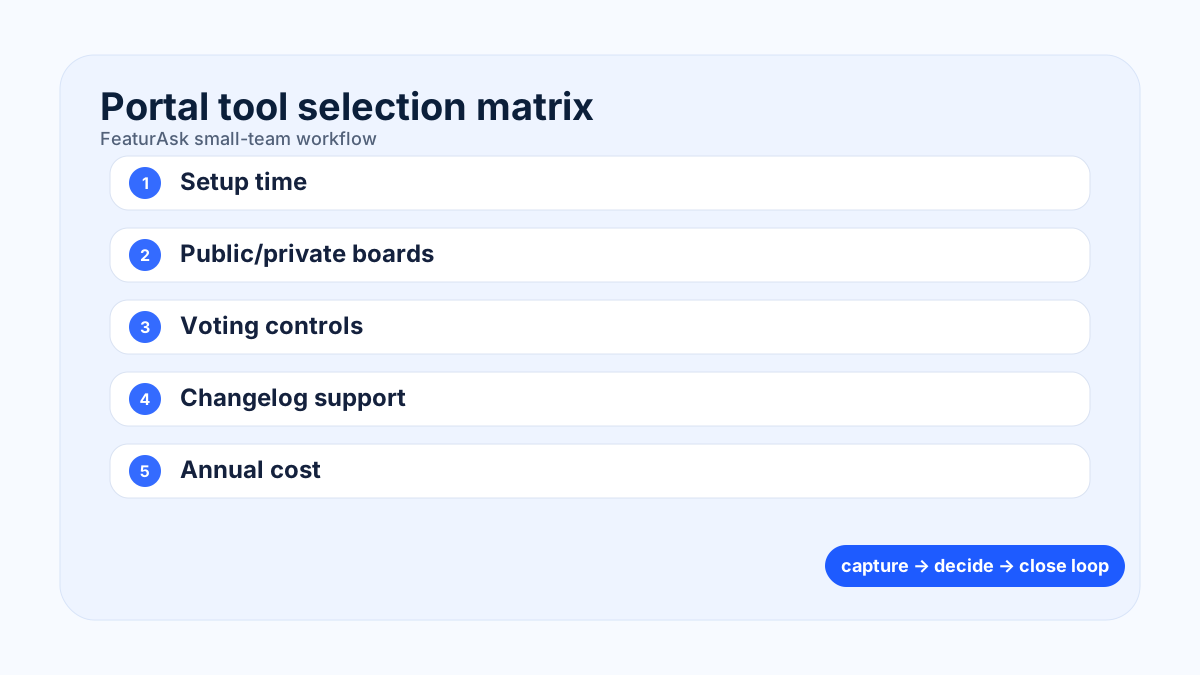
Use a shortlist rather than a giant comparison spreadsheet. Compare ease of setup, portal customization, duplicate management, voting controls, roadmap display, changelog support, permissions, integrations, export options, and total annual cost. If a tool requires days of setup before the first request arrives, it is probably too heavy for a young product team.
For current tool validation, compare official product and pricing pages instead of relying on list posts. FeaturAsk publishes its simple $29.95/year offer on its homepage; Canny, Userback, FeedBear, Upvoty, Sleekplan, Featurebase, Supahub, and Productboard publish plan details on their pricing pages. Keep a dated comparison note with links such as <a href="https://canny.io/pricing" rel="nofollow">Canny pricing</a>, <a href="https://userback.io/pricing/" rel="nofollow">Userback pricing</a>, <a href="https://www.featurebase.app/pricing" rel="nofollow">Featurebase pricing</a>, and <a href="https://www.productboard.com/pricing/" rel="nofollow">Productboard pricing</a>. The safer claim is not that one tool is universally best; it is that each tool has different tradeoffs in cost, permissions, widgets, roadmap depth, and changelog support.
For teams still defining their workflow, read our guide to feature request tracking, our overview of customer feedback tools, and the practical playbook for product roadmap prioritization.
Small teams do not need enterprise software to listen well. FeaturAsk helps you collect ideas, prioritize requests, and close the loop with users. Try the first month free, no credit card required; ongoing access is only $29.95/year.
How to choose a portal without overbuying
Start with the workflow you can sustain every week. Who reviews new submissions? Who merges duplicates? What qualifies an idea for Planned? How will you explain a Not planned decision? A portal is only credible when customers see movement and context. If your team cannot update a complex roadmap every week, choose a simpler portal and keep statuses honest.
Evaluate privacy needs as well. Public boards build transparency, but some B2B companies need private boards for customer advisory groups or enterprise accounts. You may want single sign-on later, but you do not need it to validate whether customers will submit useful ideas now.
Finally, check pricing over a full year. A low entry price can become expensive once you add teammates, private boards, or changelog modules. Small teams should favor tools that make costs predictable.
Use cases and operating rhythm
SaaS companies use portals to collect feature requests, route bugs away from roadmap discussions, and notify customers when improvements ship. Ecommerce teams can gather checkout, account, and fulfillment ideas. Mobile app teams can group requests by platform and version. Agencies can use a private portal to organize client enhancement requests.
The rhythm is simple: review new ideas twice a week, merge duplicates, tag by product area, add clarifying questions, promote validated themes into planning, and publish a short update when the status changes. A monthly cleanup prevents old ideas from making the board look abandoned.
For deeper research practice, pair your portal with interviews, support notes, usage analytics, and win-loss feedback. A portal should guide discovery, not replace it. See <a href="https://www.nngroup.com/articles/product-discovery/" rel="nofollow">product discovery guidance from Nielsen Norman Group</a> and the <a href="https://www.interaction-design.org/literature/topics/kano-model" rel="nofollow">Kano model overview</a> for useful ways to interpret customer demand.
FAQ
What is the best user feedback portal? The best portal is the one your team will keep updated. For lean teams, prioritize fast setup, voting, statuses, changelog updates, and clear annual pricing.
Why should a business use a feedback portal? It centralizes requests, reduces duplicates, gives customers visibility, and helps product teams compare demand across segments.
Can a small business use a portal? Yes. In fact, small teams often benefit fastest because they replace messy email threads with a lightweight decision system.
Implementation checklist for a feedback portal
Launch with a narrow promise: customers can submit ideas, see whether similar requests already exist, vote on what matters, and receive a clear update when something changes. That promise is easier to keep when the first version of the portal has fewer categories and fewer statuses. Start with product areas customers recognize, such as Dashboard, Integrations, Mobile, Billing, Notifications, and Reporting. Avoid internal team names because customers will not know where their request belongs.
Define ownership before the portal goes live. One person should triage new requests, but several teams can contribute context. Support can identify repeated confusion. Sales can add lost-deal notes. Customer success can flag renewal risk. Product can clarify whether a request describes a problem worth solving or a solution that needs more discovery. Without clear ownership, the board fills up quickly and customers learn that voting does not lead anywhere.
Create moderation rules that protect signal. Merge duplicates within a few days, rewrite vague titles into problem-focused language, and ask follow-up questions when the use case is unclear. Keep the original customer comment visible in the record so nuance is not lost. If a request is actually a bug, route it to your bug process and explain that move. If a request is outside strategy, mark it Not planned with a short reason instead of letting it sit forever.
Use status changes as communication moments. Under review means the team is gathering evidence, not secretly promising delivery. Planned means the problem has been selected for a future cycle. In progress means work has started. Shipped means customers can use the improvement now. Each status should have a plain-language explanation so users understand what to expect.
Review portal data alongside other evidence. A request with many votes may still be low value if it comes from non-target users. A request with few votes may be important if it affects high-retention accounts or blocks activation. Add notes from interviews, support tickets, product analytics, and revenue context. The portal organizes demand; product judgment still decides.
Common feedback portal mistakes
The first mistake is treating the portal as a dumping ground. If every idea remains open forever, the board becomes a museum of disappointment. Schedule monthly cleanup and close stale items respectfully. The second mistake is hiding decisions. Customers do not need every internal detail, but they do need to know whether a theme is being considered. The third mistake is ranking purely by vote count. Votes are a useful signal, not a substitute for strategy, effort, and customer value.
Another mistake is separating the portal from release communication. When an idea ships, notify the people who voted or commented and link the changelog entry. This is the moment where feedback becomes loyalty. A final mistake is launching too many boards at once. One well-maintained board will outperform five abandoned ones.
A portal-specific 90-day operating plan
Days 1 to 30 should prove that customers can find and trust the portal. Publish one public board, six recognizable product areas, and five status definitions: New, Under review, Planned, In progress, and Shipped. Import only live requests that still deserve a decision. Each request should include the original wording, customer segment, source channel, product area, and the question the team must answer next.
Days 31 to 60 should turn the board into a decision aid. Run a weekly 30-minute portal review with product, support, and customer-facing teammates. Merge duplicates, clarify vague titles, tag revenue or retention context, and select three themes for deeper discovery. Add a short note when an item is declined so the board does not become a graveyard.
Days 61 to 90 should focus on visible follow-through. Move selected ideas into roadmap planning, update statuses when work starts, and publish a changelog note when something ships. Notify the voters or commenters who created the signal. Judge the rollout by duplicate reduction, faster triage, clearer planning conversations, and whether customers reply with better context after seeing status updates.
Run a portal retrospective with one question per role: support asks whether duplicates decreased, product asks whether decisions improved, sales asks whether roadmap conversations are easier, and leadership asks whether the system exposes important market demand. Keep fields that influence decisions; remove fields that only make the board look sophisticated.
When you are ready to replace scattered notes with a simple customer feedback system, FeaturAsk is built for that job. You get one month free with no credit card required, and the paid plan is a predictable $29.95/year.