Mouseflow vs. Hotjar: Which Is Better for Understanding User Behavior?
Mouseflow and Hotjar help product, marketing, and conversion teams see what visitors do on a website. Both can show click heatmaps, scroll depth, recordings, and friction points that ordinary analytics hide. The choice is not simply “which one is better?” It is “which one answers the question your team has right now?”
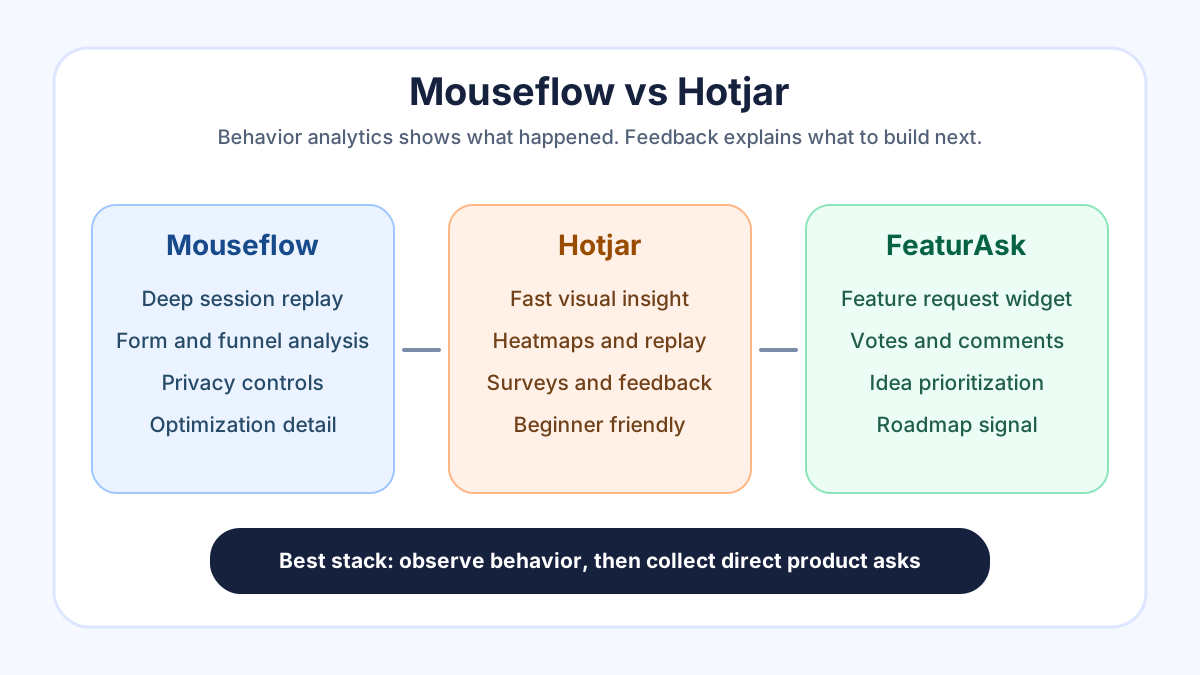
Choose Mouseflow when you want deeper behavior analysis around recordings, funnels, forms, and privacy controls. Choose Hotjar when you want a fast, friendly way to combine heatmaps, session replay, surveys, and visual website insight. Use either one when the problem is behavior evidence: where people click, where they stop, and which page elements create confusion.
But behavior analytics has a ceiling. A rage click can tell you someone is frustrated; it cannot tell you which feature would make them renew. A scroll map can show that people miss a pricing explanation; it cannot rank the next product improvement. That is why many teams pair behavior tools with a direct feedback system. If you want users to submit requests, vote, and explain what they need next, FeaturAsk gives you a lightweight feedback widget with one month free, no credit card required, and pricing at $29.95/year.
Quick verdict
Mouseflow is often the stronger pick for teams that want detailed session replay, conversion funnel diagnosis, form analytics, and careful privacy configuration. Its current pricing page describes a platform for session replay, heatmaps, funnels, form analysis, and feedback, with public plan information and a 14-day money-back guarantee on paid plans: Mouseflow pricing.
Hotjar is often the easier pick for teams that want a broader, more approachable experience analytics starter kit. Its product pages emphasize heatmaps, recordings, surveys, and feedback in a workflow built for marketers and product teams, and its pricing page now sits under Contentsquare branding: Hotjar pricing. Hotjar’s heatmaps page also promotes click, scroll, and move heatmaps with a free start: Hotjar heatmaps.
The practical answer is this: Mouseflow is best when you need diagnostic depth; Hotjar is best when you need fast adoption; FeaturAsk is best when you already know what happened and need users to tell you what they want next.
What Mouseflow does well
Mouseflow is built around the idea that web analytics should be observable, not just numerical. Instead of only showing a conversion rate or exit percentage, it lets teams watch anonymized sessions, review heatmaps, inspect forms, and trace funnel drop-off. That makes it useful when a page is underperforming but the reason is unclear.
The strongest Mouseflow use cases are conversion optimization, form completion research, checkout friction, lead-generation pages, and product onboarding flows. If a visitor keeps returning to a form field, hesitates before submitting, abandons a key step, or misses a call to action, Mouseflow can help the team see the pattern.
Mouseflow also appeals to teams that care about privacy setup. Any behavior analytics tool needs careful handling because recordings and heatmaps can capture sensitive context if configured badly. Mouseflow publishes privacy and security language around GDPR and CCPA readiness on its pricing material, and teams should still confirm masking, consent, retention, and data processing terms before rollout.
Use Mouseflow when your team asks questions such as: where do visitors abandon our trial flow, which form fields create hesitation, what do users do before closing the page, and how does friction differ by campaign or segment?
What Hotjar does well
Hotjar became popular because it made behavior analytics understandable for non-specialists. A marketer, founder, designer, or product manager can open a heatmap and quickly see where attention clusters. A recording can reveal a confusing layout within minutes. A survey can ask a visitor why they are leaving. That friendliness matters because insight tools fail when only one analyst knows how to use them.
Hotjar’s current product navigation is broader than classic heatmaps. It includes heatmaps, session replay, funnels, surveys, interviews, and feedback entry points, with more of the platform now connected to Contentsquare. That breadth is useful for teams that want one recognizable suite for visual research and lightweight voice-of-customer work.
Hotjar is especially strong when the research question is near the surface: are users seeing the main call to action, do they scroll to the comparison section, which page elements attract attention, where are people getting stuck, and what did visitors say in a quick survey?
Its privacy documentation is worth reading before installation. Hotjar’s privacy policy explains how it processes personal data in its business and service context: Hotjar privacy policy. For any analytics product, the operational work is the same: configure suppression, avoid recording sensitive fields, respect consent requirements, and keep access limited.
Mouseflow vs Hotjar feature comparison
Both tools cover the core behavior analytics jobs: heatmaps, recordings, filtering, and conversion research. The difference is emphasis.
Mouseflow leans toward diagnostic depth. Session replay, form analytics, funnels, and friction scoring-style workflows are valuable when your team needs to investigate complex abandonment. It is a strong fit for ecommerce, lead generation, SaaS onboarding, and other flows where a few percentage points of improvement matter.
Hotjar leans toward accessibility and research breadth. Heatmaps and recordings are easy to understand, and the survey and feedback tools make it simple to add a qualitative question near the page experience. It is a strong fit for small marketing teams, website redesigns, content pages, landing pages, and product teams that want fast visual evidence.
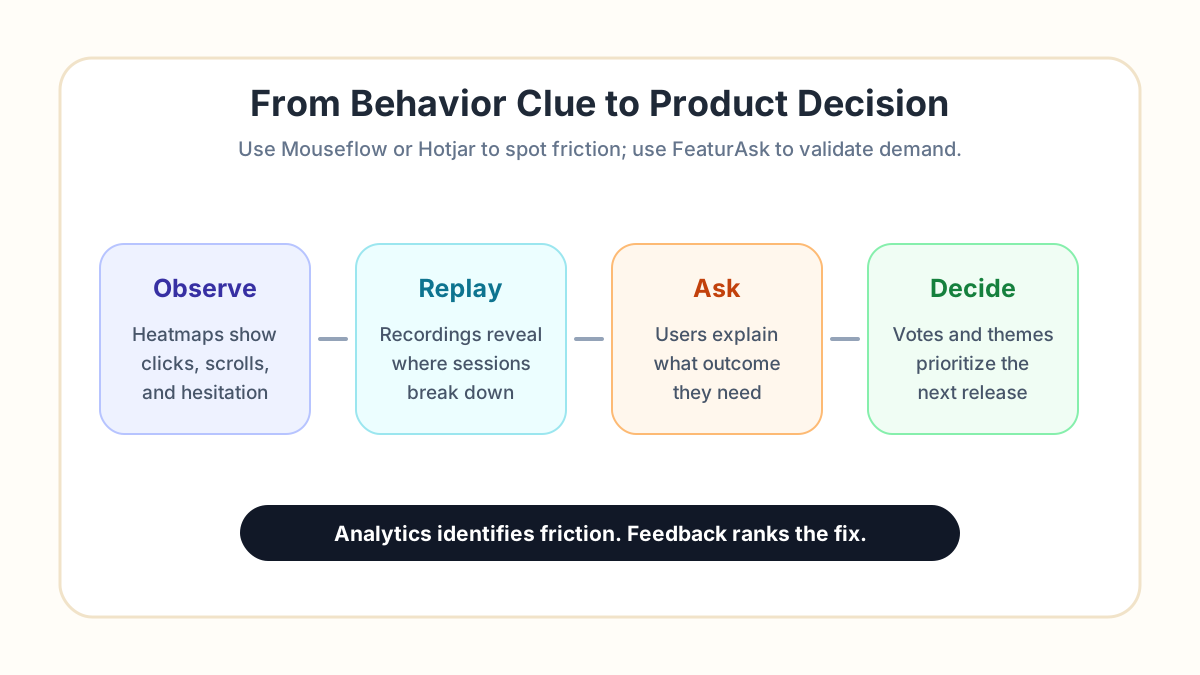
Neither tool replaces product feedback management. A heatmap may show that users ignore an advanced settings link. It does not tell you whether they want bulk editing, a different workflow, a Slack integration, or clearer permissions. For that, you need a place to collect product asks and measure demand over time. FeaturAsk’s guides to feature request prioritization, website feedback workflows, and customer feedback organization cover that next layer.
Pricing and value
Pricing changes often, so treat this section as a buying framework rather than a fixed quote. Always confirm current limits, session volume, retention, seats, integrations, and add-ons on the vendor pages before committing.
Mouseflow publishes plan information on its pricing page and describes a platform that includes session replay, heatmaps, funnels, form analysis, and user feedback. It can be a good value when those deeper diagnostics directly improve revenue. If you run paid acquisition into forms, checkout, demos, or signup funnels, Mouseflow may pay for itself by revealing where qualified visitors stall.
Hotjar’s pricing is now presented through Contentsquare. That matters because buyers should evaluate not only the old Hotjar experience but also the current package, product boundaries, and upgrade path. Hotjar can be a good value when a team wants quick insight across website behavior and lightweight voice-of-customer prompts without a heavy analytics implementation.
For small SaaS teams, the bigger budget mistake is buying a behavior tool and assuming it will also manage feature demand. If users keep asking for product changes, build a separate feedback loop. You can try FeaturAsk free for one month with no credit card, then keep the feedback widget for $29.95/year instead of forcing feature requests into recordings, spreadsheets, or chat threads.
Reviews and ratings: how to interpret them
Review sites are useful, but they can overstate small differences. Mouseflow and Hotjar both have many users, long product histories, and strong recognition in behavior analytics. Before trusting a star rating, read reviews from companies that resemble yours.
Look for comments about setup time, recording quality, page performance, sampling limits, privacy controls, filtering, integrations, support, and whether non-technical teammates actually use the product. A five-star review from an enterprise experimentation team may not predict the experience of a two-person SaaS company. A complaint about cost may not matter if one funnel fix is worth thousands of dollars.
The best trial method is simple: install one tool on a narrow set of pages, define three questions before looking at the data, and decide whether the tool answered them. For example: why are demo-page visitors not clicking the form, which pricing section causes hesitation, and what happens in the last session before cancellation?
User-friendliness and implementation
Hotjar usually wins on perceived approachability. Teams can understand heatmaps quickly, and the interface is designed for broad adoption. If your main risk is that nobody will use a complex analytics tool, Hotjar is safer.
Mouseflow can be friendlier for teams that already know what they want to diagnose. Its deeper funnel and form focus rewards a more structured process. The learning curve is worthwhile if you plan to run regular conversion reviews, compare segments, and turn observations into experiments.
Implementation quality matters more than the logo. Before installing either product, decide which pages should be tracked, which fields must be masked, how long recordings should be stored, who can view them, and what events or segments matter. A messy setup produces messy evidence.
Privacy, consent, and trust
Behavior analytics sits close to user trust. You are not just counting pageviews; you may be replaying interactions, aggregating clicks, and observing hesitation. That can be legitimate and useful, but it requires restraint.
For both Mouseflow and Hotjar, review data processing terms, consent mode, cookie behavior, masking, IP handling, retention, and access control. Exclude sensitive pages such as billing details, medical forms, private dashboards, internal admin screens, and support conversations unless you have a clear legal and operational reason. Mask form fields by default. Limit recordings to people who need them. Document why the tool is installed.
Also separate behavior evidence from personal judgment. A session replay shows an interface problem; it should not become a way to criticize individual users. The goal is to make the product clearer, faster, and more useful.
Competitors to consider
Mouseflow and Hotjar are not the only options. Microsoft Clarity is attractive when teams want free heatmaps and recordings with a lighter budget. FullStory is popular for deeper digital experience intelligence and enterprise-grade session analysis. Contentsquare is relevant for larger organizations that want a broader experience analytics platform. Smartlook, Lucky Orange, and Crazy Egg may also fit specific budgets or website use cases.
The competitor question should start with the job. If you need free visual debugging, evaluate Clarity. If you need enterprise session search and impact analysis, evaluate FullStory or Contentsquare. If you need simple landing page heatmaps, compare Hotjar, Crazy Egg, and Lucky Orange. If you need detailed form and funnel behavior, keep Mouseflow on the shortlist.
If the real problem is product feedback rather than observation, the competitor set changes. You should evaluate feedback boards, voting tools, and roadmap systems, not another replay tool. A behavior platform and a feedback platform answer different questions.
When heatmaps are not enough
Heatmaps and recordings are excellent at surfacing friction. They show symptoms: people do not scroll, they click a disabled element, they hesitate on a field, they loop between pages, or they abandon a flow. The next product decision still needs context.
Imagine a replay shows that users repeatedly open the integrations page and leave. Possible fixes include better copy, clearer pricing, a missing integration, a public API, a Zapier template, or a sales-assisted setup. Behavior analytics cannot rank those possibilities alone. Direct feedback can.
That is where FeaturAsk fits next to Mouseflow or Hotjar. Add a feature request widget, let users submit ideas in their own words, allow voting, moderate duplicates, and review demand before planning. When behavior data says “people are stuck” and feedback says “we need X to finish the workflow,” the product conversation becomes much clearer.
For a small team, that combination is usually enough: one behavior analytics tool for observation, one feedback board for demand, and a monthly prioritization review. FeaturAsk offers that feedback layer with a one month free trial, no credit card required, and $29.95/year pricing, so you can test the loop without adding enterprise software.
Recommended decision path
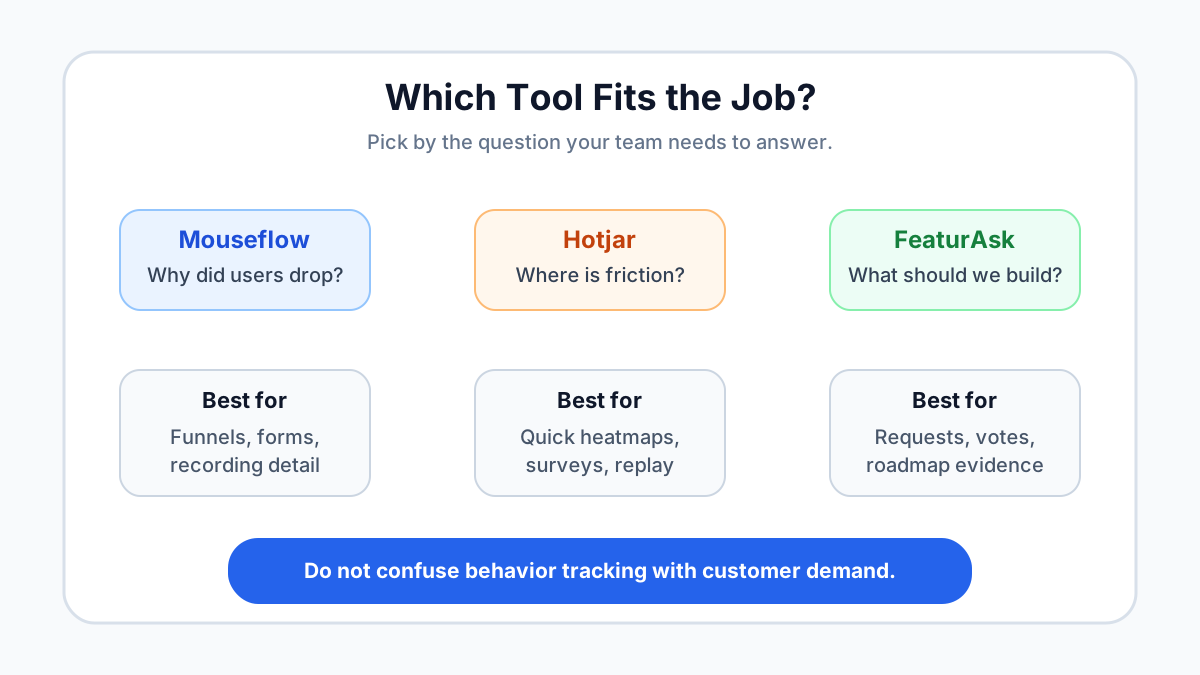
Start with the business question. If your question is about page friction, install Mouseflow or Hotjar on the highest-value flow and collect enough sessions to see patterns. If your question is about what users want next, install a feedback widget and ask directly. If you have both questions, use both layers but keep their outputs separate.
Choose Mouseflow if your team will review recordings, funnels, forms, and privacy settings in detail. Choose Hotjar if your team needs a fast, visual, easy-to-share research layer with heatmaps, replay, and simple qualitative prompts. Choose FeaturAsk when you need feature requests, votes, comments, moderation, and product demand signals.
Do not let the tool choose the process. Schedule a recurring review, write down what you learned, connect observations to hypotheses, and close the loop with users when you ship a fix. The best stack is not the one with the most dashboards. It is the one that helps your team notice friction, understand demand, and make better product decisions.
Frequently asked questions
Is Mouseflow better than Hotjar?
Mouseflow is better for teams that want deeper diagnostic workflows around recordings, forms, funnels, and controlled behavior analysis. Hotjar is better for teams that value quick setup, broad adoption, heatmaps, replay, and lightweight qualitative research. The best choice depends on the question you need answered.
Can Hotjar or Mouseflow collect feature requests?
They can collect some qualitative input, especially through surveys or feedback widgets, but they are not dedicated feature request management tools. If you need public requests, voting, comments, moderation, and a repeatable prioritization loop, use a purpose-built feedback board alongside behavior analytics.
Should startups use Mouseflow or Hotjar first?
Startups should pick the tool that matches their current bottleneck. If trial users are dropping from a signup or onboarding flow, Mouseflow may uncover the exact friction. If the team needs fast visual insight on a website or landing page, Hotjar may be easier. If users are already asking for product improvements, collect and rank those requests directly.