Effective Customer Feedback Questions for Businesses
Quick answer
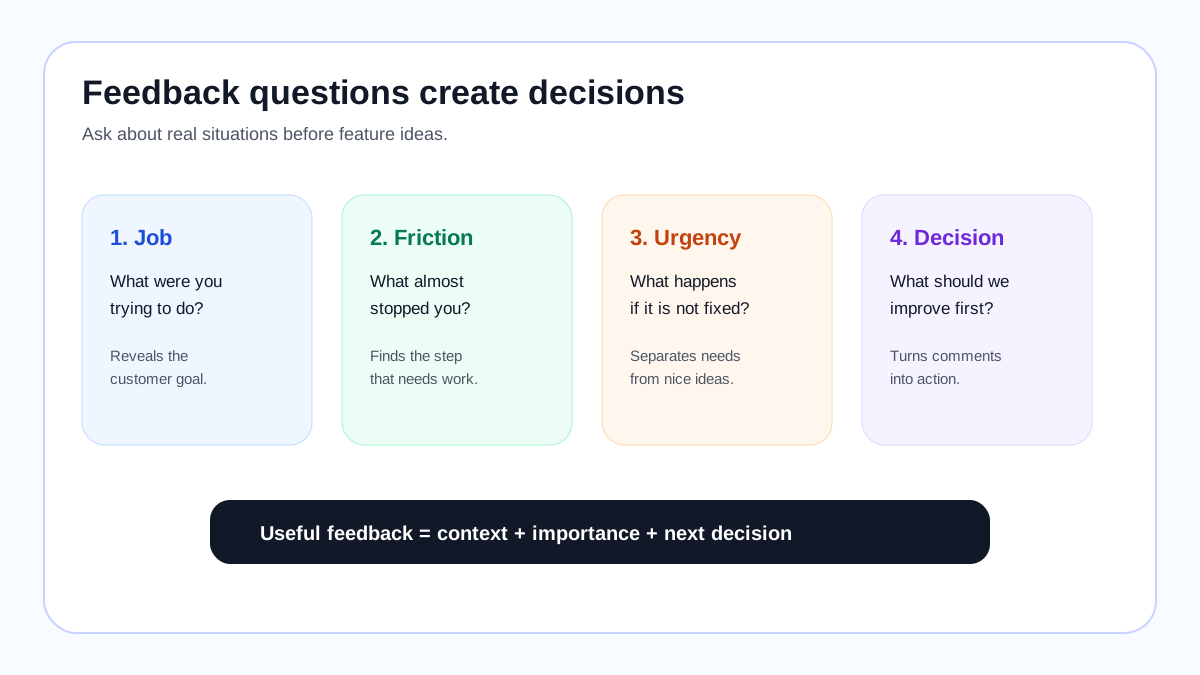
The best customer feedback questions help you understand what someone tried to do, what got in the way, how important the problem is, and what decision your business should make next. They are short, specific, and asked close to the moment when the customer is choosing, buying, using, leaving, or requesting something.
For a smaller website or early-stage SaaS, the goal is not to run a huge research program. The goal is to collect enough clear signals to make better decisions: fix confusing pages, improve onboarding, prioritize feature requests, choose better content topics, or learn what would make a customer buy. A simple feedback board can help when the same answer appears repeatedly; for example, you can turn repeatable requests into public items that visitors can vote on instead of leaving them buried in forms and inboxes.
Before choosing questions, decide what decision you need to make
A feedback question is useful only if it supports a decision. “What do you think?” may feel open and friendly, but it usually produces vague opinions. A better question starts with the business decision you are trying to improve.
Use this simple framing:
- If you need to improve conversion, ask what was unclear before buying.
- If you need to improve onboarding, ask what nearly stopped setup.
- If you need to prioritize features, ask what outcome the missing feature would unlock.
- If you need to reduce churn, ask what result the customer expected but did not get.
- If you need content ideas, ask what task the audience is trying to complete next.
This approach matches a basic research principle: ask about real tasks and recent behavior instead of broad preferences. Nielsen Norman Group recommends task-focused research because people are more reliable when they describe something they just tried to do than when they predict what they might want later. Baymard Institute shows the same pattern in online stores: small points of confusion around product information, checkout, shipping, and trust can create large buying friction.
17 customer feedback questions worth using
The list below is organized by the kind of decision each question supports. You do not need all 17 at once. Pick one or two for the current situation, then review the answers before adding more.
1. What were you trying to accomplish today?
Use this when you need to understand the customer’s job before discussing features or design. It works well in website feedback prompts, onboarding interviews, support follow-ups, and product research calls.
A useful answer might be: “I was trying to compare your pricing with two other tools before my trial ends.” That answer tells you the user is not just browsing; they are making a purchase decision.
2. What almost stopped you?
Ask this after signup, checkout, booking, or installation. It reveals the friction that nearly cost you the customer. For small websites, this question often points to missing proof, confusing pricing, unclear shipping information, or a trust concern.
3. Which part felt unclear?
This is better than asking whether the page was easy to use. It invites the customer to name a specific confusing step, label, screen, or sentence. Use it on pricing pages, product pages, dashboards, documentation, and onboarding flows.
4. What did you expect to happen next?
Expectation gaps create frustration. If customers expected a confirmation email, a next step, a saved setting, or a visible progress indicator, the product may not need a major redesign; it may need clearer signals.
5. What information was missing before you felt ready to buy?
This is one of the most valuable questions for ecommerce, service businesses, and SaaS pricing pages. Missing information can often be fixed faster than missing features. Customers may need examples, screenshots, delivery times, compatibility notes, cancellation terms, or proof that the product works for their situation.
6. What would make this easier to use?
This question is useful when you are trying to reduce friction. Good answers often mention repeated steps, unnecessary decisions, confusing names, or manual work. Avoid treating every answer as a feature request; many “make it easier” answers are really UX or copy fixes.
7. Which missing feature would save you the most time?
This turns a feature request into a time-savings signal. The important phrase is “save you the most time.” It pushes the customer to connect the feature to a real workflow instead of listing nice-to-have ideas.
If the same missing feature appears repeatedly, it can become a visible request for other users to vote on. That is where a lightweight tool such as FeaturAsk can fit naturally: it gives small teams a simple place to collect, merge, and review requests without adopting a large enterprise feedback suite.
8. How are you solving this problem now?
Workarounds reveal urgency. A customer using spreadsheets, screenshots, manual exports, email chains, or another paid tool is giving you stronger evidence than a customer who casually says, “It would be nice if…”
9. What happens if this problem is not solved?
This question separates urgent problems from preferences. If nothing happens, the request may not deserve immediate attention. If the customer loses time, money, trust, or an important workflow, the signal is stronger.
10. If we could improve only one thing this month, what should it be?
Tradeoff questions are useful because customers often ask for everything when the prompt is too open. Asking for one priority forces clarity. It also helps smaller teams avoid scattering effort across too many small improvements.
11. Who else is affected by this problem?
This question is especially useful in B2B SaaS, service businesses, education, and agencies. A request that affects admins, clients, support teams, or end users may have more value than a single-user preference.
12. What result would make this worth paying for?
Use this for pricing, packaging, and product-market fit research. The answer should connect value to an outcome: saved time, fewer mistakes, more sales, better reporting, happier clients, or a faster workflow.
13. What made you choose us instead of another option?
Positive feedback is useful when it explains why the customer bought, stayed, or returned. Keep the customer’s wording. It can improve homepage copy, onboarding, comparison pages, and sales emails.
14. What almost made you choose another option?
This surfaces objections without making the customer feel defensive. Answers often reveal missing integrations, unclear pricing, weak examples, lack of trust proof, or uncertainty about whether the business is active.
15. What should we stop doing?
Some feedback is about removing friction, not adding features. Customers may point to annoying emails, extra steps, confusing policies, too many notifications, or features that make the product feel heavier than necessary.
16. Can we follow up when this changes?
Permission to follow up turns feedback into research instead of a one-time comment. It also lets you notify customers when a request is clarified, planned, built, or declined.
17. Would you vote for this if other customers requested it too?
This works when a customer suggests a new feature, product variant, service package, or content topic. It gently moves the conversation from “my idea” to “shared demand.” If the answer is yes, the idea belongs somewhere visible where other customers can react.
Question patterns by business type
Different businesses need different feedback questions. A SaaS founder, a Shopify store owner, a creator, and a local service provider may all want “customer feedback,” but they are not making the same decision.
SaaS products
Ask about workflows, blockers, missing capabilities, integrations, reporting needs, onboarding friction, and churn reasons. Good SaaS questions connect feedback to usage and retention:
- “What workflow were you trying to complete when you got stuck?”
- “Which missing capability would save your team the most time?”
- “What result did you expect after your first week?”
For related planning, see customer feedback strategy and customer feedback software.
Ecommerce stores
Ask what almost stopped the purchase, what product information was missing, which variant would change the buying decision, and whether delivery, returns, or trust signals were clear. Baymard’s checkout and product-page research is a good reminder that many ecommerce problems are not “lack of demand”; they are unanswered buying questions.
Creators, bloggers, and educators
Ask what outcome the audience wants, which format would be easiest to use, and what topic should be explained next. A creator does not need a complex roadmap tool; they need a reliable way to turn audience comments into ranked topic ideas.
Service businesses
Ask which package, schedule, communication step, or service improvement would make the experience easier. Many service-business improvements are operational rather than technical: clearer estimates, better reminders, faster follow-up, or more transparent options.
Small websites with limited budget
Ask fewer questions, but review them consistently. A small website does not need a research department. It needs one question in the right place, a way to group repeated answers, and a weekly habit of choosing the next useful improvement. If you want a simple request board for that loop, FeaturAsk is $29.95/year with one month free and no credit card required, which keeps the tool cost reasonable for smaller sites.
Bad feedback questions to avoid
Avoid questions that collect politeness, guesses, or feature lists without context.
Weak question: “Do you like our product?”
Better: “What were you trying to accomplish, and did anything get in the way?”
Weak question: “What feature should we build?”
Better: “Which missing capability would save you the most time, and how are you solving it today?”
Weak question: “Would you use this?”
Better: “When was the last time you needed this, and what did you do instead?”
Weak question: “How can we improve?”
Better: “If we could improve one thing this month, what should it be?”
Weak questions are not bad because they are short. They are bad because the answers do not tell you what to do next.
How to turn answers into action
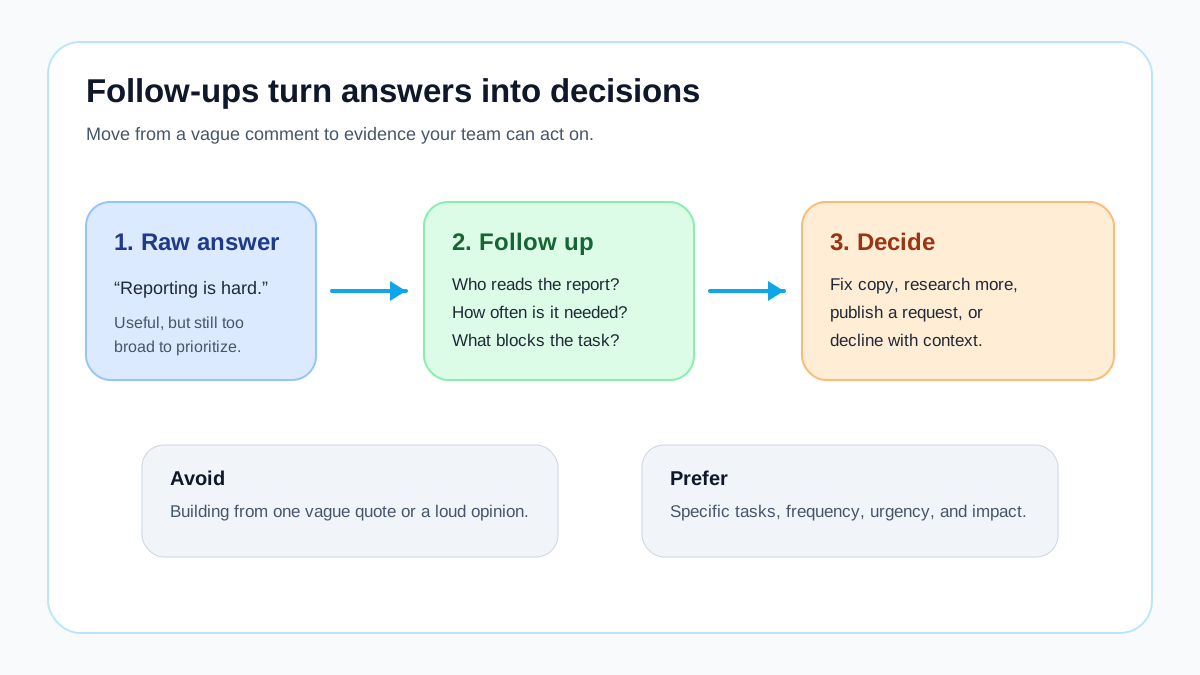
After collecting feedback, classify the answer before making a roadmap decision.
Use four simple buckets:
- Usability friction — the customer could not find, understand, or complete something.
- Demand signal — the customer wants a feature, variant, content topic, integration, or service option.
- Positioning gap — the customer did not understand the value, price, promise, or difference from alternatives.
- Support or trust issue — the customer needs proof, reassurance, documentation, or faster help.
Each bucket needs a different response. Usability friction may need a copy change or design fix. Demand signals may deserve voting and prioritization. Positioning gaps may need examples or better homepage messaging. Trust issues may need proof, policies, or clearer support paths.
This is where feedback gets messy for small teams. A spreadsheet can collect answers, but it does not naturally merge duplicates, show what other customers want, or keep a visible record of decisions. A small feedback board can help when the same request appears repeatedly. For example, feature voting lets customers validate whether a request is shared by others before you commit development time.
A weekly review cadence for small teams
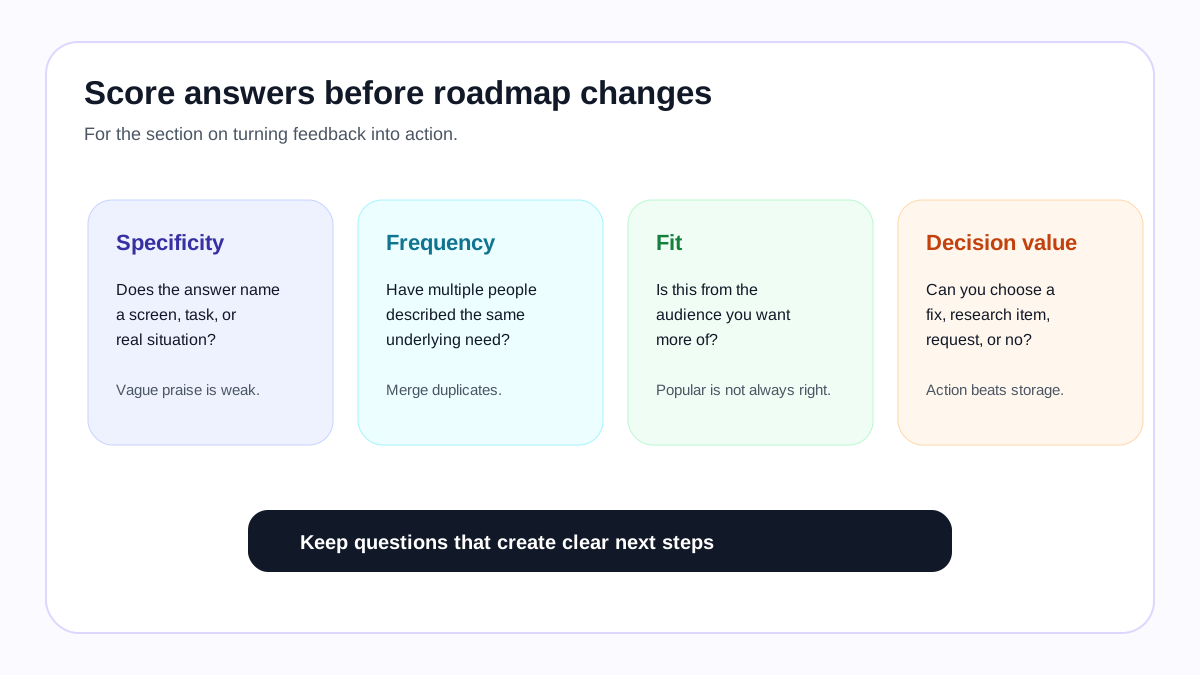
Do not rewrite your roadmap every time someone sends feedback. Review answers weekly or biweekly. Look for repeated jobs, repeated objections, and repeated requests. Keep the customer’s wording when it is specific, but merge duplicates so the same need is not counted five different ways.
A practical review can be simple:
- Pick the clearest repeated problem.
- Check whether it affects the right customers.
- Decide whether it is a quick fix, a research item, a visible request, or a “not now.”
- If it is a request, publish the plain-language version and invite votes or comments.
- Close the loop when you decide, ship, or decline.
If you need that visible request step without a large monthly tool, you can try FeaturAsk and keep the feedback loop lightweight.
The important part is closing the loop. Customers are more likely to give useful feedback again when they see that the business listens and makes clear decisions.
Bottom line
Effective feedback questions do not ask customers to run your business. They help customers explain their jobs, friction, urgency, and desired outcomes in plain language. Start with one decision, ask one or two specific questions near the moment of friction, and review the answers on a regular cadence.
When answers repeat, turn them into visible requests so customers can vote and add context. If you need a simple way to do that on a smaller budget, FeaturAsk offers a lightweight feedback board for $29.95/year, including a one-month free trial with no credit card required.